
Table of Contents (17)
Best Controllers for PC Gaming in 2025: The Ultimate Listicle for Gamers
In 2025, PC gaming controllers finally caught up with the way we actually play. Hall effect sticks killed stick drift, modular shells let us rebuild pads between Apex and Elden Ring, and latency numbers started to matter as much as RGB. I’ve spent the last year swapping these controllers between my main gaming PC, a Steam Deck dock, and a living-room rig, bouncing from sweaty ranked shooters to long JRPG sessions. This list isn’t a spec sheet; it’s the 15 controllers that genuinely earned a spot on my desk.
For ranking, I focused on four things: latency (especially for competitive play), comfort over multi-hour sessions, real customization that actually changes how you play, and price-to-feature value. High-end here usually means $150-$220 with pro features; mid-range hits that $70-$140 sweet spot; and the budget kings live under $70 but punch way above their price.
Everyone’s hands and habits are different, so I’ll call out who each pad really suits: esports grinders, single-player enjoyers, couch co-op people, or mobile-first players. You might be surprised which one I actually recommend to most PC gamers-and which “pro” pad I’d skip unless you live in ranked lobbies.
1. Razer Wolverine V3 Pro 8K – The Latency Freak’s Endgame
The first night I plugged the Wolverine V3 Pro 8K into my rig, I loaded up Valorant just to see if 8K polling (0.125 ms) was actually noticeable or just marketing. The answer: if you live in competitive shooters, yeah, you feel it. Inputs land with that “wired mouse” immediacy that makes every other controller feel a touch soft.
This thing is unapologetically built for esports. It’s wired-only, uses Hall effect sticks so drift just isn’t a thing, and every face button has that crisp, mouse-like mechanical click. I love how Razer’s “sensitivity clutch” lets you hold a mapped button to temporarily drop your stick sensitivity for micro-adjust headshots-priceless in games like CS2 and Rainbow Six Siege.
There are six remappable buttons (two extra bumpers and four rear triggers), plus short-throw trigger stops that turn your triggers into massive mouse buttons. I mapped jump and crouch to the rear so my thumbs never leave the sticks, and my K/D ticked upward almost immediately. This is the controller that made me stop touching my keyboard for shooters.
Downsides? The cable management is real, and if you mainly play cozy single-player stuff or from the couch, you’re wasting what makes it special. Razer’s software is also heavy, though once your profiles are saved, you can mostly forget about it.
If your life is aim labs, ranked ladders, and LANs, this is the current king. If you’re not chasing milliseconds, you can probably step down a tier and save some cash.
2. Victrix Pro BFG – The Shape-Shifter for Multi-Platform Gamers
The Victrix Pro BFG is the first controller that genuinely made me rethink “one pad for everything.” I spent a weekend swapping modules between a staggered Xbox-style layout for Halo on PC, then flipping to a symmetrical layout for Street Fighter 6, and it never felt like a gimmick. The hot-swappable modules slide in with a solid, reassuring click, and you can literally reconfigure the face layout in under a minute.
What really sells it is how platform-agnostic it feels. PC, PS5, even Xbox-style layouts-if you bounce between ecosystems, this one pad avoids that “my thumbs forgot where to go” feeling. The triggers have proper stops, the rear paddles are positioned so you don’t accidentally hit them during panicked firefights, and the included alternate thumbsticks (domed, concave, tall) let you dial in genre-specific setups.
In fighting games, I swapped to the micro-switch D-pad module and honestly preferred it to a lot of dedicated fightpads. Quarter-circle and charge inputs come out clean, and the latency over wired mode is rock-solid. Wireless is fine for single-player or casual play, but for anything serious I kept it wired.
Price-wise it lives in that high-end $150–$200 range, which makes sense—it’s basically three controllers in one. The trade-off is complexity: if you’re the set-and-forget type, you might never touch half of what makes this great.
For players who own multiple platforms or swap genres constantly, the Pro BFG is a dream. It’s the Swiss Army knife of this list and the only pad here that actually justifies being called “modular” instead of “swappable thumbsticks slapped on for marketing.”
3. Xbox Elite Series 2 Core – The Safe Bet That Still Slaps on PC
The Elite Series 2 Core is the controller I keep going back to when I’m not testing something new. It’s basically the refined version of Microsoft’s original Elite, stripped down on accessories but still stacked where it matters: adjustable stick tension, four paddles, trigger locks, and up to around 40 hours of battery life if you’re using Xbox Wireless.
On PC, it’s stupidly convenient. Steam, Game Pass, emulators—everything just expects an Xbox layout, and the Elite leans into that. The Xbox Accessories app on Windows lets you fine-tune dead zones, swap button mappings, and save multiple profiles directly on the controller. I keep one profile for shooters (hair triggers, tightened sticks), another for racing (longer trigger throw, smoother curves), and a third for RPGs where I want full analog nuance.
Latency-wise, wired and Xbox Wireless both feel solid. Bluetooth is there for convenience, but if you care about responsiveness, stick to the dongle or USB-C. The paddles are the real game-changer: once you get used to reloading, jumping, or dodging without your thumbs leaving the sticks, it’s hard to go back to a standard pad.
The two knocks: long-term durability has been hit-or-miss for some people, and you don’t get the fancy case or extra stick caps with the Core unless you buy them separately. But that’s also why it usually lands cheaper than most “pro” rivals, especially during sales.
If you’re a PC-first player who wants one do-it-all controller that just works with everything, the Elite Series 2 Core is the most boringly excellent choice on this list—and I mean that as a compliment.
4. Sony DualSense Edge – For Single-Player Immersion Addicts
The first time I played Returnal on PC with the DualSense Edge, I finally understood why people wouldn’t shut up about Sony’s haptics. The adaptive triggers and nuanced rumble don’t just vibrate; they communicate. Pulling a bowstring in Horizon or feeling raindrops in a quieter indie feels weirdly cinematic compared to a standard rumble motor.
As a “pro” pad, the Edge brings a lot to the table: swappable stick modules (you can literally replace the entire stick unit if it ever drifts), two back button styles, and on-the-fly profile switching via those little function buttons under the sticks. On PC, when games support the full haptic and trigger feature set, it’s magic. When they don’t, you still get a comfortable, premium-feeling pad with solid remap options.
The downside is battery life; if you’re used to the Elite or 8BitDo’s Ultimate line, the Edge feels like it needs a top-up more often. I mostly run it wired at my desk, which also keeps latency tight. And while you do get back buttons, they’re “only” two instead of the four paddles some competitors offer.
This isn’t my top pick for ranked shooters; I’ll still grab the Wolverine or Elite there. But for narrative-heavy games, cinematic action titles, and anything where immersion matters more than raw input efficiency, the DualSense Edge is easily the most “next-gen” feeling controller you can plug into a PC in 2025.
5. Thrustmaster eSwap X2 Pro – The Tinkerer’s FPS Workhorse
If the Victrix is the flashy shape-shifter, the Thrustmaster eSwap X2 Pro is the no-nonsense mad scientist rig. I love how aggressively modular it is: you can move the stick and D-pad modules around, swap in different stick caps, and even change button modules to tweak feel. It’s all secured with chunky magnets that feel like they could survive being thrown in a backpack daily.
Thrustmaster leaned hard into Hall effect sensors here, and it shows. After a few months of Overwatch 2 and Battlefield with the X2 Pro as my wired main, there’s zero hint of drift and the response curve stays consistent. The triggers are sharp, especially with the mechanical-styled microswitch face buttons—you get that fast, clicky actuation that’s perfect for rapid-fire weapons and fighters.
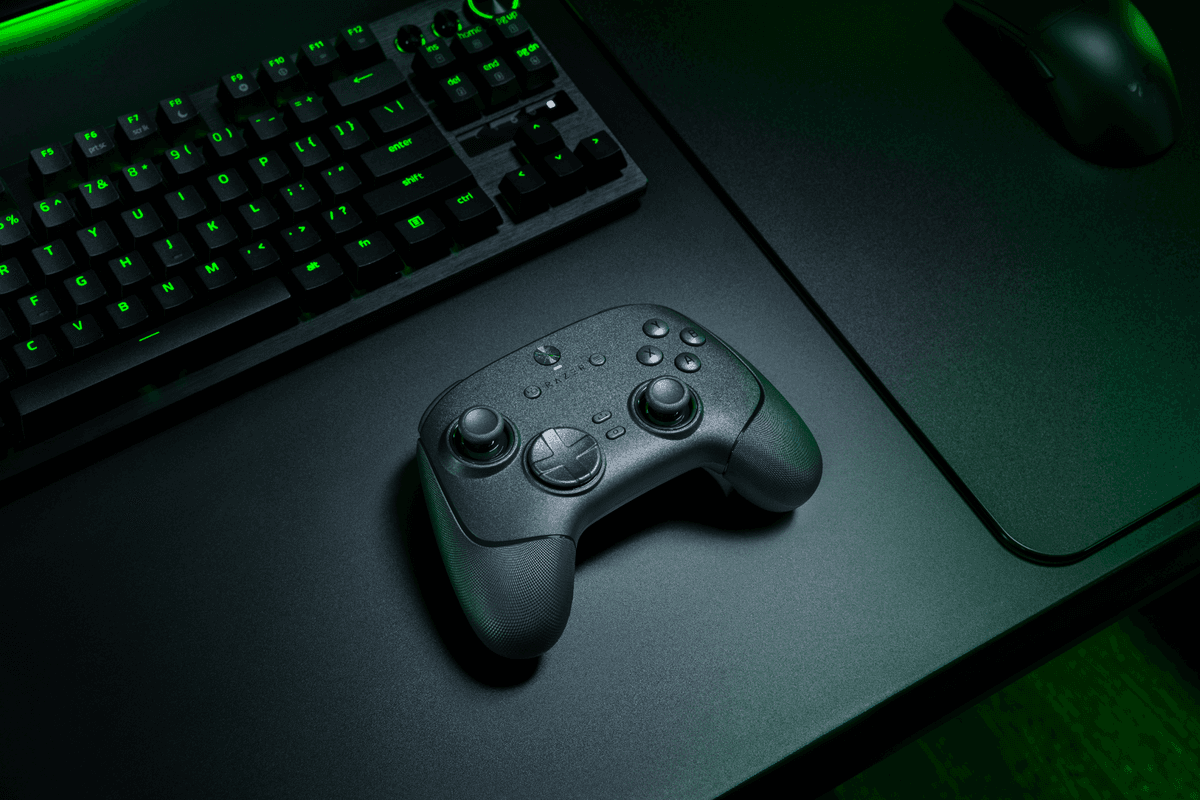
Software-wise, you can dive into Thrustmapper to adjust dead zones, remap buttons, and save profiles. It’s not as sleek as Razer’s suite, but it gets the job done. RGB lighting is there if you care, and mercifully easy to tone down if you don’t want your pad to double as a desk lamp.
The X2 Pro is wired-only, which I actually consider a plus for its target audience. If you’re the kind of player who notices when your mouse polling rate drops, this is a controller you can trust on the latency front.
It’s not cheap, but if you like to physically tune your controller the way sim racers tune cars, the eSwap X2 Pro gives you more hands-on control than almost anything else here.
6. 8BitDo Ultimate 2C – The Budget King with Big-League Sticks
When friends ask me for a “good but not stupidly expensive” PC controller in 2025, the 8BitDo Ultimate 2C is usually my first answer. It hits that magic under-$70 zone while still rocking Hall effect sticks, which is wild considering some premium pads still ship with old-school potentiometers that drift after a year.
The 2C feels like a modernized take on a classic pad: clean layout, comfy grips, and just enough extra features to matter without drowning you in options. On PC, it connects over 2.4 GHz or Bluetooth, and latency over the dongle has been absolutely fine for everything short of top-tier competitive shooters. I’ve used it for Hades, Hollow Knight, emulation, and a frankly irresponsible amount of indie platformers—it never felt like the limiting factor.
8BitDo’s software lets you tweak dead zones, remap buttons, and save profiles, which is a massive bonus at this price point. You don’t get paddles or trigger stops, but that’s not what this controller is trying to be. It’s a rock-solid everyday pad that quietly solves the “drift” problem without asking you to study a 40-page manual.
My only gripe is that the triggers aren’t as premium-feeling as something like the Elite or Edge, and the plastic doesn’t scream “luxury.” But again, you’re paying budget pricing for sticks that should outlive half your Steam backlog.
If your gaming diet is mostly single-player, indies, retro, and some light online play, the Ultimate 2C is the best value controller on PC right now.
7. Razer Raiju V3 Pro – For Symmetrical Layout Fans Who Sweat Ranked
If you like the PlayStation-style symmetrical stick layout but want something more aggressive and esports-y than Sony’s own pad, the Razer Raiju V3 Pro is that middle ground. I swapped to it for a week of Destiny 2 and Guilty Gear Strive, and the mechanical face buttons plus Hall effect sticks instantly felt like home—just with a sharper edge.
Mechanically, it shares a lot of DNA with the Wolverine: clicky face buttons, extra remappable buttons, and smart trigger locks that turn the triggers into short, snappy levers. You also get Razer’s trademark Chroma RGB, which you’ll either love building into your desktop light show or immediately turn off. I’m somewhere in the middle; a subtle glow under a dark desk actually looks great.
Latency over wired mode is excellent, and the 2.4 GHz wireless held up well in my testing—even in busy wireless environments. Bluetooth is fine for casual couch play or connecting to a Steam Deck, but I’d avoid it for anything competitive.
The Raiju V3 Pro isn’t cheap, sitting in that $150–$180 high-end bracket. At that price, you’re choosing it because you specifically want: a symmetrical layout, pro features, and Razer’s particular take on clicky inputs. If you don’t care about those three things, there are better value options.
For PS-layout loyalists who grind ranked modes or fighters on PC, though, this might be the sweet spot: PlayStation feel, PC-first attitude, and zero tolerance for mushy buttons.
8. GameSir T4 Kaleid – The Travel-Friendly All-Rounder
The GameSir T4 Kaleid is my go-to “throw it in the bag and go” controller. It’s lighter than most of the pro pads on this list, but still packs features that make it feel way more capable than its price suggests. Hall effect sticks at this tier are still a win, and the compact shell fits smaller hands without cramping larger ones.
I’ve used the T4 Kaleid across PC, Switch, and Android, and it’s honestly the flexibility that sells it. You’ve got multiple wireless modes (Bluetooth and 2.4 GHz), plus a wired option for when you’re parked at a desk. Latency over 2.4 GHz is good enough for everything short of ultra-serious FPS; I happily played Rocket League and Tekken on it without feeling disadvantaged.
The translucent shell with RGB looks louder in photos than it does on an actual desk. In person, it has a fun “aftermarket modded pad” vibe. GameSir’s software lets you remap buttons and adjust stick curves, which is more than most casual players will ever bother with, but it’s nice having the option.

Downsides? The build doesn’t feel as tanky as a $200 pro pad, and the face buttons are a bit softer than I’d like. Also, the default D-pad is fine for platformers, but if you’re a hardcore fighting game player, you’ll probably want something more specialized.
For the price, though, the T4 Kaleid is one of the easiest recommendations here—especially for anyone splitting time between PC and handhelds or mobile games.
9. SCUF Instinct Pro – Paddles for People Who Actually Use Them
SCUF basically invented the modern “paddle controller,” and the Instinct Pro feels like the culmination of that idea. When I swapped to it for Warzone and Apex, the first thing I noticed was how natural the four rear paddles felt under my fingers. They’re more like elongated levers than traditional tiny paddles, so you can hit them without contorting your grip.
The Instinct Pro is heavily aimed at competitive Xbox and PC players: customizable paddles, interchangeable thumbsticks, textured grips, and trigger stops that dramatically shorten travel. Hall effect sensors mean your sticks hold their center through hundreds of hours, which is critical when your entire aim game depends on consistent dead zones.
One thing I really appreciate is how you can remap paddles on the controller itself without diving into software mid-session. That made it easy to experiment: I tried jump/melee on the top paddles and reload/slide on the lower ones until muscle memory kicked in.
It’s pricey—often pushing $200 depending on customization—so this isn’t for casual weekend players. You’re paying for ergonomics tuned specifically for people who live in shooters. Battery life in wireless mode is solid, but if you’re ultra-latency-conscious, you’ll still want to keep it wired.
If you’ve tried paddles on cheaper controllers and found them awkward, the Instinct Pro might change your mind. It’s the first SCUF that made me feel like I was gaining inputs, not just furniture on the back of my pad.
10. Logitech F710 – The Old-School Wireless Workhorse
The Logitech F710 is the oldest design on this list, and honestly, that’s kind of its charm. I still keep one plugged into my living room PC because it just… works. Two AA batteries, a 2.4 GHz dongle, and a layout that feels like a mashup between classic PlayStation and Xbox pads.
On paper, it’s completely outclassed by newer controllers: no Hall effect sticks, no paddles, no RGB, no software wizardry. But it has two tricks that matter if you live in emulators or older PC titles: rock-solid DirectInput and XInput switchable support, and a surprisingly reliable D-pad. That little switch on the back that flips modes has saved me from wrestling with weird control schemes more times than I can count.
Latency over the dongle is fine for almost everything that isn’t hyper-competitive. I’ve happily played Dark Souls, platformers, and retro collections with zero complaints. The weight is a bit on the heavier side for a budget pad, but the curves are comfortable and familiar.
The downsides are obvious: it feels dated next to modern rivals, and you’ll eventually have to deal with stick wear since there’s no Hall effect magic here. But the price is low, it’s widely compatible, and replacement is painless if it ever dies.
If you just want a cheap, wireless pad for a couch PC or emulation box and don’t care about pro features, the F710 is still a surprisingly solid pick in 2025.
11. Flydigi Vader 4 Pro – The Feature Creep That Mostly Works
The Flydigi Vader 4 Pro is the controller that made me go, “Okay, this thing is trying to do everything.” OLED display on the front, Hall effect sticks, trigger locks, extra buttons, low-latency 2.4 GHz, Bluetooth, and aggressive software support on both PC and mobile. It screams “tournament pad from the future.”
The OLED screen is more useful than I expected. I used it to quickly swap profiles and check battery life without alt-tabbing out of games, which sounds small but is actually great in full-screen titles. Stick performance has been excellent so far; aiming in games like Apex and Fortnite felt tight, and the triggers with stops engaged are fast enough for semi-auto spam.
Where it really shines is for players who split time between PC and mobile. I tested it with a phone clamped in for Call of Duty Mobile and some cloud gaming, then moved straight back to PC with the same pad. Latency was respectable across both, especially on the 2.4 GHz dongle.
The trade-off is complexity. Flydigi’s software is powerful but a bit dense at first, and the sheer number of options can feel overwhelming if you just want to plug in and go. Build quality is good, but not quite on the same bombproof level as the Elite or Wolverine.
If you’re a tinkerer who loves squeezing every possible tweak out of your gear—and you also game on your phone—the Vader 4 Pro is a wild, surprisingly capable option.
12. PowerA Fusion Pro 3 – The “Almost Pro” for Realistic Budgets
The PowerA Fusion Pro 3 is basically what happens when someone asks, “What if we made an Elite-style controller, but people could actually afford it?” It’s wired-only, which helps keep the price down and latency low, and it still manages to pack in mappable rear paddles, adjustable trigger stops, and mechanical-feeling face buttons.
In practice, it feels closer to a true “pro” pad than the price suggests. I ran it through a week of Halo Infinite, Diablo IV, and Forza, and never felt like I was giving up much versus my pricier controllers. The paddles are detachable, which is great if you sometimes want a simpler feel, and the rubberized grips are genuinely comfortable for long sessions.
PowerA doesn’t use Hall effect sticks here, so you’re not getting the same long-term drift resistance as some of the controllers higher on this list. But the stick feel out of the box is smooth, and at this mid-range price point that’s an understandable trade-off.

It’s squarely aimed at PC and Xbox players who want advanced features without jumping into $180 territory. If you’re climbing ranked but not chasing esports-level perfection, the Fusion Pro 3 hits a really comfortable balance between cost and capability.
For many people, this is the sweet spot: wired, reliable, customizable enough to matter, and far less painful to replace if something eventually breaks.
13. Nacon Revolution 5 Pro – The Underdog Esports Contender
The Nacon Revolution 5 Pro doesn’t get talked about as much as the big-name pads, but it probably should. When I first picked it up, the asymmetric Xbox-style layout felt immediately familiar, but the details are what won me over: Hall effect sticks, textured grips that actually grip, and a surprising amount of software customization.
On PC, the Revolution software lets you dive deep: dead zones, response curves, button remaps, even profile-linked RGB schemes. I ended up building one profile specifically for F1 and Forza with super-smooth stick curves and sensitive triggers, and another for shooters with tighter centers and hair-trigger pulls. Switching between them mid-session felt seamless.
The controller is wired, so latency is exactly where you want it for competitive play. The face buttons are snappy, the D-pad is surprisingly decent for 2D platformers, and the overall weight distribution feels tuned for long sessions rather than short bursts.
The catch is availability and awareness—depending on your region, it can be harder to find than something from Razer or Microsoft. And while the RGB is fun, some of the lighting zones feel more like “we had to use them” than intentional design.
Still, if you want a serious wired PC controller that isn’t just copying the Elite’s homework, the Revolution 5 Pro is an underappreciated gem, especially for FPS and racing fans.
14. ASUS ROG Raikiri Pro – For Style Nerds Who Still Care About Performance
The ASUS ROG Raikiri Pro is the controller you buy when you want your pad to match your RGB-soaked battle station. I plugged it in under a ROG monitor with a glowing Strix GPU inside the case and, yeah, it absolutely completes the look. But underneath the gamer aesthetic, there’s a surprisingly capable pro-style controller.
The little OLED display on the front is more than just a novelty. I used it to toggle profiles, swap audio modes, and see connection states without touching software—handy when you’re juggling multiple PCs or inputs. The rear paddles are well-placed, and the trigger stops give you the usual fast/slow options depending on whether you’re playing shooters or racers.
Wired performance is excellent, and while ASUS does support wireless modes, on PC I mostly treated it as a premium wired pad. Button feel is crisp, and the shell has that solid, “don’t worry about throwing this in a bag” sturdiness.
It’s not the most feature-dense controller here, but the combination of the OLED, RGB integration, and generally strong fundamentals makes it a nice pick for ROG ecosystem fans. The software is classic ASUS Armoury Crate—powerful but heavier than I’d like—so be prepared to spend a bit of time dialing things in.
If you care as much about aesthetics as you do about hitting your shots, the Raikiri Pro is the one that feels like part of a full ROG setup, not just an accessory.
15. HexGaming Rival Pro – The Custom Shop Specialist
The HexGaming Rival Pro feels less like a mass-market product and more like something you’d order from a custom shop. When mine arrived, the first thing I noticed was how personal it felt: custom colors, tailored stick choice, and a layout tuned for pure performance. It’s wired and unapologetically aimed at competitive players.
Hall effect sticks, mechanical-style buttons, and extra rear inputs put it firmly in the esports category. I used it primarily for Apex Legends and Valorant, and the consistency of the sticks plus the sharp face button actuation felt top tier. The rear buttons are less “paddles” and more low-profile clickers, which I actually liked—they’re easy to hit without snagging on anything.
Because HexGaming isn’t a giant brand, you don’t get the same polished software ecosystems as Microsoft or Razer. Most tuning is done via hardware-level settings and simple remap modes, which is either liberating or limiting depending on how much you like fiddling with graphs.
Price-wise, it lives firmly in the high-end bracket, and availability can be patchy depending on where you live. That’s why it lands near the bottom of this ranking: it’s excellent, but also niche.
If you want something a bit rarer than the usual suspects and you care more about feel than brand name, the Rival Pro absolutely holds its own against the heavy hitters—and might even suit your hands better.
How to Choose the Right PC Controller in 2025
After living with all of these, here’s the simple breakdown I wish someone had given me up front:
- Pure competitive FPS / esports: Razer Wolverine V3 Pro 8K, Thrustmaster eSwap X2 Pro, SCUF Instinct Pro, HexGaming Rival Pro.
- Immersive single-player & cinematic games: Sony DualSense Edge, Victrix Pro BFG, ASUS ROG Raikiri Pro.
- Best “one controller” for most PC gamers: Xbox Elite Series 2 Core, 8BitDo Ultimate 2C.
- Budget and couch-friendly: Logitech F710, GameSir T4 Kaleid.
- PC + mobile hybrids: Flydigi Vader 4 Pro, GameSir T4 Kaleid, 8BitDo Ultimate 2C.
If you care about longevity and stick drift, prioritize anything with Hall effect sensors. If you’re grinding ranked, go wired or 2.4 GHz over Bluetooth. And if you mostly live in single-player stories, honestly, buy the one that feels best in your hands and matches your setup—you’ll appreciate immersion and comfort way more than saving 2 ms of latency.
The good news in 2025 is that we finally have real choice. Whether you want a no-compromise esports weapon or a cozy pad for Game Pass nights, there’s a controller here that can quietly become the only one you reach for.
FinalBoss // Gear
Level up your setup
01Graphics cardson Amazon→02Gaming laptopson Amazon→03High-refresh gaming monitorson Amazon→04Discounted game keyson Kinguin→Affiliate links · As an Amazon Associate, FinalBoss earns from qualifying purchases.