

3DMark’s Solar Bay Extreme Will Make Your Mini Gaming PC GPU Sweat — Here’s the Real Story
Game intel
3DMark Solar Bay Extreme
Why This Caught My Eye
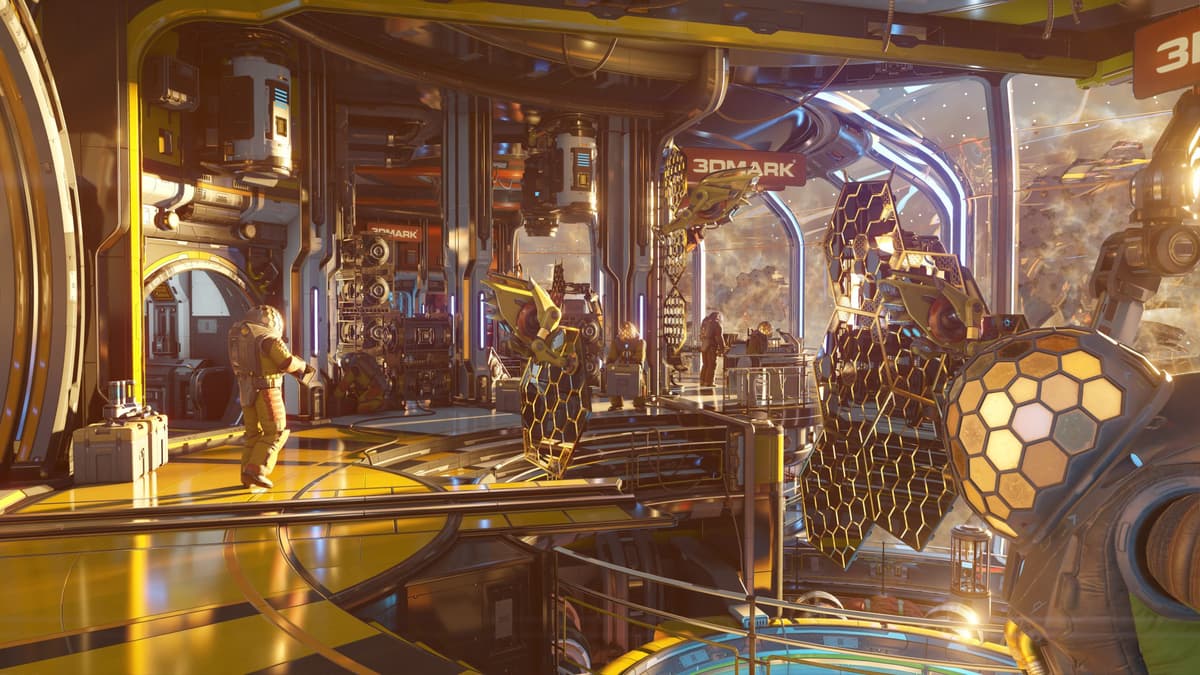
Ray tracing on integrated GPUs has been the gaming world’s “nice idea, bad reality” for years. So when 3DMark launched Solar Bay Extreme-a free benchmark for all 3DMark users that piles on five times the ray tracing demand of the original Solar Bay-my curiosity spiked. It specifically targets PCs, handhelds, and budget laptops, and renders a dense space scene at 1440p with heavy reflections and shadows. Translation: it’s built to expose the limits of your tiny rig, not flatter it.
- Five times the ray tracing workload promises a genuine torture test for integrated GPUs.
- Runs at 1440p with reflective, shadow-rich space scenes-perfect for revealing thermal throttling.
- Free for all 3DMark users, making it an easy add to your toolkit.
- Focused on PCs, handhelds, and budget laptops—where power and cooling budgets are tight.
Breaking Down the Announcement
Solar Bay Extreme is the next rung up the ladder from 3DMark’s earlier Solar Bay test. The pitch is straightforward: crank the ray tracing complexity and scene density to better reflect next-gen lighting workloads. The benchmark’s 1440p target matters. Handhelds and thin laptops rarely game at 1440p natively, but off-screen renders at that resolution are a good way to find the breaking point of thermals, power delivery, and driver stability without the variability of a live game.
The space-scene setup isn’t just for pretty screenshots. Heavily reflective surfaces, layered shadows, and lots of overlapping geometry stress the parts of modern GPUs that iGPUs traditionally struggle with: BVH traversal, ray budgets, and cache pressure. If your handheld or mini PC starts ping-ponging clocks, this will make it obvious.
Why This Matters Now
We’re living through the handheld PC boom. AMD’s recent APUs, Intel’s latest integrated graphics, and a wave of Windows-based handhelds have made “console-sized rigs” a real thing. But the form factor brings trade-offs: limited cooling, conservative power envelopes, and mixed driver maturity—especially for ray tracing. Solar Bay Extreme is aimed squarely at that reality. It’s less “how high can your frame rate go?” and more “how long can your mini rig hold it together under sustained RT load?”
This is where the benchmark feels genuinely useful. Ray tracing isn’t just about raw shader throughput—it’s about staying out of thermal throttle long enough to keep reflections coherent and denoisers fed. If your handheld or budget laptop droops after a minute, you’ll see it here as clock dips and inconsistent frame pacing. That’s the kind of signal you can act on: new fan curves, better thermal paste, a cooling pad, or just smarter power profiles.
What Gamers Need to Know (and Do)
- Don’t chase the number blindly. A higher score is nice, but the real value is watching stability across multiple runs. If your second pass tanks, your cooling—not your GPU—is the bottleneck.
- Treat 1440p as worst-case. Most handhelds game at 800p to 1200p. Solar Bay Extreme is deliberately brutal; it’s supposed to be. Expect ugly frame rates on iGPUs, and use that to tune your settings realistically.
- Use it to test power profiles. Handhelds and mini PCs often let you swing from 10W to 30W+ TDP. Run the benchmark at two or three power targets to see where diminishing returns kick in.
- Validate driver changes. If a new GPU driver claims RT improvements, Solar Bay Extreme is a clean way to verify before you dive back into Cyberpunk or Control.
For laptop owners, remember the simple stuff: plug in your power brick, enable your performance mode, and if you have a MUX switch, ensure the dGPU path is active when testing discrete hardware. For strictly iGPU systems, expect ray tracing to remain a “use sparingly” feature in real games; even modest RT effects can swing from neat to unplayable fast without upscalers and careful settings.
Hype vs. Reality: The Skeptic Check
Synthetic benchmarks aren’t one-to-one with game performance. Engines vary wildly in their ray tracing implementations, from hybrid tricks to aggressive denoisers. Solar Bay Extreme’s value is its consistency, not its crystal ball. Use it to identify thermal headroom and relative gains from tweaks; don’t assume a 10% score bump equals 10% more frames in Starfield with RT shadows on.
Also, five times the ray tracing workload sounds great on a slide, but the important bit is how your device behaves under that pressure. If your mini PC can hold stable clocks for several passes without hitting a thermal wall, that’s a green light to experiment with moderate RT settings in real games—paired with DLSS/FSR/XeSS and sensible resolutions. If it faceplants, that’s your cue to prioritize raster performance and leave RT off.

The Gamer’s Take
I like Solar Bay Extreme because it answers the question handheld and budget laptop owners actually ask: “Can my tiny rig do ray tracing without cooking itself?” It’s free if you’re already in the 3DMark ecosystem, easy to run, and ruthless enough to reveal the truth. Not every feature-packed benchmark earns a spot in my toolkit; this one does, because it tells me what my cooling and power limits are before a game punishes me for learning the hard way.
TL;DR
Solar Bay Extreme is a 1440p ray tracing stress test built for integrated GPUs in PCs, handhelds, and budget laptops. It’s free for 3DMark users and brutal by design—perfect for exposing thermal and power limits. Use it to tune your rig and set realistic expectations for RT-heavy games, not as a bragging-rights scoreboard.