
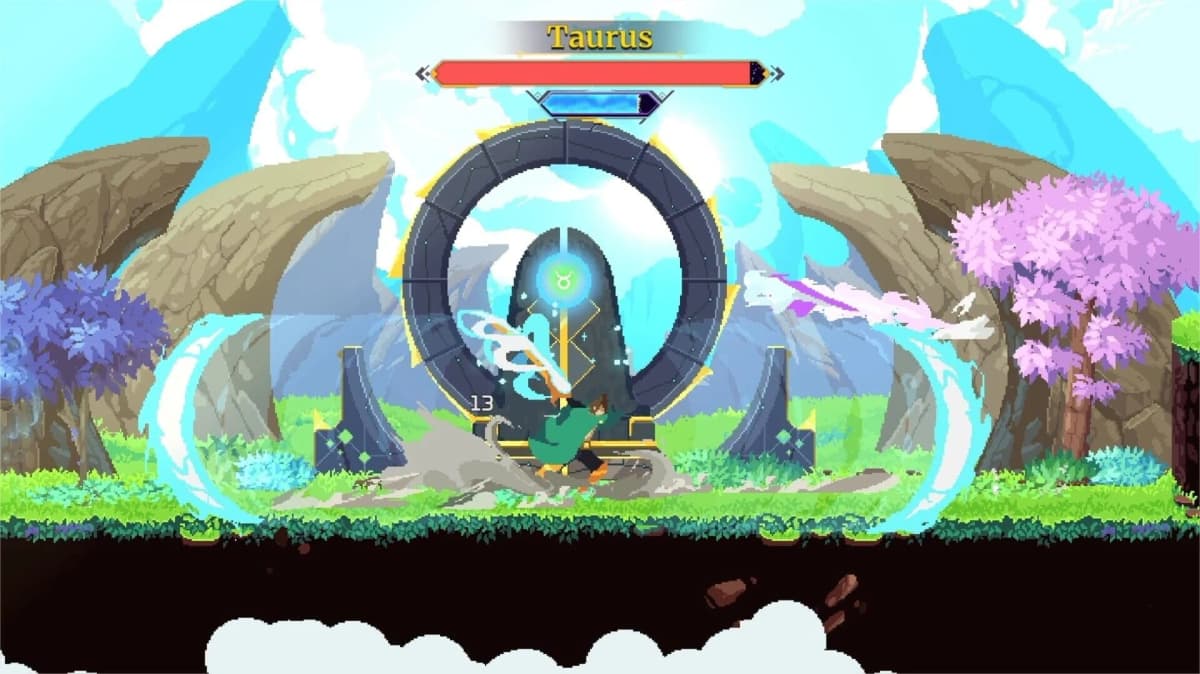
Astral Ascent does not have native online multiplayer. Its co-op is a two-player, shared-screen mode, so playing with a distant friend means streaming the host’s local game through Steam Remote Play Together or a Parsec-style remote-play setup. You are both controlling characters in one host-owned run, on one screen, rather than connecting two separate game sessions.
Table of Contents (10)
What “Online Co-op” Means in Astral Ascent
The important distinction is that remote co-op does not create an online lobby, separate campaign, or independent camera for each player. The host runs Astral Ascent normally, while the second player’s controller input is transmitted to that host machine. The host’s screen is then streamed back to the guest.
- Astral Ascent supports two simultaneous players, not larger parties.
- Both players share the same Garden hub and the same run.
- The host’s character remains the primary screen anchor.
- If the second player moves too far away, the game can pull them back toward the shared screen.
- Host performance, connection quality, and session stability determine how well remote co-op feels.
This shared-screen structure is why a stable setup matters more here than in slower turn-based games. Both players need to read enemies, move through combat spaces, and react to attacks from the same frame of reference. A remote connection that feels only slightly delayed can quickly make a difficult run feel messy.
Start Co-op From the Garden Hub
Set up the second player before starting a run. The Garden is the safe place to confirm that both characters are present and that each controller is assigned correctly. Do not wait until you are already in combat to discover that both players are controlling the same character or that the guest input is not being recognized.
- Have the host load into their Astral Ascent session and reach the Garden.
- Connect the host’s controller and the guest’s controller as two separate inputs.
- Let the second player join from the Garden, then confirm that each player can move their own character.
- Begin the run only after both players are visible and responding correctly.
The primary character is the practical lead during exploration because of the shared-screen camera. The second player should avoid trying to scout far ahead or split off into a different route. The game is built around staying close enough to keep both players active on the same screen.
Use Steam Remote Play Together for the Easiest PC Setup
For two PC players using Steam, Steam Remote Play Together is the cleanest first choice. The host launches Astral Ascent through Steam, sends a Remote Play invitation to the friend, and Steam forwards the guest’s controller input to the host’s game.
- The host launches Astral Ascent through Steam.
- Open Steam’s Remote Play invitation controls and invite the second player.
- The guest accepts the invitation and connects a controller before entering the game session.
- Return to the Garden and check that the host and guest inputs control different characters.
- Run one short combat section before committing to a long progression attempt.
Steam Remote Play Together works best when the host’s PC can run the game smoothly while also streaming its video feed. The guest is seeing the host’s game output, so poor host performance affects both players. If the host has frame drops, stutters, or connection instability, the guest will feel all of it on top of normal remote-play delay.
Warning: the remote player is joining the host’s active game instance. They are not launching a separate Astral Ascent world and synchronizing with it. If the host session becomes unstable, the entire co-op run is affected.
Use a Parsec-Style Setup When Steam Remote Play Is Not Smooth
A Parsec-style remote-play workflow is another practical PC option when Steam Remote Play Together has input or streaming problems. The core idea stays the same: the host runs Astral Ascent, the guest connects to the host machine remotely, and the guest’s controller is treated as a second local input.
- Have the host start Astral Ascent and remain in the Garden.
- Connect the guest to the host through the remote-play service.
- Allow the guest’s gamepad input while keeping the host’s controller connected locally.
- Confirm that each controller is registered separately in Astral Ascent.
- Test movement and a small amount of combat before beginning a serious run.
The setup is successful only when the guest has responsive control of the second character. Seeing the host’s screen is not enough. If the guest presses an input and the host character reacts, or if both players are mapped to one character, stop and fix the controller assignment before leaving the Garden.
Give the Best PC and Connection to the Host
The host should be the player with the more reliable PC and internet connection. That machine is running the game, processing both players’ actions, encoding the video stream, and keeping the whole session alive. Hosting from the weaker setup often creates a bad experience for both players even if the guest has excellent hardware.
- Use the most stable host connection available.
- Close downloads, browser video, and other background tasks on the host PC before starting.
- Test the remote setup in a short room instead of risking a strong run immediately.
- Keep both players on controllers when possible so each player has a clear, separate input device.
- Choose the player with the smoother local Astral Ascent performance as the host.
You do not need perfect zero-latency play, but the guest should be able to move, attack, and reposition without having to predict the game far in advance. If delayed inputs cause missed evasions, accidental movement, or repeated hits that would not happen locally, the connection is poor enough to undermine the run.
Fix the Most Common Controller and Input Problems
Most failed remote sessions are input problems rather than Astral Ascent progression problems. Treat the Garden as an input check, not merely a waiting area.
- Both players control one character: the guest controller is being merged with the host input. Reconnect the guest controller and confirm it is recognized as a separate device.
- The guest can watch but cannot join: the remote-play service is streaming video without passing gamepad input correctly. Reconnect the guest session before starting the run.
- The second character is absent: return to the Garden and complete the local co-op join process again after confirming the second controller is active.
- The guest character keeps getting pulled back: stay closer together. The shared camera follows the primary character and does not support two players exploring separate areas.
- Inputs feel late only for the guest: the issue is in the remote-play chain, usually host performance or connection quality, rather than the guest’s character setup.
How Progression Works in a Shared Run
The host owns the session because Astral Ascent is running on the host’s instance of the game. That means the host is the player responsible for starting the run, maintaining the connection, and keeping the game stable through its result screen.
At the end of a co-op run, rewards and points are applied in the same general way as single-player progression. The key limitation is that remote co-op does not turn Astral Ascent into two independently hosted campaigns. Treat it as one shared rogue-lite run with two players contributing to the same session.
PC Remote Play Versus Local Co-op on Console
Astral Ascent is available on PC, PlayStation 5, PlayStation 4, and Nintendo Switch, but the Steam Remote Play Together and Parsec methods are PC-focused solutions. The underlying co-op design remains the same across platforms: two players, one shared screen, and one run anchored around the primary character.
If both players are in the same room, local co-op is the better version of the mode because it removes streaming delay and host-to-guest input travel. Remote play is valuable when distance is the problem, but it cannot make two remote players feel better than a stable same-screen local session.
Arven Content Does Not Change the Co-op Setup
Arven, The Wolf Blade releases on Steam on May 14, 2026 for $4.99 and adds 25 unique spells. It is Astral Ascent’s fourth major post-launch content addition, following Yamat – The Breach Traveler, The Outer Reaches, and the Celestial Haven charity DLC. A Steam free-to-play weekend runs alongside the launch from May 14 through May 18, 2026.
That additional character and spell content expands what a co-op pair can bring into a run, but it does not change the multiplayer structure. Remote partners still need to join the host’s shared-screen session through remote-play software; Arven does not add a native online lobby system.
When Remote Co-op Is Not Worth Forcing
Skip remote co-op for the night if the guest cannot react consistently, the host is dropping frames, controller inputs keep merging, or the stream repeatedly freezes during combat. Astral Ascent runs are built around quick movement and clean responses, and a poor remote session can turn normal mistakes into unavoidable damage.
A good remote setup should feel like one shared couch session viewed over distance: two distinct inputs, one responsive host machine, and both players staying close enough for the shared screen to do its job.
FinalBoss // Gear
Level up your setup
01Top-rated gaming headsetson Amazon→02High-refresh gaming monitorson Amazon→03Gaming chairson Amazon→04Discounted game keyson Kinguin→Affiliate links · As an Amazon Associate, FinalBoss earns from qualifying purchases.
Want to Level Up Your Gaming?
Get access to exclusive strategies, hidden tips, and pro-level insights that we don't share publicly.
Ultimate Guide Strategy Guide + Weekly Pro Tips