
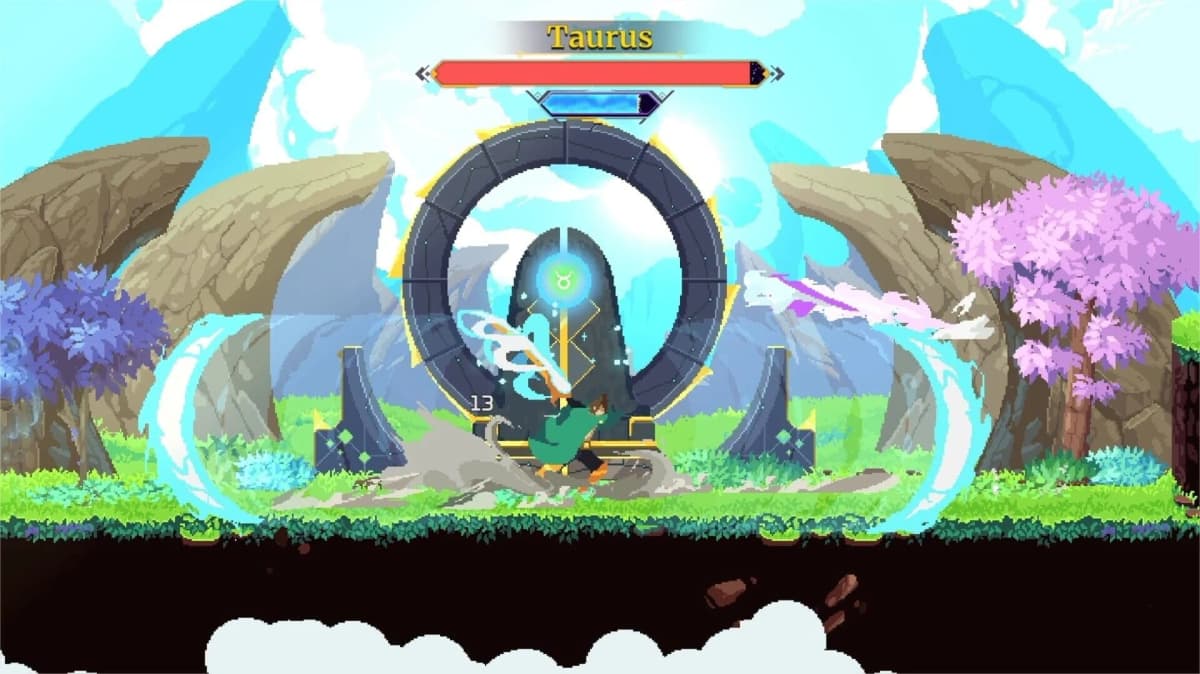
Astral Ascent does not support native online co-op. The only multiplayer option is local shared-screen co-op, which means two players must share the same physical screen and input devices connected to one machine. If you want to play with a friend remotely, you need to stream the host’s gameplay using Steam Remote Play Together or Parsec while passing the second player’s inputs back to the host PC. This setup works well for a fast-paced roguelite like Astral Ascent, but it requires the right configuration to keep input lag low enough for precise dodging and spell timing.
Table of Contents (10)
How Local Co-Op Works in Astral Ascent
The game uses a shared-screen format rather than split-screen. Both players appear on the same camera, and the view tracks the midpoint between the two characters. If one player dashes too far ahead, the edge of the screen will push the trailing player forward, so staying together is mechanically enforced. This design choice keeps the action readable during busy combat encounters against the Zodiac wardens, but it also means coordinated movement matters more than in games with independent cameras.
In local co-op, Player 1 is the host. The host’s save file determines which exiles, Prowesses, and unlocks are available. Player 2 joins as a guest on that save and can select any exile the host has already unlocked. Both players choose their own spells, weapon styles, echoes, fragments, and substats independently, so you can experiment with complementary affinities-such as one player running an ice build while the other uses electricity-without interfering with each other’s loadouts.
Activating Player 2 and Host Setup
To begin a co-op session, the host should launch Astral Ascent on their primary account and load into the main menu or the hub area. Connect a second controller to the host PC. Player 2 presses the Start or Options button on their gamepad to join the session. The game will prompt the second player to choose a profile or join as a guest. Because Astral Ascent’s progression is tied to the host’s save, any unlocks earned during the run are saved to the host’s file. The guest does not carry progress back to their own local save.
Keyboard and mouse sharing is impractical for this setup. Both players should use separate gamepads. If you are streaming remotely, the guest’s controller inputs are sent over the network and mapped to a virtual controller on the host machine. Make sure the host recognizes the virtual controller as Player 2 and not as a duplicate of Player 1, or both characters will respond to the same inputs.
The Limits of No Native Online Multiplayer
Without built-in netcode, Astral Ascent cannot connect two players over the internet directly. Every remote co-op session depends on one player running the game and streaming the video feed to the other. This creates three hard limitations. First, the guest cannot play using their own save file or unlocks; they are limited to whatever the host has already earned. Second, both players are bound to the same camera, so strategies that require splitting up are not viable. Third, the host machine must handle both running the game and encoding the stream simultaneously, which raises the hardware requirements above solo play.
Playing Remotely With Steam Remote Play Together
If the host owns Astral Ascent on Steam, Remote Play Together is the simplest workaround. The host starts the game, then opens the Steam overlay and invites a friend from their friends list. The guest does not need to own the game. Once the guest accepts, Steam streams the host’s screen to the guest and relays the guest’s controller inputs back to the host PC.
For best results, both players should enable hardware decoding and encoding in Steam’s Remote Play settings. The host should set the streaming bandwidth to Unlimited or match it to their upload speed if they have a data cap. Because Astral Ascent relies on tight timing for dodging boss attacks, any added input lag from the stream is noticeable. If the guest feels a delay between pressing dodge and the character moving, the host should lower the stream resolution to 720p and ensure both parties are on wired Ethernet connections rather than Wi-Fi.
Playing Remotely With Parsec
Parsec is a reliable alternative if Steam Remote Play performs poorly or if you want more control over latency settings. The host installs Parsec, adds Astral Ascent as a supported application, and creates a room. The guest joins via a direct link. Parsec creates a virtual controller on the host machine that represents the guest’s gamepad, which the game reads as Player 2.
Parsec often achieves lower latency than Steam Remote Play because it gives you direct control over encoder settings, bitrate caps, and V-Sync behavior. In Parsec’s host settings, set the encoder to use your GPU’s dedicated chip-NVENC for NVIDIA cards, AMF for AMD, or QuickSync for Intel integrated graphics. Disable the option to use the host’s physical controller for Player 2, and make sure the guest connects with their own gamepad mapped correctly. If the guest sees a black screen on launch, restart Astral Ascent after the Parsec connection is live so the game detects the virtual controller during its initial input scan.
Host Performance Checklist
The host PC is doing all the work, so its performance determines the quality of the session for both players. Astral Ascent is not a demanding title on its own, but simultaneous gameplay and video encoding add significant overhead. Before inviting a guest, run through the following checks.
- Ensure the host has a CPU or GPU capable of hardware-accelerated video encoding. Software encoding will tank frame rates.
- Close all background applications, especially web browsers with video streams and other games running in the background.
- Verify that the host maintains a stable 60 frames per second during solo play. If the host drops frames while alone, the stream will stutter during co-op.
- Use a wired Ethernet connection. Wi-Fi adds packet loss and ping variability that translates into skipped frames or input lag for the guest.
- Allocate enough RAM. With the game, the streaming client, and the operating system loaded, 16 GB is the practical minimum for a smooth experience.
- Keep the host machine ventilated. Thermal throttling during an encoding workload will cause frame-time spikes that make the stream feel unresponsive.
How to Cut Latency on a Streamed Session
In a game where you must dodge the Zodiac wardens’ attack patterns, extra latency can end a run. Even if the stream looks smooth, the guest may be playing with a half-second delay that makes precise combat frustrating. Reduce that delay with the following steps.
- Set the stream to 60 frames per second and match the host’s monitor refresh rate. Mismatched frame rates create jitter.
- Lower the stream resolution to 720p instead of 1080p. The visual loss is minor for Astral Ascent’s art style, but the bandwidth savings significantly improve input response.
- Enable hardware encoding on the host and hardware decoding on the guest. This offloads the work from the CPU and reduces pipeline delay.
- Limit network traffic on both ends. Pause downloads, cloud backups, and 4K video streams on both the host and guest networks.
- If one player has significantly faster upload speeds, that player should host. Upload bandwidth is usually the bottleneck for streaming.
- Use a gamepad with minimal wireless latency, or plug the controller in via USB. Bluetooth controllers add 10-20 milliseconds of delay on top of the network latency.
Troubleshooting Common Remote Co-Op Issues
Even with proper settings, remote co-op can run into edge cases. Here is how to fix the most common problems.
- Both characters move with one controller: The guest’s virtual controller is conflicting with the host’s physical controller. In Steam, verify that Player 2 is assigned to the remote guest. In Parsec, disconnect and reconnect the guest’s controller after the game is already running.
- Guest sees constant stuttering: The host is likely encoding at too high a bitrate. Lower the stream resolution and cap the bitrate to 15 Mbps. If the host’s CPU usage is spiking, switch from software to hardware encoding.
- Audio is out of sync: Restart the stream. If the issue persists, check that the host’s Windows audio sample rate is set to 48 kHz, as mismatched sample rates can cause drift in some streaming clients.
- Guest cannot join the session: For Steam Remote Play, ensure both accounts are not in offline mode and that the host has not enabled any beta Steam client flags that disable Remote Play. For Parsec, confirm the host’s firewall allows Parsec through on both private and public networks.
- Runs feel sluggish despite good frame rates: Disable V-Sync on the host if the streaming client already has its own frame-limiting logic. Double V-Sync adds one to two frames of delay.
Platform-Specific Notes
Astral Ascent is available on PC via Steam, PlayStation 5, PlayStation 4, and Nintendo Switch. Steam Remote Play Together and Parsec only work when the host is on PC. If you own the game on PlayStation 5, you can use Sony’s Share Play feature to stream local co-op to a remote friend, but you cannot tune latency to the same degree as Parsec. Nintendo Switch does not offer a first-party remote streaming solution for local-only multiplayer titles. For the lowest latency and most configurable experience, host from the PC version.
What to Expect From the Co-Op Experience
Once connected, both players share the full roguelite loop. You will select affinities, manage auras, purchase equipment from in-run shops, and tackle the 12 Zodiac wardens together. The second player functions as a fully independent combatant, not a scaled-down assistant. However, because the camera is shared, communication is essential. If one player engages a shop while the other rushes into the next arena, the screen will force a reunion that can disrupt positioning.
Remember that the guest’s progression does not persist on their own machine. If you plan to alternate who hosts between sessions, only the host will retain new Prowesses, unlocks, and story progress. The most efficient way to progress together is to agree on a single host account and treat the guest as a dedicated co-op partner for that save file.
FinalBoss // Gear
Level up your setup
01Top-rated gaming headsetson Amazon→02High-refresh gaming monitorson Amazon→03Gaming chairson Amazon→04Discounted game keyson Kinguin→
Affiliate links · As an Amazon Associate, FinalBoss earns from qualifying purchases.
Want to Level Up Your Gaming?
Get access to exclusive strategies, hidden tips, and pro-level insights that we don't share publicly.
Ultimate Guide Strategy Guide + Weekly Pro Tips