
Table of Contents (10)
Living With The Raikiri II: A Week Of Speed And Sore Fingers
The Asus ROG Raikiri II is the first Xbox pad in a while that genuinely made me reconsider my loyalty to Razer’s Wolverine line. I swapped my daily Wolverine V3 Pro for the Raikiri II and used nothing else for about a week on Xbox Series X and PC, playing everything from Dragon Ball Sparking Zero to Hunt: Showdown and a few cozy indies in between. By the end of that week, one thing was crystal clear: Asus has nailed the competitive feature set and price… but it comes at a very literal cost to your fingers.
This is a $189.99 / £199.99 officially licensed Xbox controller that punches right at the Wolverine V3 Pro’s weight class while undercutting it in the US. It packs TMR thumbsticks, a fancy charging case, low-latency wireless for Xbox and PC, swappable stick tops, and a full spread of microswitch buttons. On paper, it is exactly what sweaty ranked players want. In practice, it is a brilliant tool if you live in competitive lobbies and a pretty harsh companion if you like long, relaxed sessions.
Key Takeaways After A Week
- Microswitch buttons are blisteringly fast, but the lack of cushioning makes long sessions rough on your joints.
- TMR thumbsticks offer excellent potential precision, though the default deadzones felt off until tuned in software.
- Charging stand, case with passthrough charging, and dongle storage are genuinely smart quality-of-life touches.
- Back buttons are better placed than on the Wolverine V3 Pro, especially for ring-finger users.
- Menu/pause buttons sit in an awkward, unintuitive position under Asus’s own function buttons.
- Best suited for competitive multiplayer; single-player and “cozy” game sessions feel underserved.
Design & Build: A Real Glow-Up From The Original Raikiri
I bounced off the original Raikiri Pro pretty hard. It looked cool in photos, but in the hand it felt like a gimmick-heavy pad that forgot about fundamentals. The Raikiri II feels like Asus swallowed that feedback whole. The pointless little OLED screen is gone. Those weird, angular rear buttons that fought your fingers are gone too. What is left is a pad that still looks “ROG” without screaming about it every second.
The grips are the first thing that impressed me. They are longer and more cylindrical than the Wolverine’s shorter, stubby handles, which means my pinkies finally have somewhere to live. The textured plastic and the subtle shaping give it a more natural, full-hand hold that reminded me a bit of the Nacon Revolution X Unlimited, just with more aggressive styling.
There is RGB on the outer edges of the grips and around the central logo, but once the controller is in your hands, you barely see it. It is more of a desk ornament flourish than an in-use feature, although the central logo doubling as a low-battery indicator is actually helpful. Having the grips glow under your palms mostly feels like wasted battery life, a bit like having underglow on a car you only drive at noon.
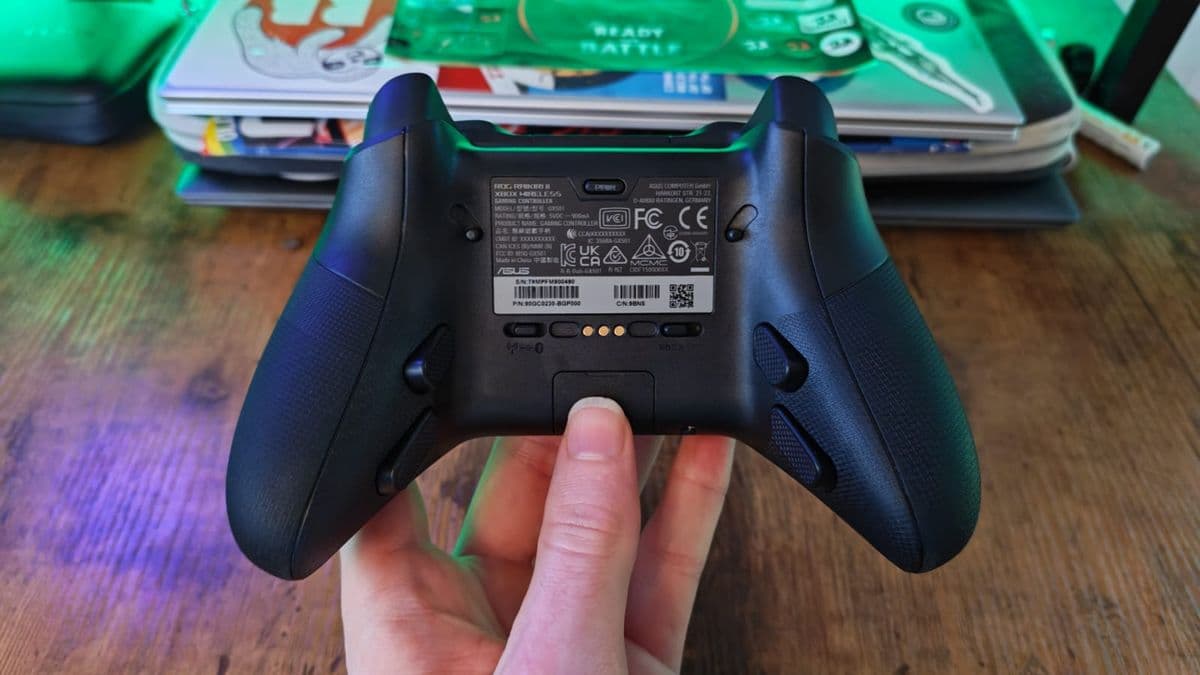
The practical stuff is where Asus really shows its homework. The tiny 2.4GHz dongle slots neatly into a little tray on the back, so if you are pairing it with something portable like an ROG Ally you are not constantly hunting for it. The charging stand is compact and clicks into the included hard case, and the case itself has a passthrough cutout so you can charge the pad while it is tucked away. It feels closer to a high-end controller travel kit than just a pad thrown into foam.
Most of the swappable parts are focused on the sticks. The thumbstick tops pop off easily and the default caps have a pronounced rim that keeps your thumb locked in during frantic movement. In the hand, nothing creaks or flexes; it feels premium, closer to Razer and Nacon than to budget pads like the Hori Horipad Turbo or older third-party Xbox controllers.
Buttons, Back Buttons, And Those Bizarre Menu Keys
The Raikiri II is absolutely drenched in microswitches. Face buttons, bumpers, back buttons, even the triggers when you flip the mechanical stops – everything fires with that light, crisp, mouse-like click. If you have used a Razer Wolverine V3 Pro, this will feel instantly familiar. Asus clearly aimed right at that “esports mouse, but everywhere” feel.
The four back buttons are built into the grips rather than hanging off a separate paddles plate. Because the grips are longer, Asus had the freedom to place the bottom pair further down, which ended up being a quiet highlight of the whole pad for me. I prefer using ring fingers for extra buttons rather than twisting my middle fingers, and the spacing here suits that style really well. After a few hours in Hunt: Showdown, I had reload, ping, and crouch on the rear and barely touched the face buttons.
Then there are the menu buttons, and this is where things go sideways. Above the actual pause/options and view buttons live two Asus-specific keys: a ROG function button and a library button. Those sit in prime, thumb-friendly real estate, while the actual system buttons are tucked underneath. Over the week, I repeatedly went for pause and hit the ROG button instead. In a tense moment that opens a radial menu or profile overlay when you just wanted the pause screen, it becomes real friction.
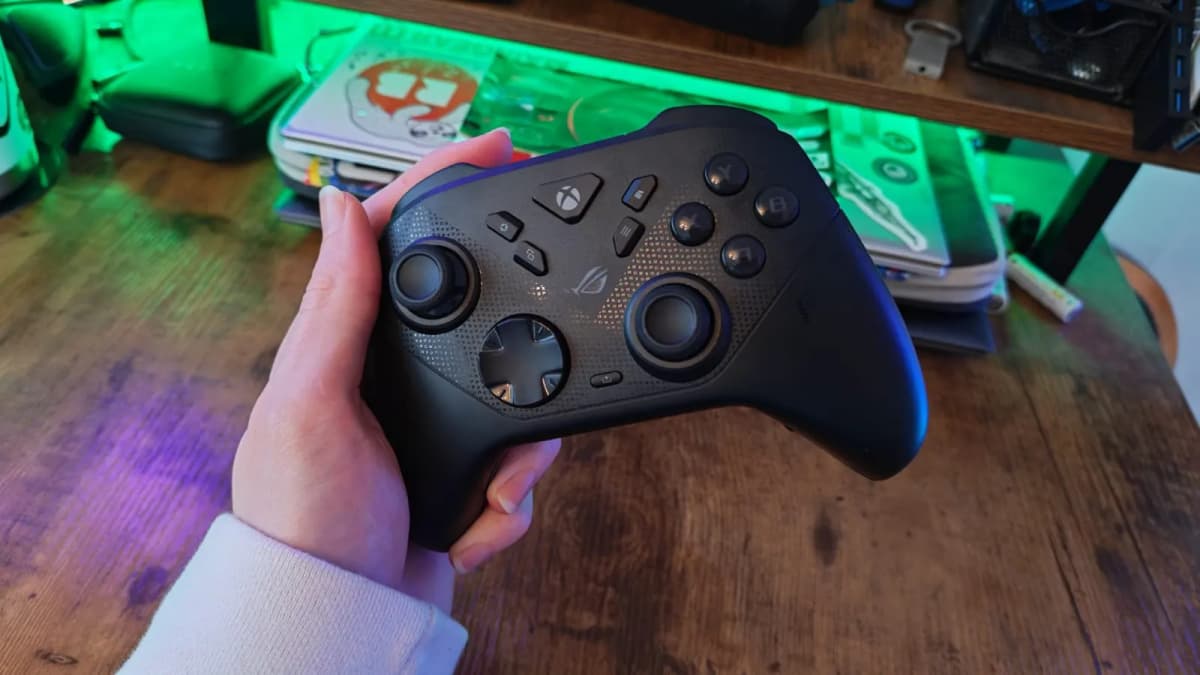
On a controller this carefully engineered for performance, that misstep is weirdly jarring. It feels like someone on the branding team won an internal argument at the expense of basic ergonomics.
TMR Thumbsticks And Customization: So Much Potential, A Bit Of Tuning
The other headline feature is the use of TMR (tunneling magnetoresistance) thumbsticks. We have started seeing this tech creep into high-end controllers like the GameSir G7 Pro Wuchang Edition, and on paper it is kind of the dream: more precise sensing than traditional potentiometers, no stick drift in the old-school sense, and very fine control for tiny adjustments.
On the Raikiri II, the raw hardware clearly has that potential, but I had to fight the default tuning. Out of the box on PC, both Hunt: Showdown and a pixel-precise platformer like TowerFall Ascension felt oddly inconsistent on micro-movements. I would nudge the right stick to inch my aim a fraction and either get nothing or a slightly larger step than expected. It was not drift – more like a deadzone and response curve that did not match the kind of work TMR is good at.
Armoury Crate is the answer here, for better and worse. I am not a fan of how heavy that software is; it loves to touch every part of an Asus-equipped PC whether you want it to or not. But once I bit the bullet and went into the Raikiri II’s profile, tweaked deadzones down, and gently adjusted the response curves, the sticks finally started feeling like the TMR upgrade they are supposed to be. Tiny aim corrections became smoother, and I stopped over-shooting targets as often.
The catch is that someone buying this pad for Xbox and never touching a PC loses that tuning option. On console, you are mostly stuck with the defaults plus whatever the game itself allows for sensitivity and deadzone changes. If you are comfortable fiddling with that per title, you can get close enough, but it is not as “set and forget” as some other high-end options.
Microswitch Performance: Lightning Fast, Zero Mercy
Speed is the area where the Raikiri II genuinely hangs with the best. The microswitches fire almost instantly, with very small travel. For a few hours in Dragon Ball Sparking Zero, the pad felt like a direct neural link to my combos. Repeated quarter circles and rapid-fire button presses landed without dropped inputs, and the clicky feedback helped me keep a rhythm.
The problem is how punishing that same system becomes after four or five hours of continuous play. Unlike something like the Nacon Revolution X Unlimited, which found a sweet spot where its fast buttons still have a bit of give and feel almost cushioned, the Raikiri II’s face buttons and bumpers feel like tapping on rigid plastic shells. There is almost no softness to the bottom of the press. The actuation point is very short, which is great for speed but gives your joints no grace.
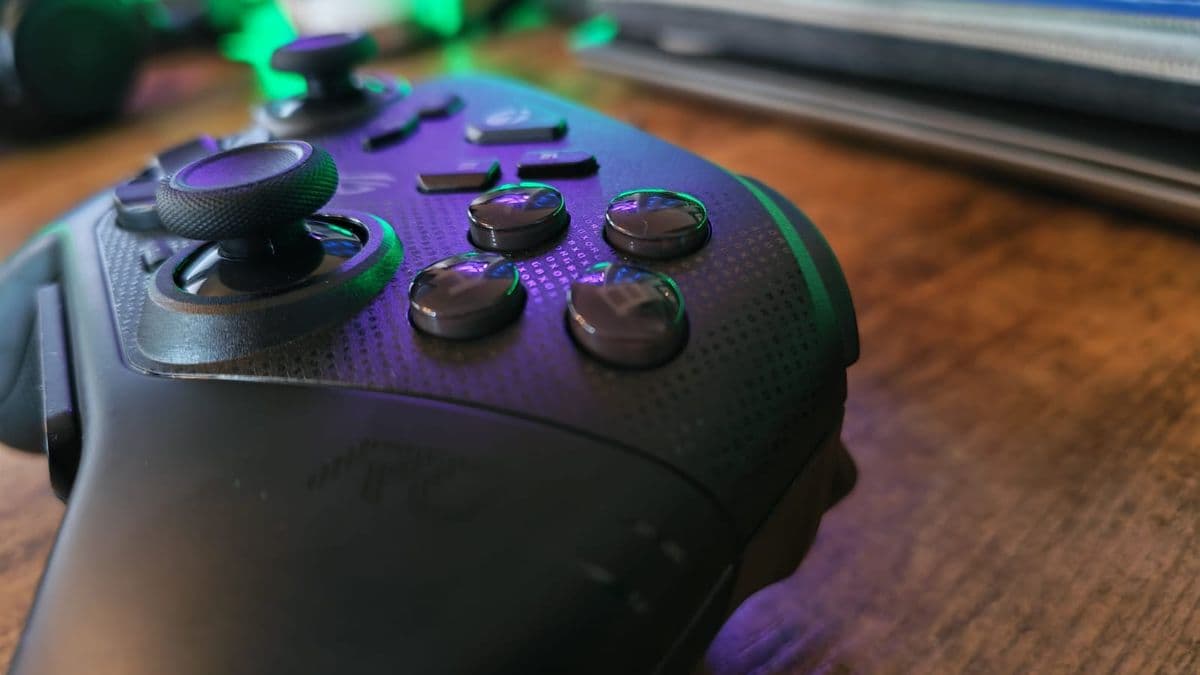
Even cheaper pads like the GameSir G7 line often add a hint of cushioning on top of their microswitches, so you get the crisp click without the physical thud at the end. Asus seems to have chased raw sharpness instead. After a long session of ranked matches, I could feel the tenderness in the first knuckles of my thumb and index finger in a way I usually only notice after a marathon mouse session with an overly stiff click.
I had a similar reaction when comparing this to newer tech in mice like Logitech’s G Pro X2 Superstrike, which ditches physical microswitches for inductive sensing and haptic feedback to get speed without the click fatigue. The Raikiri II feels almost old-school by comparison: blisteringly fast, relatively loud, and not especially kind to your hands over time.
Competitive Play vs Single-Player Comfort
In raw competitive scenarios, the Raikiri II absolutely makes sense. Low-latency 2.4GHz wireless worked without any obvious hiccups on both PC and Xbox, and I never felt like inputs were being eaten. Trigger stops combine with microswitch trigger mode to turn LT/RT into genuinely snappy pseudo-mouse clicks for shooters. Sprint, slide-cancel, ping, reload, melee – putting all of that onto the rear buttons freed my thumbs for pure camera control.
Where it started to fall apart for me was when I tried to settle into slower games. In something like a narrative-heavy adventure or a farming sim, you spend a lot of time doing simple, repeated actions with one or two face buttons. On the Raikiri II, that repetition felt strangely aggressive. The faint rumble this pad has is also pretty understated and lacks the deep, textured feedback of something like the official Xbox Elite controller or Sony’s DualSense. The combination of sharp clicks and light rumble never quite blended into an immersive whole.
If your library skews 80% to competitive shooters, fighters, and twitchy platformers, I can see this being a great primary pad. If you split time between sweaty ranked nights and long single-player weekends, you may find yourself reaching for something softer and more traditional once the adrenaline wears off.
Ergonomics, Fatigue, And The Long-Haul Factor
Shape-wise, Asus did a lot right. The weight is well balanced, the grip length works for medium and larger hands, and the rear buttons hug the natural curve of your fingers. Even after six-hour stretches, my palms and wrists felt fine. The issues almost all trace back to how the buttons actuate, not where they sit or how the shell is shaped.
Microswitch fatigue is real if you press them thousands of times in a session. On mice, that has pushed some brands to rethink their switch tech entirely, because pro players were feeling the strain. On controllers, it is still a bit of a Wild West, and the Raikiri II feels like it plants its flag at the extreme end of “speed over comfort.” If you are prone to repetitive strain issues, this is not the pad I would point you toward.
What makes this slightly more frustrating is that Asus clearly understands ergonomics when it comes to grip shape and back-button placement. It feels so close to being a fully rounded premium pad. A thin layer of cushioning on top of the microswitches or a slightly longer, softer travel could have made this far easier to recommend as an all-rounder without killing its competitive edge.
Software, Connectivity, And Everyday Use
On Xbox, setup was straightforward: plug the dongle into a Series X, hold the pairing button, and the console recognizes it as an officially licensed pad. Wired mode over USB-C felt identical in responsiveness, so I stuck with wireless most of the time. On PC, the dongle behaved like any other low-latency 2.4GHz device and I never saw perceptible input lag, even in rhythm-test apps.
Armoury Crate is the necessary evil. Once inside its controller section, you can remap buttons, adjust stick and trigger curves, change vibration levels, and tweak the RGB. Profiles save onto the controller, so you can set up a “competitive” layout and a “single-player” one and swap on the fly with the ROG function button. That part works as intended.
The downside is purely the bloat. If this is your first Asus peripheral, installing Armoury Crate just for one gamepad feels heavy, especially compared to the relatively slim companion tools used by some rivals. It is the tradeoff for getting the most out of the TMR sticks and button remapping, but it is one you feel in your system tray every time you boot your PC.
Who The Raikiri II Actually Suits
After a week of living with it, I ended up treating the Raikiri II almost like I treat a competitive mouse: a specialist tool. When I knew I was diving into ranked shooters, fighters, or fast-paced competitive games, it came out of the case. For chill nights, experimental indies, or long single-player campaigns, it stayed on the stand and I grabbed something with softer, more traditional buttons.
If you are the kind of player who:
- Lives in ranked playlists and tournaments
- Values raw response speed above almost everything else
- Wants TMR sticks and rear buttons without paying Razer’s usual premium
- Does not mind using PC software to tune deadzones and lighting
then the Raikiri II is absolutely worth a look. If you care more about comfort, immersion, and versatility across genres, there are more balanced options – including pads with microswitches that still manage to feel less punishing.
FinalBoss // Gear
Level up your setup
01Top-rated gaming headsetson Amazon→02High-refresh gaming monitorson Amazon→03Gaming chairson Amazon→04Discounted game keyson Kinguin→Affiliate links · As an Amazon Associate, FinalBoss earns from qualifying purchases.
Want to Level Up Your Gaming?
Get access to exclusive strategies, hidden tips, and pro-level insights that we don't share publicly.
Ultimate Reviews Strategy Guide + Weekly Pro Tips