
Table of Contents (7)
Prioritize Frame-Time Stability Over the Highest FPS Target
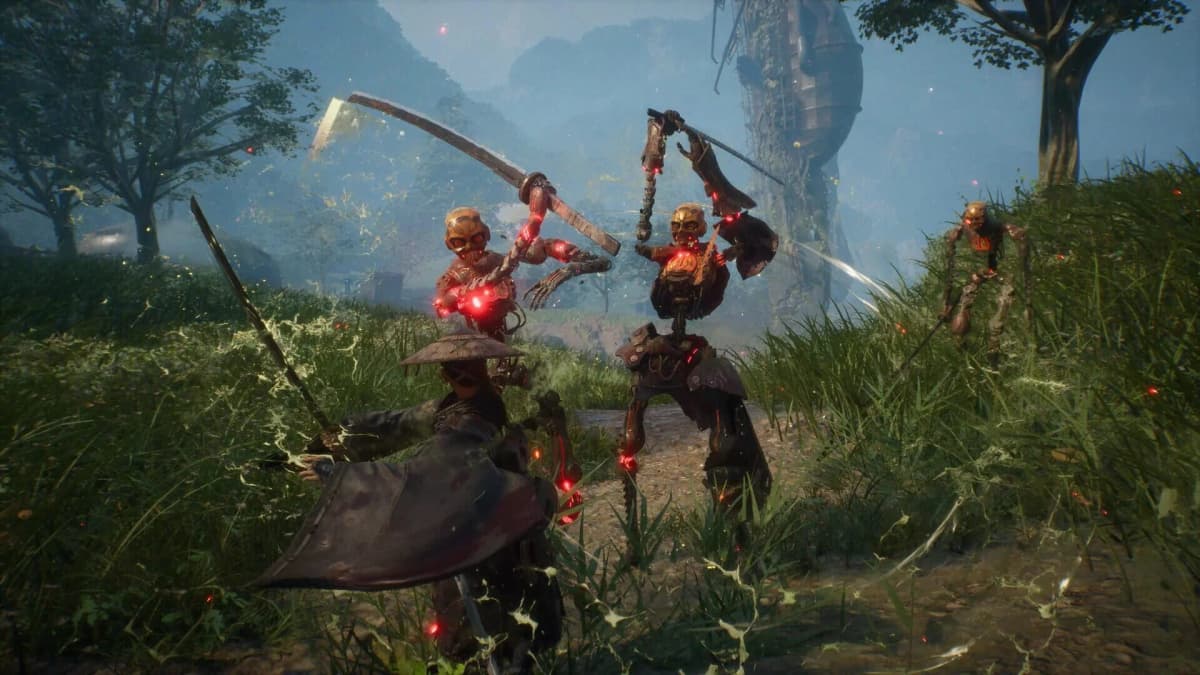
Beast of Reincarnation can feel excellent in a clean boss fight, then abruptly lose that precision when the camera swings into fresh scenery, an autosave triggers, or a cinematic hands control back. The recurring trouble spots differ by platform: PS5 mainly struggles with traversal hitching and lock-on camera behavior, while PC adds shader-compilation pauses, texture-streaming spikes, and crashes around cutscenes.
The common thread is Unreal Engine 5’s demanding presentation. Dense foliage, volumetric lighting, streamed environments, and cinematic transitions create sudden CPU, GPU, storage, and VRAM demands. Average frame rate matters far less than the milliseconds between frames when a parry window or dodge input is on screen.
Platform Risk Check
| Platform or mode | Most likely disruption | What it does to combat | Best first response |
|---|---|---|---|
| PS5 Performance | Traversal stutter, uneven pacing, camera hitching in busy areas | Dodges and parries feel inconsistent as frame-times spike | Use a stricter gameplay frame-rate cap if the menu provides one |
| PS5 Quality | Heavier slowdowns during particle-heavy encounters | Large fights can lose visual clarity and response consistency | Choose it only if its frame pacing feels steadier in the areas being played |
| PS5 Cinematic | The label can refer to cutscene presentation rather than a gameplay cap | May improve cinematics without curing combat hitching | Read the in-game description before treating it as a performance fix |
| PC on an SSD with 8GB+ VRAM | Shader compilation and occasional traversal streaming spikes | Can be smooth between problem areas, but first loads remain disruptive | Finish initial shader compilation and set textures within VRAM limits |
| PC below 8GB VRAM or on slow storage | Texture-pool overflow, persistent traversal hitches, poor frame consistency | Camera and controller input feel worse even when the FPS counter looks high | Lower texture pressure, use SSD storage, and cap output to a stable target |
PS5: The Safer Console Choice Still Has Combat-Breaking Hitches
PS5’s problem is less about a constant low frame rate than consistency. Outdoor areas packed with foliage and fog are the repeat offenders, especially while sprinting into a new section of the map. Zone boundaries, autosaves, checkpoint loads, and the few seconds after cutscenes can also produce a pause or camera jerk. Those are exactly the moments where Beast of Reincarnation asks for clean target tracking and precise defensive timing.
Performance mode carries the clearest tradeoff. Its higher frame-rate target sounds right for an action game, yet the more aggressive target can expose uneven frame pacing during traversal and fast camera movement. A hard 60fps cap, where available, is generally the better starting point for players focused on parries and dodge timing. A stable 60 feels more responsive than an unstable higher target, full stop.
The “Cinematic” setting needs extra care because the label is confusing. It can describe a 24fps cutscene presentation option rather than a locked gameplay mode. If the menu explicitly offers a locked gameplay cap, test that against Performance mode through a dense outdoor route and a boss approach. If Cinematic only changes cutscenes, it will not solve the hitches that occur during active combat.
PS5 Checklist Before a Long Session
- Use the most stable gameplay frame-rate option available instead of assuming Performance mode is best for parry timing.
- Test a dense outdoor area, a zone transition, and a boss entrance before committing to a difficult encounter.
- Reduce camera sensitivity if lock-on makes quick circle-strafing feel like the view is pulling away from the target.
- Expect brief transition hitches around autosaves and story handoffs; they remain engine-side problems rather than a controller fault.
PC: Separate Shader Stutter From Streaming Stutter
PC has more ways to improve Beast of Reincarnation, but it also has more ways to make the game feel broken. The critical distinction is between shader-compilation stutter and traversal/streaming stutter.
Shader compilation is most visible on first launch, after a major settings change, or when entering content the game has not prepared before. Let the initial black-screen preparation finish; it can take up to five minutes. Changing several graphics options and immediately judging performance can force more compilation work and produce a misleading first impression.
Traversal stutter is the harder problem. It appears while moving into a new area, loading dense foliage, crossing a streaming boundary, or forcing new textures into memory. Slow storage makes that process worse, but VRAM is the larger warning sign. Below 8GB, texture-pool pressure can spill into system memory and turn routine movement into repeated frame-time spikes. A high FPS average with DLSS does not erase that problem.
PC Settings That Protect the Combat Loop First
- Finish shader preparation before benchmarking. Avoid large graphics changes until the initial cache work is complete.
- Run the game from an SSD. Streaming new assets from slower storage compounds the traversal hitching already associated with UE5 scenes.
- Keep texture settings inside the GPU’s VRAM budget. This matters most on 6GB cards, which sit below the practical 8GB warning line for stable texture streaming.
- Use a frame-rate cap the system can sustain. A steady cap can improve input consistency, although it will not remove every asset-streaming hitch.
- Treat repeatable cutscene crashes as a progression risk. Crashes near cinematic boss transitions cannot reliably be fixed by chasing a few extra FPS; they need a game update if they persist after a clean relaunch.
A mid-range system built around an RTX 3060 or RTX 4060, or an RX 6700 XT, can produce strong headline performance with upscaling. That does not automatically mean a clean experience. The game’s limited graphics options leave less room to target the exact setting responsible for a hitch, so texture memory, storage, shader preparation, and a sensible cap carry more weight than a long menu-tweaking session.

Lock-On and Camera Friction Make Technical Hitches Feel Worse
The camera is the other half of the issue. Lock-on can feel floaty in groups of fast enemies, and the camera may swing too far while circle-strafing. That is irritating in open exploration; inside a parry-focused encounter, it can hide the very telegraph that determines whether a combo continues or ends.
Controller players on PC encounter much the same behavior as PS5 players. Lowering default camera sensitivity in small steps is worth doing before adjusting any combat assumptions. Test it by keeping lock-on through a multi-enemy fight, rotating around the target, and checking whether the camera stays readable through a dodge and follow-up. Sensitivity tuning can reduce over-swing, but it cannot compensate for a frame-time spike while the camera is changing targets.
This matters even more around the game’s mobility and skill-combo loops. The Hair mechanics can make encounters more controllable and damage-efficient when the camera and timing hold together. When the view snaps, the target changes unexpectedly, or the game hitches during an input-heavy exchange, that advantage disappears quickly.
FinalBoss // Gear
Level up your setup
01Best-selling PS5 gameson Amazon→02DualSense controllerson Amazon→03PS5 SSD upgrades (M.2 NVMe)on Amazon→04Discounted game keyson Kinguin→
Affiliate links · As an Amazon Associate, FinalBoss earns from qualifying purchases.
Want to Level Up Your Gaming?
Get access to exclusive strategies, hidden tips, and pro-level insights that we don't share publicly.
Ultimate Tech Strategy Guide + Weekly Pro Tips