
Table of Contents (20)
How I finally stopped overthinking my gaming CPU
After spending way too many weekends swapping CPUs, re-pasting coolers, and staring at frame time graphs, I realized something: most of my early CPU buys were either overkill or pointed in the wrong direction.
I’ve run everything from bargain six-cores to the latest 3D V-Cache monsters with GPUs ranging from budget cards to flagship NVIDIA RTX 40 and early 50-series models. The breakthrough came when I stopped chasing raw core counts and focused on three things:
- How my games behave at 1080p and 1440p (where the CPU actually matters).
- 1% lows and frame time consistency, not just average FPS.
- Matching the CPU to my GPU, resolution, and upgrade plans.
This guide is the one I wish I had before I wasted money on a giant CPU that barely helped my 1440p rig. We’ll follow a simple pattern – Step → Action → Result – so you always know why you’re doing something, not just what to buy.
What this guide will help you do
- Pick the right CPU in ~10-15 minutes without getting lost in spec sheets.
- Understand why the Ryzen 7 9850X3D is the 2026 gaming king, and when the 9800X3D is actually smarter.
- Choose a budget CPU that won’t bottleneck your GPU.
- Decide between AM5, AM4, and Intel platforms for longevity and value.
- Avoid common build mistakes: bad motherboard pairings, outdated BIOS, and weak coolers.
- Run a quick post-build stability and thermal check so you know your new chip is healthy.
Quick picks: best gaming CPUs in 2026
If you just want the shortlist before the deeper explanation, start here.
Best overall gaming CPU 2026 – AMD Ryzen 7 9850X3D
- Why: The fastest gaming CPU you can buy right now. It adds higher boost clocks to the already ridiculous 3D V-Cache formula, nudging a few percent ahead of everything else in my 1080p and 1440p testing.
- Where it shines:
- High-refresh 1080p and 1440p gaming (240Hz+ monitors).
- Top GPUs like RTX 4080/4090 and early RTX 50-series where the CPU becomes the limit.
- Cache & cores: 8 cores / 16 threads with 96MB of 3D V-Cache stacked under the cores.
- Power: Impressively cool-running compared to past flagships – easy to tame with a decent 240mm AIO or a good dual-tower air cooler.
- Who it’s for: You want the absolute best gaming performance and are willing to pay a small premium for bragging rights and top 1% lows.
Best gaming CPU for most people – AMD Ryzen 7 9800X3D
- Why: Nearly the same gaming performance as the 9850X3D for noticeably less money once you factor in street pricing. It’s the sweet spot for most high-end gaming builds.
- Real-world advantage: In cache-sensitive titles (think big open worlds and competitive shooters), it outperforms non-3D CPUs by roughly 15–30% at 1080p/1440p, with about 25% better 1% lows in many cases.
- Example: With a high-end GPU at 1080p, I’ve seen it push 250+ FPS in CS2 while keeping frame times incredibly consistent.
- Who it’s for: Anyone pairing an RTX 4070-class GPU or better with a 144Hz+ monitor who wants elite performance without paying extra for a couple of percentage points.
Best “almost flagship” value – AMD Ryzen 7 7800X3D
- Why: The previous king that still holds up absurdly well. You often save around $100 versus newer X3D chips while losing only a small chunk of performance.
- Where it makes sense:
- Competitive 1080p esports (CS2, Valorant, Fortnite) with high-refresh displays.
- AM5 build where you plan to upgrade later to a 9850X3D or 9950X3D.
- Caveat: Slightly weaker in heavy non-gaming workloads compared to newer Zen 5, but still fine for everyday use and light content creation.
Best budget new-build CPU – AMD Ryzen 5 9600X
- Price range: Usually under $200 now.
- Why: 6 Zen 5 cores with very strong per-core performance and low 65W default TDP. It’s a fantastic match for GPUs up to about RTX 4060 Ti / RX 7700 XT and even an RTX 4070 if you don’t chase 300 FPS.
- Platform advantage: Uses the AM5 socket – you can drop in a 9800X3D or 9850X3D later without changing your motherboard or RAM.
- Who it’s for: Sensible 1080p/1440p gamers on a budget who want a modern, efficient chip on a platform with a future.
Best ultra-budget / older platform pick – Intel Core i5-12400F
- Price range: Commonly around $100–110.
- Why: Solid 6-core chip that still delivers good gaming performance, especially if you grab a cheap LGA 1700 motherboard (new or used).
- Ideal use:
- Budget 1080p rigs with GPUs like RTX 4060, RX 7600.
- Upgrading an existing LGA 1700 system on the cheap.
- Caveat: Platform is end-of-line – no meaningful CPU upgrades beyond the 13th/14th gen family.
Best “do everything” CPU – AMD Ryzen 9 9950X3D
- Why: 16 Zen 5 cores with hybrid 3D V-Cache: 8 cores with a 64MB 3D cache slice plus 8 fast non-X3D cores. Total L3 cache hits around 144MB.
- Gaming: Essentially 9800X3D-level gaming performance with more cores to throw at streaming, editing, and heavy productivity.
- Workloads: In multi-threaded benchmarks and real apps (encoding, rendering, heavy compile work), it beats 24-core Intel flagships, while staying cooler and more efficient.
- Price: Typically $650–700. Terrible value for gaming-only, outstanding if you truly need both top-tier gaming and serious workstation power.
Step-by-step: how to choose the right gaming CPU (2026)
Here’s the process I now use for every build. Follow it and you’ll avoid 90% of the usual mistakes.
Step 1 – Match your CPU to your GPU and resolution
Step → Action → Result: Identify your GPU and target FPS → Choose a CPU tier → Avoid both bottlenecks and overspending.
- If you play mostly at 4K 60–120 FPS and have a midrange GPU (RTX 4070 or lower): your GPU is almost always the bottleneck. A 9600X or older i5 is fine; an X3D chip won’t show its full potential.
- If you target 144–240 FPS at 1440p with a strong GPU (RTX 4070 Ti, 4080, RX 7900 XTX): you’re increasingly CPU-limited in modern engines. A 9800X3D or 9850X3D will clearly pull ahead.
- If you target 240–360 FPS at 1080p in esports titles with a high-end GPU: this is where 3D V-Cache shines. X3D chips often sit 15–30% ahead and keep 1% lows smoother than anything else.
Rule of thumb: Don’t pair a $700+ GPU with a bargain-bin CPU. For RTX 4080/4090 and early RTX 50-series cards, I treat a 9800X3D as the minimum if you care about high refresh gaming.
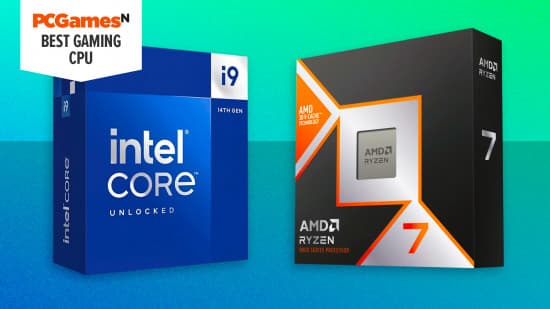
Step 2 – Choose your platform: AM5 vs AM4 vs Intel
- AM5 (Ryzen 7000/9000 series, DDR5)
- Best all-round choice for new builds right now.
- Supports Ryzen 5 9600X up to Ryzen 9 9950X3D.
- DDR5 and PCIe 5.0 support, with AMD publicly committing to multiple future generations on AM5.
- Boards: B650/B650E for most; X670/X670E for multi-GPU, tons of storage, or 16-core chips.
- AM4 (Ryzen 1000–5000 series, DDR4)
- Perfect for upgrading an old system on the cheap.
- Still-strong gaming CPUs like the Ryzen 7 5800X3D keep this platform viable.
- No future CPU upgrades beyond what’s already out.
- Intel LGA 1700 (12th–14th gen)
- Good value for used or clearance boards.
- Chips like the i5-12400F, 13400F, and 14600K are solid, but the platform is effectively done.
- Intel LGA 1851 (newer Intel platform)
- Better multi-threaded work performance than most midrange AMD parts, but usually trails AMD’s X3D chips in pure gaming.
- Worth it only if you lean heavily into productivity and still want decent gaming.
If you’re starting from scratch in 2026, I strongly recommend AM5 unless you have a very specific Intel or AM4 reason. The ability to start with a 9600X and upgrade later to a 9800X3D/9850X3D/9950X3D is a huge safety net.
Step 3 – Pick your CPU tier
- Budget 1080p gaming (RX 7600 / RTX 4060-class)
- Best new-build: Ryzen 5 9600X on a B650 board.
- Cheapest acceptable: Core i5-12400F on a budget B660/B760 or older LGA 1700 board.
- High-refresh 1080p / mainstream 1440p
- Best value: Ryzen 7 7800X3D (if priced meaningfully below the 9800X3D).
- More balanced non-gaming + future-proof: Ryzen 7 9800X3D.
- High-end 1440p and 4K with RTX 4070 Ti / 4080 / early 50-series
- Best for most: Ryzen 7 9800X3D.
- Absolute best: Ryzen 7 9850X3D (pay a little more for a few extra percent and better 1% lows).
- Gaming + heavy creation/streaming
- Top pick: Ryzen 9 9950X3D – 9800X3D-grade gaming plus a full-fat workstation’s worth of cores.
- Intel alternative (existing systems): Core i9-14900K – only if you already own LGA 1700 and can handle the power and cooling requirements.
Pro tip: If price gaps between tiers narrow (sales, bundles, etc.), it’s usually smarter to upgrade the GPU first, then the CPU.
Step 4 – Choose a motherboard and cooler that won’t hold you back
- For 9600X / low-power chips (≈65W TDP)
- Motherboard: Any decent B650; you don’t need fancy VRMs.
- Cooler: A solid 120mm or budget dual-tower air cooler is plenty.
- For 7800X3D / 9800X3D / 9850X3D (≈120W under load)
- Motherboard: Mid-range B650/B650E with good VRMs is enough; no need to overspend on X670 unless you want tons of PCIe lanes.
- Cooler: Quality dual-tower air (e.g. 6-heatpipe designs) or a 240mm AIO. X3D chips don’t like excessive voltage, but they’re not hard to keep cool.
- For 9950X3D and 16-core monsters (up to 170W)
- Motherboard: Higher-end B650 or X670 with robust VRMs and good heatsinks.
- Cooler: Premium dual-tower air or a 280–360mm AIO. You’ll be pushing lots of cores under long loads.
Don’t make my old mistake of grabbing a cheap board for a flagship CPU “because it fits the socket”. Weak VRMs lead to throttling, random crashes under load, and sometimes even coil whine and overheating.
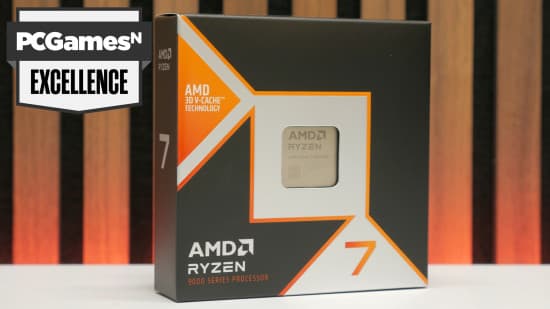
Step 5 – BIOS checklist for a smooth first boot
This takes 10–20 minutes and can save you hours of debugging.
- Update to the latest stable BIOS before stressing the CPU.
- Newer microcode often improves X3D stability, memory compatibility, and power behavior.
- Enable EXPO/XMP for your RAM, but don’t chase crazy speeds.
- For AM5, DDR5-6000–6400 with decent timings is a great sweet spot.
- Check CPU voltages, especially on X3D chips.
- Some boards expose aggressive auto-OC settings; stick to defaults initially.
- Set a sensible power limit for hot Intel chips if you’re on LGA 1700.
- This keeps 14900K/14600K temperatures and power draw under control.
I’ve seen people blame the CPU for issues that were entirely down to an ancient BIOS or over-aggressive auto settings. Start conservative, then tune.
Step 6 – Quick stability and thermal test
- Run a mixed load benchmark (a couple of modern games plus a short CPU stress test).
- Watch for crashes, stutters, or sudden reboots.
- Monitor temperatures with a tool such as HWInfo while gaming.
- Mid-70s °C in games is perfectly fine; brief spikes into the 80s aren’t alarming on modern chips.
- Check actual clocks under load.
- Your 9850X3D or 9800X3D should be sustaining high boost clocks in lightly threaded games if cooling and power are good.
You’ll know it’s dialed in when: games run for an hour or two with stable clocks, reasonable temps, and smooth frame times (1% lows close to your averages).
Why AMD’s 3D V-Cache X3D chips dominate gaming in 2026
The reason Ryzen X3D chips feel so special in games isn’t magic; it’s cache.
3D V-Cache stacks extra L3 cache directly under the cores, giving chips like the 7800X3D and 9800X3D 96MB of 3D V-Cache without massive power penalties. That huge on-chip memory pool slashes the number of times your CPU has to reach out to slower system RAM for game data.
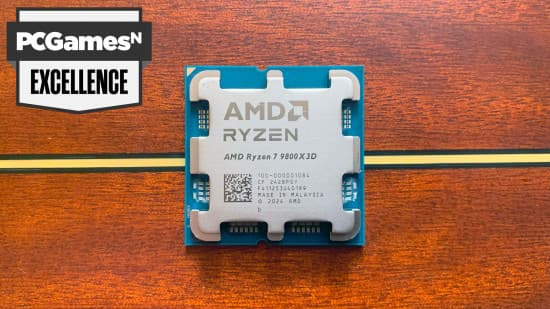
- Games with lots of draw calls, physics, AI, and streaming assets benefit the most.
- At 1080p and 1440p, X3D chips often lead traditional CPUs by 15–30% in average FPS.
- More importantly, X3D often leads 1% lows by about 25%, which is why they feel so much smoother.
On the latest generation, AMD moved the cache under the cores instead of on top of them. That lets your cooler hit the cores directly, improving temps and enabling higher boost clocks. In practice, the newest X3D chips have both higher clocks and massive cache, which is why they’ve effectively redefined gaming with full overclocking unlocked in the sense that you get peak gaming performance without aggressive manual tuning.
If your primary goal is gaming performance and you’re buying mid-to-high-end GPUs, an X3D chip like the 9800X3D or 9850X3D is absolutely worth the premium.
Common mistakes (I’ve made most of these)
- Overbuying the CPU, underbuying the GPU
- A 9850X3D + RTX 4060 is worse for gaming than a 9600X + RTX 4070 in almost every scenario.
- Ignoring 1% lows and only looking at averages
- Two CPUs might both average 200 FPS, but if one has 1% lows at 80 FPS and the other at 140 FPS, the latter will feel dramatically smoother.
- Pairing a high-end CPU with a bargain motherboard
- VRM throttling, memory issues, and random crashes often trace back to ultra-cheap boards.
- Not updating BIOS for new-gen CPUs
- I’ve seen X3D systems crash in specific games until a newer BIOS fixed voltage and microcode quirks.
- Going overboard on RAM speed
- Chasing ultra-high DDR5 clocks with loose timings can hurt stability and sometimes performance.
- Stick near the known sweet spots (around DDR5-6000–6400 on AM5) unless you’re an enthusiast tweaker.
Advanced tips if you want to squeeze even more out
- Undervolt X3D with curve optimizer
- On many 9800X3D/9850X3D chips, a negative curve offset can shave 5–10°C off temps while keeping or even slightly improving clocks.
- Set sensible power caps on hot Intel chips
- Capping 14th-gen Intel to, say, 200W often keeps 99% of the performance while massively reducing heat and noise.
- Game-specific tuning
- Some games let you adjust thread counts or worker threads – X3D chips generally like a few strong threads more than a huge spread.
These aren’t required to get great performance, but they’re nice extras once your system is stable.
TL;DR – best gaming CPUs 2026 and how to choose
- Best overall gaming CPU: Ryzen 7 9850X3D
- Buy if you want the absolute fastest gaming chip and have a high-end GPU and monitor to match.
- Best for most gamers: Ryzen 7 9800X3D
- Flagship-level gaming, better price, brilliant with RTX 4070–4090 and early RTX 50-series at 144Hz+.
- Best “almost flagship” deal: Ryzen 7 7800X3D
- Cheap way to get into AM5 with X3D cache and still enjoy top-tier frame rates.
- Best new-build budget chip: Ryzen 5 9600X
- Under $200, efficient, and sits on the AM5 platform so you have an easy upgrade path.
- Best ultra-budget / existing Intel rigs: Core i5-12400F
- Great when paired with a modest GPU and a cheap LGA 1700 board.
- Best gaming + heavy creation combo: Ryzen 9 9950X3D
- 9800X3D-class gaming with 16 cores and 144MB L3 cache for serious productivity.
If you remember nothing else: pick your GPU and resolution first, then match the CPU. For high-end cards and high-refresh gaming, AMD’s 3D V-Cache X3D chips – especially the 9800X3D and 9850X3D – are the clear leaders in 2026, and AM5 gives you the smoothest upgrade path for the next few years.
FinalBoss // Gear
Level up your setup
01Top-rated gaming headsetson Amazon→02High-refresh gaming monitorson Amazon→03Gaming chairson Amazon→04Discounted game keyson Kinguin→Affiliate links · As an Amazon Associate, FinalBoss earns from qualifying purchases.
Want to Level Up Your Gaming?
Get access to exclusive strategies, hidden tips, and pro-level insights that we don't share publicly.
Ultimate Guide Strategy Guide + Weekly Pro Tips