
The standard DualSense layout puts movement and aiming under your thumbs, then asks those same thumbs to handle face-button actions. Premium PS5 controllers address that conflict by moving commands onto the fingers holding the controller. The SCUF Omega and Razer Raiju V3 Pro take different routes: SCUF builds around broad paddles and additional controls, while Razer favors compact, removable rear buttons and extra top bumpers.
For competitive FPS play, the decisive difference is how securely you can hold the controller without triggering the wrong action. The Omega’s lightly actuated side buttons complicate that grip. The Raiju’s cleaner arrangement gives it the overall advantage, although players who strongly prefer paddles have a substantial reason to choose SCUF.
Table of Contents (7)
SCUF Omega vs Razer Raiju V3 Pro: the useful differences
Both are officially licensed PS5 controllers with PC support, wireless connectivity, TMR thumbsticks, mechanical controls and adjustable triggers. Both also provide six additional grip-accessible programmable controls. The Omega adds a separate bottom-edge key row, which needs to be considered separately from its paddles and side buttons.
| Feature | SCUF Omega | Razer Raiju V3 Pro | Why it matters |
|---|---|---|---|
| Rear controls | Four broad paddles | Four compact, removable buttons | Paddle preference can outweigh the overall recommendation. |
| Additional grip controls | Two side buttons pressed by the inner index knuckles | Two top-mounted M1/M2 bumpers | Placement changes how easily normal grip pressure becomes an unwanted input. |
| Unused-control removal | Blanking plates for the inner paddles and side buttons | Flush replacements for removed rear buttons | You can reduce the active layout instead of learning every control at once. |
| Thumbsticks | TMR Endurance sticks; three extra thumbsticks included | Symmetrical TMR sticks; standard concave and taller, domed options | Both use magnetic sensing; stick height and shape influence aiming feel. |
| Trigger adjustment | Short-throw and full-throw modes; switches tucked inside the triggers | Short-actuation and full-range modes; accessible back-mounted locks | Both suit rapid shooting inputs, but Razer makes changing modes easier. |
| D-pad | Four-way | Floating eight-way | A secondary consideration unless your FPS relies heavily on directional commands. |
Rear controls: the Omega wins on paddles, Razer on grip consistency
The Omega’s four rear paddles are its strongest argument. Their broader pressing surfaces suit players who prefer activating controls with their middle and ring fingers rather than finding compact buttons. If that distinction determines whether rear inputs feel natural, the Raiju’s other advantages may not compensate.
The problem sits farther forward. The Omega’s two side buttons are angled toward the inner index knuckles and require little pressure to actuate. Tightening your grip during an aiming correction can therefore press a control you never intended to use. Binding a frequently disruptive action there makes this an especially costly tradeoff.
The included blank covers provide a practical escape route: remove those side controls from your active layout and retain the four paddles. That preserves the Omega’s main ergonomic advantage, but reduces the benefit of buying it for its larger control count. Its inner paddles can also be blanked if they interfere with your grip.
The Raiju puts its two additional M1/M2 bumpers on top. Its four rear controls use compact, clicky mouse-switch-style actuation, and unused buttons can be removed and replaced with flush pieces. That gives you a cleaner way to build around the inputs you actually use, without leaving every rear control exposed to your fingers.
For a conventional FPS layout, prioritize rear access to jump and crouch so those actions do not interrupt aiming. Reload and weapon swap are useful additions when four rear inputs feel comfortable. The upper or side controls become more valuable when your game also demands frequent melee, equipment or ability inputs. Their placement matters more than their mere availability.
How much does the Omega’s larger input count help?
The Omega combines four paddles, two side buttons and five bottom-edge G-keys, giving it eleven additional controls in total. The bottom row includes mute, volume up, volume down and two customizable keys. Counting all eleven together can obscure their different jobs and positions.
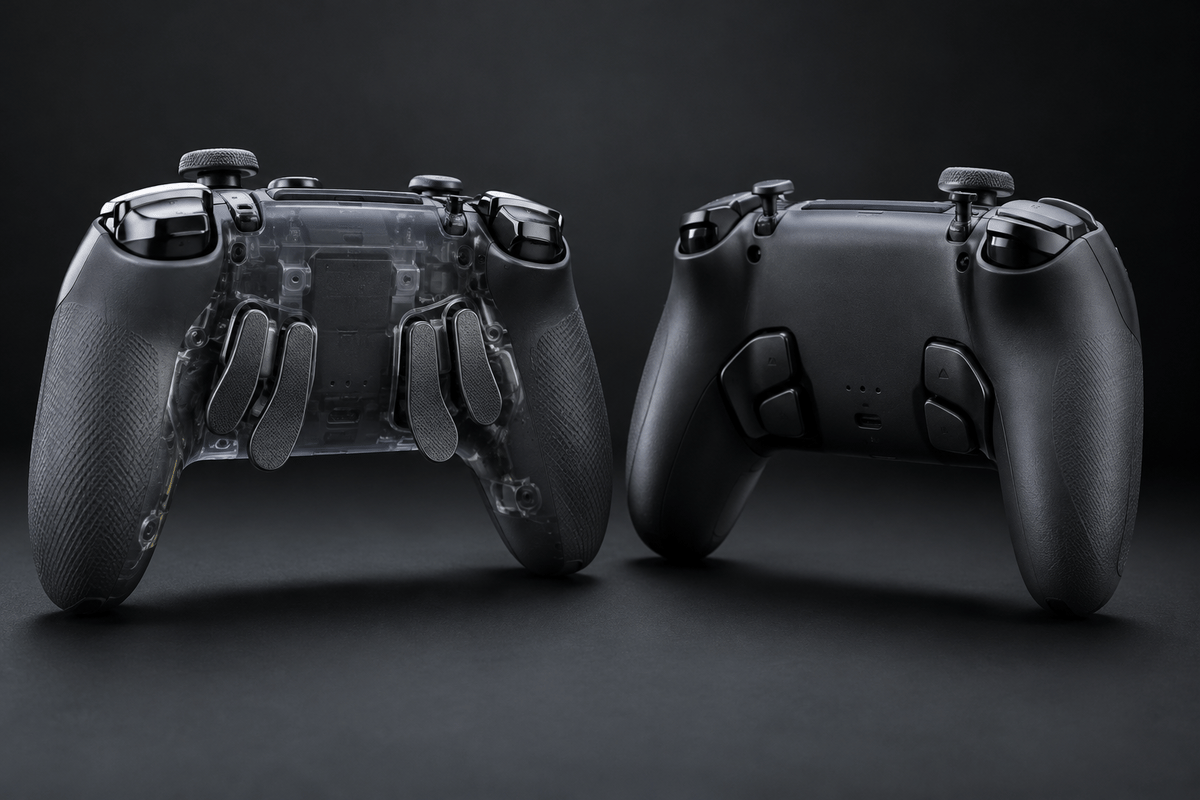
A paddle you can press while holding aim has a different competitive value from a key along the bottom edge. For buying purposes, assess the Omega’s six grip controls first, then treat the G-key row as additional utility. Audio controls are convenient, but they do not provide the same benefit as keeping jump or crouch under a finger already supporting the pad.
The Omega is consequently most attractive to players who already know they need a dense layout and are willing to memorize it. If your immediate problem is keeping aim steady while moving and jumping, the Raiju’s six extra controls offer a more focused solution with less hardware crowding your grip.
TMR sticks: similar sensing, different tuning choices
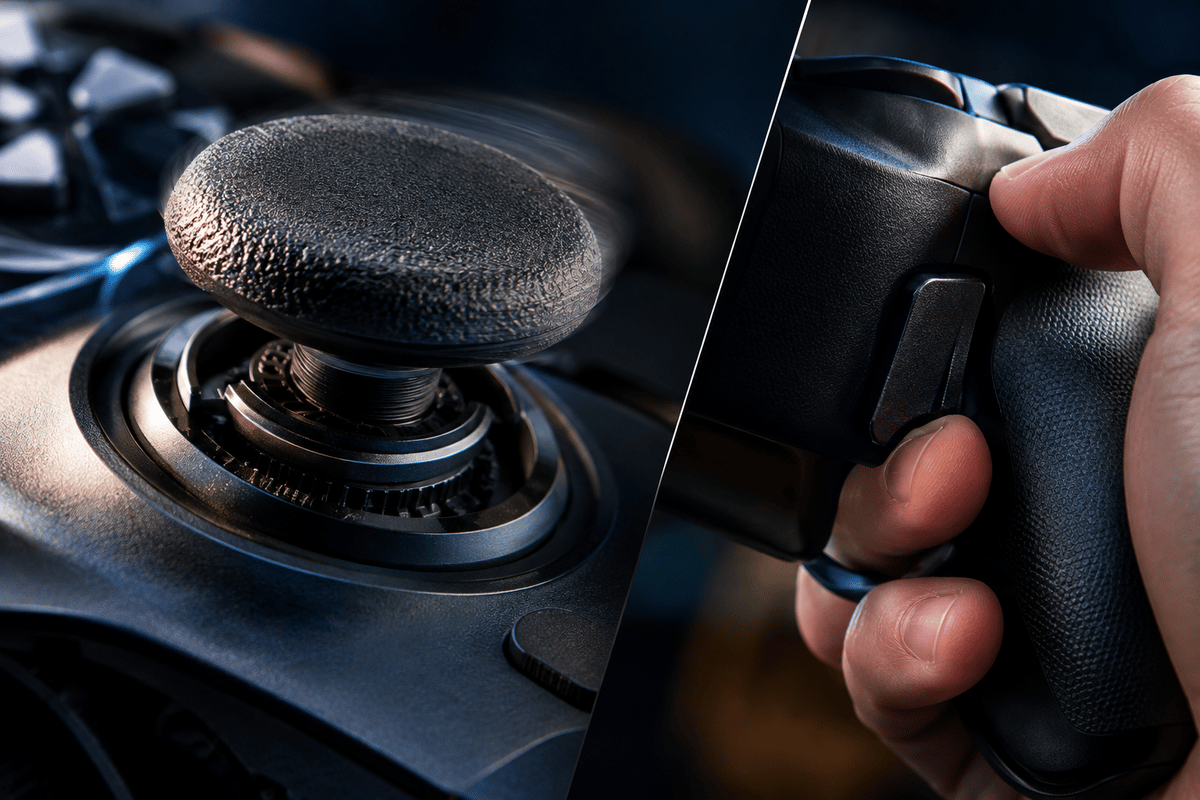
Both controllers use TMR, or tunnel magnetoresistance, thumbsticks. These detect movement through non-contact magnetic sensing, avoiding the contact-based sensing wear associated with conventional potentiometer sticks. That is a meaningful hardware advantage, although it does not guarantee permanently perfect centering or eliminate every possible stick fault.
Razer’s clearer advantage is its supplied combination of standard concave tops and taller, domed alternatives. A taller stick gives your thumb more travel for the same angular movement, which can make small aim corrections easier to control. The shape also changes how your thumb rests on the stick, so height alone does not settle the choice.
A taller right stick is the useful configuration to consider if fine aiming adjustments are your priority. Keeping a standard-height left stick preserves a familiar movement feel. Players who prefer short, quick thumb movements may be better served by the standard tops on both sides.
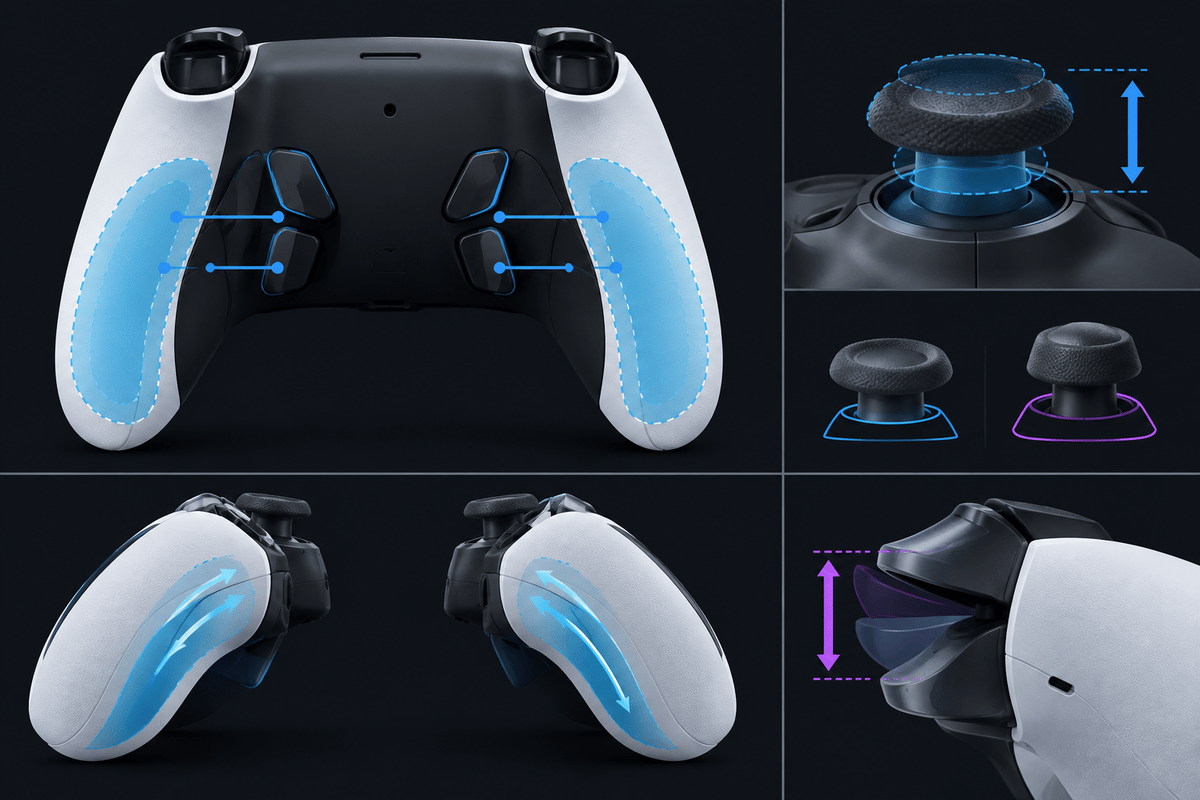
The Omega also includes three extra thumbsticks, so it offers physical customization too. Neither controller earns an automatic accuracy advantage simply by using TMR. Razer gets the stronger recommendation for its clearly defined height-and-shape options, while players already satisfied with a particular stick profile should give more weight to rear-control comfort.
Triggers and mechanical feel: close results, easier adjustment on Razer
The Omega uses Omron mechanical switches and dual-action L2/R2 triggers that switch between short and full throw. The Raiju also offers short-actuation trigger modes and clicky mechanical controls. Both provide a more distinct press than the softer membrane feel of a standard DualSense.
The practical difference is access to the trigger adjustments. SCUF’s stop switches are tucked inside the triggers, whereas Razer’s back-mounted locks are easier to reach. That favors the Raiju if you regularly change between a short shooting pull and full analog travel.
Short trigger travel reduces how far your finger must move before completing a press. It does not establish the controller’s total input latency. Likewise, a crisp mechanical click gives clear tactile feedback, but its sharpness should not be mistaken for a measured speed advantage over the other controller.
PS5 and PC use: separate polling figures from the buying decision
The Omega reaches up to 1,000 Hz on PC and 250 Hz on PS5. Those rates correspond to nominal reporting intervals of 1 millisecond and 4 milliseconds respectively. They describe how often reports can be sent, rather than the complete delay between pressing a control and seeing a response.
Game processing, connection behavior and display latency also contribute to the result. The Omega’s PC figure therefore should not be used to imply the same reporting rate on PS5, or to promise a particular competitive advantage on either platform.
The Raiju offers a high-polling-rate PC option, but its overall recommendation here rests on grip, control placement and stick customization. Do not borrow the Wolverine V4 Pro’s 8,000 Hz PC or 250 Hz Xbox specifications for this comparison: those figures belong to a different Razer model.
Both the Omega and Raiju have companion PC apps for customization. For players moving regularly between platforms, the Omega has an additional physical inconvenience: switching between PC and PlayStation requires removing its faceplate. It also supplies one 2.4 GHz wireless connector, rather than separate connectors to leave attached to each machine.
Comfort, construction and what comes in the box
The Omega’s DualSense-like feel is a genuine attraction for players who want familiar hand positioning with paddles added. Its construction has a less firm feel than the Raiju’s, however. Razer combines stronger-feeling construction with textured grips, reinforcing its advantage for players whose priority is holding a stable position through repeated aiming inputs.
That immediate construction feel cannot settle long-term durability. It is useful for judging handling, but neither magnetic sticks nor a firm shell guarantees years of fault-free operation.
SCUF’s bundle includes a carry case, a 6-foot braided cable, the wireless connector, three extra thumbsticks and blanking plates for the inner paddles and side buttons. The blanks are particularly important: they let paddle-focused players simplify the Omega rather than accept its entire control layout.
FinalBoss // Gear
Level up your setup
01Best-selling PS5 gameson Amazon→02DualSense controllerson Amazon→03PS5 SSD upgrades (M.2 NVMe)on Amazon→04Discounted game keyson Kinguin→Affiliate links · As an Amazon Associate, FinalBoss earns from qualifying purchases.
Want to Level Up Your Gaming?
Get access to exclusive strategies, hidden tips, and pro-level insights that we don't share publicly.
Ultimate Guide Strategy Guide + Weekly Pro Tips