
Short answer, July 2026: for a machine that compiles code all day and games all night, the Ryzen 7 9800X3D is still the right buy for most developers. Step up to the Ryzen 9 9950X3D (~$680) if you live in Docker, VMs or large C++ monorepos. The new Ryzen 9 9950X3D2 “Dual Edition” (launched 22 April 2026, ~$900) is the halo part with 3D V-Cache on both chiplets, and it is genuinely better for cache-hungry work — but it is a $200 premium most people should not pay. On a budget, the Ryzen 5 9600X plus 32GB of RAM beats a pricier CPU with weak memory and storage every time.
And the part everyone asks about: Zen 6 / Ryzen 10000 desktop chips have not launched. AMD’s July 2026 Zen 6 announcement was for EPYC Venice server silicon, not consumer Ryzen; desktop Olympic Ridge parts are most consistently reported for CES 2027 or later. There is no “wait two months” play here. Buying AM5 now is fine.
Table of Contents (21)
The July 2026 lineup at a glance
| CPU | Cores / Threads | Clocks | Cache | TDP | Typical US price |
|---|---|---|---|---|---|
| Ryzen 9 9950X3D2 (Dual Edition) | 16 / 32 | 4.3 / 5.6 GHz | 208MB total (192MB L3) | 200W (270W PPT) | ~$899 |
| Ryzen 9 9950X3D | 16 / 32 | 4.3 / 5.7 GHz | 144MB total (128MB L3) | 170W (200W PPT) | ~$680 |
| Ryzen 9 9950X | 16 / 32 | 4.3 / 5.7 GHz | 80MB total | 170W | ~$560 |
| Ryzen 7 9800X3D | 8 / 16 | Zen 5, low-5GHz boost | 104MB total | 120W | ~$450–550 |
| Ryzen 7 7800X3D (Zen 4) | 8 / 16 | 4.2 / 5.0 GHz | 104MB total | 120W | ~$360 |
| Ryzen 5 9600X | 6 / 12 | Zen 5 | — | 65W class | Budget tier |
| Intel Core Ultra 7 270K (Arrow Lake Refresh) | — | — | — | — | $319 ($299 KF) |
| Intel Core Ultra 5 250K Plus | — | — | — | — | $199 |
Prices move weekly on X3D parts in particular. Treat these as the shape of the market, not a quote.
Why your CPU choice matters more for devs than you think
The first time I swapped an old 8-core chip for a Ryzen X3D part, I expected games to feel faster. What surprised me was how much smoother the day job felt: VS Code stopped stuttering with 50+ extensions, Docker no longer choked the machine, and full builds of a medium monorepo went from “coffee break” to “quick stretch.”
Moving to the 9950X3D did it again, more dramatically. The combination of strong single-core performance and a pile of cores meant I could:
- Run Docker, a couple of Linux VMs and a browser zoo without the IDE lagging
- Compile large C++ projects and Unreal builds much faster
- Alt-tab into a 4K game with Discord and monitoring tools running and still feel snappy
That is the specific reason X3D chips over-deliver for developers: single-thread snappiness for editors and incremental builds, plus enough cores and cache to chew through serious workloads while staying top-tier for gaming.
How I actually test CPUs for coding work
On paper every modern CPU looks fast. The gap shows up when you throw messy real workflows at it:
- Full clean builds of C++ and TypeScript monorepos (CMake + Ninja, Yarn/PNPM)
- Incremental builds after small changes, to expose single-core responsiveness
- IDE stress: JetBrains and VS Code with language servers, Git tooling and plugins
- Containers and VMs: a Docker Compose stack plus one or two local VMs running services
- Multitask: builds running while debugging, with two or three browsers, Slack and a DB client open
- Gaming under load: keep the dev stack alive, then fire up a modern shooter at high refresh
Two things matter far more than a Cinebench number here. First, cache hides memory latency — which is why X3D parts feel better than their core count suggests in both compilers and games. Second, compile scaling is close to linear in cores, which is the one place a 16-core part genuinely doubles your throughput over an 8-core.
Pick your tier
Ryzen 9 9950X3D2 Dual Edition – the new halo part, and who it’s actually for
AMD launched the 9950X3D2 on 22 April 2026 at roughly $899. The headline change is in the name: Dual Edition means 3D V-Cache is stacked on both core chiplets, not just one. That takes L3 from 128MB to 192MB (208MB total on-die cache), and it removes the scheduling awkwardness of the original 9950X3D, where only half the cores sat behind the big cache.
The trade-offs are real:
- Boost drops 100 MHz, from 5.7 GHz to 5.6 GHz.
- Power goes up: 200W TDP and 270W PPT, against 170W/200W on the 9950X3D. Budget cooling accordingly — this is not a chip for a mid-range air tower.
- It costs about $200 more than the 9950X3D for the same 16 cores.
Who should buy it: people whose workload is genuinely cache-bound across all cores — large-scale simulation, heavy compile farms on one box, or anyone who hit the original 9950X3D’s CCD-scheduling quirks and hated them. Who should not: basically everyone else. The 9950X3D at ~$680 does 95% of this for $220 less.
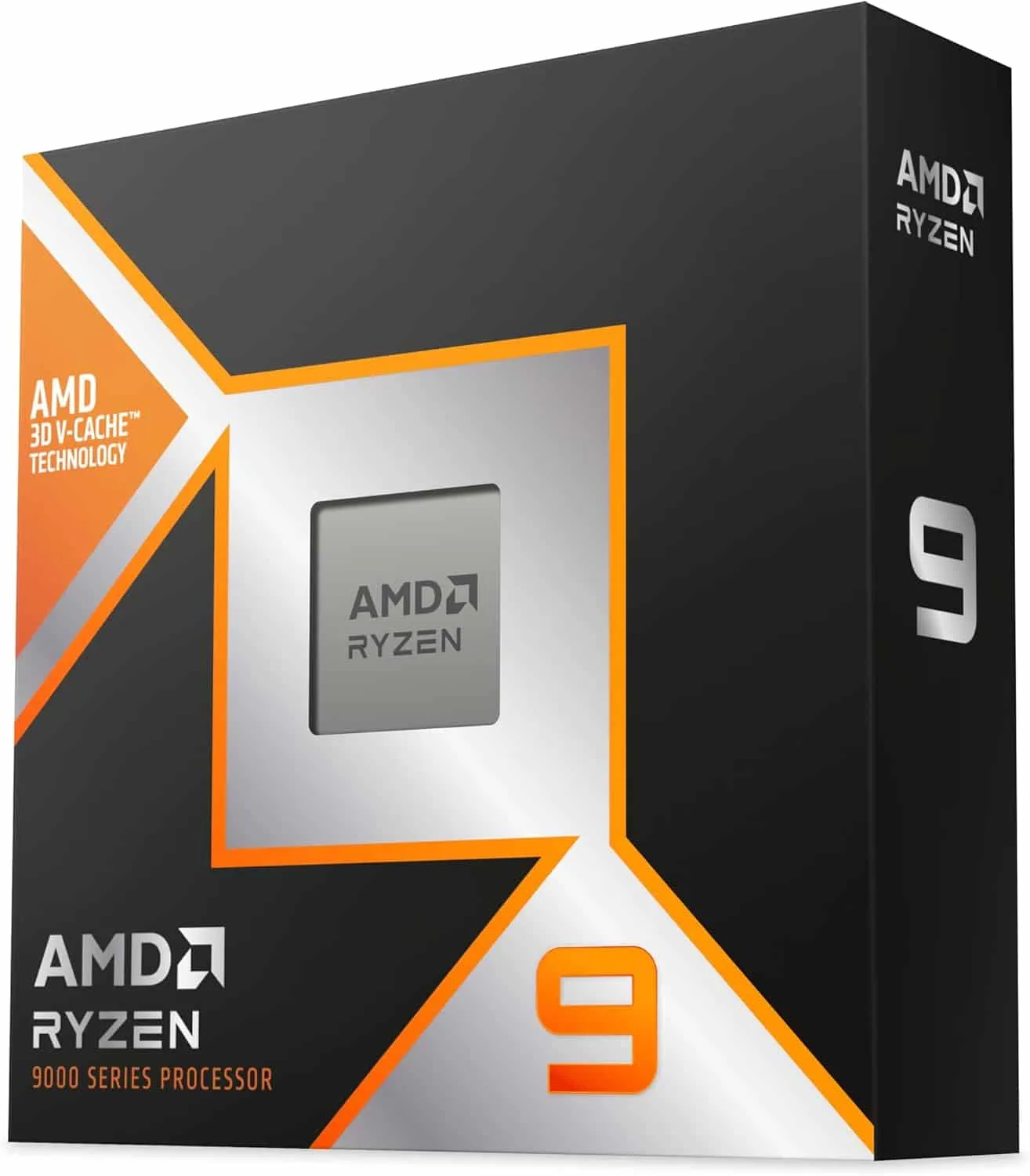
Ryzen 9 9950X3D – best all-rounder for heavy builds, VMs and multitasking
If one machine is your dev workstation and your everything-else box, this is the one that feels unbottled. Sixteen Zen 5 cores, 32 threads, 144MB of total cache, 4.3 GHz base and 5.7 GHz boost, 170W TDP, around $680 street against a $699 launch MSRP.
What I can comfortably run at once without the system turning to sludge:
- A multi-service Docker Compose stack (DB, cache, backend, queues)
- One or two Linux VMs running Kubernetes or extra services
- IntelliJ or Rider, VS Code, and a browser with 20–30 tabs
- A full C++/Rust build and its test suite in the background
- A 4K game or sim racing title in the foreground, with good frame times
Who it’s for: backend engineers with large microservice setups, anyone running local Kubernetes or WSL2 plus Docker, engine devs compiling big C++ daily, and people gaming at high resolution who want no compromise.
Who can skip it: if “heavy” means a browser, an IDE and the occasional container, you are paying for cores you will not use.
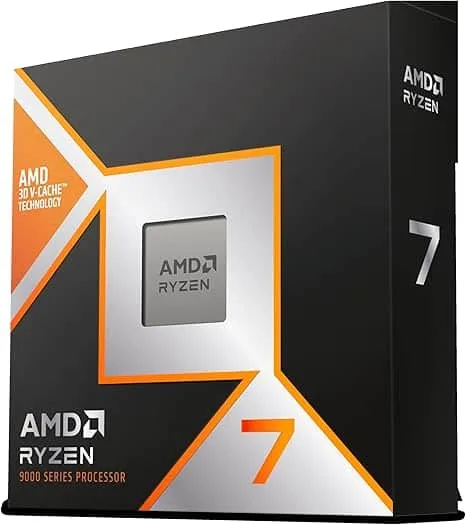
Ryzen 7 9800X3D – the sweet spot for devs who are also serious gamers
Still the chip I recommend most often. Eight cores, 16 threads, 104MB of total cache, 120W TDP, generally $450–550 depending on promotions. It remains one of the fastest gaming CPUs you can buy, and it is not close in most 1080p and 1440p CPU-limited tests.
For development it is “fast enough for almost everyone”:
- Clean builds of mid-sized projects finish quickly; incremental builds feel near-instant
- Node, Python and Go web workflows are a non-issue
- Docker plus a handful of background services runs without stutter
- Unity and Unreal editing is smooth unless you are at AAA studio scale
The only time I feel the gap to the 9950X3D is when I get greedy: several VMs, multiple heavy containers and a huge test suite at once. Then the extra eight cores pull away. For one main workload plus tools, this punches far above its core count.
Worth knowing: the Zen 4 Ryzen 7 7800X3D (8c/16t, 4.2/5.0 GHz, 104MB, 120W) has settled around $360. It is meaningfully slower than the 9800X3D but it is the best price-per-frame X3D part on the market and drops into the same AM5 boards. If your budget is tight and gaming is the priority, it is a legitimate answer.
Ryzen 5 9600X – the budget developer’s best friend
Six Zen 5 cores, 12 threads, strong single-core. This is what I point students and early-career devs at. On it you can happily run a plugin-heavy IDE, build university-sized C++/Java projects fast, handle modern web stacks with instant hot reload, and game at 1080p or 1440p with a sensible GPU.
Where it gets frail is exactly where you’d expect: multiple VMs, big container setups, very large monorepos. It still finishes; it just takes longer, and multitasking under load feels cramped.
If your focus is learning and personal projects, put the saved money into 32–64GB of RAM and a 2TB NVMe rather than a bigger CPU with weak storage. That is the single most common budgeting mistake I see.
Where Intel actually sits in 2026
Intel’s current desktop platform is Arrow Lake-S / Core Ultra 200S, with a 2026 Arrow Lake Refresh acting as a stopgap rather than a new architecture. Nova Lake is a future-generation part, not something you can buy now.
The refresh brought sharp pricing, which is the real argument for Intel this year: the Core Ultra 7 270K sits at $319 (the graphics-less 270KF at $299), and the Core Ultra 5 250K Plus lands at $199. For pure multi-threaded productivity — rendering, encoding, massive parallel builds where gaming genuinely does not matter — those are strong dollar-per-thread numbers, and in some heavily parallel benchmarks Intel edges the X3D parts.
Once you mix in high-refresh or 4K gaming and low input latency, the Ryzen X3D lineup is still the better-balanced buy. The large 3D V-Cache hides memory latency in both games and several dev tasks, and Zen 5’s single-core boost gives the instant UI responsiveness that never shows up on a spec sheet but is obvious in daily use.
There is also a platform argument. AMD has committed to supporting AM5 through at least 2027, and current chips drop into B650, B850, X670E and X870E boards with a BIOS update. Since Zen 6 desktop is expected around CES 2027, an AM5 board bought today plausibly gets one more CPU generation. Intel’s LGA1851 has had a shorter, less clearly committed runway.
Step-by-step: choose based on your real workload
Step 1 – Be honest about your workloads
- Light: learning to code, small projects, mainly web or scripting, few containers
- Medium: professional web/full-stack, mobile apps, one main backend, some Docker
- Heavy: large monorepos, microservices, multiple VMs, local Kubernetes, frequent full builds
If you routinely wait minutes for builds or tests, you are in heavy territory whether you think so or not.
Step 2 – Decide how seriously you game
- Casual: 1080p, medium-high settings, not chasing 240Hz
- Enthusiast: 1440p high refresh, competitive shooters, demanding AAA
- 4K / sim: top-tier GPU, maybe triple monitors or VR
Step 3 – Map it to a tier
- Light dev + casual gaming: Ryzen 5 9600X (or 7800X3D if gaming leads)
- Medium dev + enthusiast gaming: Ryzen 7 9800X3D
- Heavy dev + any gaming: Ryzen 9 9950X3D
- Cache-bound work across all cores, budget no object: Ryzen 9 9950X3D2
- Pure multi-threaded productivity, gaming irrelevant: Intel Core Ultra 7 270K at $319
Platform, cooling and stability
- AM5 has runway. AMD’s commitment runs through at least 2027, so a 9600X today does not trap you — a Zen 6 drop-in is a realistic later move.
- RAM: 32GB minimum, 64GB with heavy VMs. DDR5 in the 6000–6400 MT/s band is the sweet spot; higher brings diminishing returns and more tuning pain.
- Cool the big parts properly. This matters more now: the 9950X3D2’s 200W TDP and 270W PPT need a serious 280–360mm AIO or a top-tier air cooler. The 170W 9950X3D is more forgiving.
- Update the BIOS before you judge anything. Do not evaluate performance or stability on launch-day firmware.
- Don’t manually overclock X3D parts. They are tightly tuned; manual all-core offsets usually cost efficiency or performance. Undervolting via Curve Optimizer is the productive knob, not raw OC.
Common mistakes when building a dev + gaming PC
- Overspending on the GPU and starving everything else. A monster GPU with 16GB of RAM and a mid SSD is a benchmark machine and a mediocre dev box.
- Ignoring storage. Codebases, Docker images and games eat space. 1TB fills fast; 2TB+ of PCIe 4.0/5.0 NVMe is far nicer to live with.
- Underestimating background tools. Slack, Teams, browsers, Electron apps — “six cores is plenty” falls apart when they all compete for threads.
- Waiting for Zen 6. Desktop Ryzen 10000 is not launched and is most consistently reported for CES 2027. Waiting eighteen months to save nothing is not a strategy.
- Buying the 9950X3D2 by default. It is a $200 premium for a narrow set of workloads. Check whether yours is actually cache-bound first.
FAQ
Should I wait for Zen 6 / Ryzen 10000?
No. Desktop Zen 6 parts have not launched; AMD’s July 2026 Zen 6 announcement covered EPYC Venice server silicon. Consumer Olympic Ridge desktop chips are most consistently reported for CES 2027 or later. Buy AM5 now; the socket is supported through at least 2027.
Is the 9950X3D2 worth $200 over the 9950X3D?
Only if your workload is cache-bound across all 16 cores. You get 192MB of L3 instead of 128MB and V-Cache on both chiplets, at the cost of 100 MHz of boost, 30W more TDP and 70W more PPT. For mixed dev-and-gaming use the 9950X3D remains the better value.
Is the 7800X3D still a good buy?
Yes, at around $360. It is slower than the 9800X3D but shares the same 8c/16t and 104MB cache shape, uses the same AM5 boards, and is the best price-per-frame X3D chip available. If gaming leads and the budget is tight, take it and put the difference into RAM.
Does Intel make sense at all in 2026?
For pure multi-threaded productivity, yes — the Arrow Lake Refresh pricing ($319 for the Core Ultra 7 270K, $199 for the Core Ultra 5 250K Plus) is aggressive. For a machine that also games seriously, the X3D cache advantage is still decisive.
Practical wrap-up
- Ryzen 7 9800X3D — the default. Best fit for most devs who also game a lot.
- Ryzen 9 9950X3D (~$680) — if you regularly run big builds, heavy Docker/VM stacks or multiple services and want the machine responsive throughout.
- Ryzen 9 9950X3D2 (~$899) — only for genuinely cache-bound all-core work, and only with serious cooling.
- Ryzen 7 7800X3D (~$360) — the value gaming pick that still handles real dev work.
- Ryzen 5 9600X — where you start on a budget. Spend the savings on RAM and NVMe.
- Intel Core Ultra 7 270K ($319) — the multi-threaded-productivity value play if gaming is secondary.
The goal is not the most expensive processor you can stretch to; it is the one that makes daily work and play feel smooth. For 2026 that still lands on AMD’s X3D parts, with the caveat that the new flagship is a specialist tool rather than an upgrade everyone needs.
Building around a handheld or a living-room box instead? Our GPD Win 5 Strix Halo review covers what mobile silicon can actually do now, and Valve’s Steam Machine plans hitting the same RAM and SSD wall is a useful reminder that memory and storage decide more than the CPU badge. If emulation is on your list too, see our 2026 emulation handheld guide.
FinalBoss // Gear
Level up your setup
01Graphics cardson Amazon→02Gaming laptopson Amazon→03High-refresh gaming monitorson Amazon→04Discounted game keyson Kinguin→
Affiliate links · As an Amazon Associate, FinalBoss earns from qualifying purchases.
Want to Level Up Your Gaming?
Get access to exclusive strategies, hidden tips, and pro-level insights that we don't share publicly.
Ultimate Guide Strategy Guide + Weekly Pro Tips