
Table of Contents (17)
My First Impression of DLSS 5: This Is More Than Just Upscaling – For Better and Worse
When Nvidia showed DLSS 5 on the GTC stage, my first reaction was the usual reflex: «Okay, the next number, the next generation, a bit more performance, a bit more sharpness.» Honestly, I was expecting an evolutionary step in Frame Generation, not a radically different approach.
And then the demos came.
Resident Evil, Oblivion Remastered, Starfield-like scenarios, sports games – and suddenly everything looked as if someone had laid an extremely expensive lighting and beauty shader over the image. Skin appeared more dimensional, metal more realistic, shadows finely graded, fog more translucent. It no longer feels like «upscaling» but rather like a final, neural filter that reinterprets the entire image from scratch.
That’s exactly where it clicked for me: DLSS 5 is no longer a tool trying to be invisible. It wants to be seen. That’s impressive – and dangerous. Because once an AI stops merely reconstructing and starts actively shaping, the fascination with tech collides head-on with the question: Does this still respect the artistic intent of the developers?
Before we dive into the philosophy, let’s quickly sort out the technical cornerstones.
| DLSS Version | DLSS 5 (Neural Rendering) |
| Technology Type | Neural Final Shader / Rendering Pass |
| Function | AI-powered lighting, material, and facial interpretation + upscaling |
| Data Sources | Motion vectors, depth buffer, material IDs, lighting data from the engine |
| Target Platforms | NVIDIA GeForce RTX 50-Series (Desktop & Laptop, focus on RTX 5090 demos) |
| Pipeline Position | At the end of the traditional rendering pipeline (after rasterization/ray tracing) |
| Primary Effects | More realistic lighting, clearer material separation, more dimensional faces, better detail in dark scenes |
| Showcased Games/Demos | Resident Evil Requiem, Hogwarts Legacy, Oblivion Remastered, Sports games (e.g. EA Sports FC series) |
What DLSS 5 Actually Does – And Why It Feels Fundamentally Different
To understand DLSS 5, it helps to mentally sort through the previous DLSS iterations. DLSS 2 was essentially a very clever upscaler: from a low-resolution render plus motion information, it reconstructs a higher-resolution image. DLSS 3 and 3.5 added Frame Generation and Ray Reconstruction – artificially inserted intermediate frames and AI-powered denoising for ray tracing.
All of these share one thing in common: they try to make a scene defined by the game look «better» while staying as faithful as possible to the original. They estimate missing pixels, clean up noise, smooth edges. But they don’t fundamentally interfere with the visual mood – the art direction remains essentially untouched.
DLSS 5, aka Neural Rendering, breaks through that boundary.
According to Nvidia’s description (and what’s visible in the demos), here’s roughly how it works: the engine renders the scene as usual – geometry, shadows, materials, maybe some ray tracing. Then the AI model receives a set of structured data: motion vectors, depth buffers, material IDs, possibly even information about light sources and scene types.
Based on this, the model reinterprets the image: Where are faces? Where is skin, where is leather, where is metal, where is glass? Where does the light come from, and how should it physically plausibly reflect or scatter? Which areas need more detail, and which can be more strongly emphasized?
The result looks like a mix of path tracing, HDR photo filter, and beauty shader – except it’s not post-processing in Photoshop but happening in real time based on a running 3D scene.
Digital Foundry described it in their hands-on as roughly a «neural lighting pass»: a kind of final shader that doesn’t swap out geometry or textures but refines lighting, material appearance, and details. This is exactly where the magic lies – and the conflict.
The Stunning Strengths: Lighting, Materials, Faces – DLSS 5 Shows What’s Possible
I’m deliberately starting with the positives because, despite all the criticism, you have to give Nvidia credit here: What DLSS 5 manages to pull out of existing games in places is insane.
Dark Scenes with More Detail – A Blessing and a Curse
In dark scenes especially, the strength is immediately apparent. In Resident Evil sequences, faces and environments look much more clearly separated with Neural Rendering. Shadows don’t drown as much in blackness, while there’s more gradation in the midtones. Backgrounds that previously disappeared into gray-black mush suddenly emerge with cleanly visible silhouettes and structures.
This is technically impressive and likely a real win for many games. Hogwarts Legacy and Oblivion Remastered also benefit: facades, vegetation, and characters separate more clearly from each other; fine details on the ground or walls become more visible – even when the engine assets themselves remain unchanged.
If, like me, you often play on a 27-inch 1440p monitor with Quality DLSS, you know that feeling of «Shame, there’s actually more detail there, but it gets lost in the darkness and compression.» DLSS 5 visibly pushes that boundary higher. It’s almost reminiscent of good HDR grading in films, where several textures suddenly emerge from a «black» suit without the image looking flat.
Materials and Surfaces: More Than Just Sharpness
Another area where Neural Rendering shines is surfaces. Metals, leather, fabrics – they all benefit from more nuanced light treatment. Reflections no longer look like simple highlights but have that finely graded sheen you’d normally only see in offline renders or path-traced demos.
This is especially visible in city or interior scenes: window frames stand out more from masonry, small imperfections in plaster or wooden beams are subtly highlighted by the light. And all of this without touching the textures themselves – the model works only with what the engine already delivers, plus its learned understanding of «what realistic lighting looks like.»
This is more than just «making upscaling sharper.» It’s almost as if an experienced lighting artist touched up every frame with a fine brush – except it happens at the push of a button.

Faces: From «Video Game Character» to «Studio Portrait»
The most striking demo, however, is clearly: faces. In Resident Evil Requiem, sports games, or cutscenes, the model very reliably recognizes what’s a face, what’s hair, what’s skin, what’s fabric – and treats each of these zones with its own, almost photographic lighting and detail feel.
Skin gains more depth and subtle highlights, stubble appears more three-dimensional, eyes look more clearly defined, lips get a more distinct texture. In many scenes, the face loses that classic «video game character look» and moves closer to a studio portrait with good lighting.
This is impressive because it targets the decades-old weak point of real-time graphics: human faces in motion. And Neural Rendering raises the bar further without requiring artists to completely rebuild their assets.
But this brings us precisely to the point where the hype starts to crumble – because what looks technically «better» isn’t automatically more «correct» artistically.
The Big Question Mark: Does DLSS 5 Respect the Art Style – Or Steamroll It?
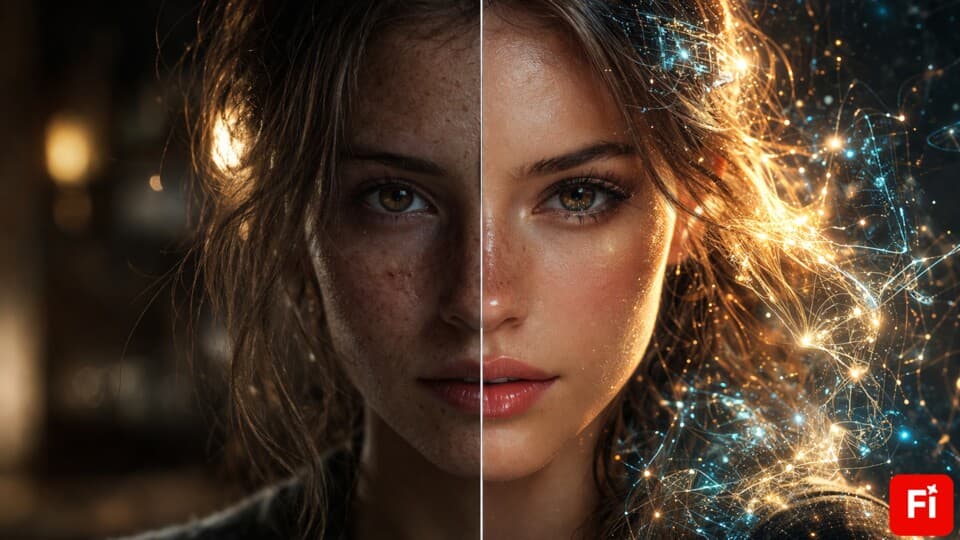
The strongest criticism of DLSS 5 so far doesn’t target performance or hardware requirements but rather the aesthetics. On social media and in comments, terms like «Instagram filter,» «AI slop,» or «AI beauty filter» keep popping up – and you immediately understand why once you’ve seen the facial comparisons.
Take Grace Ashcroft from Resident Evil Requiem as an example. In the original, she looks rather pale, understated, somewhat unremarkable – a deliberately subdued character. With DLSS 5 Neural Rendering, she suddenly becomes the perfectly lit protagonist: lips are fuller and more rosy, skin looks soft yet more sculpted, eyes and hair are significantly more pronounced.
Objectively, you could say: the face is more dimensional, clearer, and «more beautiful.» Subjectively and artistically, it’s a different story: The visual message shifts. A deliberately understated character suddenly appears present, almost glamorous. The subtext – vulnerability, plainness, exhaustion – can become quieter or vanish entirely.
And this isn’t just a style question. It’s a question of authorship. When a team sets its lighting, color palette, and contrasts so that a scene feels depressing, threatening, or stark, that’s part of the narrative. When an AI then decides: «Hey, I’ll make this more readable, clearer, higher contrast, and prettier,» technology and narration collide.
Another sensitive point: Homogenization. When the same neural model is applied across many different games, there’s a risk that faces, skin tones, and materials all get shifted in a similar direction. Already, many are criticizing the «Instagram filter look»: smoother skin, friendlier lighting, brightened shadows, and in some cases even the impression that darker skin tones are being lightened somewhat.
You could dismiss this with «it’s just a graphics feature,» but particularly when it comes to representation and style diversity, this isn’t trivial. If every character ends up looking like they’re from the same glossy campaign, games lose exactly what makes their worlds interesting: rough edges, deliberate grit, intentional imperfection.
More Visibility Isn’t Always Better – Especially in Horror
A similar problem appears with darkness and fog. In the demos, Neural Rendering tends to deliver more detail in deep shadows – making details more visible, fog slightly more transparent, and backgrounds more clearly separated from foregrounds.
More Visibility Isn’t Always Better – Especially in Horror
A similar problem appears with darkness and fog. In the demos, Neural Rendering tends to deliver more detail in deep shadows – making details more visible, fog slightly more transparent, and backgrounds more clearly separated from foregrounds.
🎮 Get This Game at the Best Price
Compare prices instantly and save up to 80% on Steam keys with Kinguin — trusted by 15+ million gamers worldwide.
FinalBoss // Gear
Level up your setup
01Graphics cardson Amazon→02Gaming laptopson Amazon→03High-refresh gaming monitorson Amazon→04Discounted game keyson Kinguin→Affiliate links · As an Amazon Associate, FinalBoss earns from qualifying purchases.
*Affiliate link — supports our independent coverage at no extra cost to you
Technically, you immediately think: «Awesome, I can finally see what’s happening back there.» But from a horror or noir perspective, that’s often exactly what isn’t wanted. In Resident Evil Requiem, there are scenes where figures and buildings are supposed to disappear into thick fog. With DLSS 5, those outlines become clearly visible. The scene loses some of its unease because the unclear, undefined quality is pushed back.
Neural Rendering therefore needs to learn – or be tamed by developers – that «invisible» is sometimes a deliberate design choice, not a flaw to be optimized away. Otherwise, the AI ends up fighting the very haze, blackness, and harshness that certain genres draw their power from.
And in Motion? This Is Where You See How Raw It Still Is
Nvidia emphasizes that DLSS 5 works not just spatially but also temporally – meaning it should remain stable frame by frame along the time axis. The AI uses motion vectors and historical frames to understand how objects move and how lighting conditions need to adapt.
Still, the demos so far already show clearly: It’s not quite stable yet.
In an Oblivion Remastered scene, for example, a man blinks into the camera. As long as his eyes are open, the face still looks convincing. But the moment he blinks, the illusion breaks: the eyelids don’t close cleanly; instead, an odd in-between state appears where the eyes remain half-visible and slightly offset from each other. In short: it looks broken, because the model apparently didn’t fully understand how eyelids move across the eye.
Similarly with hair: around Leon’s head (Resident Evil), there’s a faint halo visible – as if the neural filter slightly «overextends» at the edge of the hair volume. This is a typical AI artifact: the algorithm knows there are fine structures and transparencies, tries to enhance them, but doesn’t always cleanly hit the boundary with the background.
In a sports demo featuring Virgil van Dijk, it gets even rougher: during a volley shot, part of the ball disappears in the fast motion, and the jersey flutters in an oddly unnatural way. Fine for a still image, but a real immersion killer for live gameplay. We’ve seen this issue before with DLSS 3 Frame Generation – but here, with the deeper intervention in lighting and material interpretation, it becomes even more complex.
For me, this was the moment it became clear: Neural Rendering isn’t just an image filter but a temporal gamble. When it works, the image looks as coherent as an expensive CGI film. When it fails, it immediately looks like «AI jank,» because our eyes are far more sensitive to motion than to still frames.
What Does This Mean for Gamers? Settings, Loss of Control, and the Developer’s Role
Nvidia repeatedly emphasizes in statements that developers are in control: they decide if and where Neural Rendering is used, which materials are more or less affected, and how aggressively the model is allowed to work. Ideally, we’d get not just a simple «DLSS 5: On/Off» toggle in-game but finer sliders.
Realistically, though, we know how this tends to go in many productions: the feature ships with default presets built under time pressure and marketing deadlines. And studios without a massive graphics department will likely just use Nvidia’s default profile rather than spending hours building custom Neural Rendering profiles that perfectly match their art style.
From a player’s perspective, I would have wished for something like:
- Neural Rendering Intensity: Subtle / Medium / Strong
- Neural Rendering Applied To: Faces, Materials, Global Lighting – separately toggleable
- Style Fidelity Preset: «Prefer Original Look» vs. «Prefer Realism»
Whether we’ll ever see that level of granularity in a settings menu remains to be seen. But that’s exactly what determines whether DLSS 5 becomes a tool you consciously configure or a hard-coded filter that steamrolls every scene, whether horror, cartoon, indie, or AAA.
From the developers’ perspective, it’s even more complicated. On one hand, the temptation is enormous: a feature that automatically enhances lighting, materials, and faces can save years of manpower, or at least significantly reduce how much fine-tuning is needed at the end of a project. On the other hand, when an «Instagram look» draws criticism, it’s directed straight at the studio – most players don’t distinguish between «engine renderer» and «Nvidia final pass» in the discourse.
The danger is that studios feel pressured to rely on visual shortcuts to stay competitive, because the competition is using DLSS 5 and their trailers look «more stunning» as a result. Then the pressure shifts from «How do we tell our story visually?» to «How much do we let the AI enhance our image?»
Hardware, Performance, and the Question: Who Can Actually Use This?
One aspect that’s been somewhat overshadowed by the look-and-feel debate is the completely practical one: What hardware do you need to run this at the quality shown?

The early demos reportedly ran on high-end hardware – in some cases even with two RTX 5090 cards. While Nvidia talks long-term about a single-GPU consumer setup, one thing is clear: This isn’t a feature that casually runs on an RTX 3060 at 1080p. At least not in the form we’ve seen on stage.
A currently realistic «DLSS 5 laptop» setup might look roughly like this:
| CPU | Intel Core Ultra 9 275HX (8 Performance cores, boost up to 5.4 GHz) |
| GPU | Nvidia GeForce RTX 5070 Ti Laptop with 12 GB VRAM |
| Display | 16.0-inch Mini-LED IPS, 2560 x 1600 pixels, 300 Hz, approx. 1000 nits HDR |
| RAM | 32 GB DDR5 |
| Storage | 2 TB NVMe SSD |
| Target Resolution for DLSS 5 | Internally rendered at e.g. 1440p, output at 4K/1600p via Neural Rendering + Upscaling |
That kind of package is clearly in high-end territory – and even there, we still need to wait and see how the additional computational load of Neural Rendering affects framerates in real games. If the price of the Pixar look is halved FPS, many players will likely stick with «classic» DLSS 2/3 with attractive but more style-faithful rendering.
For my daily setup (RTX 4080, 1440p monitor), I’d probably use DLSS 5 very selectively: in single-player titles where I’m already happy with 60–80 FPS and where the realism boost genuinely contributes to the atmosphere. In fast shooters or competitive games, any temporal wobble or input lag penalty would be too much for me.
Who Benefits Most – And Who Should Stay Skeptical?
When you put together all the demos and weigh all the pros and cons, something like a «sweet spot» for Neural Rendering emerges.
Well suited for:
- Cinematic third-person story games with realistic ambitions (Resident Evil, action-adventures, story-heavy RPGs)
- Remasters and remakes of older titles that benefit from modern lighting looks (Oblivion Remastered is the prime example)
- Sports games and showcase demos where faces and stadiums need to look as TV-ready as possible
In all these cases, DLSS 5 can truly act like a turbo: more dimensional characters, more believable lighting, clearer depth layering.
It gets tricky with:
- Stylized art styles (cel-shading, comic, low-poly, deliberately flat lighting)
- Horror, noir, thriller games with extreme darkness, harsh contrast, or heavy fog
- Indie games that deliberately aim for a raw, grainy, «dirty» look
- Competitive games where stability and clarity matter more than «photorealistic» beauty
Especially in these areas, Neural Rendering’s default profiles could break more than they improve, unless developers very deliberately step in and set boundaries.
✓ PROS
- + Visibly better lighting and material rendering
- + More dimensional faces, better detail in dark scenes
- + Works as a final shader pass without modifying assets
- + Can dramatically refresh the visuals of older games
- + Potentially huge time savings for lighting and material tuning
- + Theoretically fine-tunable by developers
✗ CONS
- – Deeply alters style, mood, and character design
- – Risk of a uniform «Instagram/AI look» across many games
- – Early demos show artifacts in motion (eyes, hair, fast objects)
- – Can dilute horror/noir atmosphere by revealing too much detail
- – High hardware requirements expected (high-end feature for now)
- – Players may have little control over intensity and scope
My Verdict on DLSS 5: A Powerful Brush – But Still Without a Clear Frame
After a few days of watching demos, analyses, and frame-by-frame comparisons of DLSS 5, I land somewhere between genuine excitement and a fairly uneasy feeling.
The excitement comes from the tech nerd in me: the idea that an AI doesn’t just sharpen my game visuals but truly «understands» where light hits skin, how fabrics refract light, how faces can be sculpted – that’s pure GPU science fiction suddenly arriving in the consumer space. Many of the still images Nvidia shows really do look as if someone ran the game through an offline render pipeline.
The uneasy feeling comes from the part of me that loves games primarily as author-driven media. I appreciate the austere lighting of a Disco Elysium, the gloom of a Dark Souls, the deliberately harsh contrast of old survival horror games. If a black-box AI at the end of the pipeline decides that all of this is too dark, too blurry, too dirty – and «optimizes» it – I have a problem with that.
For me, then, the question isn’t so much: «Can DLSS 5 produce impressive images?» – Nvidia has already demonstrated that. The real question is: «Does DLSS 5 produce the right images?» Meaning images that respect the developers’ vision, that allow for diversity in art styles, and that don’t just force a generic «prettier, brighter, smoother» mode on us as players.
Until we have real games with freely adjustable settings in our hands, DLSS 5 remains a gigantic promise for me – and an equally large open flank. I sincerely hope studios will have the courage and time to treat Neural Rendering as a tool, not as an automatic beauty treatment for every frame.
If that succeeds, DLSS 5 could narrow the gap between real-time graphics and offline CGI more dramatically than ray tracing alone ever managed. If not, we’ll just get the most beautiful AI filter the games industry has ever seen – but also the most interchangeable one.