
Table of Contents (10)
Why This Guide Matters (and How I Stopped Plateauing)
After ~900 hours of live streaming across Twitch and YouTube, I hit a brutal plateau: solid production, random spikes, zero retention. What finally broke me through wasn’t a magic game or secret algorithm-it was building an evergreen system: reliable tech, a focused game plan, repeatable engagement loops, and a repurposing workflow that kept my content discoverable long after I ended the stream. This guide is exactly what I wish I’d had: practical steps, the settings I use, mistakes I made, and a 2025-ready approach that built me a loyal core of viewers who actually come back.
Step 1: Lock In a Technical Foundation That Never Embarrasses You
I lost countless first-time viewers to choppy video and echoing audio. Technical trust is the first pillar of evergreen streaming-people won’t stick around if your stream looks or sounds unreliable.
- Hardware baseline that’s worked for me: Intel Core i5/Ryzen 5 or better, 16GB RAM, NVIDIA GTX 1660+; USB mic (Blue Yeti or HyperX QuadCast), 1080p webcam (Logitech C920), and a ring light.
- Internet: at least 10 Mbps upload for 1080p/60fps. I use wired Ethernet, router QoS to prioritize my PC, and keep a phone hotspot as a backup.
OBS Studio setup (my stable profile):
- Video:
Settings → Video→ Base 1920×1080, Output 1920×1080 or 1280×720, 60 fps. - Encoder:
Settings → Output → Streaming→ NVENC (if NVIDIA) or x264. Rate Control CBR, Keyframe Interval 2, Profile High. Bitrate: 6000 kbps for Twitch 1080p60; 9000 kbps for YouTube 1080p60. - Audio:
Settings → Audio→ Sample rate 48 kHz; create separate tracks for mic, game, music. On mic source add Noise Suppression, Noise Gate, and Compressor. - Scenes: Game Capture, Camera, Alerts (Streamelements/Streamlabs), and a Chat overlay. Create BRB and Starting Soon scenes.
Console streaming that doesn’t melt your sanity:
- PS5:
Create → Broadcast→ link Twitch/YouTube → enable camera/mic → set quality to 1080p60 if your upload allows. - Xbox:
Xbox Guide → Capture & Share → Live streaming→ link platform → set bitrate. - With capture card (Elgato): Console HDMI → Capture Card → PC USB. In OBS, add the capture card as a Video Capture Device; turn off HDR/HDCP on console to avoid black screens.
Common mistakes I made (avoid these):
- Audio desync: If your mic lags behind gameplay, set a sync offset on the mic source (start with 150-250 ms) and test.
- Double audio: Mute the capture card’s “monitoring” or you’ll get echo. Use
Advanced Audio Properties→ Monitor Off. - Dropped frames: Watch OBS Stats (Ctrl+Shift+S). If “Network” drops climb above 1-2%, drop bitrate by 1000 kbps mid-stream and switch to 720p60 on the next stream.
Time-saver: Create separate OBS Profiles and Scene Collections for each anchor game. No more fiddling with sources when switching from GTA V to Dota 2.
Step 2: Choose Evergreen Games and Program Your Week
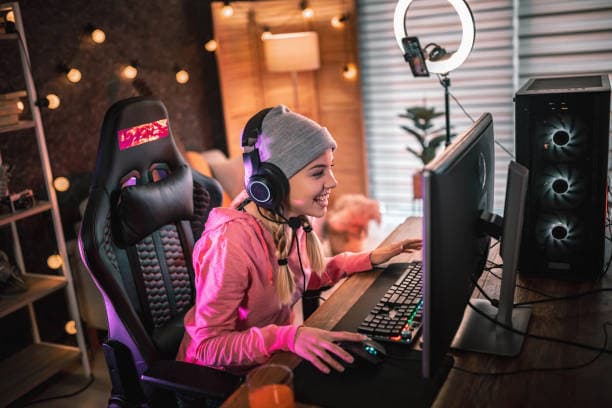
My breakthrough came when I stopped chasing every new release and chose one “anchor” evergreen category where I could develop recurring content. Evergreen titles with strong 2025 staying power include GTA V (~140K average viewers), Dota 2 (~183K), and League of Legends (~123K). Minecraft, Counter-Strike 2, Valorant, and Fortnite also sustain long-term interest. The trick is carving a niche, not fighting the entire directory.
- Pick an Anchor: One main game 3-4 days/week. Example niches:
- GTA V: Roleplay with evolving character arcs and weekly “case files.”
- LoL/Dota 2: Coaching queues or “Climb to X Rank” with viewer VOD reviews.
- Minecraft: Modded survival “Season” with set goals and world tours.
- Baldur’s Gate 3: Chat-decides story with community-voted builds.
- Side Series: 1–2 slots/week for variety in a related genre (ARPG night, Strategy Sunday).
- Trending Window: 1 slot/week for new releases or events so you can catch hype without abandoning your base.
Programming example that finally stabilized my retention:
- Mon/Wed/Fri – Anchor: GTA V RP (story progress, heist planning, community patrols)
- Tue – Side: Dota 2 coaching night (viewer replay reviews)
- Sat – Trending/Events: New indie launch or charity run
Two-week A/B testing plan: Keep your schedule fixed but alternate stream start times (e.g., 6 PM vs 8 PM) and compare average viewers and retention. Don’t change multiple variables at once-learned that the hard way and wasted a month.
Step 3: Engagement Systems That Turn Drive-bys into Regulars
I used to “talk to the void” until I built repeatable engagement loops. Now the first 15 minutes have a script and viewers feel like part of the plan.
- Pre-show checklist:
- Pin a stream goal in title: “New Heist Route + Viewer Loadouts.”
- Set up a poll: “Stealth or Loud?”
- Enable loyalty with Streamelements or Moobot; regulars can redeem fun on-stream actions.
- Opening routine (first 15 minutes):
- Welcome new chatters by name from the Activity Feed; ask a simple this-or-that question related to the stream plan.
- State the objective and checkpoints (e.g., “Two heist dry runs, then a viewer run.”).
- Let chat pick the first modifier via poll or channel points.
- Mid-stream cadence:
- Every 30–45 minutes, recap progress and tease the next beat; drop a command like
!planfor late joiners. - Rotate “with viewers” segments at predictable times so people know when to join.
- Every 30–45 minutes, recap progress and tease the next beat; drop a command like
- Off-stream hub:
- Discord with channels for schedule, suggestions, clips, and lobbies. Post a weekly schedule image every Sunday.
Pro tip: Keep a notepad of regulars’ preferences (roles, champs, class builds). Calling those back (“Alright, Ana main time—this one’s for Juno”) builds ridiculous loyalty.
Step 4: Repurpose Like a Pro—Your Streams Should Live Twice
Evergreen doesn’t just mean “replayable games”—it means your content keeps working while you sleep. What changed my growth curve was treating every stream as raw material for searchable VODs, guides, and shorts.
- During stream:
- Use OBS markers (
View → Docks → Stream Markers) or a Stream Deck to mark highlights and chapter beats (“Heist Route 1,” “Fail 3,” “Perfect Run”). - Run the Replay Buffer; map a hotkey to save last 30–45 seconds for instant clips.
- Use OBS markers (
- After stream (30–60 minutes workflow):
- Export VOD; trim dead air; add chapters (“Build,” “Boss,” “Q&A”).
- Cut 3–5 vertical clips (9:16) for Shorts/Reels/TikTok; add quick captions and a callout to your schedule.
- Bank one evergreen edit per week: “Beginner RP Guide,” “Dota 2 MMR Climb Mistakes,” “Minecraft Server Tour.”
- Naming conventions that actually rank:
- YouTube Longform: “GTA V RP Heist Guide – Silent Entry Route (2025)”
- Shorts: “LoL Bronze Mistake #1: Wave States in 30s”
I batch edit on one day, then schedule releases to drip between live days. That consistency feeds the algorithm and keeps your name in front of viewers.
Step 5: Data-Driven Iteration (Without Losing Your Soul)
The data that actually moves the needle for me:
- Hook retention at 5 minutes: If the graph dips hard, tighten your opening, show gameplay in the first 30 seconds, and push housekeeping after the first checkpoint.
- Average viewers by time slot: Run A/B tests across two weeks; stick to the winner for a month.
- Click-through rate (YouTube lives/VODs): If thumbnails/title CTR is under 3%, rewrite with an outcome (“New Heist Route”) + context (“With Viewers”).
- Tag performance (Twitch): Use 3–5 relevant tags like
English,Roleplay,Coaching,No Backseating, and one niche tag.
Collabs that actually help: raid similar-sized channels at the end; co-stream with complementary roles (shot-caller + entertainer); schedule a monthly community event. I grew faster doing 10 micro-collabs than waiting for a big streamer to notice me.
Troubleshooting: Fast Fixes for the Problems You’ll Actually Hit
- Dropped frames/network spikes: Lower bitrate live by 1000–2000 kbps; disable any cloud backups; restart router before long streams; keep a mobile hotspot ready.
- Audio desync: Match sample rates (48 kHz everywhere). Add 150–250 ms sync offset on the mic if needed; verify “Use device timestamps” on capture devices.
- Game stutter but stream smooth: Cap game FPS; enable V-Sync or set NVIDIA Max Frame Rate; use NVENC to keep CPU headroom.
- Console black screen: Disable HDCP on PS5; turn off HDR if your capture card doesn’t support it.
- DMCA scares: Use stream-safe playlists; put game music on a separate audio track so VOD can mute it while live audio stays.
- Low chat energy: Seed conversation with questions tied to the plan; run a mini-goal every 30 minutes; rotate a viewer participation slot.
- Burnout: 3–4 live days max, 1 day for edits, 2 days off. Pre-schedule VODs for your days off so momentum doesn’t die.
Advanced 2025 Tips: Polish That Separates You
- Multi-track audio: Route mic/game/music to tracks 1/2/3 so you can mute music on VODs without killing live hype.
- Profiles and Scene Collections: One per game; hot-swap with no scuffed overlays.
- Stream Deck (or macro keys): Scene changes, markers, source toggles, “Clip last 45s.”
- Stability extras: UPS battery backup; GPU driver “studio” branch; OBS portable install for testing.
- Multistream: If your platform allows it, use Restream to simulcast to Twitch/YouTube. Keep chat unified on-screen and direct everyone to your Discord hub.
- Monetization readiness: Add simple tiers (emotes/badges), sponsor deck after you average 100+ viewers, and a tasteful
!supportcommand. Focus on community value first.
Game selection sanity check: If you’re in a mega-saturated directory (LoL, Valorant) with low discoverability, lean harder into formats viewers search for—coaching, challenges, or education. In GTA V or Minecraft, story arcs and world-building keep VODs evergreen.
Your 30-Day Evergreen Action Plan
- Days 1–3: Build OBS profile, test bitrate, set up bots (Nightbot/Moobot), overlays (Streamelements), and a Discord server.
- Days 4–10: Stream your anchor game 3 times. Use markers and replay buffer every session. Start a Shorts pipeline.
- Days 11–17: Add one side-series stream and one trending/event slot. Begin weekly evergreen edit (guide or highlights).
- Days 18–24: A/B test start times; tune your opening hook; refine titles/thumbnails.
- Days 25–30: Host a community night; raid two similar channels; publish one longform guide and six Shorts. Review analytics and lock your next-month plan.
Final Thoughts
Building an evergreen live stream is a marathon, not a sprint. When I treated my channel like a system—stable tech, smart game programming, consistent engagement, and relentless repurposing—the loyal fans followed. Start with one anchor game, make your first 15 minutes count, mark highlights as you go, and let data guide your tweaks. Give it 30 focused days and you’ll feel the shift from “random luck” to predictable growth.
FinalBoss // Gear
Level up your setup
01Top-rated gaming headsetson Amazon→02High-refresh gaming monitorson Amazon→03Gaming chairson Amazon→04Discounted game keyson Kinguin→Affiliate links · As an Amazon Associate, FinalBoss earns from qualifying purchases.
Want to Level Up Your Gaming?
Get access to exclusive strategies, hidden tips, and pro-level insights that we don't share publicly.
Ultimate Guide Strategy Guide + Weekly Pro Tips