
Table of Contents (10)
Four weeks with the Superstrike: when your mouse click stops being “real”
The first time I clicked the Logitech G Pro X2 Superstrike, I thought it was broken.
No sharp “click”, no crunchy Omron feel, just this soft, almost ghostly bump under my finger and a shot fired in CS2. It felt like I’d turned mouse clicks into a vibration setting. For the first hour I kept glancing at the shell, half expecting to see some physical switch hiding under there that I’d somehow missed.
After four weeks of daily use – ranked Valorant nights, long CS2 sessions on a 360Hz monitor, some Diablo 4 and RTS comfort food, plus the usual desktop grind – that weird first impression has settled into something more complicated. Logitech’s HITS (Haptic Inductive Trigger System) really is new. It genuinely does things that regular mechanical or optical switches just can’t. But it also turns out those things are far more niche than the marketing implies.
If your day-to-day gaming doesn’t revolve around absurd click spam or ultra-precise tap firing, the G Pro X2 Superstrike is more “cool tech demo that mostly feels like a normal mouse” than “must-buy upgrade”.
What HITS actually is – and how it changes the feel of clicking
Under the left and right buttons of the Superstrike, there are no mechanical switches at all. No hinges, no optical interrupters. Instead, Logitech uses tiny inductive sensors to measure the distance between the button and the body of the mouse. When that distance hits a threshold you set in software, it counts as a click.
You can adjust that threshold across ten actuation levels, from a hair-trigger 0.1mm to a more traditional-feeling 0.6mm. On top of that, a small linear actuator kicks your finger with a synthetic “bump” so you actually feel something when you click. That haptic can be tuned across several strengths or disabled entirely.
The first night I used it, I set the actuation to the lowest level and haptics near max, just to really feel what was going on. In Valorant, it felt almost surreal: I could rest my finger on M1 and as soon as I breathed on it, I’d fire. The click “sound” in my head didn’t match the sensation at all; the haptic feedback is more of a tight, short knock than the crunchy travel you get from a mechanical switch.
Over a few days my settings settled into something pretty tame: mid-level actuation, mid haptics. At those levels, it honestly just feels like a slightly softer, quieter mouse. That’s the first big reality check with HITS: until you start abusing the extremes – ultra-low actuation, Rapid Trigger spam – a tuned Superstrike isn’t miles away from a normal premium gaming mouse. It’s just more configurable.
Rapid Trigger and click speed: lab claims versus actual gameplay
Logitech’s big brag is that HITS can shave tens of milliseconds off click response versus traditional switches and enable much faster repeat clicks via Rapid Trigger. Instead of needing the button to travel all the way back above a fixed reset point, the inductive sensing lets the mouse re-arm a click the moment your finger rises even slightly.
In practice, that means two things:
- Initial click can register absurdly early if you set actuation to 0.1mm.
- Spam clicking can get silly-fast if you turn on Rapid Trigger and keep your finger hovering.
I did the usual janky “how fast can I click” tests on a CPS counter, swapping between this, a G Pro Superlight, and an older Corsair mouse with mechanical switches. With Rapid Trigger on and actuation at its lowest, I could average around 8.5–9 clicks per second on the Superstrike. Turning Rapid Trigger off dropped me closer to the 7–8cps range that I hit on conventional mice.
That’s a real gain, but it’s not suddenly turning me into some 12cps demon. You still have to move your actual muscles, and my fingers are apparently not Guinness World Record material. The tech enables higher ceilings; it doesn’t magically make you a faster clicker.
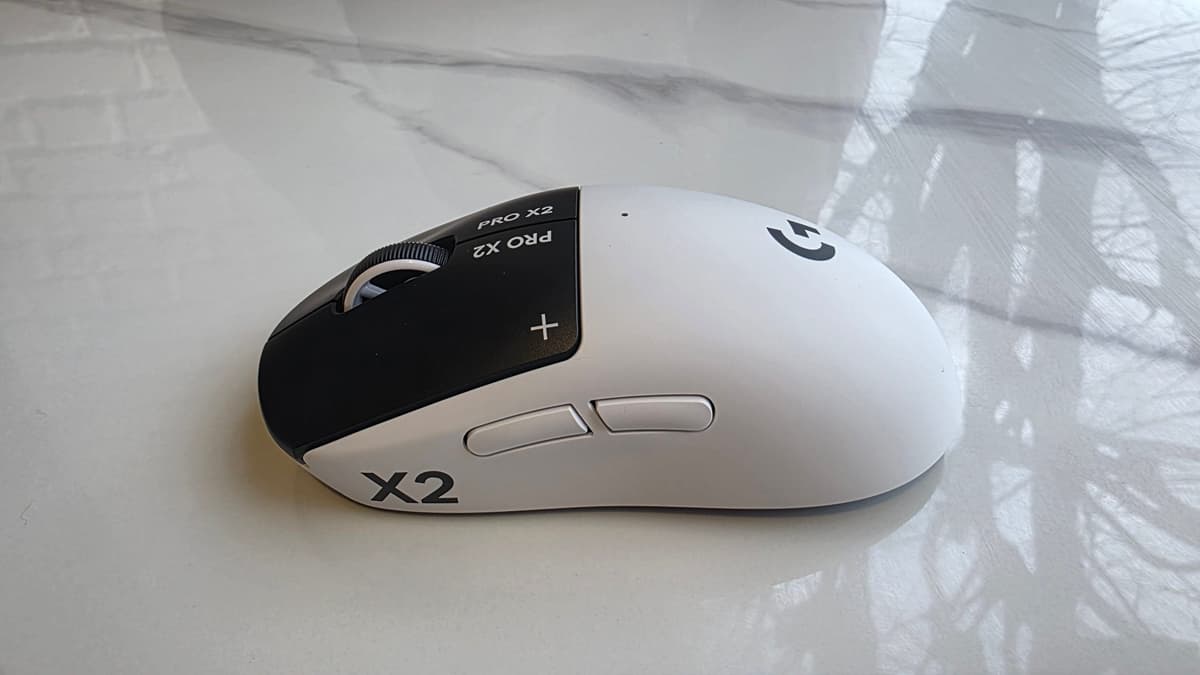
The more interesting part is the earlier actuation. With actuation set aggressively low, I could feel my taps in CS2 and Valorant registering a hair earlier than I was used to. It’s subtle – we’re talking tens of milliseconds – but on a 360Hz or 480Hz monitor, I could just barely feel that my “one taps” were landing as soon as I intended. It felt like my finger and the on-screen shot were more tightly connected.
The flip side is misfires. The first time I took the mouse into a sweaty ranked game with 0.1mm actuation, I accidentally dumped half a mag into a wall because I rested my finger wrong. After that, I bumped actuation up a couple of notches and started using HITS in a more nuanced way:
- Left click: moderate actuation, medium haptics – feels close to “normal” but a bit snappier.
- Right click: slightly longer actuation, stronger haptics – reduces accidental scopes and ADS in shooters.
That second point is underrated. Being able to tune left and right click independently means you can deliberately make right click a bit “slower” and more deliberate while keeping left click rapid. In Apex Legends especially, this helped me stop fat-fingering ADS during frantic close fights.
So yes, the speed claims are real. But the biggest practical benefit I felt wasn’t raw clicks-per-second, it was precision and misclick reduction once I’d dialed the settings in for my grip and games.
Shape, weight, and comfort: familiar, but no longer cutting-edge
Strip away the HITS wizardry and the G Pro X2 Superstrike is, shape-wise, basically another G Pro Superlight. Same tried-and-true symmetrical shell, same two side buttons on the left, same safe “good for most people” profile. If you’ve used a G Pro in the last few years, your hand will feel at home instantly.
Weight is where things get tougher to justify. The Superstrike comes in at around 61g. That’s still light in the grand scheme of wireless mice, but the market has moved on. There are mice out there now in the mid-40g range and, in some extreme cases, even lighter. Swapping between the Superstrike and a modern ultralight competitor makes the Logitech feel almost chunky, especially in fast-twitch games.
Over my four weeks, this weight difference showed up most clearly in CS2. Flicking from one angle to another on a low sensitivity felt fine with the Superstrike, but jumping back to a much lighter mouse reminded me how quickly I could micro-adjust without overcorrecting. The Superstrike is still nimble, but if you’ve been spoiled by sub-50g shells, you’ll notice the extra heft.
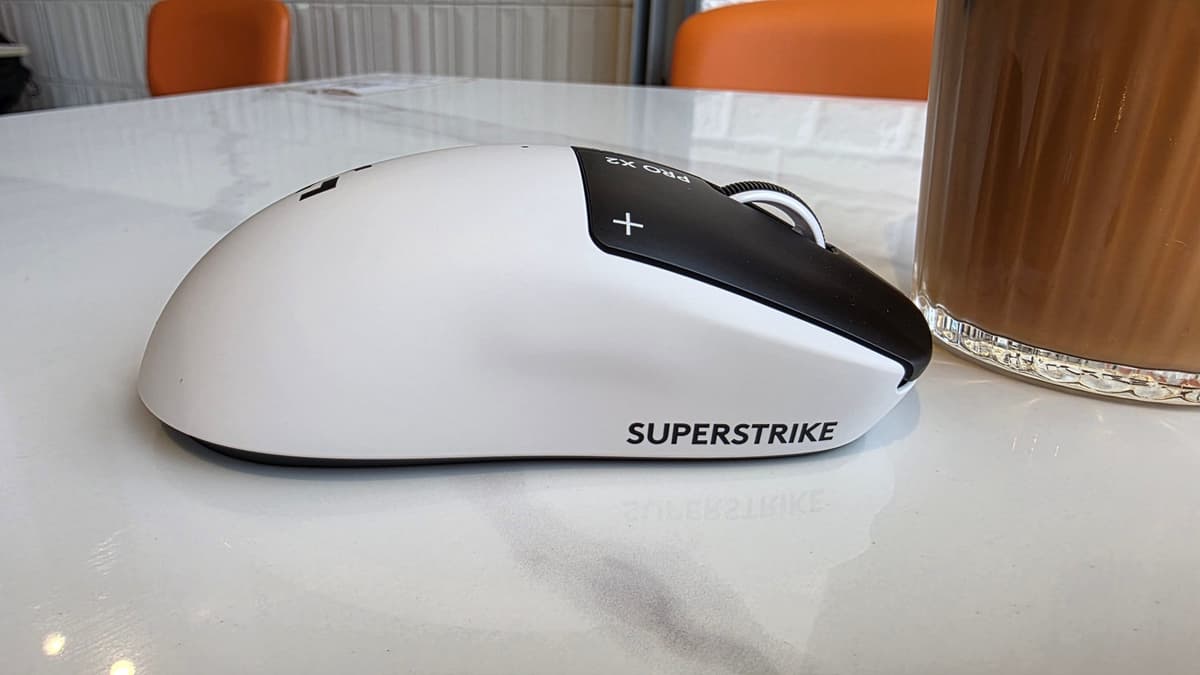
Balance is also slightly different from the Superlight generation. There’s a bit more front heaviness; pick it up too far back and the nose dips. In normal play it’s not a dealbreaker, but I had to adjust my grip slightly forward to make it feel stable when repositioning the mouse mid-fight.
Balance is also slightly different from the Superlight generation. There’s a bit more front heaviness; pick it up too far back and the nose dips. In normal play it’s not a dealbreaker, but I had to adjust my grip slightly forward to make it feel stable when repositioning the mouse mid-fight.
🎮 Get This Game at the Best Price
Compare prices instantly and save up to 80% on Steam keys with Kinguin — trusted by 15+ million gamers worldwide.
*Affiliate link — supports our independent coverage at no extra cost to you
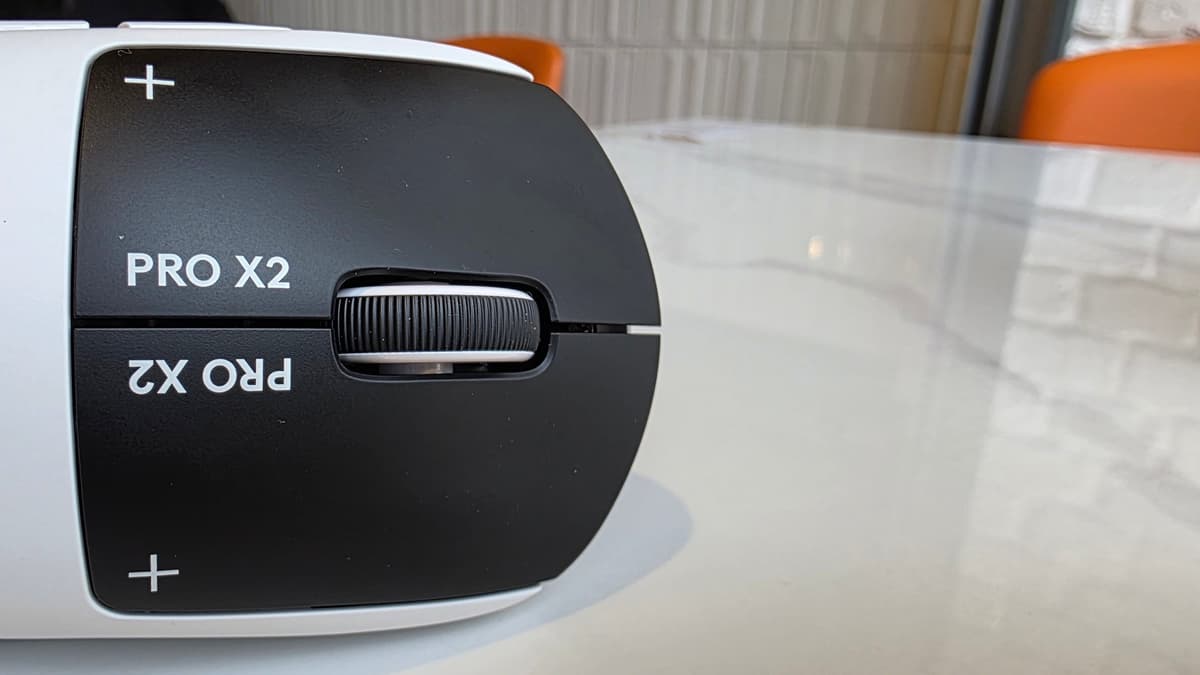
Visually, the “crash test dummy” aesthetic is… fine. The black-and-white split is distinctive enough on a desk, but it also looks a bit like a prototype that accidentally shipped. I’d have loved a dead-simple all-black or all-white version. If you care more about performance than looks, you’ll forget about it in a day, but the styling won’t be for everyone.
Wireless performance, battery life, and G Hub tinkering
I used the Superstrike exclusively on PC over its wireless dongle. The hero under the hood is Logitech’s HERO 2 sensor, the same top-tier optical sensor they’ve been putting in their high-end mice. Tracking was flawless – no spin-outs, no weird acceleration, just predictable movement even during wild flicks.
Polling goes up to 8,000Hz over wireless, which still feels like magic if you remember the days when people argued about whether wireless at 1,000Hz was viable at all. On my 360Hz and then a borrowed 480Hz monitor, I could feel a minor difference between 1,000Hz and 4,000Hz – cursor movement and tracking felt smoother in micro-adjusts – but beyond that, 8,000Hz was more academic than transformative. You pay for it in battery, too.
At 1,000Hz with moderate haptics, I consistently got somewhere around the advertised ~90 hours of use. That meant charging every 7–10 days, depending on whether I was deep in ranked or just casually playing. Bumping the polling up and leaning into more aggressive haptics cut that down noticeably. At max settings and 8,000Hz, you’re burning through the battery in under 20 hours, which for me meant plugging in roughly every other night.
Charging is via USB-C at the front, and Logitech includes a basic rubber-coated cable plus a handy USB-C-to-A adapter so you can keep the wireless dongle close to the mouse. There’s also a magnetic puck on the bottom for stowing the dongle, which can be swapped out for a PowerPlay 2 charging puck if you’re deep in Logitech’s ecosystem and want true never-plug-in-again life.
All the HITS magic lives in Logitech G Hub. That’s where you adjust actuation levels, toggle Rapid Trigger, and tune haptic strength separately for left and right click. G Hub is still G Hub: powerful, a little bloated, occasionally sulky about recognizing the mouse until you unplug and replug the dongle. Once I had my profiles saved to the onboard memory, I didn’t need to fiddle with it much – but getting there took a few evenings of trial and error.
Where HITS genuinely helps – and where it does basically nothing
Across four weeks, I played a decent spread of games with the Superstrike:
- CS2, Valorant, Apex Legends (ranked, fast-paced FPS)
- Diablo 4 and similar ARPG grind sessions
- StarCraft II and a couple of newer RTS titles
- General desktop and work use
In that pile, there were three situations where HITS actually felt like a real upgrade over a standard premium mouse:
- High click volume ARPGs – Rapid Trigger plus low actuation meant I could spam attacks and move commands in Diablo 4 with less finger travel and less fatigue. Over a two-hour session, my index finger genuinely felt fresher compared to using a mechanical-switch mouse.
- Tap-firing rifles in CS2/Valorant – Once I tuned actuation and haptics, my semi-auto and burst fire felt more precise. I wasn’t faster in a night-and-day way, but the connection between my intention and the click felt tighter.
- Reducing right-click misfires – Making right click slightly “longer” to actuate with a stronger haptic bump cut down on accidental scopes and ADS. That helped in almost every shooter I played.
Everywhere else? It was just a nice mouse. The HERO 2 sensor is great, the wireless is rock solid, and the clicks are pleasantly quiet compared to most. But in RTS games, for example, I cared way more about having a free-scroll wheel or extra buttons than squeezing a few milliseconds out of my clicks. And for work, the tunable click feel is cool but not life-changing.
The uncomfortable conclusion I kept circling back to was this: for a lot of players, mouse weight, shape, and buttons matter more than HITS ever will. If you’re a fingertip-grip, ultra-low-sens CS grinder, you might get more tangible benefit from a 45g mouse that fits your hand perfectly than from this 61g one with fancy triggers.
Meanwhile, truly realizing HITS’ potential wants you to play in a very particular way: high click volume, or insanely fast jitters, or near-obsessive tap timing. If that’s not you, the Superstrike’s signature feature turns into “a slightly more customizable click feel” rather than a competitive superpower.
Who should actually buy the Logitech G Pro X2 Superstrike?
After a month of living with it, the Superstrike feels like a specialist tool wearing a very mainstream shell and price tag.
You’ll get the most out of it if:
- You play click-heavy games (ARPGs, MOBAs, certain RTS titles) for long sessions and want less finger travel and fatigue.
- You’re a competitive FPS player chasing every millisecond of tap timing and willing to spend time tuning actuation per-button.
- You already like the classic G Pro shape and don’t mind that it’s not the absolute lightest option anymore.
You should probably skip it if:
- You mainly care about lighter weight and specific shapes for aim comfort.
- You want more buttons or advanced scroll wheels for MMO/RTS use.
- Your budget is tight and you’re hoping for night-and-day improvements in most games – you won’t get that here.
This mouse is at its best in a narrow slice of the market: players who both appreciate cutting-edge input tech and whose favorite games actually stress-click enough to make HITS matter. For them, it genuinely can be a difference-maker. For everyone else, it’s a great mouse that doesn’t feel dramatically better than cheaper, lighter alternatives once the novelty of the “fake” click wears off.
Bottom line: the future of clicking, trapped in a niche
Living with the Logitech G Pro X2 Superstrike for four weeks left me with mixed feelings. On one hand, HITS is the first mouse tech in a long time that actually feels new. Adjustable actuation, tunable haptics, Rapid Trigger – these aren’t gimmicks. They meaningfully change how clicking works, and in the right games, they’re an advantage.
On the other hand, that advantage is narrow. The rest of the mouse is “just” a very good G Pro: safe shape, solid sensor, great wireless, okay weight. For a lot of players, the trade-offs – higher price, heavier than ultralights, no extra buttons, reliance on software for tuning – won’t translate into better scores, higher ranks, or even more comfort.
So where do I land?
Rating: 7.5 / 10
The G Pro X2 Superstrike is a fascinating, promising look at where gaming mice are headed, wrapped in a safe, familiar package that doesn’t always justify its cost. If you live in high-click-volume games or sweat the tiniest timing details in FPS, it’s absolutely worth a serious look. If you just want the mouse that’ll make you play better tomorrow, your money might be better spent on a lighter shell that fits your hand perfectly – and a few extra hours in aim training.
TL;DR
- HITS replaces mechanical switches with inductive sensing and configurable haptics; clicks are faster and more tunable, but feel different.
- Rapid Trigger really can increase click speed and reduce finger travel, especially in click-heavy games.
- Independent left/right tuning is great for making right click harder to misfire while keeping left click snappy.
- Shape and sensor are classic G Pro: safe, reliable, but weight is no longer cutting-edge at ~61g.
- Battery life is strong at 1,000Hz, but drops sharply if you chase 8,000Hz and strong haptics.
- Best for niche competitive or high-click scenarios; for many players, lighter or cheaper mice will feel just as good or better.
- Final verdict: brilliant tech, narrow payoff – exciting for enthusiasts, optional for everyone else.
FinalBoss // Gear
Level up your setup
01Top-rated gaming headsetson Amazon→02High-refresh gaming monitorson Amazon→03Gaming chairson Amazon→04Discounted game keyson Kinguin→Affiliate links · As an Amazon Associate, FinalBoss earns from qualifying purchases.
Want to Level Up Your Gaming?
Get access to exclusive strategies, hidden tips, and pro-level insights that we don't share publicly.
Ultimate Reviews Strategy Guide + Weekly Pro Tips