
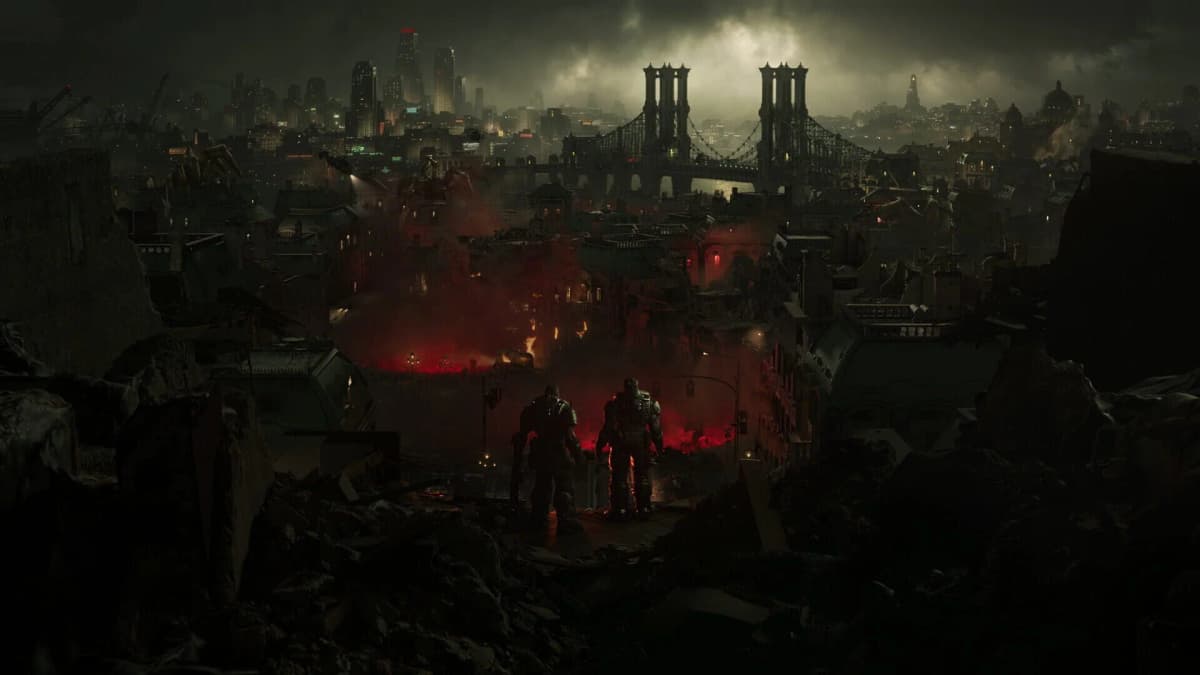
The Coalition is presenting Gears of War: E-Day multiplayer as a return to unlocks earned through match play rather than battle passes or a Tour of Duty. The beta is where that promise becomes measurable: inspect the Barracks, play enough Versus and Horde Siege to establish a Coin rate, and check whether ordinary cosmetics offer a real Coin or medal route before Iron is presented as the shortcut.
The practical rule is simple: do not buy Iron during the first part of your beta time. Record what the game gives a zero-spend account, then compare your Coin income and medal progress against the prices of cosmetics you would genuinely want to unlock. A free introductory reward proves very little; a repeatable path to a specific skin, weapon set, or pose is the evidence that matters.
Table of Contents (8)
Beta access windows and the cleanest test setup
The multiplayer beta runs across two August 2026 windows on Xbox Series X|S, Windows PC, and Steam. Early access runs from August 6 to August 10 for players with a pre-order or qualifying Game Pass Ultimate or PC Game Pass access. The fully open weekend runs from August 13 to August 17, allowing anyone to test the multiplayer economy without pre-ordering.
Use the same platform for the whole test if possible. The economy should be shared in principle, but menus, prompts, and any beta-specific tracking problems can differ between Xbox and PC. Turn on reward notifications and set up screenshots or clips before entering your first match.
- Keep Iron at zero until the full baseline is recorded.
- Capture your starting Coin total, Player Level, and active medal progress.
- Write down every completed match, including mode, result, Coin payout, and medal progress.
- Take screenshots of the Barracks, Shop, Medal screen, and any weekly Coin-cap message.
- Separate welcome rewards and beta participation gifts from rewards earned through repeatable play.
What counts as proof that a cosmetic is earnable
The headline claim is that nearly every customization item can be earned by playing. “Nearly” matters. Premium Edition cosmetics and clearly identified partner or charity items are expected exceptions, so do not treat those as evidence that the standard multiplayer catalog is paywalled.
For a normal, non-partner cosmetic, a fair earn-via-play path should show at least one of the following in the beta UI: a Coin price you can work toward, a medal or challenge that directly unlocks it, or a clearly stated achievement or progression requirement. Iron may appear as an optional faster purchase method, but it should not be the only path for an ordinary catalog item.
| Item state in the UI | What it means | What to record |
|---|---|---|
| Coin price only | A straightforward grind unlock. | Item cost, current Coin total, average Coins per match, and the weekly cap. |
| Coins and Iron both shown | Iron is functioning as an optional speed-up, provided the Coin route is realistic. | Both prices, which currency is highlighted first, and whether the Coin option is easy to find. |
| Medal, challenge, or achievement requirement | A direct play-based unlock path. | The exact objective, starting counter, progress from one match, and reward shown on completion. |
| Iron only | A possible premium lock. | Whether the item is clearly marked as a Premium Edition, partner, or charity exception; otherwise flag it as a concern. |
Step 1: Map every economy menu before playing matches
From the multiplayer front end, locate the Barracks, Shop or Store, Medals or Challenges, and your Profile or Player Level screen. Pre-release labels can change, so the important part is finding the screen that displays cosmetics, the screen that displays Iron offers, and the screen that explains how progression rewards are earned.
Start in the Barracks rather than the Shop. The Barracks is the useful audit screen because it should show the broader customization catalog: character skins, weapon skin sets, poses, and other multiplayer cosmetics. The Shop is more likely to emphasize featured offers, which can make Iron appear more central than it is.
- Open several cosmetic categories instead of inspecting only the first featured item.
- Check item details for Coin costs, Iron costs, medal requirements, rarity labels, and restrictions.
- Mark any non-partner item that shows Iron but does not visibly show Coins, medals, achievements, or another play-based route.
- Note whether the game surfaces “Recommended” premium offers before showing the earnable alternative.
- Capture the exact wording used for Premium Edition, partner, and charity cosmetics.
UI clarity is part of the test. A Coin route that exists but is buried behind multiple menus is weaker in practice than a route displayed directly beside Iron. The beta does not need to eliminate premium currency; it needs to make the no-spend route legible and usable.
Step 2: Establish a real Coin-per-match baseline
Coins are the core free-to-earn currency, with rewards tied to match completion and performance in Versus and Horde Siege. Player Level milestones, including rewards at every 10 levels, are another stated Coin source. The important check is whether normal match earnings can fund a meaningful Barracks purchase before the weekly grinding cap cuts off the route.
Play three to five completed matches in Versus, then three to five in Horde Siege. Record the Coin total before and after each match. Keep the matches separate in your notes because PvP and co-op PvE may have different payout pacing, match lengths, and performance incentives.
| Match | Mode | Result and performance note | Coins earned | Medal progress | Time played |
|---|---|---|---|---|---|
| 1 | Versus | Completion, score, eliminations, assists | Record total | Record counter change | Record duration |
| 2 | Versus | Completion, score, eliminations, assists | Record total | Record counter change | Record duration |
| 3 | Horde Siege | Completion, waves cleared, role played | Record total | Record counter change | Record duration |
| 4+ | Horde Siege | Completion, waves cleared, role played | Record total | Record counter change | Record duration |
Once you have a baseline, calculate the grind in practical terms. Divide the Coin cost of a cosmetic by your average Coin income per completed match. That number does not need to be perfect; it exposes the difference between an attainable target and a price that would take an unreasonable amount of capped weekly earning.
Check the weekly Coin cap as soon as the UI reveals it. Record the cap itself, whether the game shows how much remains, and whether the cap is explained before you reach it. A cap does not automatically invalidate the system, but it changes every cost calculation. If one standard cosmetic requires most of a week’s available Coins, Iron is carrying much more pressure than the “expedited” label suggests.
Step 3: Test medals and challenges as direct unlock routes
Medals, achievements, and seasonal or event challenges are supposed to provide direct cosmetic unlocks alongside the Coin economy. Choose one medal with a requirement you can deliberately advance in a single play session. Favor an objective with a visible counter over a vague challenge that only says it progresses through normal play.
- Screenshot the medal before entering a match, including its full requirement and reward.
- Play toward that objective in the mode it specifies.
- Check the counter immediately after the match and record exactly how much it moved.
- Confirm whether the reward is a cosmetic, Coins, experience, or another progression benefit.
- Continue until completion if the beta window allows, then verify that the listed item actually appears in the Barracks.
A medal system earns trust when its wording matches the counter, the counter updates reliably, and the reward is delivered without a hidden condition. If a medal shows no progress after a clean completed match that should qualify, document the mode, objective, and final counter. A broken or unclear direct-unlock route has a direct effect on how credible the earn-via-play promise feels.
Step 4: Audit the Barracks before and after progression
Return to the Barracks after your first batch of Versus and Horde Siege matches. Compare your Coin balance, Player Level, newly available medals, and catalog access with the screenshots from your first login. This catches a common misleading pattern: a cosmetic may look purchasable until an extra level, challenge, or rarity restriction appears in its detail panel.
Audit at least one character cosmetic, one weapon cosmetic, and one pose or equivalent personal customization item. Those categories cover the major kinds of multiplayer rewards without allowing a single cheap item to stand in for the whole economy.
- Choose one low-cost target, one mid-range target, and one premium-looking target from the ordinary catalog.
- Write down every route shown for each item: Coins, Iron, medals, achievements, or edition ownership.
- Compare the Coin price against your average match payout and the weekly cap.
- Check whether the item remains available outside a featured Shop rotation.
- Identify any standard cosmetic that is Iron-only without a clearly stated exception.
The best sign is consistency. A healthy catalog can contain expensive Legendary cosmetics, but the game should still provide visible Coin or direct-play routes across rarities. A catalog where only inexpensive items are earnable while desirable skins are quietly Iron-only would fail the spirit of the stated approach even if the cheapest rewards technically remain free.
Step 5: Check whether Iron feels optional or coercive
Iron is intended to let players acquire specific customization items quickly and save Coins for another purchase. That arrangement works when Iron is an alternative to a clear, functional Coin path. It becomes harder to defend when the Shop repeatedly foregrounds Iron, hides Coin costs, or pushes standard catalog items behind premium-only locks.
Open Iron bundles and featured Shop offers only after your Barracks audit. You are checking presentation, not making a purchase. Note whether prices are shown before you own any Iron, whether currency conversion is understandable, and whether the Store gives a direct route back to the same item in the Barracks.
Premium Edition cosmetics, partner content, and charity items should be treated separately from ordinary multiplayer customization. Their restricted access is clearly different from a normal skin or weapon set being made Iron-only. The key question is whether the exceptions are obvious enough that a player can tell what is intentionally premium and what is meant to be earned through play.
How to interpret your beta results before launch
The beta can verify the active catalog, live menu flows, and current reward pacing; it cannot guarantee the exact makeup of every launch-season item. Use the evidence to judge the system that is actually running, rather than assuming that a generous beta grant or one cheap cosmetic represents the full economy.
- Strong result: ordinary items show Coin prices or direct medal routes, Coin income is repeatable in both Versus and Horde Siege, the weekly cap is clearly communicated, and Iron remains an obvious shortcut rather than a gate.
- Mixed result: the free route exists, but Coin prices are difficult to reconcile with average earnings or the cap makes a standard item a multi-week commitment.
- Poor result: non-partner cosmetics are Iron-only, medal requirements fail to track correctly, Coin payouts are too small to support normal purchases, or the UI obscures no-spend options.
This check also gives you a firmer basis for deciding between the roughly $70 Standard Edition and the roughly $100 Premium Edition. Edition-specific cosmetics and early-access benefits have their own value, but they should not be used to excuse a weak normal progression path. Evaluate the premium package for what it contains, then evaluate the multiplayer economy separately through the Barracks and your own earned Coin totals.
FinalBoss // Gear
Level up your setup
01Best-selling Xbox Series X|S gameson Amazon→02Xbox controllerson Amazon→03Top-rated gaming headsetson Amazon→04Discounted game keyson Kinguin→
Affiliate links · As an Amazon Associate, FinalBoss earns from qualifying purchases.
Want to Level Up Your Gaming?
Get access to exclusive strategies, hidden tips, and pro-level insights that we don't share publicly.
Ultimate Guide Strategy Guide + Weekly Pro Tips