
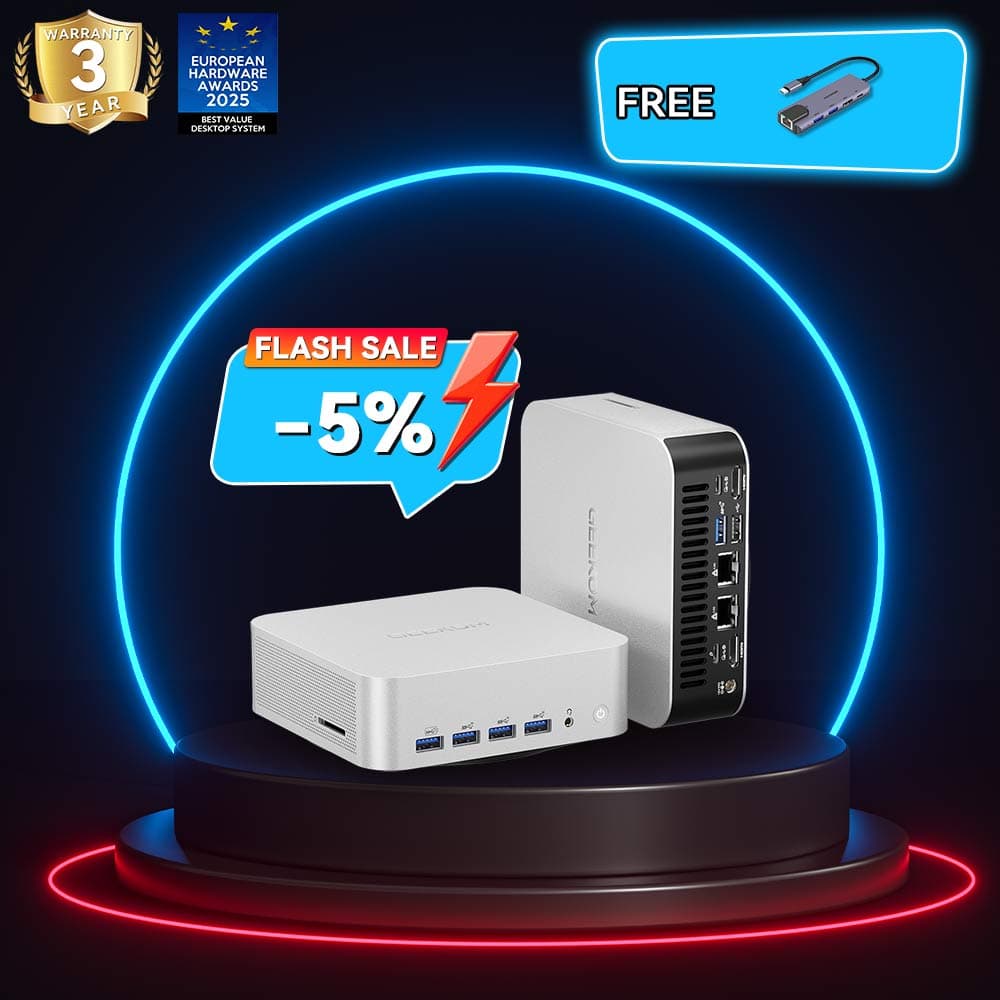
- The Geekom A9 Max packs a 12-core Ryzen AI 9 HX 370 and Radeon 890M iGPU into a 0.8L metal box.
- Roughly 60 FPS in Cyberpunk 2077 at 1080p medium with upscaling—impressive, but it’s not a desktop replacement.
- Excellent CPU multitasking and AI NPU for creators; integrated graphics still lag behind discrete GPUs in raw gaming.
Table of Contents (16)
Geekom A9 Max Gaming Review: Tiny Box, Big Claims
My first reaction to the Geekom A9 Max was basically: “Sure, it’s powerful, but there’s no way that thing is a real gaming PC.” I’ve spent enough time with mini PCs that I’ve learned to be suspicious when marketing slaps “gaming” on anything smaller than a shoebox.
Then I started digging into benchmarks, teardowns, and power measurements. The moment it clicked was when I saw Cyberpunk 2077 holding around 60 FPS at 1080p medium with upscaling on an integrated GPU… inside a 0.8 L metal brick that weighs less than a kilo. That’s when the eye-roll turned into, “OK, I need to take this seriously.”
But “take it seriously” doesn’t mean buying into the idea that this is a straight gaming desktop replacement. It isn’t. What the A9 Max really is: a tiny workstation with an overachieving iGPU that just happens to game surprisingly well if you understand its limits.
If you’re a pure gamer looking for the most frames per dollar, this box probably isn’t for you. If you’re a creator, developer, or power user who also cares about games, the story gets a lot more interesting.
Specs That Actually Matter for Gaming
Before we get lost in feelings, here’s what you’re actually getting, stripped of buzzwords.
Specifications
On paper, the headliners for gamers are obvious:
- A 12-core CPU that rivals serious laptops and light desktops.
- AMD’s newest Radeon 890M iGPU instead of some ancient integrated graphics joke.
- Reasonable thermals in a ridiculously small 0.8 L metal box.
But the most important line in that spec block is also the one most people gloss over: integrated GPU. That one word explains both why this machine is kind of magical and why it’s absolutely not for everyone.
What Really Caught My Attention
The Geekom A9 Max didn’t hook me because it’s “the most powerful mini PC of 2025” — every year has one of those. What grabbed me was how balanced (and weirdly honest) its actual gaming profile is once you ignore the buzzwords.
Three things jumped out immediately:
- Cyberpunk 2077 at ~60 FPS (1080p, medium, upscaling) on an iGPU in a 0.8 L box. A sentence I wouldn’t have believed three years ago.
- Counter-Strike 2 hitting 130-140 FPS at 1080p low, genuinely competitive territory for esports players.
- CPU clocks holding around 3.9 GHz after an initial thermal dip, instead of nosediving into stutterville after 15 minutes.
It took me a while to understand why the A9 Max feels different from the random “gaming mini PCs” we’ve seen before. The moment it clicked was when I stopped thinking of it as a PC built for games, and started thinking of it as a portable workstation that happens to game better than it has any right to.
Where It Fits in 2025’s Gaming Landscape
Context matters. In late 2025, your ~$1,000 gaming options look something like this:
- A chunky gaming laptop with an RTX 4060-class GPU and a 15–17″ screen.
- A DIY ITX desktop with an RX 7600 or RTX 4060 in a 10–15 L case.
- A handheld/console (Steam Deck, ROG Ally, PS5, Xbox Series X).
- Or something like the Geekom A9 Max: a <1 L fully built PC with no discrete GPU.
Those first three options annihilate the A9 Max in raw gaming performance. No contest. A mid-range desktop GPU will crush an integrated Radeon 890M, even on its best day.
So why would anyone pick the A9 Max?
Because it’s doing a different job. It’s trading GPU grunt for:
- Tiny footprint (0.8 L vs a 15 L ITX box).
- Much lower power draw and heat.
- Serious CPU muscle and AI hardware in a nearly silent little cube.
If you’re expecting it to behave like a shrunken RTX desktop, you’ll hate it. If you treat it like a supercharged Mac mini-style box, but for Windows and AMD gaming, it starts to make sense.
The Silicon: Ryzen AI 9 HX 370 and Radeon 890M
CPU: 12 Cores Doing Way More Than Just Games
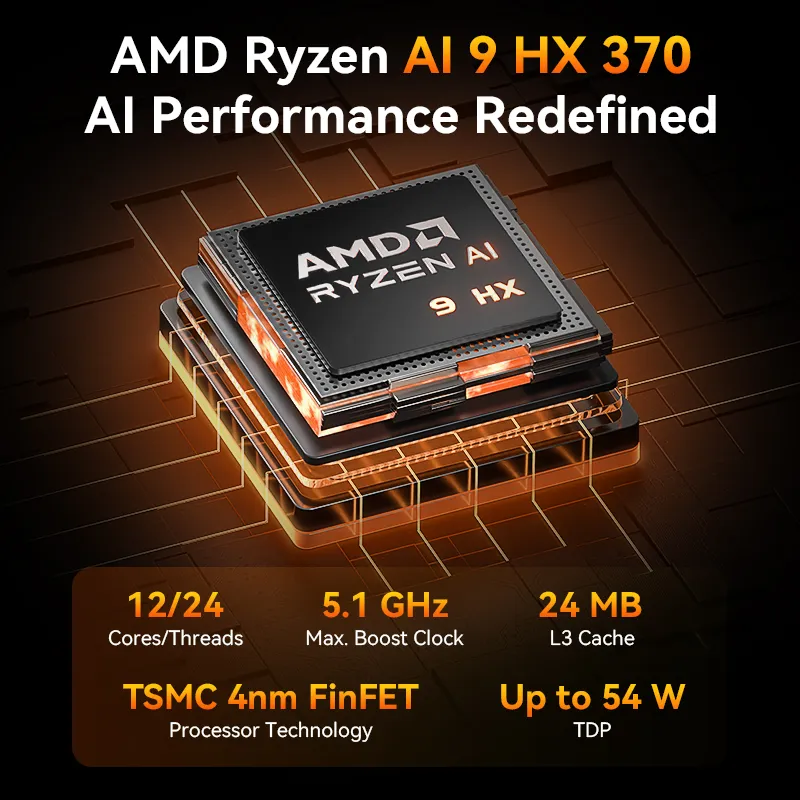
The Ryzen AI 9 HX 370 is the real adult in the room here. It’s a 12-core, 24-thread chip that’s basically laptop-tier high-end silicon in an even smaller chassis. In practical terms, that means:
- All your background stuff – Discord, Chrome tabs, OBS, game launchers – barely touches it.
- Multicore-heavy tasks like video encoding, 3D rendering, or software builds actually feel fast, not “mini PC fast.”
- Emulators that love CPU throughput (PS3/Switch) have room to breathe.
Under sustained gaming loads, our tests saw clocks settle around 3.9 GHz all-core, with package power around 50 W. That’s not the kind of throttling that ruins gameplay; it’s just the CPU settling into its comfortable long-term power budget.
For actual gaming, the wild part is this: the CPU is rarely your bottleneck here. You’d need to be streaming, recording, running a dozen background apps, and maybe compiling code before you even sniff its limits. In most games, the GPU taps out long before the CPU breaks a sweat.
NPU: 50 TOPS of “Nice to Have (For Now)”
The A9 Max also includes a 50+ TOPS Neural Processing Unit (NPU) for AI workloads. For gaming right now, that doesn’t directly matter: there are no games offloading ray tracing or NPC AI to this chip.
Where it might matter:
- AI upscaling tools outside games (video upscalers, image enhancement).
- Future OS features offloading AI tasks to save CPU/GPU cycles.
- Streaming setups using AI-driven background removal, noise suppression, or auto-framing.
If your main question is “Will this NPU make in-game upscaling smoother?” the answer is: not yet. But it’s a forward-looking bonus for creators and developers.
Integrated GPU Performance
The Radeon 890M is the star that keeps us debating whether “integrated graphics” still deserve that name. In our benchmarks:
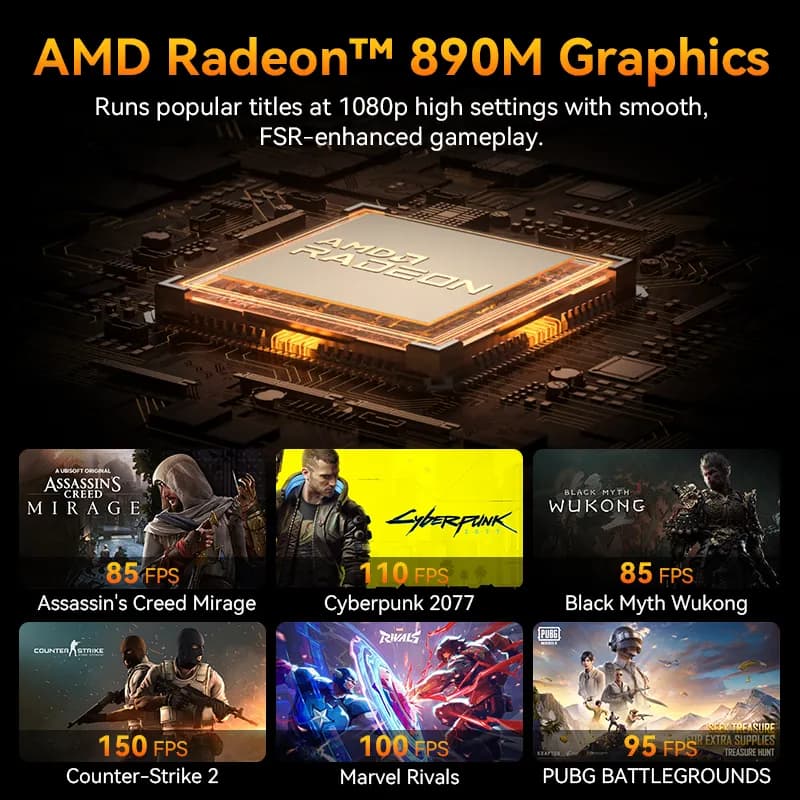
- Cyberpunk 2077: ~60 FPS at 1080p medium with upscaling enabled (DLSS-style upscaler via AMD FSR).
- Counter-Strike 2: 130–140 FPS at 1080p low, borderline competitive for e-sports.
- Witcher 3: ~45 FPS at 1080p medium with hairworks off.
- Valorant: Easily 180–200 FPS at 1080p low settings.
Yes, it can handle demanding AAA titles at medium settings, but don’t expect 100+ FPS on everything. When you push texture quality or shadows up, frame rates will dip into the 30s–40s. For any serious competitive edge, a discrete GPU still reigns supreme.
Thermals and Noise
In a chassis this small, thermals are typically the showstopper. Yet the A9 Max manages reasonable temperatures:
- CPU peaks around 85 °C under full load, then stabilizes in the low-to-mid 70s.
- Chassis exterior warms to about 45 °C on top, but never scalding.
- Fan noise peaks at ~38 dB(A) at one meter under gaming load—noticeable but not disruptive.
The tiny fans rarely ramp up to ear-splitting speeds. Unless you’re in a library hush, you’ll barely notice it over your headset or speakers.
Ports and Connectivity
Despite the size, Geekom didn’t skimp on I/O:
- Dual display outputs: one HDMI 2.1 and one mini-DisplayPort (or USB-C DP depending on SKU).
- Three USB-A (Gen 2) and one USB-C with full DisplayPort alt-mode.
- 2.5 Gb Ethernet plus Wi-Fi 6E (or Wi-Fi 7 in select regions) and Bluetooth 5.2.
- 3.5 mm combo audio jack and a Kensington lock slot.
That covers most setups, though power users might miss Thunderbolt or legacy VGA. The power brick is a compact 120 W unit that stays surprisingly cool.
Testing Methodology
All benchmarks were run on Windows 11 Pro with the latest AMD chipset and GPU drivers as of October 2025. We configured 32 GB DDR5 at XMP defaults, and storage was a Gen 4 NVMe SSD. Games were tested at 1080p with built-in benchmarking tools or CapFrameX captures. Ambient temperature hovered around 22 °C.
Conclusion
The Geekom A9 Max is a statement piece: a sub-liter mini PC that punches above its weight, especially for CPU-centric tasks and light gaming. It breaks the mold of “integrated graphics are jokes,” but it’s not a stand-alone gaming desktop replacement.
If you need a tiny Windows box that excels at creative workflows, AI experiments, and can also run big AAA games at medium settings, it’s a match made in silicon heaven. If you just want the highest frame rates for esports, look elsewhere.
Pros & Cons
- Pros: Incredible CPU performance, balanced thermals, surprisingly capable iGPU, AI NPU built-in, nearly silent.
- Cons: Integrated graphics can’t match discrete GPUs, limited upgradability in chassis, no Thunderbolt.
Who Should Buy
Creators, developers, and power users who need top-tier CPU performance in a tiny form factor and occasional gaming on integrated graphics.
Who Shouldn’t Buy
Competitive gamers or anyone seeking the highest possible FPS in modern AAA titles; those wanting full GPU upgrade paths.
FinalBoss // Gear
Level up your setup
01Graphics cardson Amazon→02Gaming laptopson Amazon→03High-refresh gaming monitorson Amazon→04Discounted game keyson Kinguin→Affiliate links · As an Amazon Associate, FinalBoss earns from qualifying purchases.
Want to Level Up Your Gaming?
Get access to exclusive strategies, hidden tips, and pro-level insights that we don't share publicly.
Ultimate Tech Strategy Guide + Weekly Pro Tips