
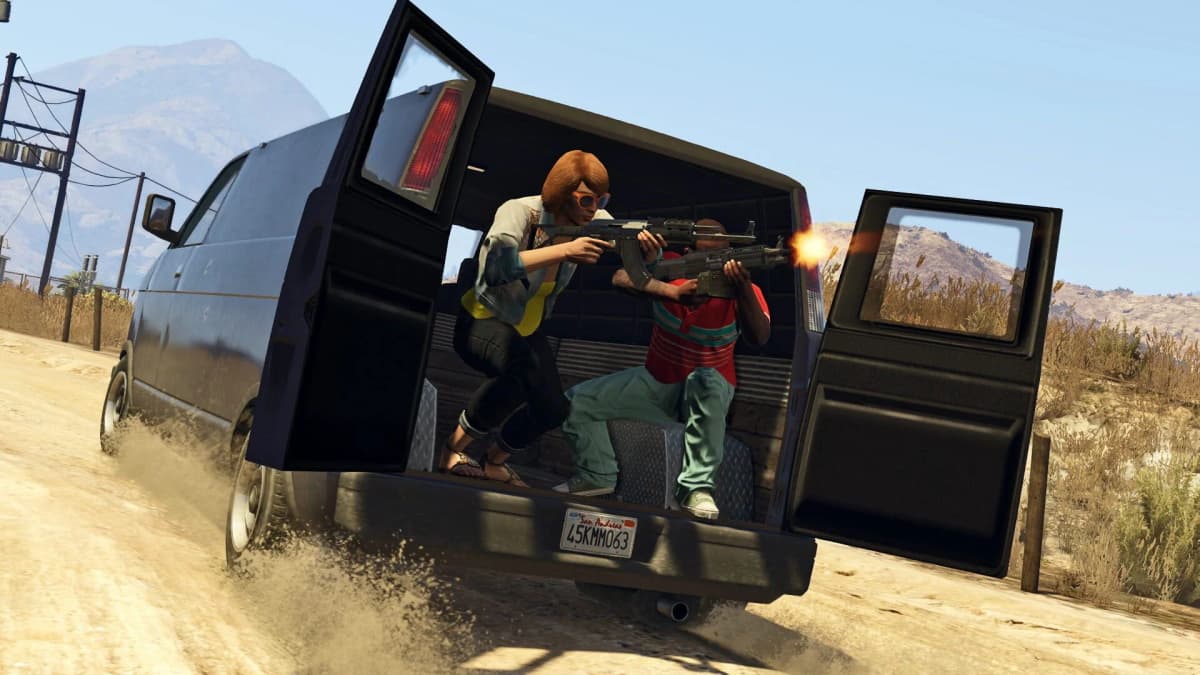
Grand Theft Auto Online’s Brand Wars Twitch Drops can pay up to GTA$2,000,000 from August 13 through August 26, 2026. Link your Rockstar Games account to Twitch before watching, use a live GTA Online broadcast marked Drops enabled, and manually claim every completed milestone in Twitch’s Drops Inventory. No Shark Card purchase is involved.
The important catch is that Brand Wars tracks Team Sprunk and Team eCola separately. Completing one team’s watch-time path earns up to GTA$1,000,000; earning the full GTA$2,000,000 requires completing both paths and claiming every Drop.
Table of Contents (8)
Brand Wars GTA$2M eligibility checklist
- A Rockstar Games account connected to the Twitch account you will use for viewing.
- A live stream in the GTA Online category with the Drops enabled indicator.
- A stream participating in the Brand Wars campaign for either Team Sprunk or Team eCola.
- Watch time earned between August 13 and August 26, 2026.
- A manual claim for each reward in the Twitch Drops Inventory after its watch-time requirement is complete.
Brand Wars is a two-week Twitch campaign attached to the GTA Online update cycle. Logging into GTA Online, buying an item, or watching an ordinary GTA-related stream does not advance these Drops. The campaign only counts eligible live viewing after the Rockstar-to-Twitch connection is active.
Link Twitch to your Rockstar Games account first
Open your Rockstar Games account settings, go to Linked Accounts, select Twitch, then sign in and authorize the connection. Confirm that the Twitch account shown there is the same account you will leave running during the stream.
Do this before starting any Brand Wars viewing. Watch time earned while the accounts are unlinked does not receive Drop credit later, even if you connect them after the stream ends.
The GTA$ reward is generally tied to the Rockstar account rather than an individual GTA Online character. Players using two characters under one Rockstar account should treat the Brand Wars payout as a single account-level promotion, not a second payday for each character.
Confirm the Brand Wars campaign is active in Twitch
Before committing hours to a broadcast, open Twitch and go to Profile Menu → Drops and Rewards → All Campaigns. Search for Grand Theft Auto Online, then open the Brand Wars campaign entry. The campaign page should list the Brand Wars rewards and indicate that your Twitch and Rockstar Games accounts are connected.
Keep this page available while earning rewards. It is the reliable place to see whether Twitch is recording progress and whether a completed milestone is waiting to be claimed, and it catches the two problems that waste the most time: an unfinished account link and watching outside the active campaign window.
Watch the correct Brand Wars stream
On Twitch, open a live GTA Online stream and check for Drops support before leaving it on. The stream needs the Drops-enabled label and must be part of the Brand Wars campaign. A finished broadcast, VOD, replay, or a creator streaming GTA content without Drops enabled will not count.
Choose your team deliberately. Sprunk time only advances Sprunk rewards, while eCola time only advances eCola rewards. Watching six hours of Sprunk streams does not put six hours toward eCola’s track.
Keep the stream open as a live broadcast until the milestone appears in Twitch. Some community guidance recommends leaving the player above zero volume, such as at 1%, because fully muted viewing may fail to register progress. Rockstar has not confirmed a minimum-volume rule, but leaving a small amount of audio enabled avoids that risk.
Brand Wars watch-time rewards and total GTA$
Each brand has the same cumulative watch-time path. The listed hours are cumulative for one team, so reaching the 10-hour milestone means 10 total hours with that brand’s eligible streams.
| Watch time on one brand path | Reward unlocked | What it means for the full GTA$2M |
|---|---|---|
| 2 hours | GTA$250,000 | First cash Drop for either Sprunk or eCola |
| 4 hours | Brand tracksuit | Sprunk Sweatsuit or eCola Tracksuit |
| 6 hours | GTA$250,000 | GTA$500,000 total earned on that brand path |
| 10 hours | GTA$500,000 | GTA$1,000,000 total earned on that brand path |
Finish the 10-hour Sprunk path and the 10-hour eCola path to reach the advertised GTA$2,000,000 maximum. That is 20 cumulative eligible viewing hours split across the two teams, plus the claims in Twitch. You can complete one team first or divide your viewing between them, but the progress bars remain separate.
Claim every Twitch Drop before expecting GTA$
- Reach a watch-time milestone while viewing an eligible live Brand Wars stream.
- Open Twitch and go to Drops Inventory.
- Select the unlocked Brand Wars reward and press Claim Now.
- Repeat this for every cash and clothing milestone on the Sprunk and eCola tracks.
- Launch Grand Theft Auto Online and allow the linked Rockstar account time to receive the reward.
Reaching a milestone is only half the process. A completed Drop remains pending in Twitch until you claim it, so do not assume that a full progress bar has already sent GTA$ to Maze Bank. Claim the early rewards as they unlock rather than leaving a stack of pending Drops until the event’s final day.
Fix missing Brand Wars progress or a delayed payout
- No watch-time progress: Recheck that the broadcast is live, in the GTA Online category, marked Drops enabled, and attached to the Brand Wars campaign.
- You watched the wrong team: Sprunk and eCola hours cannot be combined. Switch to the missing brand’s campaign stream and build that track separately.
- A reward says complete but GTA$ is missing: Open Twitch Drops Inventory and verify that the reward was manually claimed.
- Twitch was linked after viewing: Time from before the link is not credited. Link first, then begin the eligible watch session.
- The Drop was claimed but money is absent: GTA$ deposits can arrive as a background credit to Maze Bank. Log into GTA Online again later and check the balance before assuming the claim failed.
- You used another GTA Online character: Check the Rockstar account attached to Twitch. The promotion is normally awarded once per Rockstar account, not once per character.
- The cash is delayed after a claim: Leave the account link in place. Repeatedly unlinking and reconnecting Twitch can create more confusion while the reward is processing.
- You are checking a login promotion instead: The separate GTA$1,000,000 login bonus and the GTA+ member bonus use different eligibility rules and deadlines. They do not replace the Brand Wars Twitch Drops requirements.
Brand Wars clothing rewards are separate from the Twitch cash path
The Twitch tracksuit reward follows the brand stream you support: Sprunk viewers earn the Sprunk Sweatsuit, while eCola viewers earn the eCola Tracksuit. Brand Wars also lets players collect complete Sprunk and eCola bodysuits for free at GTA Online clothing stores. Collecting the shop outfits does not replace the Twitch claim requirement for the GTA$ Drops.
The Twitch promotion runs across GTA Online’s supported PC, PlayStation 5, Xbox Series X|S, PlayStation 4, and Xbox One versions through August 26, 2026. For the full GTA$2,000,000, the final check is simple: both team tracks must show their completed 10-hour milestones, and every unlocked item must show as claimed in Twitch Drops Inventory.
FinalBoss // Gear
Level up your setup
01Capture cards (Elgato & more)on Amazon→02USB microphoneson Amazon→03Gaming keyboardson Amazon→04Gaming deskson Amazon→
Affiliate links · As an Amazon Associate, FinalBoss earns from qualifying purchases.
Want to Level Up Your Gaming?
Get access to exclusive strategies, hidden tips, and pro-level insights that we don't share publicly.
Ultimate Guide Strategy Guide + Weekly Pro Tips