
Table of Contents (16)
Introduction
Remember firing up GTA 5 on a battered GTX 660 back in 2015? Fast forward to March 2023, when Rockstar’s free Enhanced Edition update supercharged Los Santos with real-time ray tracing, DLSS/FSR upscaling, and DirectStorage magic. Suddenly the neon-drenched streets looked as alive as the nightlife itself—but can your rig still handle that visual feast in 2025? Whether you’re causing offline mayhem or tearing through GTA Online, this guide breaks down everything you need to know to stay ahead of the curve.
We’ll cover nitty-gritty system requirements for both the Legacy and Enhanced Editions, unpack key graphics and storage technologies, share pro tuning tips for buttery frame rates, and even peek at what GTA 6 might demand when the next-gen blockbuster drops. Buckle up—Los Santos waits for no one.
Tech Primer
- Ray Tracing: Simulates realistic light paths for lifelike reflections, shadows, and global illumination. Stunning, but GPU-intensive—plan for a 20–40% performance dip at ultra settings.
- DLSS (NVIDIA): AI-driven upscaling exclusive to Nvidia RTX cards. Renders at a reduced internal resolution, then reconstructs the frame—often yielding a 30–60% FPS boost with minimal quality loss.
- FSR (AMD): AMD’s cross-platform alternative for Radeon GPUs. Not tied to specific hardware, yet still delivers a solid 20–50% uplift on supported cards.
- DirectStorage: Windows 11 feature that streams assets directly from your NVMe SSD into GPU memory, slashing load times by up to 70% compared to traditional I/O.
System Requirements
Enhanced Edition
Minimum (720p, Low–Medium)
- GPU: NVIDIA GTX 1630 or AMD RX 6400
- CPU: Intel Core i7-4770 or AMD FX-9590
- RAM: 8 GB
- Storage: SSD (DirectStorage recommended)
- OS: Windows 11 (required for ray tracing & DirectStorage)
Recommended for 1080p/60 FPS
- GPU: NVIDIA RTX 3060 or AMD RX 6600 XT
- CPU: Intel Core i5-9600K or AMD Ryzen 5 3600
- RAM: 16 GB
- Storage: High-speed NVMe SSD
- OS: Windows 11
Recommended for 1440p/60 FPS
- GPU: NVIDIA RTX 3070 or AMD RX 6800
- CPU: Intel Core i7-10700K or AMD Ryzen 7 3700X
- RAM: 16–32 GB
- Storage: NVMe SSD with DirectStorage
- OS: Windows 11
Recommended for 4K/60 FPS
- GPU: NVIDIA RTX 4080 or AMD RX 7900 XT
- CPU: Intel Core i9-12900K or AMD Ryzen 9 5900X
- RAM: 32 GB
- Storage: Top-tier NVMe SSD
- OS: Windows 11
Legacy Edition
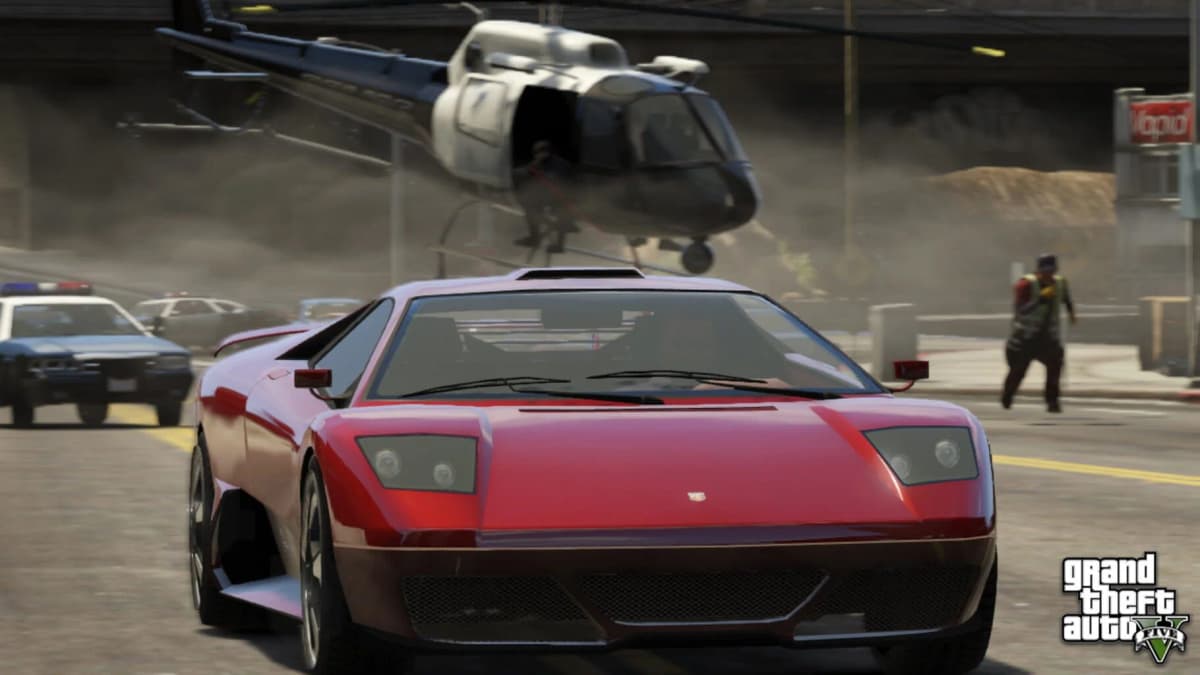
If you prefer classic GTA 5 visuals and lower hardware demands, the Legacy Edition still runs on older rigs down to Windows 7 or 8—no ray tracing, no AI upscaling, and longer load times. Ideal if you’re rocking a GTX 760 or first-gen Ryzen and don’t mind original textures and basic lighting.
Minimum (720p, Low)
- GPU: NVIDIA GTX 760 or AMD Radeon R9 280
- CPU: Intel Core i5-3470 or AMD FX-8350
- RAM: 4 GB
- Storage: 65 GB HDD or SATA SSD
- OS: Windows 7 SP1+
Recommended (1080p/60, Medium–High)
- GPU: NVIDIA GTX 970 or AMD Radeon RX 480
- CPU: Intel Core i7-3770 or AMD Ryzen 3 1200
- RAM: 8 GB
- Storage: SATA SSD
- OS: Windows 10
Performance Settings and Tuning
Maxing every slider can tank frame rates. Here’s where to pull back without killing visual flair:
- Reflection Quality: “High” vs. “Ultra” often nets a 10–15% FPS gain for almost identical reflections on water and chrome.
- Shadow Resolution: Medium to High reduces GPU load; ultra-sharp shadows cost big performance.
- Population & Density: Lowering from “High” to “Medium” smooths CPU-heavy city spawns and pedestrian traffic.
- Resolution Scaling: Dial in dynamic resolution or use DLSS/FSR “Quality” mode to retain sharpness while boosting frames.
- Level of Detail (LOD): Modest LOD reduction cuts CPU load in distant neighborhoods with minimal pop-in.
- Grass & Foliage: Turning grass quality down a notch yields solid FPS gains in forested or park areas.
Upgrade Tips and Optimization
If your PC is falling short, prioritize these upgrades in order of impact:
- GPU Upgrade: The biggest visual leap. Moving from a GTX 1650 to an RTX 3060 can double ray tracing performance and unlock DLSS.
- Storage: NVMe SSD with DirectStorage cuts load times in half—no more staring at loading screens when you warp across the map.
- RAM: Jumping from 8 GB to 16 GB removes common bottlenecks, especially with background apps or heavy mod usage.
- CPU: GTA 5 leans on strong single-thread speed. A modern six-core CPU smooths out traffic-jam chases and physics stutters.
- Cooling & Power: Good airflow and a reliable PSU ensure your shiny new parts run at full speed without throttling.
Pro tip: Keep GPU drivers current, enable Windows 11’s Game Mode, and disable overlays (Discord, Steam) for every millisecond of extra performance.
Impact on GTA Online
Rockstar separates lobbies by edition. Enhanced Edition players cruise through ray-traced ocean races and dynamic drag circuits, while Legacy users stick to classic sessions. Falling back to Legacy means missing next-gen events, exclusive DLC races with realistic lighting, and the fastest instancing. If you crave pitch-black nights with neon reflections dancing off rain-soaked streets—or want to jump into community-organized ray-traced heists—you’ll need Enhanced Edition hardware and Windows 11.
Implications for GTA 6
Early rumors hint GTA 6 will push hardware even further: fully dynamic weather cycles that affect gameplay, AI-driven NPC behavior with real-time facial animations, and large-scale world streaming on the fly. If your “dream PC” of 2025 only squeaks by on GTA 5 Enhanced, you may face another round of setting tweaks when GTA 6 drops. Investing in a GPU with headroom—like an RTX 4070 or AMD RX 7800 series—could save you a mid-cycle upgrade once the next blockbuster arrives.
Conclusion
GTA 5 Enhanced Edition transforms Los Santos with eye-popping ray tracing, AI upscaling, and lightning-fast load times—but demands modern hardware. For smooth 1080p/60 gameplay, a mid-range GPU paired with 16 GB of RAM and an NVMe SSD is your best bet. Push into 1440p or 4K territory, and you’ll need flagship silicon and top-tier storage. If you’re on an older rig, the Legacy Edition still delivers classic open-world chaos—just don’t expect cinematic nights or advanced mod support. Whatever your setup, this guide should help you fine-tune performance today—and plan for the horizon as GTA 6 looms on the road ahead.
FinalBoss // Gear
Level up your setup
01Graphics cardson Amazon→02Gaming laptopson Amazon→03High-refresh gaming monitorson Amazon→04Discounted game keyson Kinguin→Affiliate links · As an Amazon Associate, FinalBoss earns from qualifying purchases.
Want to Level Up Your Gaming?
Get access to exclusive strategies, hidden tips, and pro-level insights that we don't share publicly.
Ultimate Gaming Strategy Guide + Weekly Pro Tips