

Table of Contents (9)
GTA 6 Is Built Around a Locked 30 FPS Console Target
Rockstar North co-studio head Rob Nelson has described 30 FPS as the current performance target, while a 60 FPS option remains undecided for launch and any later update.
For players, that answer matters more than the usual “quality versus performance” menu labels. A stable 30 FPS output gives Rockstar a 33.3 ms frame-time budget for every rendered frame. Running at 60 FPS would cut that budget to 16.7 ms. GTA 6’s dense streets, vehicle traffic, crowds, physics, lighting, AI, and continuous world streaming all need to fit inside that slice of time. That is why the game is being designed around consistency rather than chasing a frame-rate number that would force cuts elsewhere.
Console Performance Snapshot
| Platform | Launch Frame-Rate Target | What Is Known | Higher Frame-Rate Outlook |
|---|---|---|---|
| PlayStation 5 | 30 FPS | Extended-look footage indicates a stable 30 FPS output. Analysis of the base PS5 footage identifies a likely 1440p internal resolution reconstructed to a 4K output. | No confirmed 60 FPS mode. |
| PlayStation 5 Pro | 30 FPS baseline | Extra GPU horsepower can improve image quality and reconstruction, but it does not double the CPU time available for simulation. | A 40 FPS or 60 FPS mode is unconfirmed. |
| Xbox Series X | 30 FPS | Targets the same world simulation and feature set as the PS5 version. | No confirmed 60 FPS mode. |
| Xbox Series S | 30 FPS | Likely to make larger resolution compromises while retaining the same core world systems. | No confirmed high-frame-rate mode. |
A Locked 30 FPS Is Better Than a Wobbly One
The encouraging part is the frame pacing. GTA 6’s extended gameplay footage holds a steady 30 FPS cadence, with only occasional single-frame drops. That is a far better outcome than a game bouncing between 30 and 40 FPS, where uneven frame delivery creates the nasty little hitches that make camera motion feel worse than the frame-rate counter implies.
At 30 FPS on a 60 Hz TV, each game frame is shown twice. The rhythm is clean when the game holds its target, but panning a camera across palm trees, traffic, fences, and building detail still has half the temporal information of 60 FPS. Motion blur and temporal reconstruction can soften that judder, yet neither changes the fundamental fact that the image updates 30 times per second.
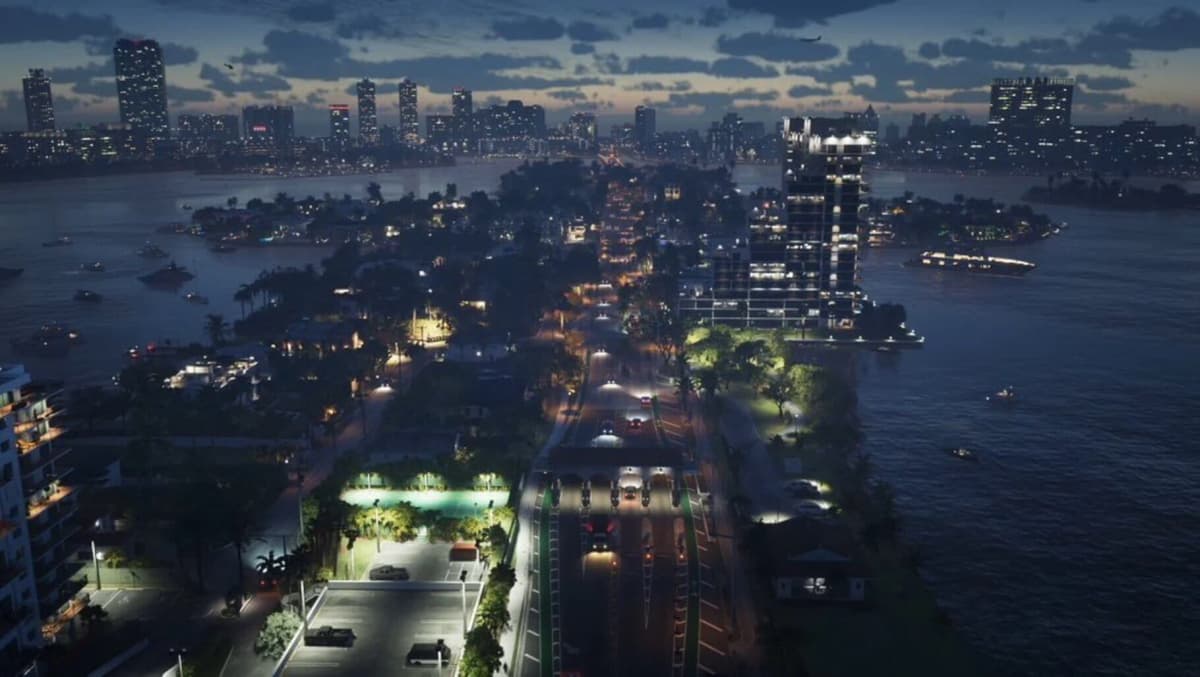
That trade-off will land differently depending on how players use GTA 6. A slow drive through Vice City at night can benefit enormously from the extra lighting, material detail, volumetrics, crowd activity, and longer-range world detail. Rapid camera turns, gunfights, and high-speed chases are where 30 FPS asks more patience. Enemy silhouettes remain on screen for fewer unique frames, recoil is harder to read, and fine stick adjustments feel less immediate.
Why Resolution Cuts Alone Will Not Create 60 FPS
The usual assumption is that Rockstar could simply lower resolution to 1080p and unlock 60 FPS. That approach works when the graphics processor is the only problem. GTA 6 has a much tougher constraint: CPU time.
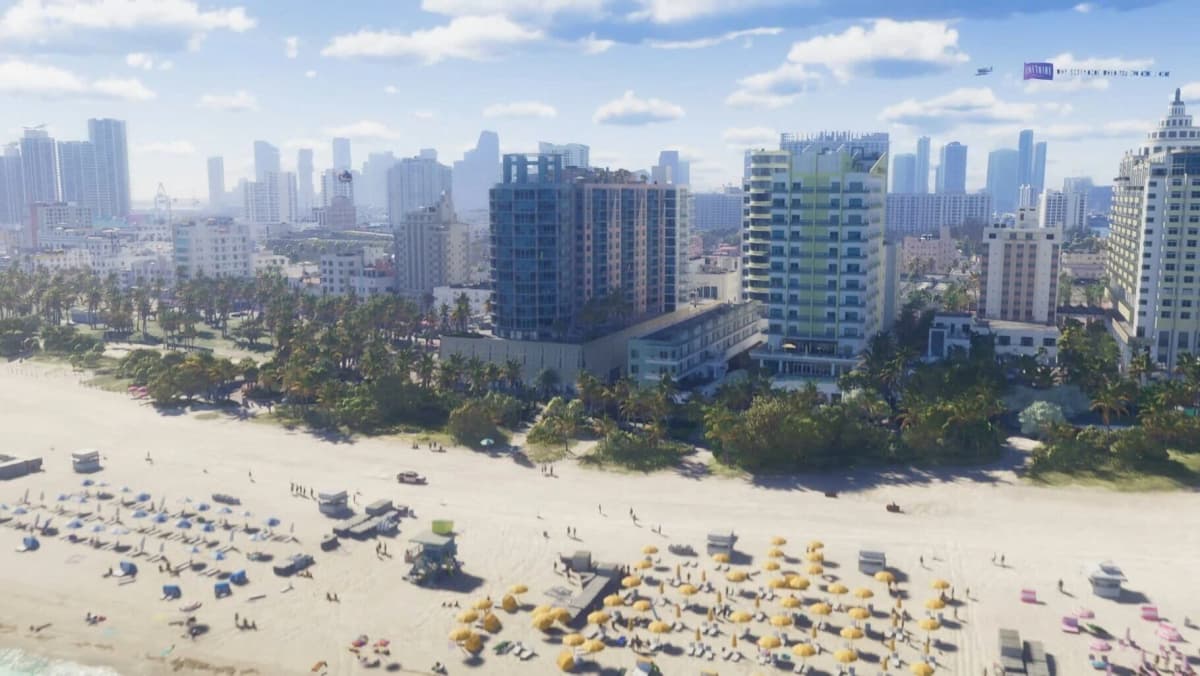
Every additional pedestrian, vehicle, AI routine, physics interaction, animation task, and streamed asset consumes processing time before the GPU even gets a finished frame to draw. The PS5 and Xbox Series consoles use Zen 2-based CPUs, and a 60 FPS mode would need the entire simulation to update twice as often. Reducing pixels helps the GPU; it does not automatically make traffic, population density, streaming, and physics run inside a 16.7 ms budget.
That also explains why PS5 Pro should not be treated as a magic 60 FPS box for GTA 6. Its larger graphics budget can help with reconstruction, ray-tracing quality, or image stability. GTA 6’s likely bottleneck is the simulation side of the machine. GPU upgrades are useful, but they cannot manufacture the missing CPU headroom needed to double a heavily loaded open world’s update rate.
What 30 FPS Means for Aiming, Driving, and Input Feel
GTA 6 does not have published input-latency measurements, so attaching an exact millisecond figure to the finished game would be fake precision. The basic math is clear, though: a 30 FPS frame lasts 33.3 ms, twice as long as a 60 FPS frame. Inputs can wait longer for the next simulation and render update, then still travel through the display pipeline.
Rockstar can reduce the perceived weight through input buffering, aim-assist tuning, responsive camera acceleration, animation blending, and steering systems that are decoupled from the visual frame rate. Those tools matter. They will not make a 30 FPS camera track like a 60 FPS camera.
- Gunfights: Stick micro-adjustments and quick target tracking will feel slower than in a 60 FPS third-person shooter. Aim assist and controller response curves become more important.
- Driving: A locked cadence should keep vehicle handling predictable, but rapid steering corrections and camera catch-up will feel less fluid, especially for players accustomed to GTA Online on PC.
- On-foot movement: Animation quality can hide a lot at 30 FPS, particularly in a cinematic third-person game, but fast camera sweeps will remain the clearest limitation.
- Motion blur sensitivity: Blur can make 30 FPS pans feel less harsh for some players and actively worse for others. A proper blur slider or per-effect toggles would be valuable, though Rockstar has not detailed those settings.
30 FPS, 40 FPS, and 60 FPS Would Feel Very Different
| Mode | Frame Time | Motion and Input Feel | Likely Visual Cost |
|---|---|---|---|
| 30 FPS | 33.3 ms | Stable when well paced, but camera turns and fine aiming feel heavier. | Allows the highest world density, lighting ambition, and image-quality budget. |
| 40 FPS on a 120 Hz display | 25 ms | A meaningful step up in camera smoothness and response without requiring a full 60 FPS jump. | Would still need compromises and remains unconfirmed. |
| 60 FPS | 16.7 ms | Much clearer motion, faster aiming response, and smoother driving corrections. | Would require substantial CPU and GPU savings; no console mode has been confirmed. |
A 40 FPS mode would be the sensible middle ground for players with 120 Hz TVs, because 120 divides cleanly by 40. Each frame can persist for three display refreshes, avoiding awkward frame pacing. It would improve responsiveness by roughly a quarter over 30 FPS while retaining more of the visual budget than a 60 FPS mode. It is still only a possibility, not a launch feature to buy hardware around.
The Visual Payoff Is the Point of the 30 FPS Target
GTA 6’s updated RAGE engine is doing far more than placing high-resolution buildings around a player. The performance budget is being spent on character skin and hair rendering, makeup and material response, volumetric effects, ray-traced lighting work, dense public spaces, traffic behavior, and the background simulation that makes an open world feel inhabited instead of staged.
Base PS5 footage has been analyzed as rendering internally at around 1440p before being upscaled to 4K. That is a sensible allocation for a 30 FPS game: preserve a stable image and give the renderer enough time for detail, anti-aliasing, lighting, and streaming rather than chasing native 4K at the expense of frame consistency. It should not be read as a fixed resolution promise for every scene or every console model.
Rockstar has taken a similar route before. Red Dead Redemption 2 prioritized a dense, richly lit world at 30 FPS, while GTA 5 gained its 60 FPS console option much later through its current-generation upgrade. GTA 6 starts from a vastly more demanding technical baseline, so expecting the same upgrade path on day one would be optimistic.
Who Should Buy In at Launch?
What to Watch for Before Launch
The useful details to look for are straightforward: whether GTA 6 offers any 120 Hz display mode, whether motion blur can be adjusted independently, whether PS5 Pro receives image-quality enhancements, and whether Xbox Series S uses different reconstruction settings. A menu option called “Performance” means very little unless Rockstar states its frame-rate target and the compromises behind it.
PC players should also avoid assuming that a powerful graphics card alone guarantees 60 FPS. If the game’s simulation pushes current console CPUs to their limit, a high-end desktop CPU will matter as much as GPU horsepower. A modern Ryzen X3D-class processor is the kind of hardware that makes sense for chasing high and stable frame rates in an open world built around heavy CPU workloads, but Rockstar has not published PC requirements or performance targets.
FinalBoss // Gear
Level up your setup
01Graphics cardson Amazon→02Gaming laptopson Amazon→03High-refresh gaming monitorson Amazon→04Discounted game keyson Kinguin→Affiliate links · As an Amazon Associate, FinalBoss earns from qualifying purchases.