
ASUS ROG Ally X vs Zotac Zone
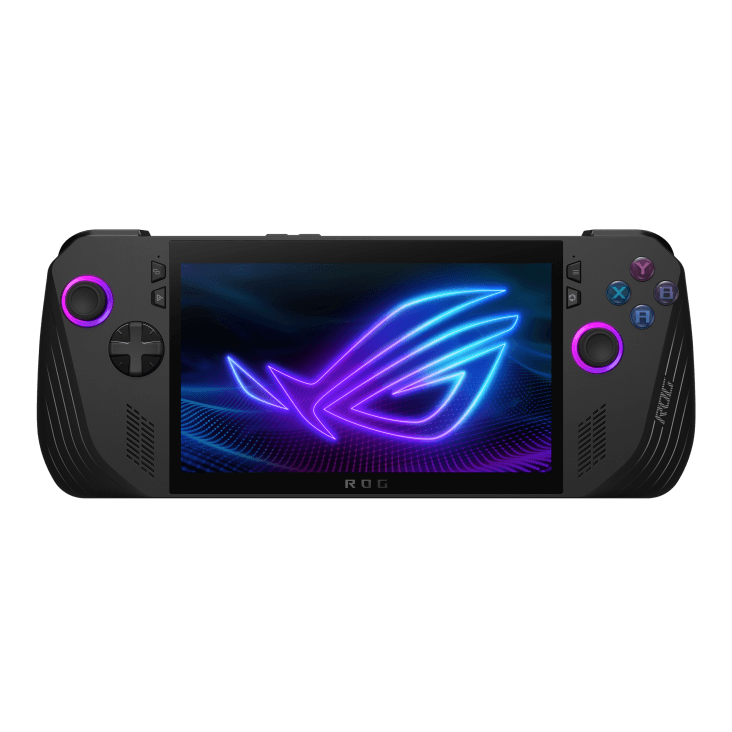
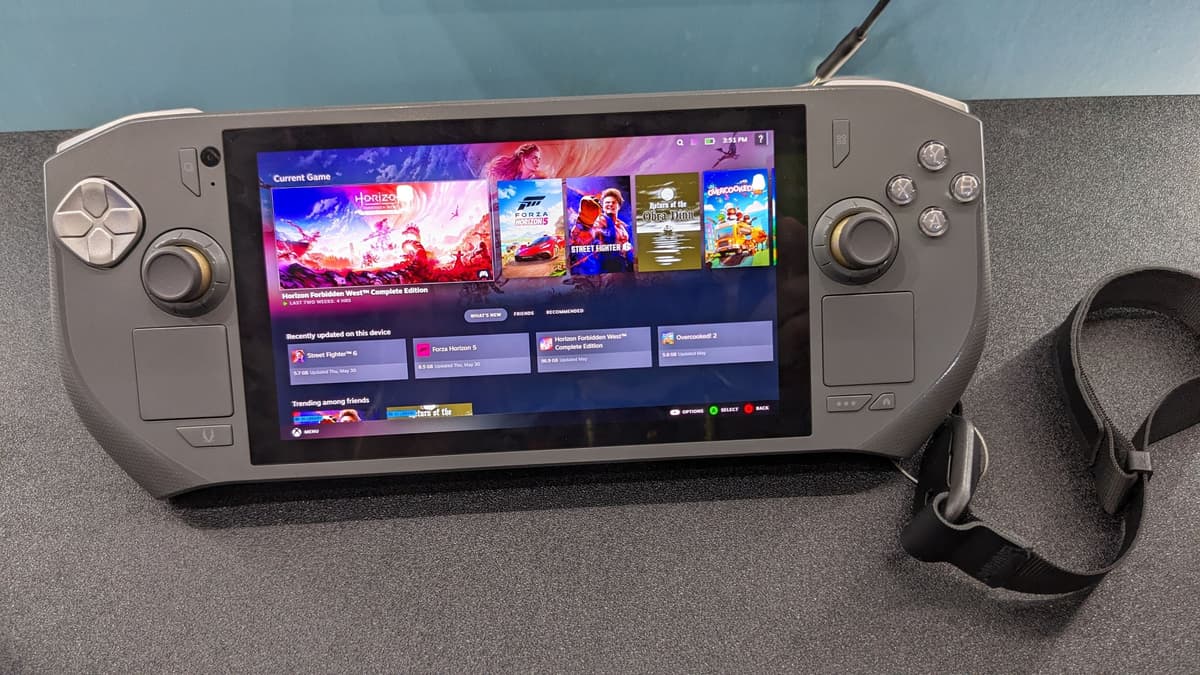
The Zotac Zone counters the Ally X with a standout 800-nit OLED panel and rare dual trackpads for mouse-driven games, but its 48.5 Wh battery gives only around 1.5–2 hours of gaming versus the Ally X's much larger 80 Wh cell. The Ally X's more mature software and significantly longer battery life make it the safer all-rounder; the Zone is the pick for OLED and trackpad enthusiasts who accept the tradeoff.
Spec comparison
| Spec | ASUS ROG Ally X | Zotac Zone |
|---|---|---|
| Starting price | $800 | $799 |
| OS | Windows 11 | Windows 11 |
| Screen size | 7" | 7" |
| Panel | IPS | OLED |
| Refresh rate | 120 Hz | 120 Hz |
| Resolution | 1920 × 1080 (16:9) | 1920 × 1080 (16:9) |
| Weight | 685 g | 692 g |
| Battery | 80 Wh | 48.5 Wh |
| APU | Ryzen Z1 Extreme | Ryzen 7 8840U |
| Max TDP | 30 W | 30 W |
| Hall-effect sticks | No | Yes |
| Trackpads | No | 2× trackpads |
| Gyro | Yes | Yes |
Handheld prices are unusually volatile in 2026 due to a global memory-chip shortage — we show the best figure at our last check, but always confirm the live price at the retailer.
ASUS ROG Ally X
Pros
- Large 80 Wh battery — roughly double the original
- 24 GB LPDDR5x, 1 TB M.2 2280, USB4/Thunderbolt
- Improved grips; gen-1 SD-reader defect resolved
Cons
- Still potentiometer sticks (Hall triggers only)
- Windows suspend/resume friction persists
- Heavier (685 g) and pricier than rivals
Zotac Zone
Pros
- Standout 7-inch 1080p 120 Hz AMOLED panel at 800 nits with deep OLED contrast.
- Dual trackpads and praised haptic feedback — rare on Windows handhelds — plus radial dials and 2-stage adjustable Hall Effect triggers.
- Dual USB4 ports (DisplayPort out), Wi-Fi 6E and a compact 692 g body.
Cons
- Small 48.5 Wh battery gives only ~1.5–2 hr of gaming — a recurring review weakness.
- Stereo speakers rated poor, and the Zotac Gaming One Launcher software is rudimentary.
- Touchscreen gets warm under sustained load.
Who should buy which
Buy the Ally X if battery life is the priority — its 80 Wh cell is far larger than the Zone's 48.5 Wh, with more mature software.
Buy the Zotac Zone if you want a vivid 800-nit OLED screen and rare dual trackpads for mouse-driven games, and can accept its short battery life.