
Table of Contents (7)
Living With Intel’s Core Ultra 5 250K Plus: The $199 Chip That Feels Wrongly Cheap
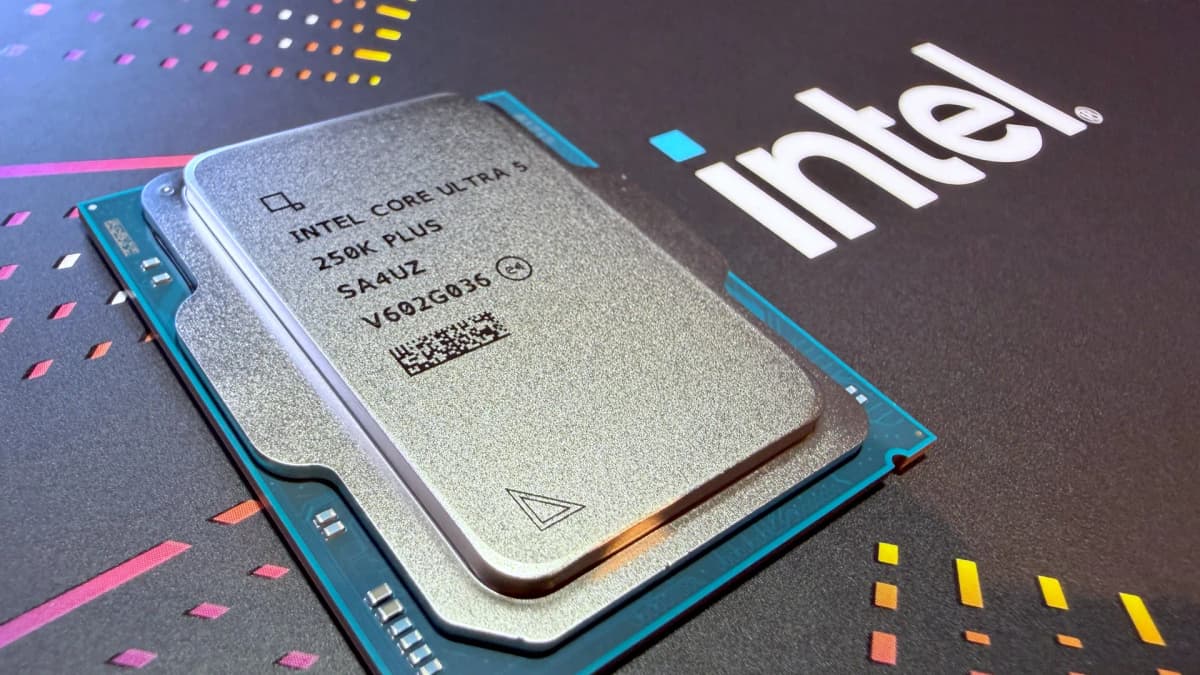
I didn’t expect a $199 CPU to make me rethink my entire desktop lineup. My main rig’s been hopping between “sensible high-end” chips for years-12600K, then a 13600K, and recently a Core Ultra 7 265K for testing. When Intel quietly pushed out the Arrow Lake Refresh parts, the Core Ultra 5 250K Plus looked like the classic budget filler SKU: cheap, mildly tweaked silicon, slap a “Plus” on the box and call it a day.
Then I actually dropped it into my LGA 1851 test bench, cloned my daily driver install, and lived with it for about a week of real gaming and content work. Somewhere between a 4K Baldur’s Gate 3 session and a late-night Premiere export, the penny dropped: this isn’t a filler chip. It’s what happens when Intel quietly turns all the internal dials up and accidentally creates a mini-monster.
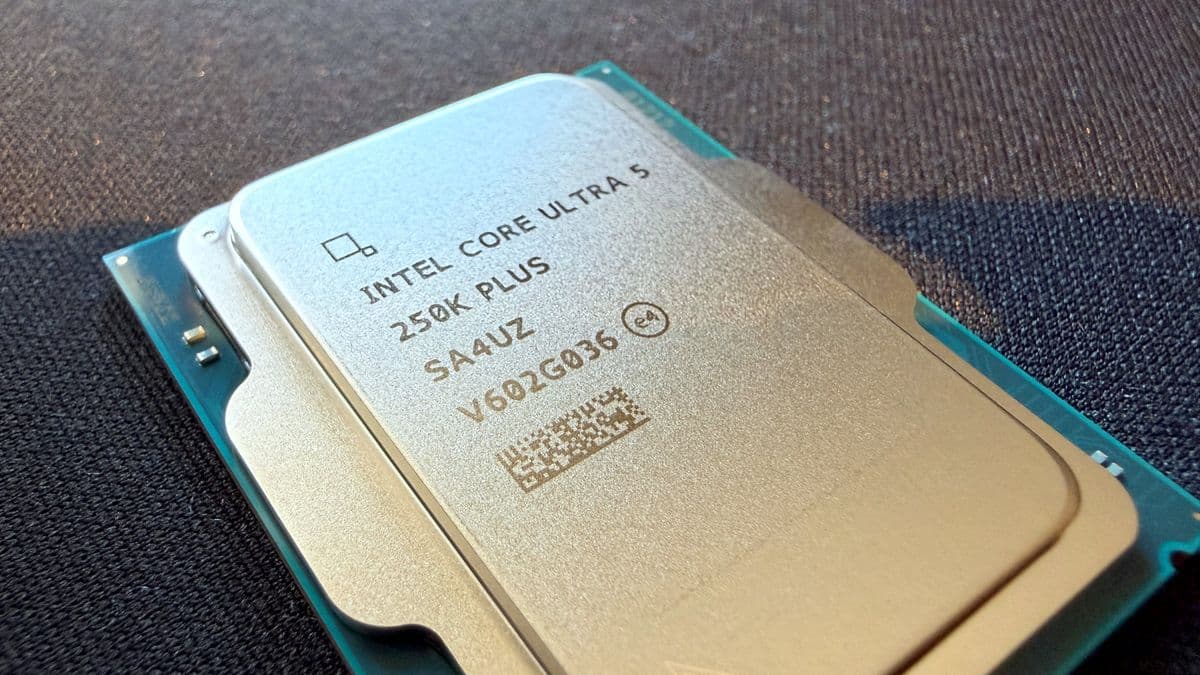
It doesn’t look special on paper: still a 6P-core Arrow Lake part, no fancy 3D cache, and no “world’s fastest” marketing blitz. But Intel added four extra E-cores (for 18 cores / 18 threads total) and, more importantly, jacked up a bunch of internal fabric clocks and cache speeds. The result is a mid-range CPU that gets uncomfortably close to Ultra 7 territory in the stuff that actually matters for gaming and creative work, while still being easy to cool and easy on the power bill.
My Test Setup (And What Intel Actually Changed)
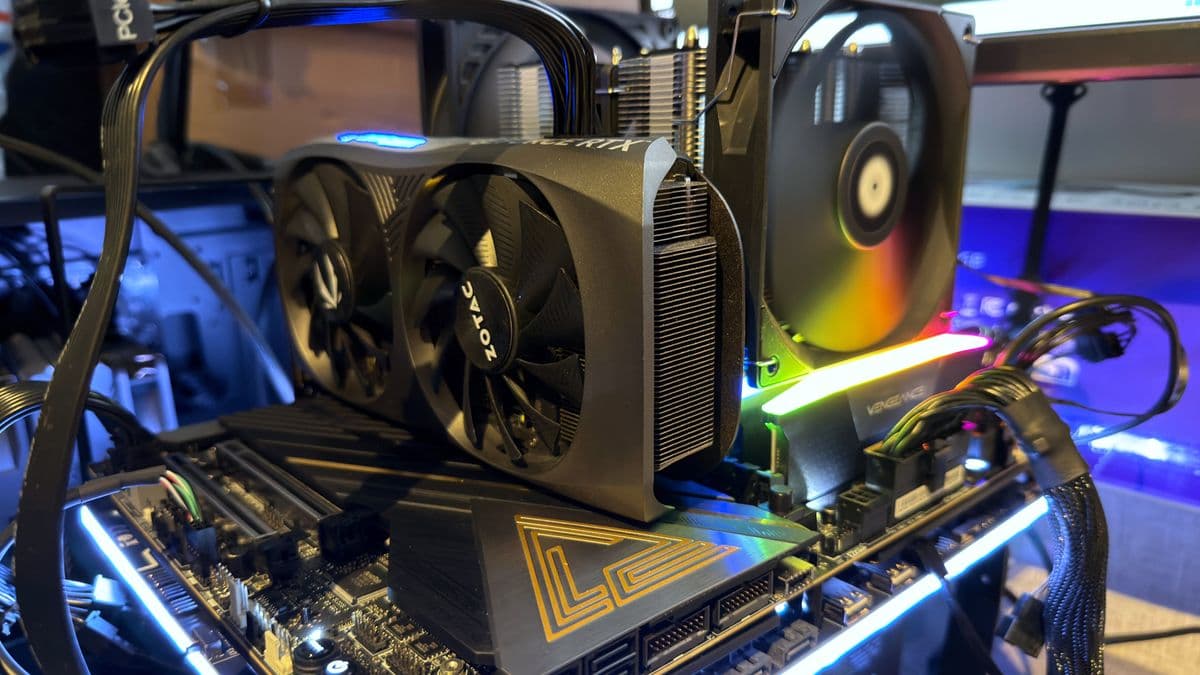
Here’s the rig I used most of the time with the 250K Plus:
- CPU: Intel Core Ultra 5 250K Plus (stock, no manual OC)
- Motherboard: Z890 ATX board (LGA 1851)
- RAM: 32GB DDR5-6000 CL32 dual-channel
- GPU: GeForce RTX 4070
- Storage: 2TB PCIe 4.0 NVMe SSD
- Cooling: Thermalright Peerless Assassin 120 SE air cooler
- PSU: 850W Gold
- OS: Windows 11, latest drivers and firmware at time of testing
That’s very “enthusiast mainstream” rather than halo hardware, which is exactly where a $199 CPU belongs. I did run a few CPU-limited tests at 1080p with uncapped frame rates to see what the chip could really do, but most of my time was in the kind of mixed gaming/creation scenarios people actually use their PCs for.
Under the hood, the 250K Plus is still a classic Arrow Lake desktop tile design, but Intel’s tweaks are more interesting than a simple bump in advertised boost clocks:
- Core configuration: 6 performance cores, 12 efficient cores = 18 cores / 18 threads (Arrow Lake ditched Hyper-Threading)
- P-core boost: up to 5.3GHz (around +100MHz over the Ultra 5 245K)
- E-core boost: still 4.2GHz, but there are four more of them
- Die-to-Die (D2D) clock: up from 2.1GHz to 3.0GHz – the link between tiles is much snappier
- NGU fabric clock: raised from 2.6GHz to 3.0GHz – the fabric tying together the SoC tile and memory controller
- Cache ring clock: nudged up by 100MHz to 3.9GHz
- Memory controller: officially supports DDR5-7200 without XMP-style overclocking
None of that sounds sexy in a marketing slide, but it matters a lot in practice. Faster die-to-die and fabric clocks mean less time waiting for data to move around the chip. Add the extra E-core cluster and associated L3 cache, and you’ve suddenly got a mid-range CPU that can feed a modern GPU properly and chew through parallel workloads way above its weight class.
Crucially, this isn’t just “a good bin” of existing silicon. Intel’s said the compute tile is from a new wafer design, and the behavior under load really does feel different to the launch Arrow Lake parts I’ve tested. Boost behavior is cleaner, and the chip seems oddly happy sustaining clocks without smashing into its power limits quite as abruptly.
Gaming: Smooth 1% Lows Are Where This Chip Really Flexes
For gaming, I usually care less about peak frame rates and more about those 1% lows-the stutter moments when the CPU gets hammered by AI, physics, or a sudden city skyline full of NPCs. The 250K Plus consistently made those moments feel less miserable compared to the previous Ultra 5, even when average FPS gains looked modest on a chart.
Running a stack of CPU-heavy titles at 1080p with settings tuned to lean on the processor, a few patterns stood out.
In some games, it simply hits the platform ceiling. With Metro Exodus Enhanced Edition and Total War: Warhammer 3’s big battle benchmark, swapping between the Core Ultra 5 245K, the new 250K Plus, and even an Ultra 7 265K didn’t really move the needle meaningfully. You’re talking differences of a handful of frames per second at most. In real play, nothing “felt” different because the GPU was already doing the heavy lifting.
In others, the internal tweaks quietly shine. Homeworld 3 and Baldur’s Gate 3 were the first titles where I saw the 250K Plus pull ahead visibly. Homeworld didn’t explode in performance, but gaining roughly 5% here and there in busy scenes is nothing to sneeze at when you’re CPU-bound. Baldur’s Gate 3 was the bigger surprise: I saw around a 9% uplift in average FPS and roughly 8% higher 1% lows over the 245K at the same clocks and settings.
Translated into actual play: those chaotic city segments in BG3 with dozens of NPCs and scripting firing in the background felt closer to a high-end chip than a budget one. Frame-time graphs flattened out nicely, instead of the little saw-tooth pattern I’m used to on weaker CPUs.
Cyberpunk 2077 was the game that really sold me. On paper, average FPS only ticked up by around 3% compared to the 245K. That’s within “yeah, okay, neat” territory. But the 1% lows? Those jumped by about 11%. Night City’s heaviest scenarios-the busy junctions in the rain, the police shootouts with cars exploding everywhere—felt notably smoother, even though the average frame rate counter barely changed.
Is this beating AMD’s Ryzen X3D gaming monsters? No. A Ryzen 7 9800X3D still wins if you only, exclusively, obsessively care about max FPS in CPU-bound games and can afford to pay for it. But that’s kind of the point: the 250K Plus doesn’t need to win that race. At $199, giving you close to Ultra 7 and “last-gen high-end” gaming performance is already absurd value.
Also worth stressing: my test GPU was an RTX 4070 and my RAM was “just” DDR5-6000. This wasn’t some insane RTX 5090 + DDR5-8400 unicorn rig designed to make the CPU look better than it is. If you’re sitting on a mainstream card and sensible DDR5, expect broadly similar behavior: some games won’t care which Arrow Lake you’re running, others will quietly run smoother than you’d expect from a $199 part.
Content Creation: 18 Cores at This Price Is Kind of Ridiculous
Gaming is nice, but the moment I opened up my usual content-creation workload, I started to feel a bit bad for the older mid-range chips.
In Cinebench 2024, the 250K Plus lands around a 138 single-core index score and about 1,817 in multi-core. Single-thread performance is only a gentle step up from the 245K (which sat in the mid-130s), but the multi-core jump is huge: the 245K was more like 1,471. That’s the extra E-core cluster earning its keep.
Comparatively, an AMD Ryzen 7 9700X tends to sit around 131 single and roughly 1,148 multi, and a Ryzen 5 7600X3D is even further behind in heavy threading. Intel’s own Ultra 7 265K can still win out in the heaviest workloads thanks to two extra P-cores and higher sustained clocks, but the 250K Plus gets uncomfortably close considering it’s roughly 60-70 bucks cheaper most places I checked.
Those are nice numbers, but here’s how it felt in practice over a few days:
- Premiere Pro exports: 4K H.264 exports with a stack of effects and a few noise-reduction passes were clearly faster than on the old 245K. Not “double the speed” dramatic, but close enough that I stopped grabbing my phone while waiting.
- Photoshop and Lightroom: The day-to-day snappiness (brushes, big RAW batch exports) mostly comes from single-core speed and storage, so it felt similar to other recent Intel parts. But once batch exports kicked in, those extra E-cores kicked throughput up nicely.
- Code compilation: Visual Studio and a couple of CMake-based C++ projects scaled well across 18 threads. My test Unreal Engine project shaved off enough build time that it felt like a genuine upgrade from older 6P / 8E-era chips.
- Blender and offline renders: This is where the “nothing touches it at this price” claim starts to ring true. In heavily multi-threaded renders, the 250K Plus feels like you grabbed a chip from the next price tier up and snuck it into a cheaper box.
If your PC is half gaming rig, half side-hustle workstation, this balance is absolutely the sweet spot. You’re not getting Ultra 9 levels of brute force, and AMD’s higher-core-count parts still make sense if you live inside Blender or do workstation-class workloads all day. But in the mid-range desktop space, it’s hard to think of anything that offers more multi-threaded grunt per dollar right now.
Power, Thermals, and Noise: Fast but Not a Space Heater
All that extra internal speed and four additional E-cores had me worried this would be another “great chip, shame about the 200W spikes” situation. That didn’t really happen.
In Baldur’s Gate 3, power draw sat in the low 90W range for the CPU—around 91W on average versus roughly 83W from the 245K in the same scene. That’s basically a rounding error for a decent PSU and cooler. In Cinebench multi-core runs, I saw the 250K Plus peak around 170W briefly before settling back closer to its long-term limit, where the older Ultra 5 tended to stay under 160W.
With the Peerless Assassin 120 SE, core temps tended to cruise in the high 60s to very low 70s Celsius in games, and mid-70s in long multi-core stress runs, in a well-ventilated mid-tower. Fan noise stayed “present but reasonable”—exactly what I’d expect from a modern mid-range chip under a $40–$50 air cooler.
You can throw a big AIO on it and bring temps down further, but unlike Intel’s hotter high-end parts, it doesn’t feel mandatory. The 250K Plus is the sort of CPU I’d happily run in a compact ATX build with a good dual-fan tower cooler and not worry about it roasting the VRMs or turning the case into an oven.
Platform and Value: Incredible… With One Big Catch
On raw performance-per-dollar, the Core Ultra 5 250K Plus is a bit of a no-brainer. At $199, you’re getting 18 cores, strong single-thread, and multi-threaded performance that embarrasses older 6- and 8-core chips in the same price band.
Stacking it against the obvious alternatives:
- AMD Ryzen 5 9600X: Often a hair cheaper (I’ve seen it around $180–$185), but with fewer cores and weaker multi-threaded output. Great gaming part, but the 250K Plus feels more “rounded” if you do real work on your PC.
- AMD Ryzen 7 9700X: Roughly $75 more expensive in many stores. At that price premium, the 250K Plus starts to look like a bargain unless you’re locking into AM5 specifically for the long-term upgrade path.
- Intel Core Ultra 7 265K: Usually around $260–$270. Better for heavy content creation thanks to more P-cores, but not meaningfully better in games. If time-is-money in Blender or After Effects, pay the extra. Otherwise, the 250K Plus does most of what it does for a lot less.
The elephant in the room is platform longevity. Arrow Lake Refresh is almost certainly the last hurrah for Intel’s LGA 1851 desktop socket. Intel’s history here is well-known: two generations on a socket if you’re lucky, then it’s time to rip out the motherboard again. AMD’s AM5, by contrast, has a much longer planned life, and AM4’s long support window is still fresh in a lot of builders’ minds.
If you’re the kind of person who buys a decent motherboard and then upgrades CPUs down the line, the 250K Plus is awkward. Dropping into LGA 1851 now almost guarantees you’re not upgrading that platform again in a meaningful way. In that case, I’d be eyeing AM5 more seriously, even if the immediate value-per-dollar looks a bit worse today.
If you’re more like me—tend to swap motherboard and CPU together every 4–5 years—then the “dead-end” nature of LGA 1851 doesn’t sting as much. In that mindset, this chip becomes very tempting: you’re effectively buying a near-Ultra 7 experience for an Ultra 3-ish asking price, and riding it until the next full-platform refresh.
Who Should Actually Buy the Core Ultra 5 250K Plus?
After a week with it in my main box, there are a few clear groups I think this CPU fits perfectly.
- Mid-range gamers with sensible GPUs (RTX 4060–4080 class). If your PC is mostly for gaming, this chip is more than enough. You won’t bottleneck a mainstream GPU, you’ll get great 1% lows in demanding titles, and you won’t need exotic cooling.
- Gamers who also create on the side. Streaming, light editing, compiling, Blender tinkering—the 18-core / 18-thread layout shines here. You’re not locked into a “gaming-only” CPU the way you might be with some X3D parts.
- Budget-conscious builders who replace the whole platform later. If you don’t care about CPU-only upgrades down the line, the value proposition is absurd. You spend under $200 now and ride this thing into the ground.
- Small-form-factor builders who still want real grunt. The manageable power draw and modest thermal footprint make it viable even in tighter cases, as long as you pair it with a quality air cooler and decent airflow.
The people who shouldn’t buy it are just as clear: if you absolutely want an upgrade path on the same socket, or you do extremely heavy multi-threaded work where every minute shaved off a render or simulation is money in the bank, you should be looking up a tier (Ultra 7 / Ultra 9, or high-core-count Ryzen on AM5).
FinalBoss // Gear
Level up your setup
01Top-rated gaming headsetson Amazon→02High-refresh gaming monitorson Amazon→03Gaming chairson Amazon→04Discounted game keyson Kinguin→Affiliate links · As an Amazon Associate, FinalBoss earns from qualifying purchases.
Want to Level Up Your Gaming?
Get access to exclusive strategies, hidden tips, and pro-level insights that we don't share publicly.
Ultimate Reviews Strategy Guide + Weekly Pro Tips