
Table of Contents (16)
Why your Valorant crosshair matters more than you think
After spending way too many evenings in the Practice Range wondering why my aim felt “off,” the breakthrough came when I stopped blaming my mouse and sensitivity, and started fixing my crosshair. I’d been using a cluttered, dynamic mess that bloomed all over the place. Swapping to a clean pro-style crosshair was the fastest aim improvement I’ve ever had in Valorant.
In this guide I’ll walk you through the exact crosshair codes I’ve copied from pros and streamers in 2025, how to import them in seconds, and more importantly, how to tune them so they actually work for you. I’ll also highlight what roles or playstyles each crosshair suits best, based on my own testing in ranked.
If you stick with one or two of these and resist the urge to change every game, you’ll spend less time in the settings menu and more time landing clean headshots.
How to import Valorant crosshair codes (takes 10 seconds)
Before we dive into the pro setups, here’s the exact import process I use whenever I yoink a new code from a pro VOD or stream:
- From the main menu, click the cog icon and open
Settings. - Go to the
Crosshairtab. - At the top, next to your profile dropdown, click
Import Profile Code. - Copy the code from this guide and paste it into the field.
- Press
Import. Your preview crosshair at the top should instantly change.
Valorant lets you save multiple crosshair profiles, so I like to name them after the player (e.g. TenZ_Cyan, nAts_Box) and keep 2-3 on rotation at most. Constantly swapping between 10 different looks is the fastest way to destroy your muscle memory.
One more thing that confused me early on: some codes also include ADS and sniper scopes. If you import a code and lose your custom ADS/sniper crosshair, go to Crosshair → General and enable Advanced Options so you can tweak those separately.
The three rules I follow for any good crosshair
After copying dozens of pro crosshairs from teams like DRX, Fnatic, Paper Rex, and Sentinels, these three rules are what actually stuck and helped my aim the most.
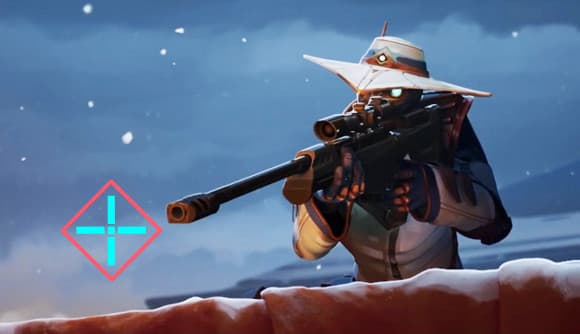
Rule 1: Visibility beats aesthetics
Don’t make my mistake of running a super stylish but invisible crosshair. On dark areas like Ascent’s A Main or Breeze tunnels, certain colors just vanish. I now always pick high-contrast colors that pop against both dark and bright backgrounds (cyan, bright green, neon pink, or white with an outline).
If you’re losing enemies in chaos, your crosshair is probably too thin, too small, or blending with the map. The pro codes below lean heavily toward high visibility for exactly this reason.
Rule 2: Static & simple over flashy & dynamic
Dynamic crosshairs that expand when you move look useful, but in practice they just add extra noise to your screen. Almost every pro crosshair in 2025 is static: no movement error, no firing error. That’s because your crosshair isn’t a teacher, it’s a reference point. Your tracking and spray control should come from feel and practice, not animated UI.
Rule 3: One crosshair for everything
Swapping crosshairs every time you pick up an Operator or swap roles feels fun but kills consistency. I play duelists, controllers, and Sentinels on the same account, so I now use one main crosshair across all weapons, and only adjust ADS/sniper thickness slightly if needed. Every pro code in this list is strong enough to use as your permanent “main.”
Pro Valorant crosshair codes that are worth copying in 2025
Here are the five pro and streamer crosshair profiles that survived my testing sessions. I’ve used all of these in ranked for multiple days, not just five minutes in the Range. For each, I’ll share the code, what it’s best at, and what to tweak if it doesn’t feel right immediately.
1. Shroud’s classic, comfortable all-rounder
When I want something that just feels “normal” and doesn’t distract me, I go back to this. It’s a clean, static crosshair that works on literally every weapon.
- Code:
0;P;o;0.506;d;1;z;1;0t;1;0l;4;0o;2;0a;1;0f;0;1b;0 - Best for: Newer players, or anyone coming from CS/other FPS who wants a familiar feel.
- Why it works: The size is forgiving without being huge, so your sense of where the head is on screen becomes very natural. I found my spray transfers felt more controlled with this than with tiny dot setups.
- Tweak if needed: If it feels too chunky, lower the line length slightly in the primary crosshair settings; keep thickness the same to maintain readability.
2. TenZ’s precise rifler crosshair
When I’m grinding aim routine in the Range and playing duelists, this TenZ-style crosshair is my go-to. It’s compact and punishes sloppy flicks in a good way.
- Code:
0;s;1;P;c;5;h;0;m;1;0l;4;0o;2;0a;1;0f;0;1b;0;S;c;4;o;1 - Best for: Confident riflers and duelists who take a lot of wide swings and need pixel-perfect first bullets.
- Why it works: The compact profile makes you commit to lining up heads instead of “estimating” with a big crosshair. My headshot percentage in practice noticeably rose after a couple of days sticking to this.
- Similar options: If you want a slightly wilder but related feel, try Paper Rex star f0rsakeN’s code:
0;s;1;P;u;000000FF;o;1;s;0;0t;3;0l;1;0v;0;0g;1;0o;0;0a;1;0f;0;1t;1;1l;4;1g;1;1o;0;1a;1;1m;0;1f;0;S;c;0;s;0.9;o;1.
3. DRX MaKo’s stable anchor crosshair
When I’m holding long angles on controller or Sentinel agents, the DRX MaKo-style crosshair feels insanely stable. It’s a touch larger than the hyper-precise TenZ setup, which helps on tight off-angles and jiggle peeks.
- Code (MaKo – DRX):
0;s;1;P;c;1;o;1;f;0;0l;4;0a;1;0f;0;1b;0 - Best for: Controllers, Sentinels, or anyone who plays more reactive, anchor-heavy positions.
- Why it works: The crosshair is readable at long range without feeling bulky. I found it easier to micro-adjust on enemies slowly swinging into my line of sight, especially on maps like Icebox or Haven.
- Fnatic variant: Prefer a slightly bolder feel? Try Fnatic’s Alfajer-style code:
0;s;1;P;c;5;o;1;d;1;z;3;0b;0;1b;0;S;s;0.628;o;1. It follows the same principle of a clear, static cross, just with a bit more presence.
4. Team Liquid nAts’ precise “box” crosshair
nAts has always been a reference point for methodical aim. His crosshair code translates that style really well: it’s tight and structured, perfect if you like holding pixel angles and taking high-percentage duels.
- Code (nAts – Team Liquid):
0;P;c;1;o;1.000;0a;1.000;0l;2;0t;1;0o;2;0f;0;1b;0 - Best for: Lurkers, Sentinels, and control-heavy players who take fewer but more deliberate fights.
- Why it works: The small, tidy lines make it easy to align on tiny parts of the model (like peeks over boxes). When I used this crosshair and slowed my playstyle down, my duels on long sightlines became much more consistent.
- Tweak if needed: If it feels too tiny on a high-resolution monitor, increase line length by one tick – don’t touch thickness unless you’re really struggling to see it.
5. Demon1 / Kyedae-style neon pink high-visibility crosshair
This one is for players who constantly lose their crosshair in the chaos. A lot of pros and streamers have moved to neon pink or purple customs because they stand out on every map and agent color.
- Code (Demon1 – Leviatán style):
0;s;1;P;u;D099E2FF;o;1;d;1;0b;0;1b;0;S;c;0;s;0.5;o;1 - Also used by: Streamers like Kyedae and Tarik run very similar pink layouts, for the same visibility reason.
- Best for: Anyone on darker monitors, lower brightness, or just tired of losing a white/green crosshair against certain map textures.
- Why it works: On maps like Lotus and Ascent, the pink stands out on stone, foliage, and sky. The moment I swapped to this color, tracking dashes and slides through smokes became more comfortable because I never lost my reference point.
How to tune a pro crosshair so it actually fits you
Copying a code is only step one. The real power comes from making small, deliberate tweaks. Here’s the adjustment process that’s worked best for me:
- Step 1 – Lock the shape: For at least a few days, don’t change the basic layout (dot vs. cross, number of lines). If you picked TenZ, keep it TenZ-shaped.
- Step 2 – Fix the color: Load into a custom on bright and dark maps (e.g. Breeze and Ascent). If the crosshair ever blends into walls or sky, switch to a custom color (cyan, yellow, or neon pink) or enable outlines.
- Step 3 – Adjust line length, not thickness first: I’ve found shortening or lengthening lines one tick at a time impacts feel far more than thickness. Keep thickness low enough to be crisp, not fuzzy.
- Step 4 – Turn off movement and firing error: Most pro codes already do this, but double-check. You want the crosshair static, so your brain learns exactly where bullets go regardless of movement.
- Step 5 – Test in real games, not just the Range: I force myself to play at least 5–10 unrated or Swiftplay games before judging a new crosshair. Range god aim often falls apart in real peeks if your crosshair is too tiny or too flashy.
Common crosshair mistakes that held my aim back
Once I started paying attention, I realized I was sabotaging my own aim with these habits. I see a lot of friends doing the same.
- Changing every session: If your crosshair is different every night, your muscle memory never stabilizes. Pick one from this list and commit to at least a week.
- Going too tiny too early: Micro-dot crosshairs look “pro,” but they’re brutal if your fundamentals aren’t there yet. Start with something like Shroud’s or MaKo’s size, then slowly shrink if you feel cramped.
- Prioritizing memes over clarity: Fun shapes (hearts, logos, characters) are hilarious in customs, but in ranked they block your view and delay your first shot. Use them as a warm-up, not your main.
- Ignoring your hardware: If you’re on a small 1080p monitor or low brightness, you need bolder colors and maybe thicker lines than a pro on a high-end setup. Their code is a starting point, not sacred scripture.
One fun crosshair to mess around with: Among Us
When I’m playing customs with friends or just goofing off, I swap to this ridiculous Among Us crosshair. It’s not “good” for ranked, but it’s a nice reminder that Valorant is still a game.
- Code (Among Us):
0;c;1;P;c;5;t;3;o;1;f;0;0t;10;0l;1;0v;0;0g;1;0o;4;0a;1;0f;0;1t;9;1o;0;1a;1;1m;0;1f;0 - Use case: Customs, deathmatch warm-up, or when you’re tilted and need to reset mentally.
- Warning: Don’t make my mistake of queuing ranked with this still equipped. It’s funny until you whiff a free kill because your crosshair is literally an impostor.
Lock in your crosshair and focus on the real improvement
Once I finally picked a pro-style crosshair and stuck with it-Shroud’s for comfort, then TenZ’s when I wanted to sweat-my aim stopped feeling random. My deathmatch scores got more consistent, and I spent less time alt-tabbing to YouTube for “new best Valorant crosshair 2025.”
Use these codes as shortcuts to battle-tested setups from players on DRX, Fnatic, Team Liquid, Leviatán, and top streamers. Import one, make small visibility tweaks, give it a real week of games, and then forget the settings menu for a while. The real grind is crosshair placement, movement, and decision-making-your crosshair should quietly support that, not steal the spotlight.
FinalBoss // Gear
Level up your setup
01Graphics cardson Amazon→02Gaming laptopson Amazon→03High-refresh gaming monitorson Amazon→04Discounted game keyson Kinguin→Affiliate links · As an Amazon Associate, FinalBoss earns from qualifying purchases.
Want to Level Up Your Gaming?
Get access to exclusive strategies, hidden tips, and pro-level insights that we don't share publicly.
Ultimate Guide Strategy Guide + Weekly Pro Tips