
Table of Contents (7)
Arrow Lake went from “meh” to “okay, damn” with the 270K Plus
Arrow Lake’s original desktop launch felt like a shrug. As a gamer, it was slower than last-gen Raptor Lake in too many titles, lagged AMD’s Zen 5 chips, and the only nice thing you could really say about it was “hey, at least it sips power in games.” That’s not exactly the poster quote you want for a brand-new platform.
The Core Ultra 7 270K Plus is the moment that story changes. This isn’t a lazy “+100 MHz and a new box” refresh. Intel basically took the full-fat Ultra 9 compute tile, crammed it into a $299 part, cranked every internal clock they could get away with, and quietly rolled out a software layer to feed it better instructions.
On my Arrow Lake test bench (MSI MEG Z890 Ace, 32GB DDR5-6000, RTX 4070, Thermalright Peerless Assassin 120 SE), swapping from a 265K to the 270K Plus felt less like a mild mid-cycle update and more like the chip Arrow Lake should have launched with in the first place. In games it’s consistently Intel’s best desktop CPU right now, and in multi-threaded workloads it punches well above that $299 sticker.
It’s not perfect. AMD’s X3D gaming chips still own the absolute top of the FPS charts, and the 270K Plus absolutely guzzles power when you let it loose. But if you want a genuinely balanced gaming-and-creation CPU at a sane price, this is the first Arrow Lake chip that made me nod and go, “Yeah, that’s actually smart.”
What Intel actually changed – and why it matters for games
On paper, the 270K Plus looks like an Ultra 7 in name only. Under the hood, it’s basically an Ultra 9 compute tile with a more reasonable price tag.
- Cores: 8 P-cores + 16 E-cores (24 threads total)
- P-core boost: up to 5.5-5.7 GHz (depending on SKU/board)
- E-core boost: up to 4.7 GHz
- L3 cache: 36 MB
- Memory support: official DDR5-7200 (DDR5-8000 with 200S Boost)
- Power: 125 W base, up to ~250 W package power
- Price: $299 / £299.99 (recommended)
Compared to the older 265K, the raw core clocks only tell half the story. Yes, you’re getting up to around 6% faster P-cores and ~2% faster E-cores on paper, but the real sauce is everything between those cores.
- D2D (die-to-die) clock jumps from 2.1 GHz to 3.0 GHz – that’s the fabric tying the tiles together.
- NGU (Next-Gen Uncore) clock climbs from 2.6 GHz to 3.0 GHz – the SoC’s internal fabric speed.
- Ring bus clock inside the compute tile nudges up to 4.0 GHz, slightly higher than both the 285K and 265K.
- IMC (integrated memory controller) gets a 400 MHz bump, enabling that official DDR5-7200 support.
In plain English: Intel didn’t just make the cores faster, they made the highways between them faster, and they made the connection to your RAM faster. For latency-sensitive stuff like games, those internal fabric clocks matter a lot more than a +100 MHz bump on a single core.
There’s also an optional “200S Boost” mode in the BIOS on supporting boards. Flip it on and you push D2D and NGU to 3.2 GHz and can run DDR5-8000. With a decent kit and timing tweaks, I could get a DDR5-7800 profile stable for long gaming sessions, which helped 1% lows in CPU-heavy titles like Cities: Skylines II and large Battlefield 2042 servers. It’s the first Arrow Lake chip where I actually felt the platform’s memory headroom paying off in real play sessions.
Then there’s the software angle. Alongside the 270K Plus, Intel pushed its Binary Optimization Tool (BOT). Think of BOT as a smarter traffic cop for threads: it tries to rearrange instruction blocks so the CPU’s hybrid design isn’t tripping over itself. There are also hardware hooks in these Plus chips specifically to give BOT better insight into what’s going on.
For fairness, most of my comparative testing was with BOT and Intel’s older APO tricks disabled, so I could see the raw hardware uplift. With them on in supported games you can pick up a few extra percentage points, but the important thing is this: even without the software magic, the 270K Plus feels like a different class of Arrow Lake chip.
Gaming: Intel’s best desktop CPU, still chasing X3D
The original Arrow Lake launch had an awkward problem: Raptor Lake was often faster in games. With the 270K Plus, that’s no longer a thing. This is flat-out the best gaming CPU Intel has on desktop right now.
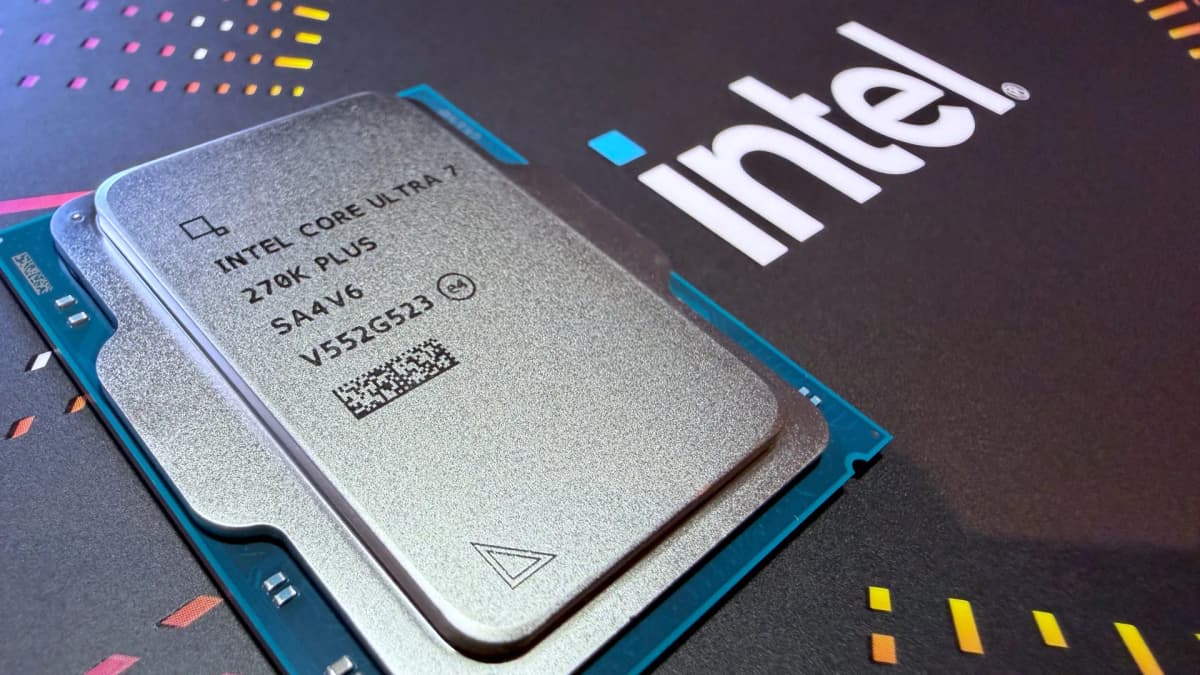
Paired with the RTX 4070 at 1080p and 1440p, the 270K Plus consistently outpaced the 265K in my tests and either matched or edged out the 285K. In CPU-bound titles like Cyberpunk 2077 (RT medium, DLSS Performance), Rainbow Six Siege at 300+ fps targets, and big RTS sandboxes, I saw frame-rate gains that landed solidly in the “you can feel this” category, especially on the 1% lows.
Games that used to be a bit stuttery on early Arrow Lake microcode – think heavy simulation or lots of background threads (Discord, browsers, launchers) chewing away – smoothed out noticeably. The extra 8 E-cores versus the 265K and the higher fabric clocks meant I could leave my usual stupid amount of cruft running in the background without seeing my frametime graphs turn into teeth.
Where does it land against AMD? Ryzen chips with 3D V-Cache still own the outright “highest FPS possible” crown. A Ryzen 7 9800X3D will absolutely stomp the 270K Plus in some games, sometimes by a big margin, especially eSports titles that love cache over everything else. If you’re building a pure competitive rig and you don’t care about anything but max frames in a specific set of games, that doesn’t change.
But context matters. The 270K Plus is much cheaper than a 9800X3D, and against AMD’s non-X3D parts, it’s trading blows game by game. Sometimes Zen 5 wins, sometimes Arrow Lake Refresh does, but at 1440p and above, you’re mostly letting your GPU decide anyway. From a “grab a CPU and just play everything” point of view, this is the first Arrow Lake chip where I didn’t feel like I was paying a premium for worse gaming than last-gen.
Content creation: 16 E-cores finally earn their keep
One of Arrow Lake’s selling points was always the hybrid core layout, but at launch it felt wasted. With the 270K Plus, the core mix and the clocks finally click together in a way that makes sense if you care about anything beyond games.
In Cinebench 2024, my 270K Plus sample basically matched or slightly beat the Ultra 9 285K in multi-core, despite the 285K having a slightly higher P-core boost. That lines up with the published numbers you’ll see elsewhere: the 270K Plus’s faster E-cores and fabric are more valuable under full load than a token +200 MHz on a few P-cores.
More importantly, in my actual workflows – Premiere Pro 4K exports, HandBrake x265 encodes, a chunky Unreal Engine light build — the 270K Plus consistently landed within spitting distance of AMD’s more expensive Ryzen 9 parts. A Ryzen 9 9950X/9950X3D is still the obvious pick if you’re doing this stuff for a living and can justify the sticker shock, but those chips cost well over $500–$600. For a $299 CPU, the 270K Plus is frankly silly in how much work it can push.
If your days look like “compile, render, encode, then game,” the 270K Plus makes more sense to me than the 285K. You get basically the same or better multi-threaded throughput, better value, and you’re not tying extra money into a slightly faster CPU that doesn’t actually help much once you saturate all the threads.
Thermals and power: yes, it’s fast; no, it’s not efficient
Here’s the trade-off: Intel didn’t conjure this performance out of thin air. They cranked clocks across the silicon, and the 270K Plus absolutely makes you pay the power bill.
Under a Cinebench 2024 multi-core run, my sample went straight to its 250 W package power limit and parked there. That cheap-but-great Thermalright Peerless Assassin 120 SE I usually recommend? It did the job, but it was hanging on by its fingernails. In sustained rendering, I saw brief thermal throttling spikes as the CPU tried to stay inside its limits. The scores barely moved, but the message was clear: if you plan to hammer this chip with long encodes or 3D renders, step up your cooling game.
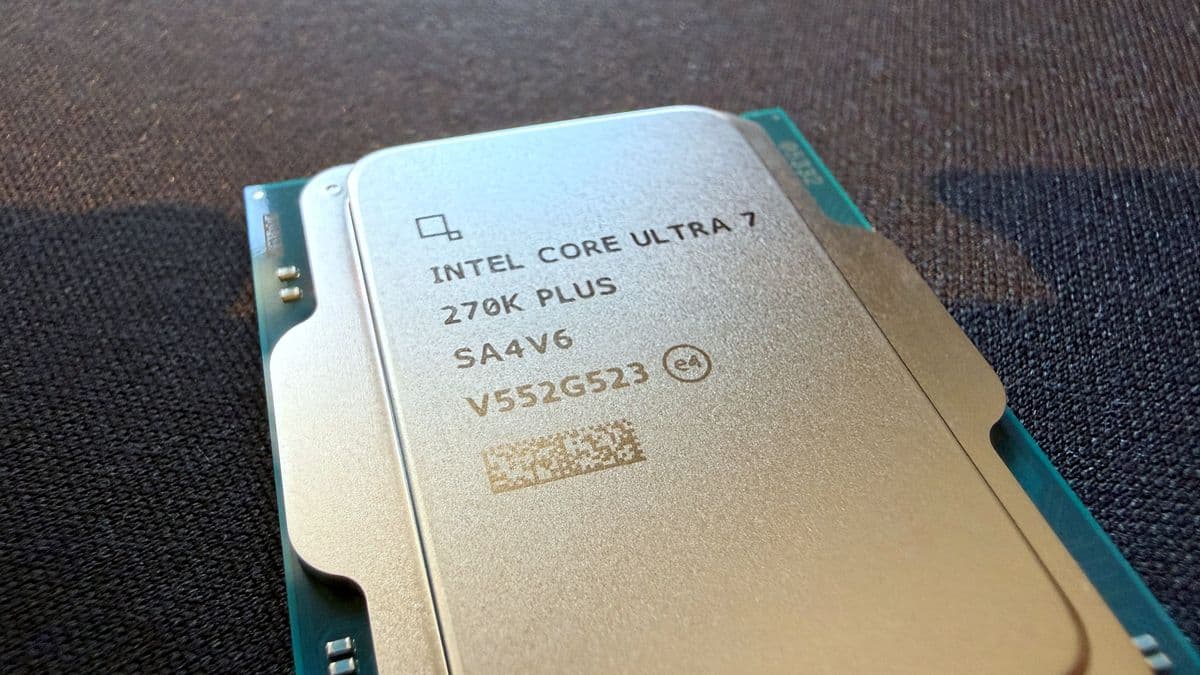
In gaming, power draw is obviously lower than an all-core stress test, but the 270K Plus still pulled more power than other Arrow Lake chips from the wall in the same system. That’s not shocking — same process node, higher clocks, more active cores — but if you were hoping for “9800X3D-level efficiency with Intel’s hybrid design,” that’s not what this is.
Thermally, I’d put it like this:
- Mid-range tower cooler: fine for gaming, borderline for repeated heavy renders.
- Good 240 mm AIO or beefy air cooler: the sweet spot for a mixed gaming/workstation rig.
- 360 mm AIO or high-end air with great case airflow: if you’re living in Cinebench or Blender.
This is also where reviews are a bit split. Some outlets look at the power numbers and shrug the whole Plus line off as “skippable.” I get where they’re coming from — AMD is still clearly ahead on performance per watt, especially with X3D. But from my desk, the extra watts were worth it for what the 270K Plus delivers at $299, as long as you know you’re signing up for more heat.
LGA1851, upgrades, and whether this is a dead-end buy
The elephant in the room is the socket. By most accounts, the Core Ultra 7 270K Plus is likely to be the last meaningful desktop chip on Intel’s LGA1851 platform. The next-gen Nova Lake desktop parts are expected to move to a different socket entirely.
That matters for one type of buyer in particular: the “buy a good board and drop in a better CPU later” crowd. If that’s you, Arrow Lake Refresh in general, and the 270K Plus specifically, doesn’t make a ton of sense. You’re basically buying into a platform that’s already heading for retirement.
But if you’re more like me — you build a full new platform every few years and run it unchanged until the next big cycle — that’s less of a problem. In that mindset, the question becomes: “Is this the best chip I can reasonably pair with a Z890/B860 board today?” And for most gaming-plus-work scenarios, the answer is yes. The 270K Plus is probably the peak of what LGA1851 will ever see, at least for mainstream buyers.
So the platform story is simple:
- If you want long-term socket upgradability: you’re better off on AMD AM5 and a Ryzen 7 9700X or 9800X3D, depending on budget.
- If you’re fine replacing board and CPU together in a few years: the 270K Plus is a very strong “buy it, forget it, enjoy it” pick.
Who the 270K Plus is actually for
After living with it on my test bench, here’s how I’d slice it:
- Great for: PC gamers who also stream, edit, encode, or do dev work; anyone wanting a single chip that’s legitimately strong at both games and productivity; builders targeting 1080p/1440p with mid-to-high-end GPUs.
- Still better off with AMD: ultra-high-refresh competitive players chasing the absolute highest FPS in eSports; people obsessed with power efficiency; long-term platform upgraders who want to keep the same socket for many years.
- Overkill for: budget 1080p rigs with mid-tier GPUs where a cheaper Ultra 5 250K Plus or Ryzen 5 7600X will already push enough frames.
Intel’s own lineup is where it bites the hardest. The 270K Plus quietly makes the 265K feel pointless, and even the 285K starts to look like a waste of cash unless you hit a very specific niche where lightly-threaded P-core bursts dominate your day.
FinalBoss // Gear
Level up your setup
01Top-rated gaming headsetson Amazon→02High-refresh gaming monitorson Amazon→03Gaming chairson Amazon→04Discounted game keyson Kinguin→Affiliate links · As an Amazon Associate, FinalBoss earns from qualifying purchases.
Want to Level Up Your Gaming?
Get access to exclusive strategies, hidden tips, and pro-level insights that we don't share publicly.
Ultimate Reviews Strategy Guide + Weekly Pro Tips