
inZOI’s Unreal Engine 5 Requirements: A Deep Dive
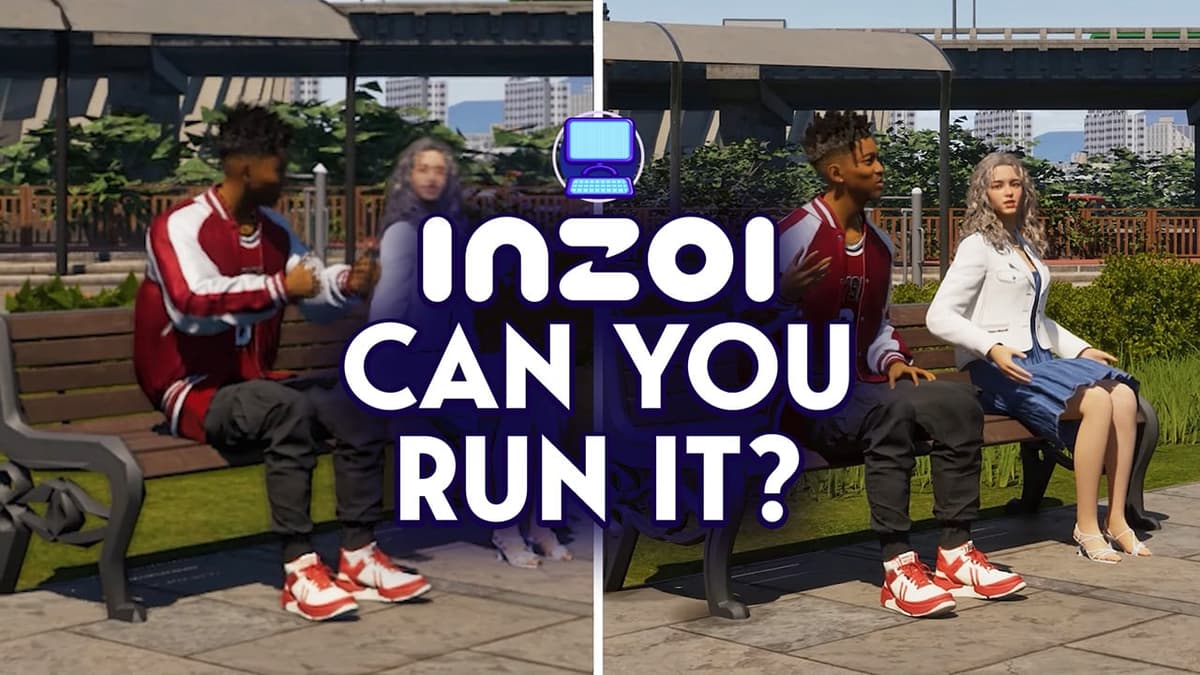
When early access for inZOI landed, its system requirements raised eyebrows across the PC community. A life sim demanding an RTX 2060 at minimum isn’t common. Below, we explore how these specs affect different player groups, unpack the upscaling technologies in use, and outline areas that merit further performance testing.
1. Hardware Demands by Player Demographic
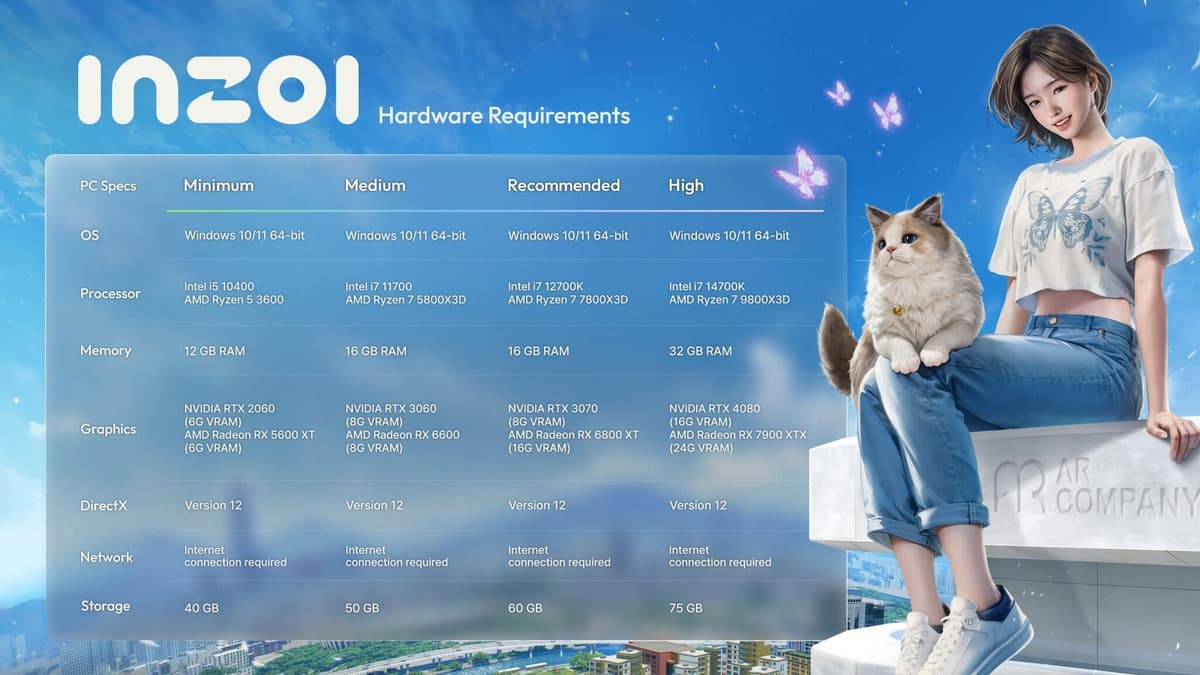
inZOI’s stated tiers span from mid-range rig to high-end workstation. Here’s how they break down:
- Minimum (mid-range 2020 GPU): RTX 2060 or RX 5600 XT, Intel Core i5-10400/Ryzen 5 3600, 12 GB RAM.
- Recommended (enthusiast level): RTX 3070 or RX 6800 XT, Intel Core i7-12700K/Ryzen 7 7800X3D, 16 GB RAM.
- High (top-tier settings): RTX 4080 or RX 7900 XTX, Intel Core i7-14700K/Ryzen 7 9800X3D, 32 GB RAM.
Entry-level laptop owners and budget builders face stiff trade-offs: native 1080p rendering may fall below 30 fps without aggressive upscaling. Mid-range gamers will need to lean on quality/performance balance, while enthusiasts with recent GPUs can aim for smoother frame rates at higher resolutions.
2. Upscaling Technologies Explained
inZOI relies heavily on AI-driven upscalers to reconcile Unreal Engine 5’s photorealism with playable frame rates. Three primary options are supported:
- DLSS (NVIDIA): Temporal neural reconstruction that renders at a lower internal resolution and uses AI to upscale, offering high fidelity and improved performance on GeForce RTX cards.
- FSR (AMD): Spatial upscaling algorithm compatible with a wide range of GPUs, trading off some sharpness for broader hardware support.
- XeSS (Intel): Combines spatial and temporal data, optimized for Intel Arc GPUs but also available on other vendors’ hardware.
All presets—from “Minimum” to “High”—assume one of these upscalers is active. With native 1080p falling to sub-720p internally at lower tiers, upscaling preserves visual clarity but can introduce artifacts under fast motion or in complex scenes.
3. Storage and Memory Considerations
Unreal Engine 5 titles often carry large install sizes due to high-resolution textures and streaming assets. inZOI lists multiple package sizes based on texture quality—an unusual but welcome nod to storage-limited setups. However, a fast SSD and 16 GB or more of system RAM are strongly recommended to avoid asset streaming hitches and long load times.
FinalBoss // Gear
Level up your setup
01Graphics cardson Amazon→02Gaming laptopson Amazon→03High-refresh gaming monitorson Amazon→04Discounted game keyson Kinguin→Affiliate links · As an Amazon Associate, FinalBoss earns from qualifying purchases.
4. Broader Implications for the PC Sim Community
Traditionally, life sims have catered to a wide range of hardware. inZOI’s high bar may alienate casual sim fans on older machines while appealing to PC enthusiasts who prioritize graphical fidelity. The requirement curve suggests the genre is evolving toward next-gen visuals, but it raises questions about accessibility for mainstream players.
5. Areas for Future Benchmark Research
Concrete performance data across diverse hardware configurations is still pending. To better guide potential buyers, independent testing should cover:

- Frame rates on popular mid-range GPUs at each preset.
- Comparisons of DLSS, FSR and XeSS artifacts in real gameplay scenarios.
- Impact of CPU cores/threads on AI-driven simulation elements.
- Load times and stutter analysis on HDD vs. SSD installations.
Conclusion
inZOI’s system requirements demonstrate Unreal Engine 5’s growing appetite for GPU and CPU horsepower—even in genres traditionally known for modest demands. While photorealistic AI-driven sims are an intriguing leap forward, they come with new hardware thresholds. Gamers and builders should weigh these demands against their expectations for visual fidelity, performance consistency and future engine optimizations.