
Table of Contents (8)
A week with the Legion Go 2: tiny desktop, questionable handheld
The first thing I thought when I picked up the Lenovo Legion Go 2 wasn’t “wow, a handheld console.” It was: “oh, this is a small desktop PC someone forgot to put a stand on.” Then the weight hit me. You don’t cradle this thing; you brace for it.
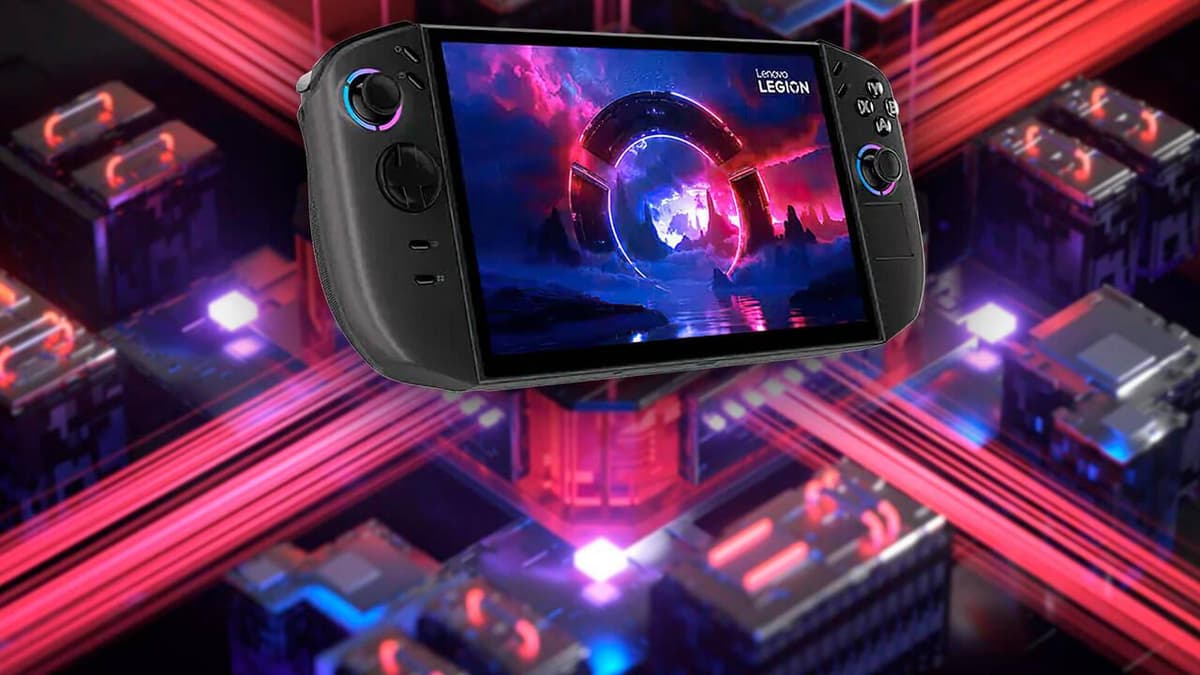
After a week of using it as my main gaming machine – on the sofa, at a desk, in bed, and one ill-advised attempt on public transport – it became crystal clear what Lenovo is doing here. The Legion Go 2 isn’t really trying to be a Steam Deck-style, play-anywhere handheld. It’s a premium, semi-portable gaming rig with a frankly ridiculous 8.8″ OLED screen and a Ryzen Z2 Extreme that wants you to treat it like a travel-sized desktop more than a pocket console.
That focus leads to some great highs: the display is one of the best I’ve seen on any gaming device, the performance is serious, and the build quality is pure “expensive tech toy.” But it also means compromises: almost 1 kg in your hands, noticeable fan noise at full tilt, and the usual Windows-handheld dance of tweaking profiles and wrestling launchers.
If you’re curious whether this thing is for you, it really comes down to one question: do you want a handheld console, or a portable gaming station you can throw in a bag?
Design and ergonomics: the nicest tank I’ve ever held
On paper, the Legion Go 2 is already warning you it’s not here to be dainty: around 920 grams with the controllers attached, and a footprint that makes a Steam Deck look almost modest. In the hand, it feels every bit of that. It’s thick, it’s wide, and after 10-15 minutes playing something like Hades II or Balatro in bed, my wrists were sending polite but firm complaints.
The flip side is that it feels utterly premium. The chassis is rigid with zero creaks, the plastics and textures feel high-end, and the whole thing has that reassuring “this won’t snap if I twist it a bit” aura. The weight isn’t the result of laziness; it’s clearly the price of a big cooling system, a 74 Wh battery, and that 8.8″ OLED panel.
Where the ergonomics start to make sense is the moment you flip out the rear kickstand. Lenovo borrowed the hybrid idea from Nintendo Switch, but here it’s almost the default way to play. Set it on a table, detach the controllers, lean back. Suddenly, the Legion Go 2 stops pretending it’s a handheld and becomes a tiny gaming PC with detachable gamepads. On a desk or tray table, it’s brilliant; in your hands for more than 20-30 minutes, it’s a gym session.
Compared to something like a Steam Deck or ROG Ally, this is much less “play while you commute” and more “set up a battle station wherever you land.” I ended up treating it like a high-end gaming laptop replacement that just happens to have built-in controls.
Detachable controllers and the surprisingly clever FPS mode
The detachable controllers are where Lenovo really leans into the “PC first” mindset. They slide off with a semi-magnetic mechanism that feels secure but not fiddly, very reminiscent of Switch Joy-Cons but chunkier and more comfortable. The face buttons and triggers feel solid, with a nice travel and no obvious cheap spots.
The joysticks use Hall Effect sensors, which – in normal human terms — means no physical contact parts and, theoretically, no stick drift over time. They feel smooth and precise, and I didn’t notice any wobble or dead zone weirdness. On a device you’re likely to keep for years (and that starts at 1,099 €), that peace of mind actually matters.
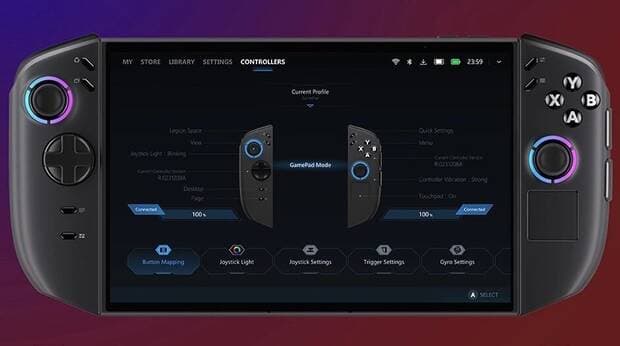
On the right controller, you get a small touchpad, echoing the Steam Deck’s approach. Navigating Windows with it feels familiar if you’ve used Valve’s handheld: not as precise as a real mouse, but miles better than trying to do everything on a touchscreen. I used it a lot for dragging sliders in settings menus and managing game launchers without needing to lean forward and poke the screen.
The real party trick, though, is Lenovo’s “FPS mode.” Detach the right controller, drop it into the small included stand, and suddenly it behaves like a vertical mouse: there’s an optical sensor on the bottom, and you tilt and move it across the desk to aim. It’s one of those features I expected to try once and forget about, but it’s… actually usable.
I won’t pretend it replaces a proper gaming mouse, but jumping into a quick round of a first-person shooter with the Legion on its kickstand and the FPS-mode controller under my hand was way better than stick aiming. After a few minutes tweaking sensitivity, I was landing headshots more consistently than with the analog stick, and the whole setup felt closer to a compact desktop than a handheld compromise.
The 8.8″ OLED screen is on another level
The star of the show is absolutely the screen. It’s an 8.8″ 1920 × 1200 OLED panel (16:10), with 100% DCI-P3 coverage, up to 1100 nits peak brightness, and a variable 30-144 Hz refresh rate with VRR support. Spec sheets are one thing; seeing it in person is another.
Booting up a game with rich colors — something like Hi-Fi Rush or an anime-style RPG — is borderline unfair compared to traditional LCD handhelds. Blacks are genuinely black, colors pop without looking cartoonish, and the contrast makes even older games feel fresh. VRR quietly does its job in the background, smoothing out frame pacing when the Ryzen Z2 Extreme can’t quite hold a perfect target frame rate.
The 16:10 aspect ratio hits a nice sweet spot too: more vertical space than 16:9 for desktop and strategy games, but most modern titles look completely natural. Text is sharp enough at this resolution and screen size that I never struggled reading UI elements.
That 1100-nit peak brightness sounds like overkill until you actually take the Legion Go 2 outside or sit near a sunny window. I tried using it on a terrace mid-day, and while direct sunlight is still the enemy of all screens, cranking brightness up made it genuinely usable. Indoors, I usually left it around 40–60% and still got a fantastic image.
There is a catch: running at the native 1920 × 1200 resolution puts more load on the GPU than, say, a 1280 × 800 Steam Deck-style panel. The review unit’s performance was strong enough to make that tradeoff feel worth it, but you’ll sometimes want to drop resolution or use scaling to keep frame rates in a comfortable range for demanding AAA games. The good news is that with OLED and VRR, even 40–50 fps can feel surprisingly smooth.
Ryzen Z2 Extreme performance and cooling: sustained power, audible fans
Inside, the Legion Go 2 runs an AMD Ryzen Z2 Extreme: 8 cores, 16 threads, up to a 35 W configurable TDP, and RDNA 3.5 graphics. In plain language, it’s a chunky little APU that’s designed to sit somewhere above Valve’s Steam Deck OLED and roughly in line with other high-end Windows handhelds like Asus’s ROG Ally X.
In actual use, the performance felt “desktop enough” that I rarely had to think too hard about whether a game would run — the real question was at what settings. Competitive and older titles absolutely fly, and with reasonable tweaks, modern AAA games are very playable, especially if you embrace FSR/other upscaling and aim for that 40–60 fps range instead of obsessing over 120+.
The unit I tested had 32 GB of LPDDR5x-8000 RAM (soldered), and while that doesn’t magically add more raw GPU power, it did help keep background tasks and Windows itself from choking things up. Alt-tabbing to a browser, Discord, or launcher while a game was paused felt painless. Micro-stutters were rare, and the bigger chassis clearly gives Lenovo more thermal headroom to hold higher power limits for longer sessions.
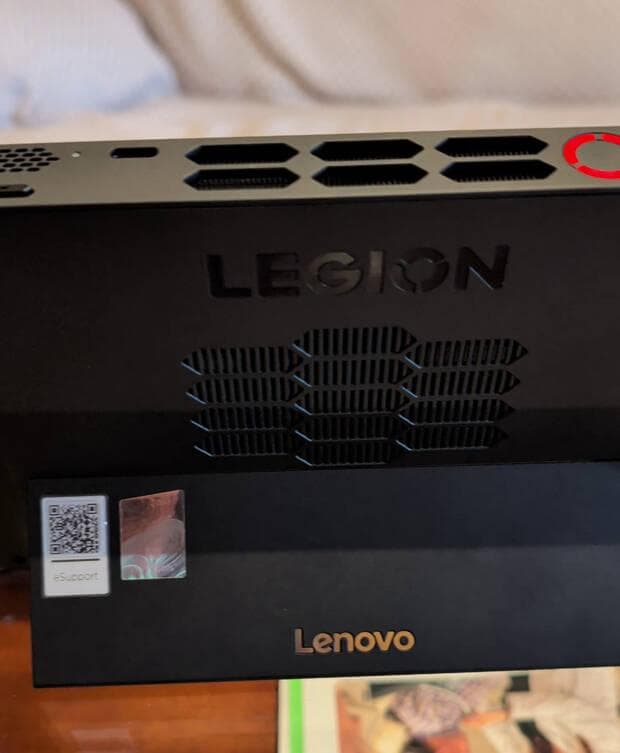
That bigger cooling system does its job: even in performance mode with the APU pushing hard, the core temperatures stayed under control and I didn’t notice blatant thermal throttling while gaming. The tradeoff is noise. When you ask the Z2 Extreme to earn its name, the fan spin-up is impossible to ignore — not jet-engine loud, but definitely “everyone in the room knows you’re gaming.” With headphones on, it fades into the background; with speakers, you’ll hear it in quieter scenes.
Storage-wise, Lenovo at least respects the “it’s a PC” idea. You get up to a 2 TB M.2 2242 SSD and even an extra M.2 2280 slot for expansion, plus a microSD card reader. Between massive modern game installs and Windows 11 itself eating a chunk of space, that flexibility matters a lot more than it sounds on paper.
Battery life: big battery, big expectations, normal results
The Legion Go 2 carries a hefty 74 Wh battery, which looks great in a spec sheet and is definitely above average for handheld PCs. But physics is still physics: an 8.8″ 144 Hz OLED panel and a Ryzen Z2 Extreme sipping up to 35 W are not a low-power combo.
In lighter use — indie games, 60 Hz cap, power profile turned down — it behaved like a very solid handheld, comfortably letting me play for a few hours without anxiety. Once I turned the performance mode up and let a demanding 3D game stretch its legs at higher refresh, the battery drained much faster. This is more “fine for a couple of long gaming sessions away from an outlet” than “take it on a full travel day and forget the charger.”
Fast charging helps. Lenovo supports rapid charge, with roughly 50% in about half an hour if you’re plugged into the included high-wattage USB-C adapter. The fact that you get two USB 4.0 ports (both with Power Delivery and DisplayPort) means you’re not constantly choosing between charging and docking, which is something some competitors still annoyingly get wrong.
Practically speaking, I ended up treating the Legion Go 2 like a powerful laptop from a battery perspective: great for moving between rooms or short trips, perfectly fine in cafés or hotels with plugs nearby, and not something I’d rely on for an entire flight of heavy AAA gaming without a power bank or outlet access.
Windows 11 on a handheld: freedom with friction
Because this is a full Windows 11 Home PC, you get the usual deal: massive flexibility and compatibility, paired with a UI that still wasn’t really designed for an 8.8″ touchscreen in your hands.
The experience swings between magical and mildly irritating. On the magical side: every launcher works, every anti-cheat is happy, mods and emulators are just a download away, and if you want to alt-tab to a browser, Discord, or work tools, you can. This is a real PC; nothing is “streaming only” or locked behind storefronts.
On the friction side, you’re still dealing with tiny touch targets, random pop-ups, and windows that sometimes don’t respect the handheld form factor. The touchpad and detachable controllers help a lot here, and Lenovo’s own software layer (for performance profiles, controller mapping, and a game launcher) does soften the blow, but it still doesn’t feel as frictionless as SteamOS on a Deck or a console-style interface.
Once I’d spent an afternoon tweaking power profiles per game and pinning the tools I use most, things settled into a groove. But I’d be lying if I said this feels truly “pick up and play” out of the box for less techy users. This is still the PC handheld tax: amazing power and flexibility, with just enough awkwardness to remind you you’re not on a console.
Who is the Legion Go 2 really for?
After living with it, I don’t think Lenovo is even trying to go head-to-head with Steam Deck OLED or cheaper, lighter handhelds. They already have the more approachable Legion Go S for that lane. The Legion Go 2 is aimed at a different kind of player entirely.
This device makes the most sense if you:
- want a premium-feeling, desktop-grade gaming PC you can throw in a sling bag;
- care a lot about screen quality — OLED, wide color, high refresh — and are willing to pay (in money and grams) for it;
- like the idea of detachable controllers and that FPS mode for more mouse-like aiming without packing a full mouse and keyboard;
- mostly play at a desk, on a table, or propped up on a stand, not holding the device for hours on end.
If your dream handheld is something you can casually hold on the train for an hour, or lie on your side in bed and forget it’s there, this is absolutely the wrong direction. It’s big, it’s heavy, and it wants to be set down. In that sense, it’s closer in spirit to a shrunken gaming laptop than a “console in your hands.”
FinalBoss // Gear
Level up your setup
01Top-rated gaming headsetson Amazon→02High-refresh gaming monitorson Amazon→03Gaming chairson Amazon→04Discounted game keyson Kinguin→Affiliate links · As an Amazon Associate, FinalBoss earns from qualifying purchases.
Want to Level Up Your Gaming?
Get access to exclusive strategies, hidden tips, and pro-level insights that we don't share publicly.
Ultimate Reviews Strategy Guide + Weekly Pro Tips