
Table of Contents (9)
This Keyboard Made My Usual 75% Feel Old Overnight
The first night with the Corsair Makr Pro 75, I did the usual “it’s just a keyboard” routine. Plugged it in, rolled my eyes at the RGB wave, opened a match of Valorant, and expected it to feel basically like my daily-driver 75% board with linear switches. Fifteen minutes later I was in the web software, dragging actuation sliders down to 0.8mm, flicking on rapid trigger, and suddenly my old board felt like it had input lag baked into the keycaps.
I’ve been on the mechanical keyboard rabbit hole for years – custom kits, soldered builds, foam-stuffing, the whole ritual. So whenever a big brand shows up saying, “Hey, we’ve bottled enthusiast magic into a prebuilt,” my default stance is suspicion. The Makr Pro 75 is the first Corsair board in a while that actually made me stop thinking like a snob and start thinking, “Yeah, this is what most people actually want.”
It’s also $250/£230 and not wireless out of the box. So the question isn’t “Is it good?” (it is) – it’s whether this blend of magnetic-switch trickery, polished software, and prebuilt convenience is worth that premium over both cheaper gaming boards and the true DIY route.
Layout, Build, and First Impressions: This Feels Like a Grown-Up Corsair Board
On the desk, the Makr Pro 75 looks like the moment Corsair decided to stop shouting and start whispering. Matte black aluminium top plate, clean lines, minimal branding, and a two-tone keycap set: white alphas, black modifiers, with neon lemon Escape and Enter keys that give it just enough personality to avoid “office boring.”
It’s a 75% layout, which has become my sweet spot over the last few years. You keep function row, arrows, and a slim vertical nav column on the right, but ditch the numpad. Compared to the more cramped 65% boards, I don’t feel like I’m losing any keys I actually use for work, and I gain back real estate for my mouse. The right Shift is shortened to fit arrows, but if you’ve used any modern 75% (Keychron Q1, ROG Falchion, etc.), it’ll feel familiar.
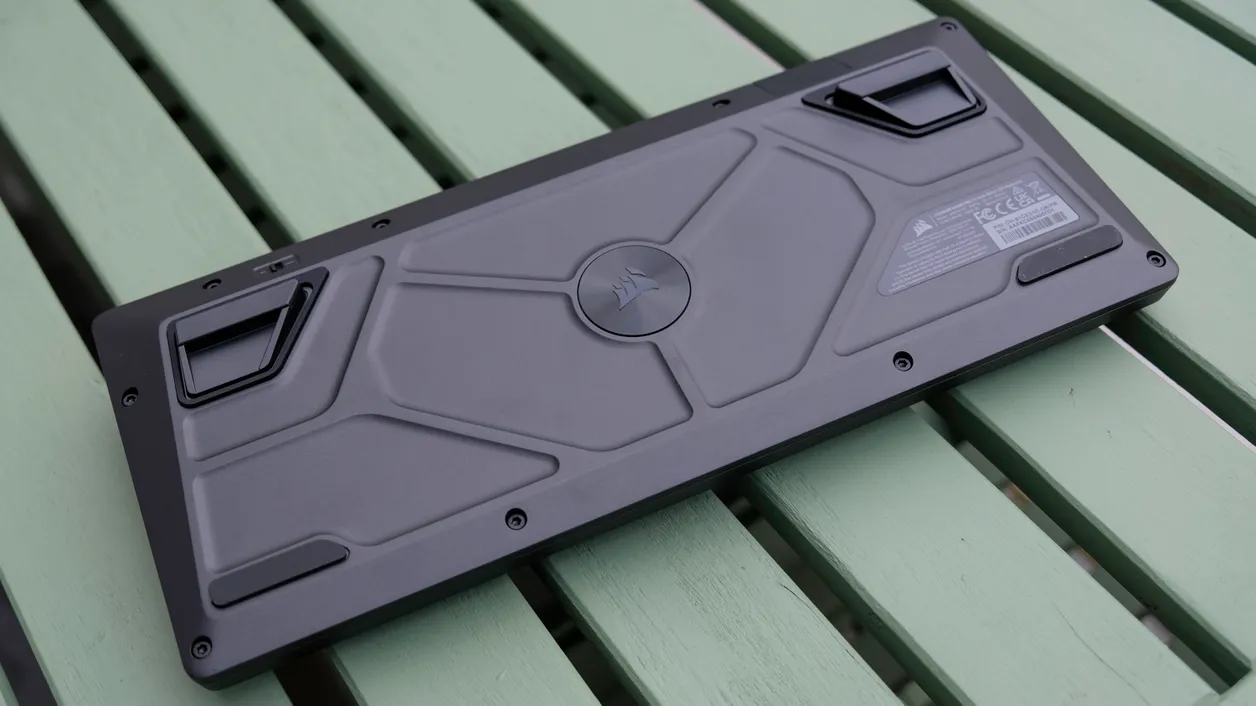
My review unit used an ISO-UK layout, but Corsair’s doing ANSI-US and other regional options, which matters if you’re picky about legends and key sizes. There’s also a physical switch on the back to flip between Windows and Mac modes, with Mac legends printed on the front of the keycaps. I tested it across a gaming PC and a MacBook, and the layout swap actually behaves the way you want – Command/Option where they belong, media keys working as expected.
Weight-wise, it’s in that satisfying “you could fend off a burglar with this” territory, thanks to the aluminium chassis and a stack of sound-dampening layers. Corsair advertises eight layers in the sandwich: gaskets, foams, plates – the usual checklist from the custom keyboard world, just preassembled. The case doesn’t creak or flex, and there’s no cheap hollow echo when you thock the spacebar with your thumb.
Up in the top-right, there’s a multi-function knob. Out of the box it’s a volume wheel with press-to-mute, but through the software you can rebind it to control brightness, scroll, zoom, or whatever. It’s not the most luxurious knob I’ve ever spun – some boutique boards do nicer, knurled aluminium with more resistance – but it’s solid and doesn’t wobble.
Keycaps and Feel: Great Board, Slightly “Eh” Caps
The weakest first impression isn’t the chassis, it’s the keycaps. They’re double-shot PBT, which is good news for legend durability, and the font is thankfully clean without the old “gamer” sci-fi nonsense. But the surface texture is smoother than I like. After a long evening of matches, my fingertips started to slide just a bit on WASD, especially when my hands got warm.
Coming from rougher-textured caps (think genuine thick PBT from Akko or a nice aftermarket set), Corsair’s set feels more like a crossover between ABS shine and PBT sturdiness. It’s not a deal-breaker – most people will adapt within a day – but it’s the first part of the board that made the enthusiast side of my brain go, “Yeah, I’d probably swap these out.” The nice part is that it’s standard layout and hot-swap compatible, so you actually can do that without fighting weird stabilizer placements or proprietary stem sizes.
Magnetic Switches, Rapid Trigger, and SOCD: The Fun Stuff
The real reason anyone looks at this keyboard in 2026 is the switch technology. Corsair uses magnetic (Hall effect–style) switches here, and they’ve gone all-in on features: per-key actuation between roughly 0.1mm and 4mm, rapid trigger, analog-like inputs, and SOCD tools for FPS players.
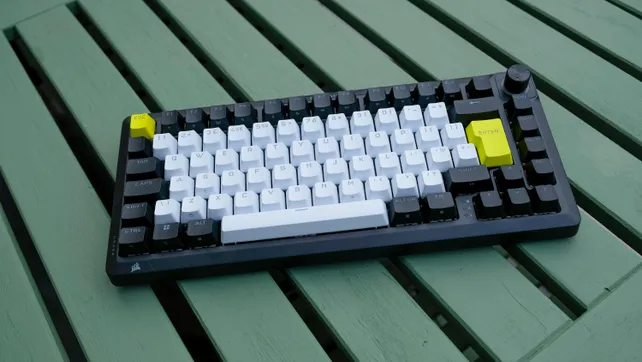
Out of the box, the switches feel like a smooth, lightly pre-lubed linear with a fairly soft bottom-out. The travel is full-size, not the shorter low-profile feel of something like Corsair’s Vanguard Air 99. Typing on them is… fine. Not “this is my dream custom build” tier, but absolutely above the average gaming keyboard. The eight layers of dampening help the sound profile: it’s more of a muted clack than a sharp ping. If you’ve ever typed on a barebones metal tray-mount board, the Makr Pro 75 will sound noticeably more refined than that.
Where it separates from traditional mechanical designs is how you can control each switch. Using Corsair’s web-based software, you can literally drag a slider for every key to change its actuation point. For games like Valorant or CS2, I brought WASD and movement keys down to around 0.8mm while leaving my number row and modifiers a bit higher to avoid fat-finger mistakes. Within a couple of rounds, strafing felt snappier – not just placebo, but actual earlier key registration and release.
Rapid trigger is the next layer on top of that. Instead of requiring the key to fully reset above a specific height before counting as “released,” the keyboard tracks changes in direction. As soon as you lift your finger even a fraction, it’s ready to re-trigger. In movement-heavy shooters, this matters more than I expected. Counter-strafing from A to D felt cleaner, and peeking out from behind cover in CS2, stopping dead to shoot, then sliding back, started to feel less mushy and more like an extension of my intent.
Then there’s SOCD cleaning (Simultaneous Opposing Cardinal Directions). It’s a feature borrowed from the world of arcade sticks and hitbox-style controllers, where pressing left and right at the same time can be abused for crazy-fast neutral moves. On Makr Pro 75, Corsair leans into it for FPS movement, letting you define how the board should behave when, say, A and D are both pressed. Some configurations can give you spooky-fast counter-strafe behavior, which is exactly why certain SOCD tricks have been banned in competitive play before. Here, you can tune it to be aggressive or more conservative, depending on how close to the edge you’re comfortable getting.
Is this stuff “necessary” to have fun? Of course not. But once you’ve spent ten hours with properly tuned per-key actuation and rapid trigger, going back to a vanilla mechanical board can feel weirdly sluggish, even if you never thought of it as slow before.
Web-Based Software: Shockingly Good, and a Legit Selling Point
Corsair’s new web-based configuration tool might be the most quietly impressive part of this whole package. I’m used to big-brand peripheral software being bloated, slow, and obsessed with account logins. This one… isn’t. I opened a browser, the board was recognized instantly, and within seconds I was remapping keys and tweaking actuation per key with drag-able graphs rather than cryptic menus.
You can build multiple profiles with different actuation maps (e.g. a “work” profile with higher actuation everywhere and a “sweaty FPS” preset with ultra-short travel on movement keys and spacebar). Lighting control is all there as well – layers, effects, per-key colors – but the important bit is that it doesn’t feel like an afterthought bolted on top of some generic engine. Polling rate, rapid trigger behavior, SOCD presets, macro layers: all of it is in one interface, and once profiles are saved to onboard memory, you don’t have to keep the browser open.
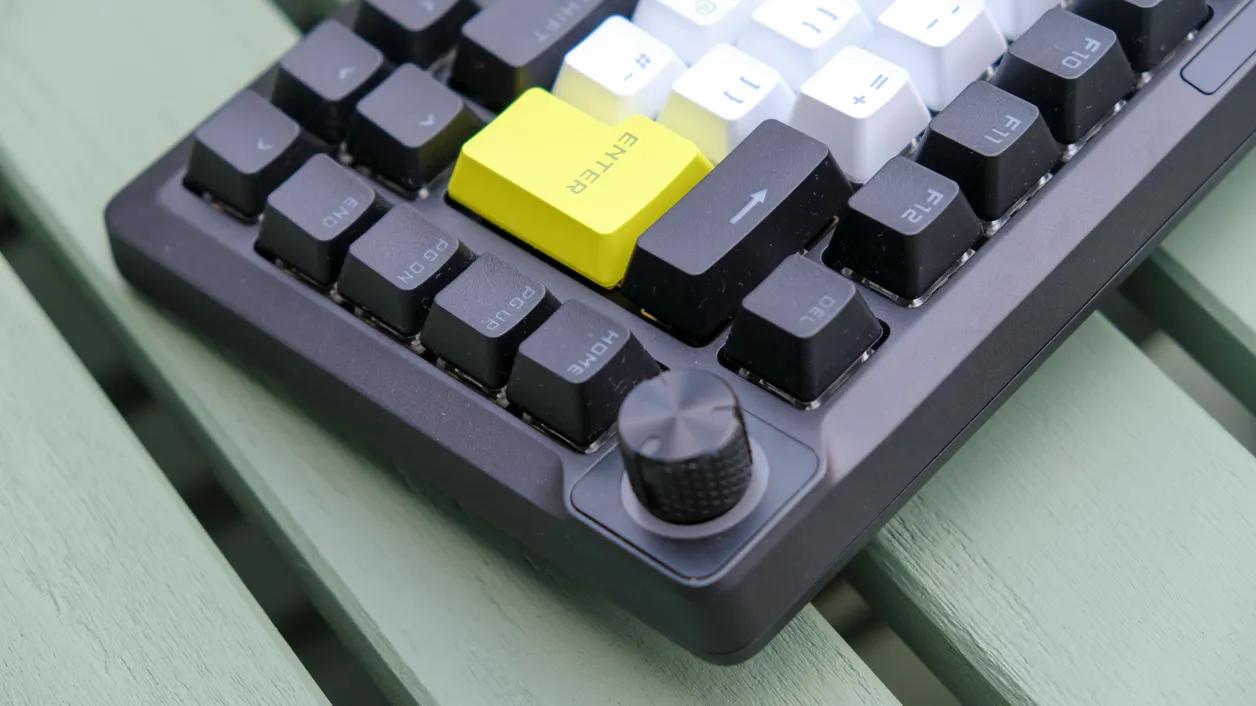
I’ve tested plenty of boutique boards where the hardware is gorgeous but the software ranges from “barely acceptable” to “Flash-era UI nightmare.” With Makr Pro 75, Corsair’s interface is polished enough that I’d actually cite it as a reason to pick this over smaller-brand magnetic boards that might be $30–$50 cheaper but way more painful to configure.
Gaming and Typing: 8000Hz Overkill, But the Movement Feels Incredible
The Makr Pro 75 supports an 8000Hz polling rate over USB. Practically, that means it’s sending updates to your PC every 0.125 milliseconds instead of the 1ms you get at 1000Hz. On a mouse, I can sometimes barely feel that difference in high-level play. On a keyboard, the honest truth is that it’s mostly bragging rights – your fingers aren’t moving 8x faster than they used to.
What did make a difference for me was the combination of high polling, magnetic switches, and rapid trigger playing together. In CS2, when I paired this board with a fast mouse and a 240Hz monitor, my movement felt absurdly precise. Peeking Mirage mid, sidestepping a pixel too far, then trying to snap back into cover – all the tiny human mistakes that normally get blurred by sloppy inputs became a little easier to correct. It doesn’t turn you into a pro, but it removes some friction that you don’t notice until it’s gone.
For typing, the experience is solid if slightly less magical. I wrote several long articles on this thing, including this review, and never felt any fatigue or annoyance beyond the slightly slick keycap texture. The sound profile is in that modern “muted custom board” zone – no sharp pings, no cheap resonant case noise, just a fairly gentle clack. Enthusiasts chasing ultra-deep “marble on wood” acoustics with fancy switches and polycarbonate plates will still want to build their own, but Makr Pro 75 gets closer to that vibe than most off-the-shelf gaming boards I’ve used.
DIY Cred vs. True Customs: How Enthusiast Is This, Really?
Corsair leans on “Makr” branding to tap into DIY energy, and to be fair, this isn’t just a locked-down slab. The switches are hot-swappable, the plate and foam stack can be disassembled if you really want to go in there, and swapping keycaps is straightforward thanks to the standard layout. If a switch dies, you can replace it. If you want a different feel or sound, you can experiment.
But it’s also very clearly designed as a complete, polished product out of the box. You’re not picking your own plate material, you’re not choosing between different stabilizer kits, you’re not playing with mount styles beyond what Corsair picked (a gasket-like mounting system here). That’s not a knock – most people don’t want to spend three evenings and half a paycheck debating plate flex – but it does mean that if you crave the process of building, Makr Pro 75 won’t scratch that itch the way a barebones kit from Keychron or a full custom from CannonCaps-land will.
Where I landed after a couple of weeks is this: Makr Pro 75 is less a “DIY playground” and more a pre-tuned, high-end board that just happens to let you tinker. You can mod it, but the biggest selling point is that you don’t have to. It’s already quiet, already gasket-mounted, already magnetic, already fully adjustable in software. For a lot of players who love the idea of custom keyboards but hate sourcing parts and fighting group-buys, that’s exactly the point.
Price, Competition, and Value: The $250 Question
At launch, the Makr Pro 75 sits at around $250 / £230. That’s premium territory, no way around it. For that money in keyboard land, your alternatives look something like this:
- A well-specced custom kit (Keychron Q-series, Glorious GMMK Pro, etc.) with nice switches and caps – but without magnetic actuation or rapid trigger.
- Other magnetic 75% boards from gaming brands (like Asus’s ROG Falchion Ace 75 HE), often in the same ballpark price-wise, with their own pros and cons in layout and software.
- Boutique magnetic boards from smaller brands that might be cheaper, but usually have rougher software and less mainstream polish.
Against that field, Corsair’s pitch is pretty clear: “We’ll give you the boutique input tricks, wrap them in a rock-solid chassis, and back it with genuinely good software and mainstream support.” If you value time and hassle as much as features, that’s compelling.
Where the value feels a bit shakier is if you’re already comfortable in the hobby space. For roughly the same money, you can assemble something that feels more personal, with thicker keycaps, nicer acoustics, and a layout tuned to your exact taste – just without the Hall effect wizardry. Or, if you don’t care about per-key actuation at all, you can grab a very competent mechanical 75% for well under $150 and still be happy.
Personally, I think Corsair just about earns the asking price, but this is a “know yourself first” kind of product. If rapid trigger, SOCD, and per-key analog behavior are exciting to you and you want them in a turnkey package, the premium makes sense. If you’re the type who loves to spend a weekend building and tuning, your money might go further – and be more fun – in a true custom.
Who the Makr Pro 75 Is Actually For
After living with it, I’d break the ideal buyer for this board down like this:
- Competitive FPS players who want rapid trigger, per-key actuation, SOCD tools, and 8000Hz polling in a reliable, plug-and-play package.
- Mechanical-curious gamers who lurk on r/MechanicalKeyboards but don’t want to fall face-first into the group-buy abyss.
- PC/Mac multitaskers who appreciate a compact 75% that still handles real typing and productivity without layout compromises.
- People who hate bad software and are willing to pay a bit extra for a clean, powerful configuration tool that doesn’t feel like abandonware.
If you’re primarily a typist chasing the ultimate “thock,” there are cheaper ways to get a more satisfying acoustic experience. If you need wireless baked in, you’ll have to factor in Corsair’s optional wireless module or look at other boards, which complicates the value equation even more.
FinalBoss // Gear
Level up your setup
01Top-rated gaming headsetson Amazon→02High-refresh gaming monitorson Amazon→03Gaming chairson Amazon→04Discounted game keyson Kinguin→Affiliate links · As an Amazon Associate, FinalBoss earns from qualifying purchases.
Want to Level Up Your Gaming?
Get access to exclusive strategies, hidden tips, and pro-level insights that we don't share publicly.
Ultimate Reviews Strategy Guide + Weekly Pro Tips