

Table of Contents (23)
Why Equitable Distribution Is Tricky (And How I Finally Made It Routine)
After a handful of messy wipes and failed timers, Equitable Distribution went from “just another Traxus contract” to the run I used to test every new build in Marathon. It forces you to do everything: tight timers, drone shooting, tunnel parkour, and a mini-boss-style Commander fight. The good news is that once you know the exact routes and what to prioritize, it becomes a very farmable contract chain for Traxus reputation and gear.
This guide walks you through all four parts of Equitable Distribution exactly how I run them now: precise locations, when to sprint and when to slow down, how much inventory space to leave, and how to avoid the UESC ambushes that ruined my early attempts.
Overall Prep: Loadout, Inventory, and Squad Roles
Before breaking down each part, here’s the setup I settled on after failing this chain more times than I want to admit.
- Weapons: A reliable mid-range rifle or SMG plus something with reach (DMR or marksman rifle) for the drone and Commander fight. I run a fast SMG + DMR combo.
- Healing: At least 3-4 solid heals per run for Parts 2 and 4. I once cheaped out on Part 4 and died to chip damage right after the Commander dropped.
- Utility: One Self-Revive for Part 4 if you can spare it. Claymores and tight interiors are not forgiving.
- Inventory:
- Part 1: Leave 1 free slot for the Self-Erasing Data Drive.
- Part 2: Leave at least 5 free slots (1 for Manifest, 4 for UESC Supplies).
- Part 3: As many empty slots as you can for Unstable Gunmetal.
- Part 4: Normal loadout is fine; no special item requirement beyond the dropped Credentials.
- Squad roles (if playing with others):
- Mule: One player keeps most inventory free and carries all contract items.
- Clearer: Focuses on killing UESC and watching flanks.
- Navigator: Calls routes, keeps track of timers and waypoints.
Progress usually counts for everyone on the same contract, so having a designated mule and clearers makes these runs dramatically more consistent.
Part 1 – Self-Erasing Data Drive in Hauler (5-Minute Timer)
Part 1 is where I failed the most early on, not because of the difficulty, but because I messed around looting and ran the timer down. You have to grab the Self-Erasing Data Drive in Hauler (the big ship in west Perimeter) and deposit it at any DCON within five minutes of picking it up in a single run.
Step 1: Get to Hauler and Up to the Second Floor
Start a Perimeter run and head straight for Hauler on the western side of the map. Don’t stop for fights unless you absolutely have to. The more noise you make at Hauler, the more UESC and Runners get drawn in.
- Enter Hauler via any of the main ground-level doors.
- Find a staircase or ladder that leads up to the upper interior corridors. There are multiple ways up, so don’t fixate on one path if it’s camped.
I usually favor side staircases away from the loudest fighting to avoid getting pinched on the climb.
Step 2: Grab the Self-Erasing Data Drive (Timer Starts Here)
Once you’re on the upper level, hug the western side of the corridors and keep moving toward the long room on the northern end.
- Head into the long data-storage room toward the north side of the upper floor.
- Look for a data storage unit along the wall (near the northern door).
- Interact with it to loot the Self-Erasing Data Drive.
The moment you pick this up, the five-minute timer starts. Don’t loot, don’t reposition for fights you don’t need. Get out.
Step 3: Sprint to the Nearest DCON and Deposit
Once you’ve got the Drive, your only job is to hit a DCON. From Hauler, the easiest are typically:
- Overflow DCON
- North Relay DCON
I personally prefer heading toward Overflow since I’ve had fewer squads camp it.
- Exit Hauler the same way you came if it’s clear; otherwise, bail through any other exit that’s not full of UESC.
- Holster your weapon to sprint faster and reduce heat, only pulling it out if you have to fight.
- Reach the DCON, interact, and deposit the Self-Erasing Data Drive.
Once it’s in the DCON, Part 1 is complete. You can exfil that said you like; the timer no longer matters.
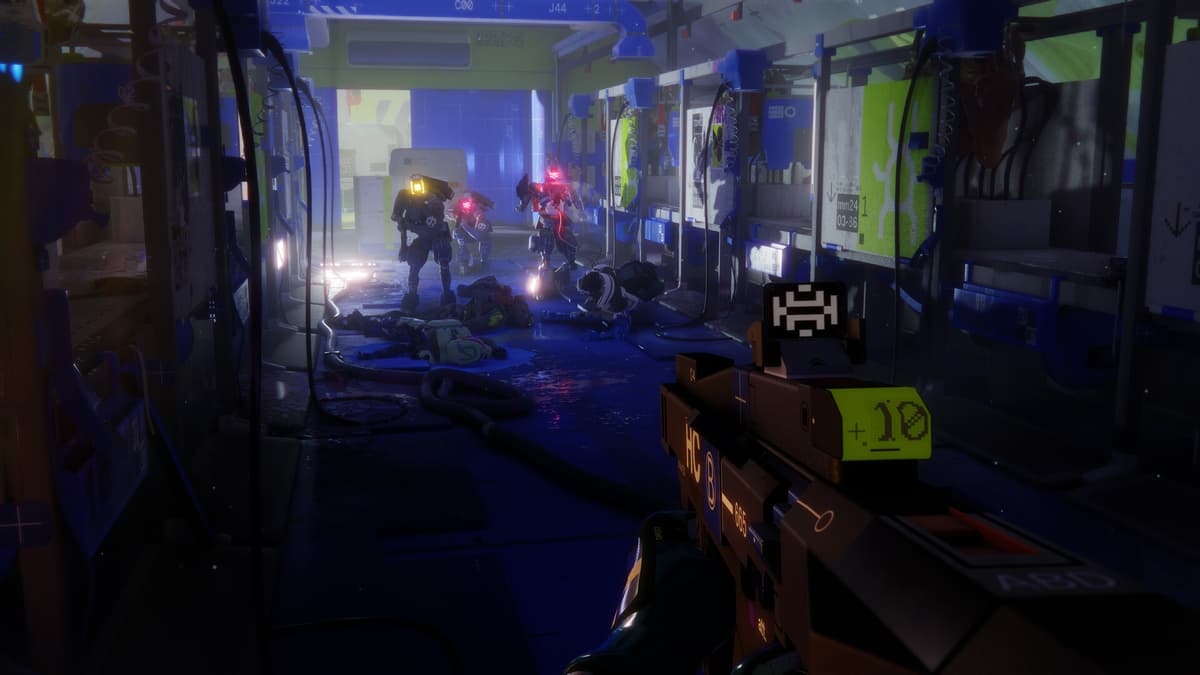
Common mistakes to avoid:
- Looting Hauler after picking up the Drive. Do it before, or not at all.
- Taking long, exposed routes to DCONs. Hug cover and avoid big open kill zones.
- Forgetting to leave an inventory slot free and having to shuffle items under fire.
Part 2 – Transport Drone in Dire Marsh (Manifest & Supplies in One Run)
Part 2 happens in Dire Marsh and has two main pain points: UESC density around Algae Ponds and the inventory space you’ll need. You must summon a Transport Drone, shoot it down, loot the UESC Drone Manifest and UESC Supplies, then exfil in the same run.
Step 1: Reach Algae Ponds Quietly
Start a Dire Marsh run and make a beeline for Algae Ponds near the center of the map. This place can get loud, especially with Intersection nearby, so I always try to arrive early before every squad converges.
- Approach from cover-heavy sides, avoiding the most open water and walkways.
- Clear just enough UESC to safely reach the main building.
- Head inside and take stairs up to the second floor.
Step 2: Use the Lab Terminal to Spawn the Drone
On the second floor, head into the southern lab room.
- Find the terminal on the western wall of the lab.
- Interact with it to summon the UESC Transport Drone.
- A waypoint will appear once the drone is inbound-keep your eyes peeled outside.
I like to reposition to a spot with good sky visibility and some hard cover before hitting the terminal, so I’m not scrambling when the drone appears.
Step 3: Shoot Down the Drone and Loot Quickly
The Transport Drone will fly somewhere nearby, marked by a bright waypoint.
- Use your mid/long-range weapon (DMR or rifle) to burst it down fast before it flies out of sight.
- Once it crashes, run to the yellow/orange cargo box it drops.
- Loot:
- UESC Drone Manifest (1 slot)
- UESC Supplies (4 slots)
This is where I lost runs by not leaving enough space-make sure you have at least five empty inventory slots before summoning the drone. Shuffling gear in the open while UESC converges on the crash site is a great way to die.
Step 4: Exfil with the Goods
Once you’ve got both items, do not hang around to chase fights. Head to the nearest extraction you feel comfortable with.
Step 4: Exfil with the Goods
Once you’ve got both items, do not hang around to chase fights. Head to the nearest extraction you feel comfortable with.
🎮 Get This Game at the Best Price
Compare prices instantly and save up to 80% on Steam keys with Kinguin — trusted by 15+ million gamers worldwide.
*Affiliate link — supports our independent coverage at no extra cost to you
- Stay off obvious high-traffic paths out of Algae Ponds.
- Heal early-don’t wait until you’re one shot.
- If you’re squadded, have one player scout ahead while the mule hangs back a few meters.
Successfully extracting with the Manifest and Supplies completes Part 2.
Part 3 – Scanning Station Drones & Collecting Unstable Gunmetal
Part 3 is mechanically easier but more navigation-heavy. The best part: you don’t need to do it in one run. You can scan drones and deposit Unstable Gunmetal over multiple Perimeter raids, which took a lot of pressure off once I realized it.
Step 1: Scan the Three Drones in Station Tunnels
Head to Station in southwest Perimeter. Enter the main building there and look for the stairs leading down into the tunnels/workshop area in the southwest.
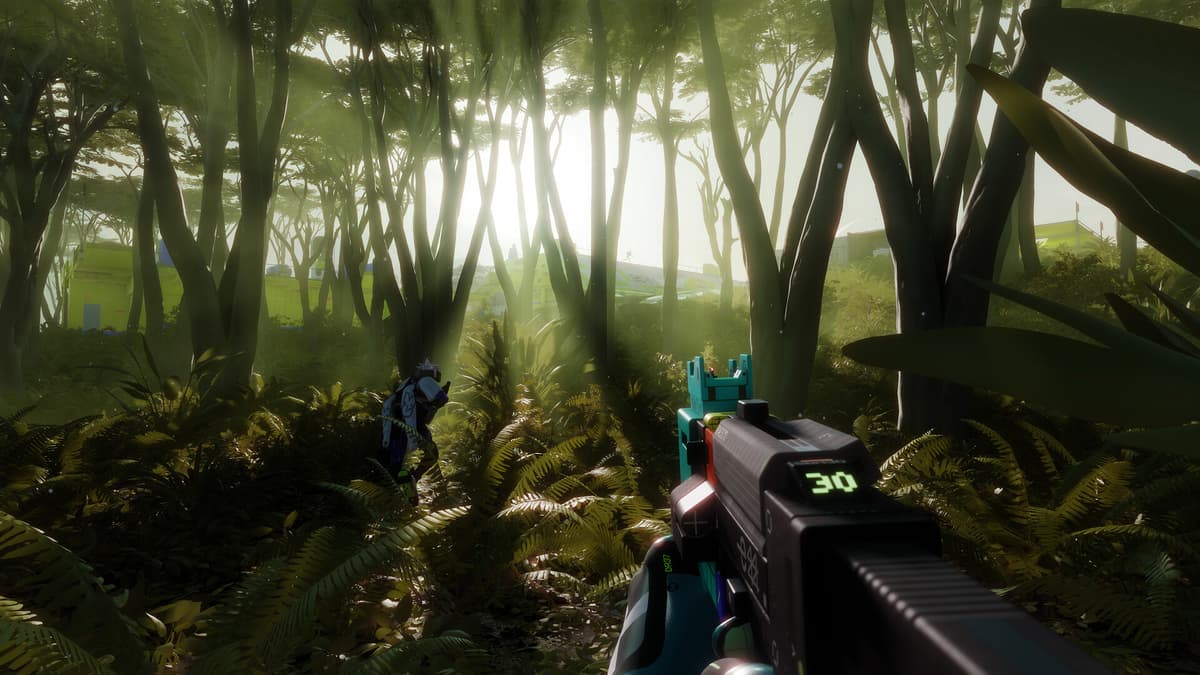
You’ll see lime-green waypoints guiding you toward each drone, but here’s how I route them to minimize confusion:
- Drone 1: From the tunnel entrance, bear left and go through the hanging plastic flaps. Look for a suspended drone behind a long window. Either:
- Smash the window and climb onto the rig holding the drone, or
- Walk around to get on top of the structure.
Stand close and interact to scan it.
- Drone 2: From Drone 1, continue southwest into the main workshop. There’s a large white piece of machinery in the middle. The second drone hangs from the ceiling on a platform next to it. Climb the machinery, then jump across to the platform and scan.
- Drone 3: Cross to the opposite side of the workshop. You’ll see a drone on the ground facing a large shelving unit full of more drones. Climb the shelf; the scannable drone is at the very back on top. Scan it to finish this objective.
Take your time with the jumps—falling and breaking armor because you rushed the parkour while UESC is pushing you is not fun. Clear nearby enemies before doing the climbs if you can.
Step 2: Farm and Deposit Unstable Gunmetal
Next, you need to find and deposit seven Unstable Gunmetal in a DCON. The good news is that both the loot and the DCON are near Station.
- Loot containers, crates, and storage units around Station. Unstable Gunmetal drops fairly often here.
- Once you have some, head to the DCON in the building just north of Station.
- Deposit Gunmetal into the DCON until the objective says you’ve delivered seven total.
Important: You do not need to deliver all seven in one run. If you only find three or four, drop those off and finish the rest on another raid. Also, don’t over-deposit. Stop as soon as the contract updates so you can keep any extra Gunmetal for yourself.
Part 4 – Breaching the UESC Facility and Killing the Commander
Part 4 feels like a mini-raid inside your raid. You’ll hit a booby-trapped UESC building in Perimeter, disable its locks, then track and kill a UESC Commander for their credentials—all in one run with a live timer once you trigger the terminal.
Step 1: Assault the Southern UESC Building
Start a Perimeter run and head to the small UESC building south of South Relay. It’s heavily guarded, and this is where I lost my first few Part 4 attempts by charging straight in.
- Clear the exterior UESC soldiers first. Use cover and try to pull them out one side at a time.
- Watch for red barriers and claymores around entrances.
- Once the outside is manageable, move to the ladder on the side and climb to the rooftop.
Step 2: Roof Entry and Trap Clearing
On the roof, you’ll see a ceiling vent near the DCON.
- Smash open the ceiling vent to reveal the storeroom below—but do not drop down yet.
- Look through the opening and shoot any visible claymores inside. There are often mines near the door and along the floor.
- Once you’re confident the immediate area is clear, drop down into the storeroom.
Every time I skipped the claymore check “just this once,” I regretted it. Take the extra few seconds.
Step 3: Destroy the Four Red-Lit Switch Boxes
Exit the storeroom via the door into the main interior. Your next task is to destroy four white switch boxes with red lights scattered around the building. These control the locks; you can’t leave normally until they’re all destroyed.

- Move slowly through the building, checking corners for remaining claymores or UESC stragglers.
- Shoot each red-lit box you find. They’re mounted on walls in various rooms and corridors.
- Keep count—once you’ve destroyed all four, the building is fully unlocked.
If you’re using a Runner Shell with good mobility (like Thief with her grapple), you technically have the option to climb back out via the roof hatch, but I still clear the boxes so the rest of the squad isn’t trapped.
Step 4: Trigger the Terminal and Hunt the Commander
With the building secured, head to the UESC terminal on the main counter inside.
- Interact with the terminal. This:
- Marks a lime-green waypoint for the Commander’s arrival point (commonly around North Relay, though it can vary).
- Starts a four-minute timer until the Commander arrives.
- Leave the building and head to the marked location immediately.
I always try to arrive with at least a minute to spare. That gives you time to pick a good vantage point, set up crossfires, and clear AI in the area before the Commander shows.
Step 5: Kill the Commander and Secure the Credentials
Once the timer hits zero, the Commander arrives with a squad. Expect heavier resistance than a normal UESC patrol.
- Focus fire on the Commander but don’t tunnel-vision—clear immediate threats first if you’re about to get overrun.
- Use grenades or abilities to break their formation and stagger the group.
- As soon as the Commander drops, locate and loot the UESC Credentials data card from the body.
- Interact/use the card on your Runner to register it for the contract.
Once your Runner has used the Credentials, Part 4 is considered complete—you just need to survive long enough to exfil. Don’t stick around for a victory lap; the area will stay hot.
Putting It All Together and What Comes Next
After you extract from that final run, turn in Equitable Distribution with Vulcan and enjoy the credits, salvage, and weapon rewards from each stage. Finishing this chain also pushes your Traxus reputation up toward the threshold for the next big contract lines and better faction upgrades.
If you follow the routes above—respect the five-minute Drive timer, leave space for the drone loot, pace yourself through Station tunnels, and treat the Commander facility like a mini-raid—you’ll turn what feels like a chaotic multi-step headache into a consistent, repeatable grind route. It took me a handful of scuffed attempts to smooth it out, but once I did, Equitable Distribution became one of my go-to ways to gear up and stack Traxus rep.
Stick to the plan, don’t get greedy with extra fights, and this four-part contract chain will start feeling a lot less intimidating—and a lot more profitable.
FinalBoss // Gear
Level up your setup
01Top-rated gaming headsetson Amazon→02High-refresh gaming monitorson Amazon→03Gaming chairson Amazon→04Discounted game keyson Kinguin→
Affiliate links · As an Amazon Associate, FinalBoss earns from qualifying purchases.
Want to Level Up Your Gaming?
Get access to exclusive strategies, hidden tips, and pro-level insights that we don't share publicly.
Ultimate Guide Strategy Guide + Weekly Pro Tips