
Table of Contents (20)
Cryo Archive in Marathon: What This Guide Covers
Cryo Archive is Marathon’s weekend-only endgame map: a 30-minute, raid-style PvPvE zone with the strongest UESC security, dense corridors, and some of the highest-value loot in the game. The limiting factor is not just combat, but how efficiently your team handles Security Clearance and extraction. This guide focuses on those systems: how tags, monitors, scanners, and vault power interact, and how a three-player team can structure a full run without wasting minutes on low-value objectives.
Access and tuning details can shift between weekend rotations, but the core structure has stayed consistent across multiple runs: six outer wings feeding into a central Control/Panopticon hub, layered Security Clearance from Level 0-5, and extraction options that only unlock once your team has pushed clearance high enough.
Map Layout and Run Constraints
Cryo Archive is laid out like a wheel:
- Central hubs: Control and Panopticon at the core.
- Six outer “wings”: Cargo, Steerage, Biostock, Preservation, Revival, Index.
- Multiple interconnections between wings, but all broadly funnel inward.
Your trio always spawns at the far end of one of these wings. All teams push inward at the same time, which means Control quickly becomes a crossfire zone. There is a hard 30-minute timer for the entire raid; once it expires, you are effectively done whether you’ve extracted or not.
Other key constraints that matter for planning:
- Trio-only: Cryo Archive requires a full team of three Runners (premade or Crew Fill). There is no solo or duo entry.
- Endgame gating (as of recent builds): account level 25+, all factions unlocked, and a minimum gear value threshold for your loadout before you can queue.
- Security Clearance resets: every run starts at Level 0, regardless of what you achieved in previous attempts.
Within these constraints, the main optimization problem is: how fast can your trio move from Level 0 to at least Level 3 (for basic extraction) while grabbing enough loot and power to justify the risk of pushing deeper vaults and higher clearances.
Security Clearance: Core Mechanic Explained
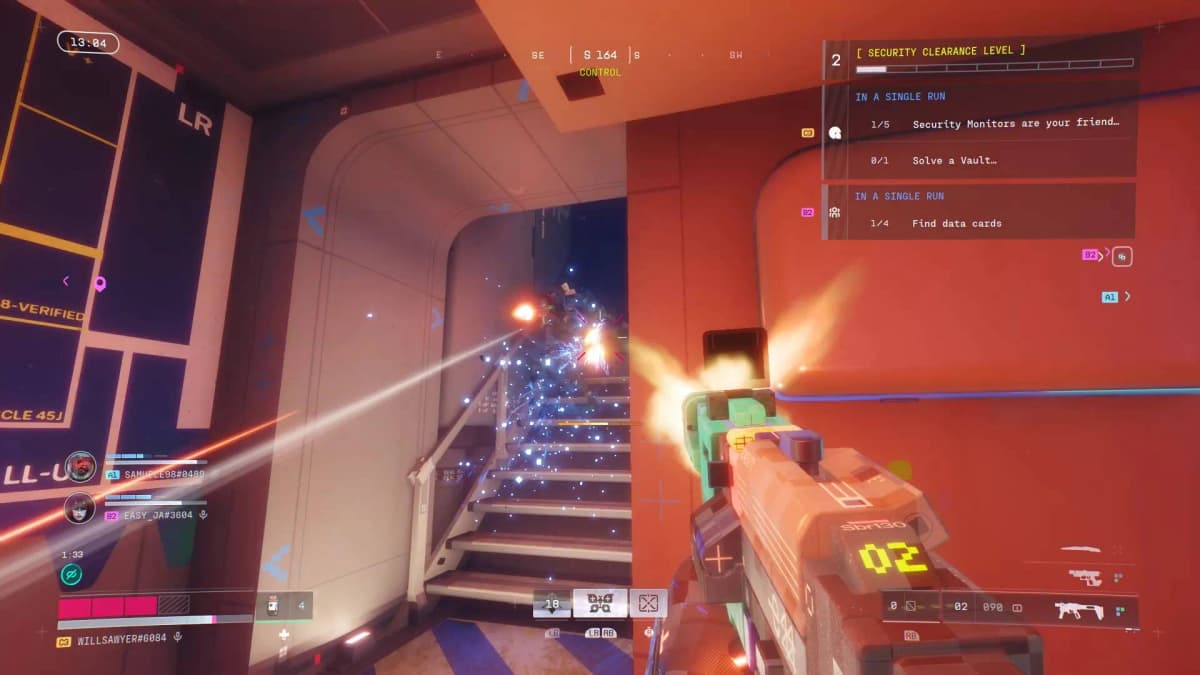
Security Clearance in Cryo Archive is a team-wide progression track that controls which doors, vaults, machines, and extraction terminals your group can access. You can see your current Clearance Level in the top-right of the HUD. It starts at Level 0 and can rise up to Level 5.
Clearance is advanced by accumulating “points” on a shared bar. There are two primary sources:
Security Tags
Security Tags are small red items found in two main ways:
- Looted from UESC Commanders (the better-armored captains).
- Found loose on surfaces, desks, and furniture in Archive rooms.
Each tag contributes +1 point to the team’s Clearance progress bar when picked up. Early thresholds work roughly as follows:
- Reaching Level 1: around 3 tags total.
- Level 2: approximately +6 more on top of that initial amount.
- Later levels demand progressively larger point totals.
Important behavior: tags are tied to individual players’ inventories. If a Runner carrying tags dies and those tags are not recovered, your team’s total Clearance points can drop, and in some cases your Clearance Level can decrease. To reduce the risk of a single wipe undoing progress, distribute tags across all three Runners rather than stacking them on one person.
Tag discipline is a frequent weak point in early groups. Make looting Commanders’ backpacks and nearby surfaces non‑optional; ignoring tags is effectively throwing away Clearance and time.
Security Monitors
Security Monitors are wider consoles and wall terminals scattered more sparsely than tags. They require a short hack interaction. Successfully hacking one adds a larger chunk of progress to the Clearance bar-currently +3 points per monitor.
Unlike tags, points gained from monitors appear to be persistent for that run. Even if carriers die later, the monitor contribution remains. Because of this, monitors provide more “safe” progress and are high-priority whenever you spot one, especially in the first 10 minutes.

Practical Clearance Thresholds
The exact door and vault requirements can vary between sections, but these broad thresholds shape the run:
- Level 1-2: Opens a lot of lateral doors in the outer wings and some safer paths toward central areas. Good for initial routing and light vault access.
- Level 3: Crucial breakpoint. Standard extraction options begin to appear only once the team reaches Level 3. Any run that does not hit this level is effectively a failed raid.
- Level 4+: Unlocks deeper vaults, better loot routes, and additional extraction terminals, including some of the more flexible evac options.
- Level 5: Currently functions as a cap for clearance-gated content; reaching this allows the widest possible access but often demands committing most of the run to tag and monitor hunting.
For most teams, a reasonable baseline is: Level 3 or bust, with Level 4 pursued when the lobby feels manageable and your team has secured enough resources to contest extraction fights.
Scanners, Batteries, and Vault Power
Cryo Archive layers additional map systems on top of Security Clearance. Three of them directly affect how efficiently you find loot and extractions: Scanners, Batteries, and vault entrances.
Scanners: Information Radius Scales with Clearance
Scanners are black, wall-mounted terminals that can be activated with a short interaction. Once used, they highlight nearby “points of interest” on your map and HUD for a limited time. These can include:
- Extraction terminals
- Security Monitors
- Batteries
- Occasionally vault-adjacent interactables
The higher your current Security Clearance Level, the wider the scan radius and the more the Scanner reveals. Early in the run, even a small-radius scan is useful to locate your next monitor or battery without wandering blind.
Best practice is to treat every Scanner as “mandatory use” when it is safe to do so. The information yield per second spent is high, especially after Level 2.
Best practice is to treat every Scanner as “mandatory use” when it is safe to do so. The information yield per second spent is high, especially after Level 2.
🎮 Get This Game at the Best Price
Compare prices instantly and save up to 80% on Steam keys with Kinguin — trusted by 15+ million gamers worldwide.
*Affiliate link — supports our independent coverage at no extra cost to you
Batteries and Vault Power
Batteries are physical items that fit into specific power bays around vault doors and certain machines. They appear both on the floor and in containers and are also highlighted by Scanners.
Most vaults in Cryo Archive have two main requirements:
- Correct key or subroutine for that vault.
- Sufficient power, usually in the form of nearby battery slots that must be filled.
If the team is not explicitly going after a vault on that run, batteries can be ignored beyond incidental pickups. For squads targeting specific wings or deeper vaults, plan a battery route in advance and avoid carrying more than you actually expect to use; batteries consume inventory space that could otherwise hold ammo, grenades, or loot.
Extraction Mechanics and Evac Priorities
Extraction on Cryo Archive is deliberately more complex than on Marathon’s standard maps. Security Clearance gates your ability to leave, and extraction points themselves can become contested PvPvE arenas.
Basic Requirements
The essential condition is:
- Your team Security Clearance must reach Level 3 before any meaningful evac options appear.
Once Level 3 is reached, your team can start locating and activating extraction terminals. These are visible both physically in the world and, after Scanner use, as icons on your map. At higher Security Levels (Level 4+), more terminals and occasionally more favorable positions become accessible.
Standard vs. “Secret” Exfils
Current runs feature a mix of:
- Standard evac terminals that multiple teams may contest simultaneously.
- Less obvious or “secret” exfil routes that appear further from the team’s current location-often around 3.5 minutes’ run time away when measured from some central areas.
Triggering an extraction terminal does not quietly teleport you out. Instead, it generally:
- Broadcasts extraction activity to other teams in the match.
- Summons UESC security forces to defend the area, turning evac into a layered PvPvE encounter.
This creates a timing dilemma: rotate early to a quieter terminal with less loot but lower risk, or delay extraction to secure another vault or wipe a rival team, then race the clock to reach a more distant terminal.
In practice, once your inventory contains at least one or two items you truly care about, it is safer to plan extraction around hitting Level 3 by the 15-20 minute mark, then begin moving toward a viable evac option rather than waiting for the final five minutes.
Recommended Trio Roles and Loadouts
Given the density of enemies and the precision required for hacking and navigation, three complementary roles work well in Cryo Archive:
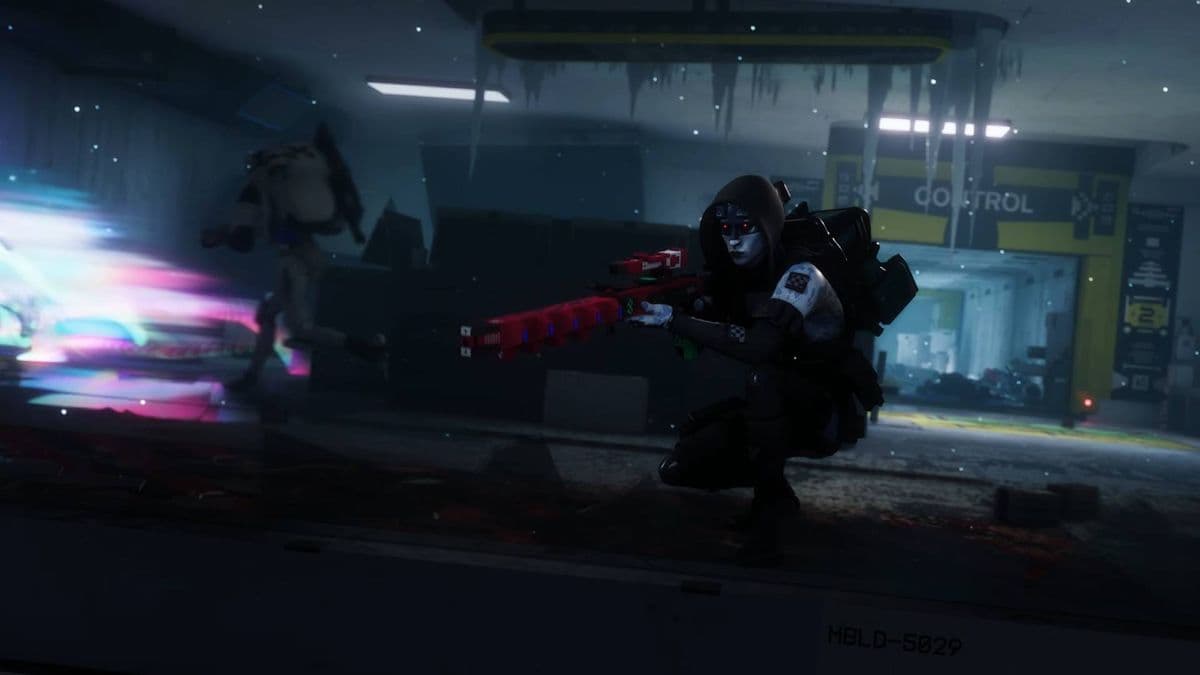
- Mobile entry / AoE
Carries a high‑capacity primary (SMG or fast AR) and multiple grenades. Focuses on clearing UESC packs and opening space around Commanders so the team can safely loot tags. This player should also be the one most willing to check corners and push into unknown rooms first. - Mid‑range anchor and hacker
Uses a stable mid‑range weapon and gear that improves objective interactions (for example, Focals or similar perks that boost hack speed and awareness). This Runner prioritizes Security Monitors, Scanners, and interacts with power consoles while the others cover. - Flexible support / overwatch
Carries a precise weapon for punishing exposed enemy players and Commanders, plus extra ammo, healing, and utility items. This role helps redistribute Security Tags so that no single inventory becomes a single point of failure.
A few loadout principles that have held up across runs:
- One premium weapon is enough to bring in. Leave your secondary slot empty if you want to pick up a high-quality gun during the raid; Cryo Archive is generous with weapon drops from UESC and lockers.
- Over-invest in ammunition and grenades. The sheer volume of UESC firefights and corridor engagements makes running dry one of the most common causes of failed pushes.
- Do not overpack rare consumables like Self‑Revives and niche buffs. Many of these drop naturally during the run; reserve your pre‑raid backpack space for ammo, heals, and a modest set of utility items.
Minute-by-Minute Priority Timeline
The following timeline assumes a reasonably contested lobby and a group that wants a balance between loot and safe extraction.
0–5 Minutes: Stabilize and Hit Level 1–2
- Clear immediate UESC resistance in your spawn wing.
- Loot every UESC Commander for tags; do not leave backpacks unchecked.
- Use any Scanner you see to reveal nearby monitors and batteries.
- Hack the first one or two Security Monitors you find, even if it means a small detour.
By the end of this window, aim for at least Level 1, preferably edging toward Level 2. Avoid rushing all the way toward Control; lateral movement within your wing is usually safer early on.
5–15 Minutes: Clearance Push and Route Planning
- Focus on farming more Commanders and hacking additional monitors.
- Route toward mid-tier vaults or loot clusters that your current Clearance Level allows.
- Keep tags distributed; if one Runner is carrying obviously more, rebalance at a safe moment.
- Use Scanners whenever you transition through a new sub-area to avoid blind exploration.
The goal is to reach Level 3 in this phase. Once Level 3 is secured, mark at least one plausible extraction route and identify any nearby vaults or high-value rooms you can pass through on the way.
15–25 Minutes: Vaults and Extraction Setup
- Decide whether the lobby state and your inventory justify pushing for Level 4. If so, prioritize monitors over risky PvP engagements unless you can secure an easy wipe.
- If targeting a specific vault, collect and slot the necessary batteries while keeping one Runner free to watch angles.
- Begin rotating slowly toward your preferred extraction zone; do not wait for the final minutes to start moving.
This is also the right window to make use of any high-risk mechanics you have discovered in the current layout-such as chained vaults in adjacent wings—while still leaving enough time to recover from a bad fight and re‑route to another terminal.
25–30 Minutes: Commit to Evac
- Trigger your chosen extraction terminal with the entire team present; split activations are more likely to fail.
- Prepare for both UESC reinforcements and opportunistic enemy Runners converging on your position.
- If an extraction collapses—either from a wipe or overwhelming enemy presence—do not attempt a desperate rotation across the entire map in the last two minutes unless you have very little to lose.
In most successful runs, the final five minutes are spent defending a chosen evac, not searching for one.
Environmental Hazards and Micro-Optimizations
Several repeating mechanics in Cryo Archive can either cost or save significant time depending on how you respond to them.
- Laser tripwires
Crossing these typically seals the area with red barriers and spawns a UESC response squad or mini‑boss. You can exit by clearing the encounter or hacking the correct panel. If one teammate remains outside the trap, they may find an alternate console to open the barriers; coordinate before leaping through obvious laser grids. - Frostbite zones
Cold areas can apply a frostbite-style mechanical debuff. A Mechanic’s Kit can clear the effect from the Runner, but you can also temporarily warm local space by shooting all nearby green wall panels. Clearing these panels before extended firefights reduces debuff management during combat. - Central Control risk
Control’s layout and sightlines make it a natural killbox. While its connections are attractive for fast rotations, entering Control too early exposes your team to crossfires from multiple wings and other Runners converging on the center. Prefer side corridors and peripheral links until your squad is ready for deliberate PvP engagements. - Pacing on learning runs
On initial weekends, it is better to under‑loot and safely extract at Level 3 than to overextend chasing unfamiliar vaults or secret routes. Knowledge of Scanner locations, common Commander patrols, and typical battery spawn pockets accumulates rapidly across attempts and will increase your efficiency more than any single greedy vault pull.
Combined, disciplined tag collection, early monitor hacks, Scanner usage, and conservative extraction timing transform Cryo Archive from an overwhelming maze into a predictable, route-driven endgame activity where your trio can systematically raise Security Clearance, touch key vaults, and exit with consistent value each weekend.
FinalBoss // Gear
Level up your setup
01Top-rated gaming headsetson Amazon→02High-refresh gaming monitorson Amazon→03Gaming chairson Amazon→04Discounted game keyson Kinguin→
Affiliate links · As an Amazon Associate, FinalBoss earns from qualifying purchases.
Want to Level Up Your Gaming?
Get access to exclusive strategies, hidden tips, and pro-level insights that we don't share publicly.
Ultimate Guide Strategy Guide + Weekly Pro Tips