
Cryo Archive, the core endgame activity for Marathon Season 2, is currently disabled. Bungie pulled the mode after a revive-blocking bug began locking players out of self-revives and teammate respawns mid-run, effectively bricking entire sessions and putting any earned Cradle XP or session loot at risk. If you are working through Season 2’s progression systems right now, the endgame loop is simply not available, and there is no reliable workaround that preserves your time investment.
Table of Contents (6)
What the Bug Actually Does in a Match
The revive-blocking bug surfaces during Cryo Archive sessions when standard respawn mechanics fail to register. Players report that self-revive options become unresponsive after dropping, while squadmates attempting manual respawns encounter failed interactions that leave bodies on the floor. In a mode built around sustained squad survival and resource management, losing one player to a broken revive state usually ends the run. The result is a wasted session: no completion rewards, no meaningful forward progress, and potentially lost time spent navigating the mode’s night-themed map variants.
Season 2 introduced night-themed layouts that lean heavily into visibility compression and close-quarters ambushes. Cryo Archive uses these variants to force tighter squad coordination, which makes the revive-blocking bug especially punishing. You cannot simply play safer to avoid it; the map design funnels teams into engagements where downs are inevitable. The problem seems to manifest most consistently during intense firefights where multiple players are dropped in rapid succession, overwhelming the revive queuing system and hard-locking the squad out of recovery.
Not every squad hits the bug every time, but the failure rate is high enough that Bungie disabled the playlist entirely rather than let players burn consumables and queue time on matches that could implode at the first downed state. That tells you the studio considers it a systemic issue, not an edge case.

Which Grind Plans Are on Hold
Cryo Archive is not a side activity in Season 2’s structure. It feeds directly into the Cradle progression system, which means disabled access stalls XP gains, unlock pacing, and loot acquisition tied to endgame milestones. If you were targeting the new Sentinel Runner shell-a defensive frame that fields an automated laser platform for intercepting grenades and missiles, plus a proximity mine and short-range motion tracker-any progression tied to Cryo Archive completions is frozen. That shell is specifically designed for the kind of sustained defensive stands Cryo Archive demands, so losing the mode also means losing the ideal test environment for your new build.
The same applies to Sponsored Survival objectives and any seasonal challenges that require playlist participation. New weapons introduced in Season 2 are balanced around these tighter, darker engagements, meaning their effective mastery grinding is also bottlenecked by the mode’s absence. Players banking on the Open Play Week window, which ran June 2-9 across PlayStation 5, Steam, and Xbox Series X|S, already dealt with server errors and queue instability during the free-access period. Disabling the primary endgame mode immediately after that window closes strands paying players without the exact content they were supposed to retain them.
How to Recognize If You Are Affected
Symptoms are binary. If Cryo Archive is missing from the playlist menu, you are affected-there is no way to queue into it. If you managed to load into a match before the disable order hit and your revive prompt fails to appear or squadmate respawns refuse to channel, you are in a broken instance. The only safe move is to extract or force-close the application; continuing the run risks a full squad wipe with no reward screen.
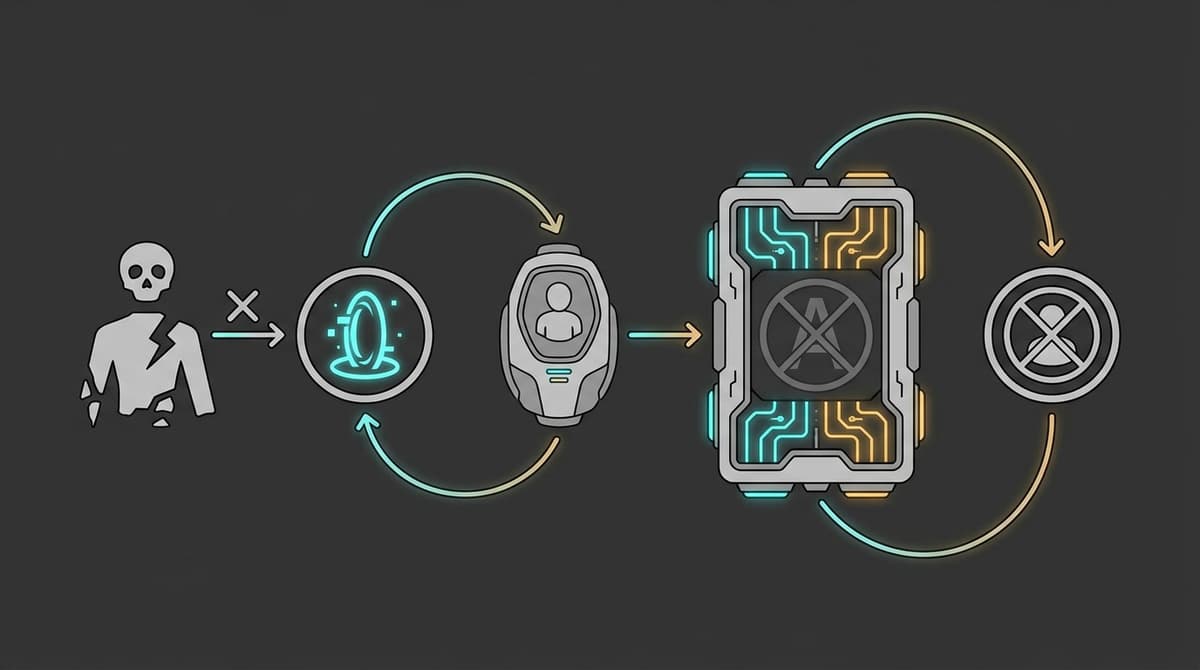
For players tracking session integrity, a telltale sign is the revive UI flickering or disappearing entirely after the first knockdown. If the prompt does not appear within the standard downtime window, do not wait for a sync correction. The bug does not self-resolve, and sticking around burns gear and time. Some players have reported that extracting immediately after the first failed revive still results in a partial save of Cradle XP earned up to that point, but this is inconsistent. Do not bank on it.
This Is a Pattern, Not a One-Off
Season 2’s relaunch has been undermined by technical failures at every critical window. Server errors disrupted free-play access, queue bugs pushed players out of matchmaking during peak hours, and now an endgame mode has been fully disabled. These are not launch-day hiccups from a fresh release; they are recurring infrastructure problems hitting a game that already shed the majority of its launch audience. Marathon peaked at roughly 77,000 concurrent players on Steam at release and has since settled into a 24-hour peak below 16,000. A live service in that position cannot afford to disable its endgame loop during the exact season meant to win players back.
The timing makes it worse. Bungie just shipped Destiny 2’s final major content update, Monument du Triomphe, on June 9, spiking that game’s Steam concurrents to roughly 167,000. Marathon does not have the luxury of being the only child in the house anymore, and every technical stumble makes it harder to justify the Season 2 purchase—or the grind—against a stable competitor with years of goodwill. When your extraction shooter is fighting for attention against your own studio’s legacy title, a disabled endgame mode is not just a bug. It is a self-inflicted wound.
When to Reinvest Your Time
Do not queue for Cryo Archive the moment the playlist reappears. Wait for Bungie to confirm the mode is live, then give it 24 to 48 hours of community verification. If revive interactions are functioning consistently and completion rewards are landing properly in the Cradle track, the risk drops. Until then, focus on lower-stakes Season 2 content like weapon familiarization in available playlists or map exploration on the night variants that shipped with this season.
The specific signal to watch for is a patch note or service update that references the revive-blocking bug as resolved—not just “investigating” or “monitoring.” If the mode returns without an explicit fix note, assume the infrastructure is still fragile. Your time is better spent elsewhere until the endgame loop proves it can hold a full squad through an entire session. Additionally, check whether Bungie resets or extends any seasonal challenge windows that expired during the downtime; if they do not, that is another signal that your grind schedule needs to adjust independent of the mode’s return.
What to Watch Next
Keep an eye on three things: the playlist status in the main menu, community reports on revive reliability during the first 48 hours of restoration, and whether Bungie issues compensation for Cradle XP or seasonal challenge progress lost during the downtime. If none of those arrive promptly, it signals deeper live-ops strain than a single bug fix can solve. The next 48 hours after restoration will tell you whether Season 2 is actually stable or simply running on borrowed time until the next critical failure.
FinalBoss // Gear
Level up your setup
01Top-rated gaming headsetson Amazon→02High-refresh gaming monitorson Amazon→03Gaming chairson Amazon→04Discounted game keyson Kinguin→
Affiliate links · As an Amazon Associate, FinalBoss earns from qualifying purchases.
Want to Level Up Your Gaming?
Get access to exclusive strategies, hidden tips, and pro-level insights that we don't share publicly.
Ultimate Gaming Strategy Guide + Weekly Pro Tips