
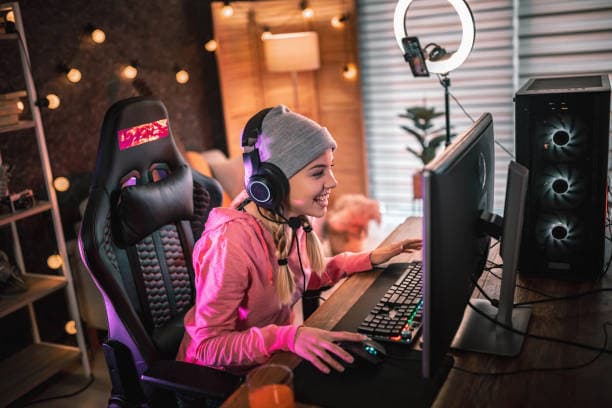
If you want a channel that grows while you sleep, you need two things: categories that still have an audience in 2026, and systems that keep producing when your motivation dips. This guide is the systems half — scheduling, retention, discovery, monetization and the platform rules that changed in the last year. If you are still deciding what to play on stream, read the companion piece on the best evergreen games to stream in 2026 first, then come back here to build the machine around it.
Table of Contents (14)
The 2026 landscape in numbers
Before you plan anything, look at where attention actually sits. These are mid-July 2026 figures from TwitchTracker’s rolling seven-day board and TwitchMetrics’ 30-day viewer-hours table.
| Category | Avg concurrent viewers (7-day) | Viewer hours (30-day) |
|---|---|---|
| Just Chatting | ~323,000 | ~201M |
| League of Legends | ~119,000 | ~80M |
| VALORANT | ~87,000 | ~40M |
| Grand Theft Auto V (incl. RP) | ~72,000 | ~47M |
| Counter-Strike | ~55,000 | ~83M |
| Minecraft | ~42,000 | ~27M |
| Fortnite | ~32,000 | ~26M |
| Marvel Rivals | ~30,000 | ~15M |
Two honest caveats. First, trackers disagree on the exact ordering between Counter-Strike and League of Legends depending on whether you rank by average concurrents or by total hours watched — Counter-Strike wins on hours, League wins on averages. Second, none of the public trackers publish a clean per-game channel count for 2026, so anyone quoting you “3,000 channels live in League” is quoting a number that is not currently sourceable. Rank your options by hours watched and by how many mid-sized channels you can see on the browse page, not by a channel count someone made up.
The practical read: the ceiling categories are the same as they were two years ago, and that is exactly why they are worth building on. Evergreen means the demand curve does not fall off a cliff in six weeks.
Step 1: Two anchors, one rotating slot — and commit for four weeks
The single biggest mistake I see is streaming five different games a week “to test.” You will get no signal. Viewers cannot form a habit around a channel that is a different show every night, and the algorithm cannot form a pattern either.
- Anchor 1 — a high-hours category you can be genuinely good or genuinely funny in. That is where new viewers find you.
- Anchor 2 — a slower, chat-friendly category where regulars hang out and talk. That is where they stay.
- Rotating slot — one night a week for new releases, requests, or Just Chatting. That is your pressure valve.
How to sanity-check a candidate in ten minutes: open the browse page for that category, scroll past the top five channels, and look at positions 20 to 60. If that band is populated with channels doing 50 to 500 viewers, there is a middle class in that category and you can join it. If it drops straight from 40,000 to 12, the category is a winner-take-all trap and you are streaming into a void.
Step 2: A schedule you can hit on your worst week
Do not build the schedule you want on your best week. Build the one you can hit with a cold, a bad shift, and a broken router.
- Three fixed slots beat five flexible ones. Same days, same start time, to the minute. Regulars set their evening around it.
- Pick a length and hold it. Two and a half to three hours is the sweet spot: long enough for the mid-stream discovery window, short enough that you can do it three times a week for a year.
- Bank a fallback show. One low-effort format you can run with no prep — patch-notes reading, viewer clips, a tier list, ranked with the camera off. On the night you have nothing, you still go live.
- Publish the schedule where it is visible: panel, offline banner, chatbot command, and the pinned message in your Discord. Then treat it as a contract.
Track one number: returning viewers per stream, not peak concurrents. Peak spikes when someone raids you. Returning viewers only climb when the show is worth coming back to.
Step 3: Retention structure — give every hour a job
A three-hour stream with no shape is three hours of people leaving. Give each block a purpose and say the purpose out loud when you start it.
- 0:00–0:20 — the doorway. Camera scene, no gameplay pressure. Recap last session, state tonight’s goal, take one question. New arrivals need to know what show they walked into within fifteen seconds.
- 0:20–1:40 — the main block. The thing you promised. Ranked climb, RP arc, build test, challenge run. One clear objective the chat can root for.
- 1:40–2:00 — the chat block. Deliberately lower the mechanical difficulty so you can actually talk. This is where lurkers become regulars.
- 2:00–end — the payoff. The attempt, the boss, the final ranked game, the poll result. End on the thing people will want to see the result of next time.
Two mechanics that carry more weight than any overlay: cliffhangers (end while there is still a question open) and callbacks (open the next stream by referencing what chat decided last time). Both cost nothing and both are the actual reason series-based channels retain.
Step 4: The platform changes that matter in 2026
A lot of streaming advice written in 2025 is now wrong on the operational details. Here is what genuinely changed, with dates.
- Monetization opened up on 13 May 2026. Twitch’s “Monetization for All” rollout made Channel Points, subscriptions, emotes, badges and Bits available to eligible streamers globally over the course of about a week. If the last time you checked you were told to grind to Affiliate before you could earn anything, check again — the gate moved.
- Revenue accrual came first. At TwitchCon Rotterdam on 31 May 2025, Twitch announced that all streamers would accrue revenue, with payouts still reserved for Partners and Affiliates at that time. The 2026 rollout is the follow-through on that.
- Self-run gift-sub promotions. Announced alongside the above: Partners and Affiliates got 70 hours of promotional time, usable across up to seven promotions per year. Schedule them around your biggest nights, not randomly.
- Dual-format and vertical viewing. Also from the May 2025 Rotterdam announcements: Twitch rolled out dual-format streaming and vertical viewing so a single broadcast reads properly on a phone. If your overlay puts critical information in the far corners of a 16:9 frame, it is invisible to a growing share of your audience. Keep names, timers and objectives inside a centre-safe column.
- 100-hour storage cap on highlights and uploads, introduced in 2025 with reporting putting the start at 19 April 2025. Treat Twitch as ephemeral storage. Your VOD archive belongs on YouTube, and your clips belong wherever you can search them.
- Suspensions and enforcement were overhauled in February 2026. Worth reading the current guidelines yourself rather than trusting a summary — the enforcement side moved more than the content rules did.
One item to be careful with: some 2026 creator commentary claims Twitch’s simulcasting restrictions were relaxed to the point where you can freely combine Twitch and YouTube chat. I could not verify that against a primary policy source, and in February 2026 streaming communities were circulating a case of a creator receiving a warning specifically for combining YouTube and Twitch chat. Read the current terms yourself before you build a multistream workflow on secondhand summaries — this is a rule that can get your channel actioned.
While you are auditing your setup: if a “Twitch growth service” DMs you offering viewers, followers or a promotion package, it is a scam. There is no legitimate paid service that inserts you into Twitch discovery, and bought viewers actively poison the retention metrics you are trying to grow.
Step 5: Tech that stops being your ceiling
You do not need a second PC. You need a stream that never drops and audio that never clips.
- Bitrate honesty. Run a sustained upload test at your normal streaming hour, not at 3am, then set bitrate to roughly 70% of the sustained result. A stable 4,500 kbps beats a stuttering 8,000 every single time.
- Encoder split. Hardware encoding (NVENC / AMF / QuickSync) for gameplay, so the CPU stays free for the game. Only move to x264 if you have cores to spare.
- Audio first. Viewers forgive 720p. They do not forgive clipping, room echo, or game audio drowning your voice. Set a limiter, gate the mic, and mix game audio 12 to 15 dB under your voice.
- Low latency on, but know the cost. Low-latency mode is right for viewer games, polls and queues. If your show does not need real-time interaction, normal latency buffers better on bad connections.
- Scene minimum. Gameplay, Just Chatting, Starting Soon, and a Be Right Back. Four scenes you never have to think about beats twelve you fumble live.
Step 6: Discovery you control
You cannot make the front page happen. You can make everything else happen.
- Raid deliberately. End every stream by raiding a channel in the same category at a similar size, and say why you like them. Reciprocity in the sub-500 band is the closest thing to reliable discovery.
- Clip your own stream. Assign a regular the job, or do a ten-minute pass on the VOD. Three clips per stream, exported vertical, posted the next morning.
- Title for the search, not for yourself. “Diamond → Master push, day 4” tells a browsing viewer what they are walking into. “vibes :)” does not.
- Put the VOD on YouTube with chapters. Chapters are how a stream becomes a searchable guide, and a searchable guide is how someone finds you six months later.
Step 7: Plan around 19 November 2026
The biggest scheduled event in streaming this year is Grand Theft Auto VI, confirmed by Rockstar for Thursday 19 November 2026 on PS5 and Xbox Series. That date is the third one on the books: the game slipped from a Fall 2025 window to 26 May 2026 (announced 2 May 2025), then to 19 November 2026 (announced 6 November 2025).
What that means operationally: GTA V and its RP servers have not collapsed in the run-up — GTA V is still a top-four Twitch category by average viewers and was the second most-watched game across all livestreaming platforms in 2025, driven overwhelmingly by roleplay. Building a GTA audience now is not building on a dying category, it is building the exact audience that will be looking for a familiar face in November. Our coverage of what the GTA 6 Ultimate Edition actually costs is worth reading before you plan a launch-week budget, and if you want a GTA Online money angle to run until then, the current Bunker bonus grind is an easy repeatable stream format.
Three things to do before October:
- Establish yourself in the GTA V or RP category so you have a category history when the new game lands.
- Clear your calendar for launch week and tell your audience in advance you will be live.
- Decide your angle now — story-first, RP-first, or a “first 24 hours” marathon. Everyone will be live that week; only an angle gets remembered.
Step 8: Community operations that scale past you
- Two or three mods, with named jobs. One on chat safety, one on clips and timestamps, one on queue or lobby management. Vague mod roles produce no mod work.
- Write the rules down once and bind them to a chat command. Backseating policy, spoiler policy, self-promo policy. Enforce them the same way on your best night and your worst.
- Discord is the retention layer, not a second job. Three channels: announcements, general, and clips. Kill everything else until there is demand for it.
- Ritual beats novelty. A recurring named night — Hardcore Friday, Patch Night, Case Files — gives people a reason to remember a specific day. Rituals are the cheapest retention tool that exists.
FAQ
How long before I see real growth?
Judge on four-week blocks, not on individual streams. If returning viewers per stream is trending up over four weeks with a fixed schedule and fixed anchors, the system is working even if peak concurrents look flat.
Should I stream a huge category or a small one?
Check the middle of the browse page, not the top. A big category with a healthy 20th-to-60th-place band is better than a small category with no viewers at all. Discoverability comes from the presence of mid-sized channels, not from low competition.
Is Just Chatting worth using as a growth tool?
It is the largest category on Twitch by a wide margin — roughly 323,000 average concurrents and about 201 million viewer hours over 30 days in July 2026 — but it is also the least structured. Use it for your doorway block and your rotating slot, not as your anchor, unless talking is your show.
Do I need to multistream to YouTube?
Uploading VODs and clips to YouTube is unambiguously worth it. Simultaneous broadcasting is a separate question governed by platform terms that shifted during 2026 — verify the current rules before you set it up rather than relying on secondhand summaries.
None of this is a growth hack. It is a schedule you can hit, a show with a shape, a category with an audience, and one calendar date in November worth preparing for. That combination compounds; chasing trends does not.
FinalBoss // Gear
Level up your setup
01Top-rated gaming headsetson Amazon→02High-refresh gaming monitorson Amazon→03Gaming chairson Amazon→04Discounted game keyson Kinguin→
Affiliate links · As an Amazon Associate, FinalBoss earns from qualifying purchases.
Want to Level Up Your Gaming?
Get access to exclusive strategies, hidden tips, and pro-level insights that we don't share publicly.
Ultimate Guide Strategy Guide + Weekly Pro Tips