
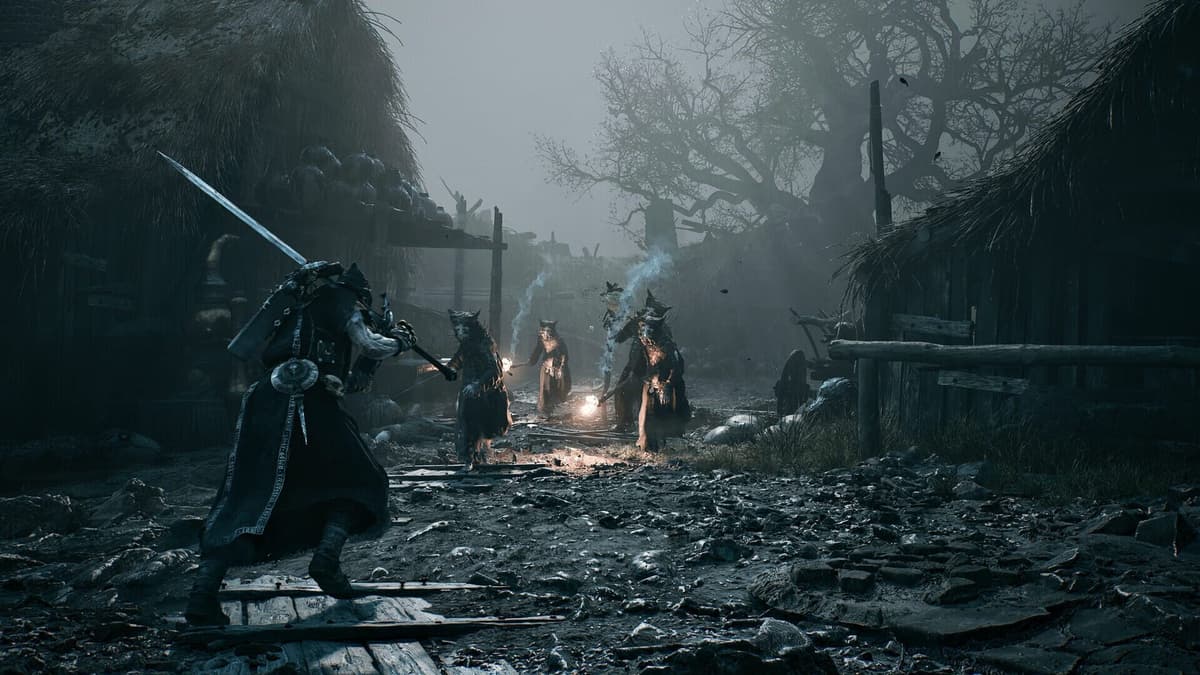
The Tar Golem achievement in Mortal Shell 2 trips people up because the fight you are “supposed” to lose is actually the one you have to win outright. The story presents the encounter as a scripted defeat, but the achievement only fires if you personally drag the boss to exactly 0 HP before the cutscene takes over — and the sequence afterward writes an autosave that can quietly ruin your next attempt.
Table of Contents (11)
The short version
- The achievement is named “Finish the Fight” and unlocks when Tar Golem hits 0 HP — not when the scripted defeat plays out.
- Keep a manual save from before the encounter. Treat every run as one-shot.
- Go for damage, not survival. The scripted “loss” does not count, so emptying the health bar is the only objective.
- If the achievement does not pop, quit before the cutscene autosave writes, then reload your clean save.
- If you already passed the section and the autosave overwrote your file, you likely need a fresh save file.
- This is an open-beta achievement — it is exclusive to the playtest build and will not carry over to the full release.
What the achievement actually checks
The trigger is tied to Tar Golem’s health reaching exactly 0, not to “finishing” the encounter the way the story first frames it. The boss “dies” either way, but the achievement only tracks the health bar hitting zero before the cutscene. That distinction is why people miss it: you can play the encounter “correctly” for the narrative and still walk away without the unlock.
It also cuts the other way. After the achievement pops, the game still auto-wipes you, plays the cutscene, and keeps the same rewards — it moves on whether you won or lost. So do not expect a special victory room or a new checkpoint state. If “Finish the Fight” appears on screen, you are done, even though the aftermath looks identical to a normal loss.
Protect a clean pre-fight save first
The whole method depends on save discipline. Before you do anything, lock in a save from before the Tar Golem trigger. Do not rely on the encounter to hand you a convenient retry point — it does the opposite. Once the post-fight sequence finishes, the autosave can overwrite the clean setup you wanted.
- Keep one manual save from before the Tar Golem encounter.
- If the game gives you multiple slots, duplicate that save into a second slot before attempting the fight.
- Do not experiment on your only progression file.
- If you already triggered the post-fight scene on your main file, stop and check for an older save before doing anything else.
How to run the attempt
Load the protected save and play for damage
Load the save you set aside for this and change how you approach the fight. The objective is not to survive long enough for the story to advance — it is to push Tar Golem all the way to zero. If you have been treating it like a scripted loss where you conserve healing and play it safe, drop that mindset. Damage output is the whole game here. A defensive, drawn-out approach can keep you alive and still fail the check, because the scripted defeat does not count.
Watch for the unlock at the zero-HP moment
The unlock is tied to the boss reaching zero health, not to the later cutscene. Do not sit through the whole sequence hoping the game awards it at the end. If the health bar empties and “Finish the Fight” appears, you are finished — the wipe and replayed cutscene afterward are normal and do not matter. If the boss drops, the scene starts, and you do not get the achievement, treat the attempt as failed and act immediately.
Quit before the cutscene autosave burns the run
Once it is clear the achievement did not trigger, do not let the post-fight sequence finish. The cutscene/aftermath autosaves a state that is bad for retries, so quitting before that write preserves your attempts. Use an in-game Quit to Title option if it is available before the save commits — it is cleaner than force-closing the application, since an abrupt shutdown can cause its own save problems.
This is why the one-shot framing matters. Go in expecting that every failed attempt needs an immediate reset. Watching the cutscene out of curiosity is the classic mistake — it lets the autosave overwrite the only clean file you had.
If the autosave already happened
If you already let the scripted sequence complete and the game saved afterward, your options narrow fast. Roll back to your earlier save in this order:
- Best case: load a manual save from before the Tar Golem encounter.
- Also workable: restore a backup copy of your save if your platform supports it.
- Worst case: if your only file is the overwritten post-cutscene autosave, you likely need a fresh save file for another clean attempt.
If you are already past the safe rollback window, do not waste an hour hunting for an in-place fix. Confirm whether you still have an older save first — that is the only reliable reset path.
Common mistakes
- Assuming the scripted defeat counts. It does not. The boss has to hit 0 HP.
- Letting the full sequence play out after a failed attempt. That is the fastest way to lose your clean retry save.
- Using only one save slot. A single slot turns a quirky achievement into a file-management disaster.
- Playing too cautiously. The check is about emptying the health bar, so low-pressure chip play can fail even when it feels safe.
- Expecting a different outcome after the unlock. The game still wipes you, plays the cutscene, and keeps the same rewards. An unchanged aftermath does not mean you failed.
A note on the beta
These achievements are exclusive to the Mortal Shell 2 open beta and will not carry over to the final release, so anything you unlock now stays in the playtest build. Because this is beta behavior, a later build could change the trigger, the cutscene, or the autosave timing. If the game updates, confirm the steps still hold before trusting older advice.
Practical takeaway
The Tar Golem achievement is not about surviving the story encounter — it is about forcing the boss to 0 HP before the game pulls you into its scripted aftermath. Protect a save before the fight, commit to full damage instead of the expected defeat, and quit before the cutscene autosave if the achievement does not pop. If that autosave already happened, skip the in-run fixes and reload an earlier save — it is the only reset that reliably works.
FinalBoss // Gear
Level up your setup
01Top-rated gaming headsetson Amazon→02High-refresh gaming monitorson Amazon→03Gaming chairson Amazon→04Discounted game keyson Kinguin→Affiliate links · As an Amazon Associate, FinalBoss earns from qualifying purchases.
Want to Level Up Your Gaming?
Get access to exclusive strategies, hidden tips, and pro-level insights that we don't share publicly.
Ultimate Guide Strategy Guide + Weekly Pro Tips