

Nintendo Switch 2: Check microSD Express and Dock Compatibility
Buy a microSD Express card with the EX logo for Nintendo Switch 2 game storage, then treat every third-party dock as a three-part compatibility check: it must support USB-C Power Delivery, output video through HDMI, and keep charging the console while video is active. A regular microSD card or a generic USB-C hub can fit physically and still fail at the job you bought it for.
The Switch 2 accessory checks that matter before checkout
Use the product page and the packaging as a checklist. The wording matters more than broad claims such as “high-speed,” “USB-C,” “Extreme,” or “works with Nintendo consoles.” Those labels can describe a fast card or a functional hub without confirming Nintendo Switch 2 compatibility.
- Storage: The card must explicitly say microSD Express and show the EX mark.
- Capacity: Keep the card at or below the Nintendo Switch 2’s 2TB supported limit.
- First use: Plan to connect the console to the internet for the required system update before using a new microSD Express card.
- Dock power: Confirm that both the dock and the charger support USB-C Power Delivery.
- TV output: Confirm the dock has a stated HDMI video-output function, not only USB ports and charging.
- Travel use: Confirm that the dock supports simultaneous power pass-through and video output.
- Compatibility claim: Favor products that name Nintendo Switch 2 specifically, rather than the original Nintendo Switch alone.
microSD Express is required for Switch 2 game storage
The key storage rule is simple: Nintendo Switch 2 uses microSD Express cards for downloadable games. Standard microSD and microSDXC cards from the original Nintendo Switch era are not valid expansion storage for installing or playing Switch 2 games.
The easy purchasing trap is confusing Express with Extreme. “Extreme” is a performance-focused product name used on some conventional microSD cards. It does not prove that the card uses the microSD Express standard. Look for the words microSD Express in the specification list and the EX logo on the card or package.
That Express requirement is about compatibility first. The format uses a faster PCIe and NVMe-based interface than conventional microSD media, but the important part for a Switch 2 owner is that the console expects that interface for game storage. A fast-looking UHS-I card remains the wrong purchase if it lacks the Express designation.
What to do with an old Switch microSD card
Do not treat the card from an original Nintendo Switch as free Switch 2 game storage. It cannot be reused to install, store, or launch Switch 2 games. It can still have value as an archive for screenshots and videos, but it should not be part of your Switch 2 digital-library capacity plan.
This is worth deciding before migrating a large download library. If your old card is full, moving to Switch 2 does not solve the problem by moving that card over; it creates a separate microSD Express purchase.
Capacity: buy for your download habits, not the smallest possible upgrade
Nintendo Switch 2 supports microSD Express cards up to 2TB. You do not need to buy the maximum capacity immediately, but the smaller the card, the sooner you return to managing installs instead of playing. Digital libraries become especially awkward when several large games share space with updates and downloadable content.
A 512GB microSD Express card is a practical middle ground for players who buy digitally and want room to keep multiple larger games installed. The SanDisk 512GB Nintendo Switch 2 microSD Express card has been a useful pricing benchmark at around $120, though card pricing changes often. Compare its price against other microSD Express products, not against much cheaper conventional microSD cards that are incompatible for Switch 2 games.
Higher advertised transfer speeds can still be useful for installs and file movement, but do not pay extra for a benchmark figure before confirming Express support, capacity, retailer reliability, and an explicit Switch 2 compatibility statement.
Set up a new microSD Express card with the first-use update in mind
A valid microSD Express card may need a Nintendo Switch 2 system update before the console will use it. That means a card can appear to be the problem when the real issue is that the console has not yet gone online for the first-use update.
- Connect the Nintendo Switch 2 to the internet before judging whether a new card works.
- Install the available system update, then insert or recheck the microSD Express card.
- Verify the card’s packaging says microSD Express, rather than only microSD, microSDXC, UHS-I, or Extreme.
- Check that the capacity is no higher than 2TB.
- Use a reputable seller and manufacturer, since old standard-microSD inventory and vague listings are the main sources of bad purchases.
FinalBoss // Gear
Level up your setup
01Best-selling Switch 2 gameson Amazon→02Switch 2 accessorieson Amazon→038BitDo controllerson Amazon→04Discounted game keyson Kinguin→Affiliate links · As an Amazon Associate, FinalBoss earns from qualifying purchases.
Dock compatibility depends on power and video working together
A third-party dock can be perfectly fine for a phone, tablet, or laptop and still be a poor Switch 2 travel solution. The important test is whether it handles the console’s required power behavior while also sending a stable picture to a display. Charging alone is not proof that the dock will work for TV play.
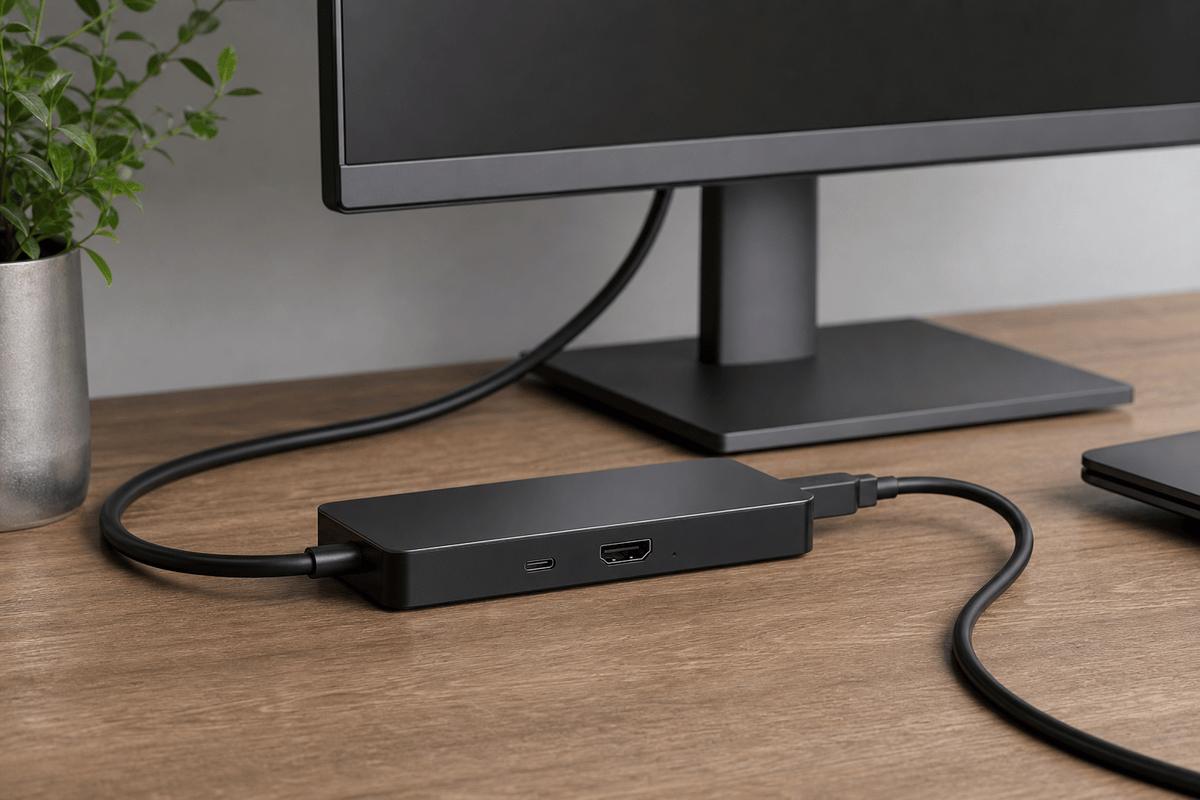
Check the dock, its power adapter, and the product’s Switch 2 support statement as one setup. A dock with HDMI but inadequate Power Delivery can produce unstable behavior. A strong charger connected to a hub without proper video output can charge the console while leaving the TV blank. A hub that works only when it is not charging the console defeats the point of a travel dock.
1. Confirm USB-C Power Delivery, not only USB-C charging
USB-C describes the connector. USB-C Power Delivery describes the charging protocol that a docked console setup needs to negotiate power correctly. A listing that says only “USB-C charging” leaves out the important detail.
- Check that the dock supports USB-C Power Delivery input.
- Check that the charger also supports USB-C Power Delivery.
- Read the dock’s stated power-input requirement and make sure the charger is intended to meet it.
- Avoid assuming a compact phone charger is enough for docked Switch 2 use simply because it has a USB-C port.
- Prefer a dock maker that documents Nintendo Switch 2 support instead of relying on a broad “works with Switch” promise.
The practical failure state is usually obvious: the console may charge in handheld mode, yet show a black screen, disconnect from the display, or behave inconsistently when the dock is expected to run charging and video at once.
2. Confirm real HDMI video output
For TV play, the dock needs a declared HDMI video-output feature over its USB-C connection to the Switch 2. Extra USB ports, Ethernet, card readers, or a built-in stand do not replace that requirement.
For a compact travel setup, choose a dock with HDMI built into the unit rather than one that depends on stacking additional adapters. Every extra adapter adds another possible point of failure in the video chain, especially when you are connecting to an unfamiliar hotel or family-room display.
- Look for an explicit HDMI output specification.
- Make sure the product describes video output while the Switch 2 is receiving power.
- Check that the dock is marketed for Nintendo Switch 2, rather than only the original Nintendo Switch.
- Test charging and display output together before packing it for a trip.
3. Verify pass-through charging for travel docks
A travel dock needs to do two jobs at the same time: take Power Delivery from the wall charger and pass appropriate power through to the Switch 2 while the HDMI connection is active. A product that can only charge the console or only output video is a partial solution.
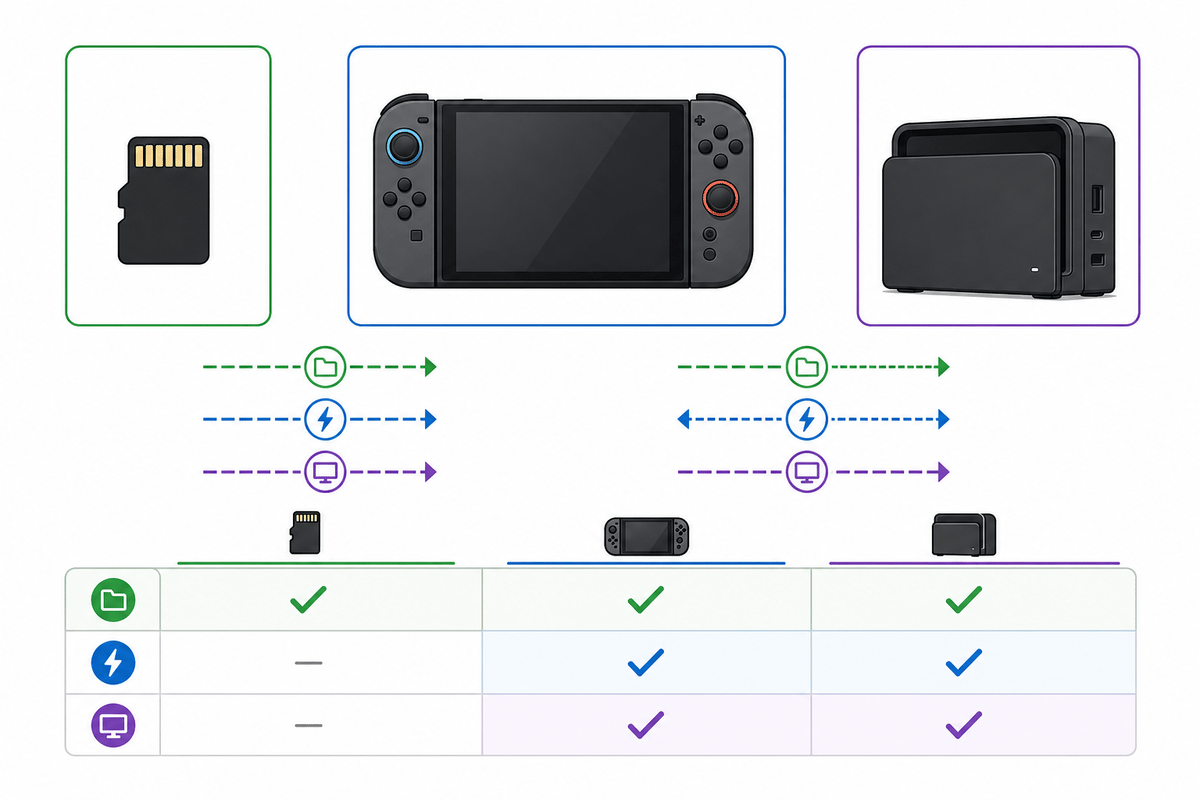
This is why a generic “USB-C hub” description is weak buying information. The reliable wording to look for is a combination of USB-C Power Delivery, HDMI output, pass-through charging, and Nintendo Switch 2 compatibility.
Want to Level Up Your Gaming?
Get access to exclusive strategies, hidden tips, and pro-level insights that we don't share publicly.
Ultimate Guide Strategy Guide + Weekly Pro Tips
Choose accessories based on how you play
| Setup goal | Storage requirement | Dock and charger requirement | Purchase mistake to avoid |
|---|---|---|---|
| Mostly handheld, digital library | microSD Express card with EX logo; choose capacity based on the number of installed games | A reliable USB-C Power Delivery charger for portable charging | Buying a cheaper conventional microSD card marked “Extreme” or “high-speed” |
| Permanent TV setup | microSD Express card up to 2TB if extra game storage is needed | Dock with documented Switch 2 support, USB-C Power Delivery, and HDMI output | Assuming a dock that charges the console will automatically output video |
| Travel TV setup | microSD Express card for the games you want available away from home | Compact dock with Power Delivery pass-through and built-in HDMI video output | Using a phone charger and generic hub without checking their docked Switch 2 behavior |
Common Switch 2 accessory failures and the likely cause
The card fits, but the console will not use it for games
Check the exact standard first. The card should say microSD Express and show the EX logo. A normal microSDXC card can fit the slot but remains unsuitable for Switch 2 game storage. If the card is Express, make sure the console has completed its required first-use system update.
The dock charges the Switch 2, but the TV stays blank
Focus on the dock’s video claim and the power setup together. Confirm that the dock explicitly supports HDMI video output for Switch 2 and that it is receiving USB-C Power Delivery from a suitable charger. A charging-only hub, a dock without a stated video feature, or an under-specified travel charger can all produce this result.
The dock works until the charger is connected
This points to pass-through charging behavior. The dock needs to sustain HDMI output and console charging simultaneously. Check the dock’s Power Delivery input requirement, verify that the attached charger supports Power Delivery, and avoid mixing in extra adapters that are not part of the dock’s documented setup.
Read these exact phrases on the box or product page
- For storage: “microSD Express,” “EX,” “Nintendo Switch 2 compatible,” “up to 2TB,” and “system update required on first use.”
- For a TV dock: “USB-C Power Delivery,” “HDMI output,” “video output,” “pass-through charging,” and “Nintendo Switch 2 compatible.”
- For travel charging: a stated Power Delivery capability from both the charger and the dock, plus a claim that charging and video work together.
The cleanest Switch 2 accessory setup is therefore a verified microSD Express card for games, a Power Delivery charger matched to a Switch 2-compatible dock, and a dock with documented HDMI output. Verify those terms before buying, complete the microSD Express update requirement at home, and test the dock with power and video active before relying on it away from your main setup.