
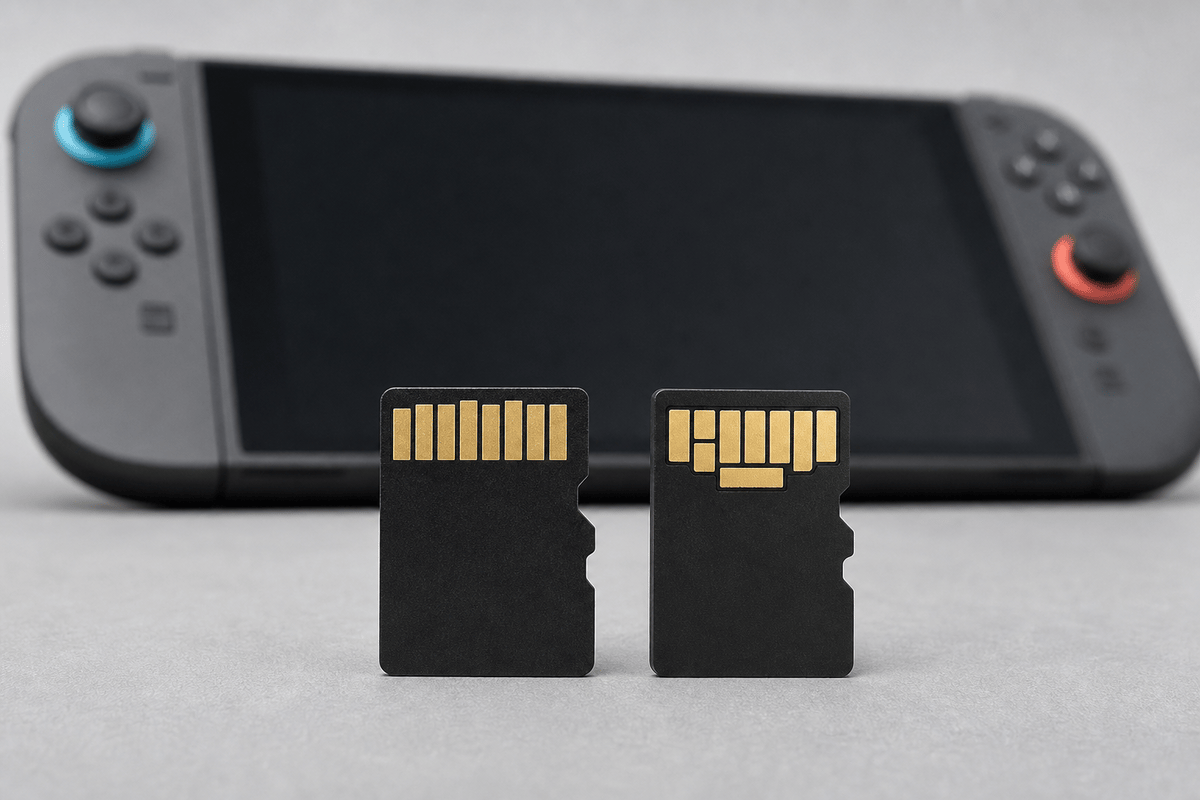
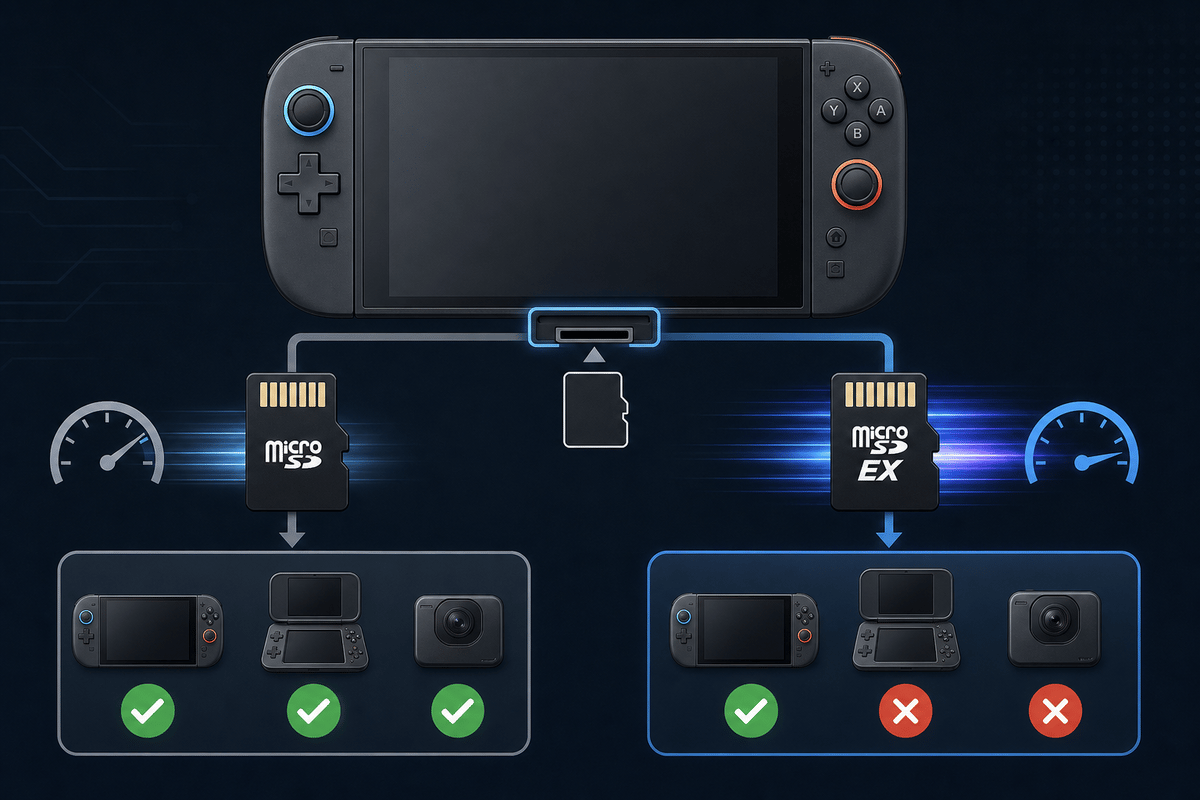
Nintendo Switch 2 storage works differently from the original Nintendo Switch: it accepts microSD Express cards only. A standard microSD, microSDHC, or microSDXC card can fit the slot, including the card you used in an older Switch, but it cannot expand Switch 2 storage unless it is specifically labelled microSD Express.
For most digital-library owners, a 512GB microSD Express card is the practical upgrade point. Switch 2 starts with 256GB of internal storage, but usable space is lower once system software and reserved data are accounted for. Large downloads, patches, DLC, screenshots, and video captures can consume that space faster than the headline number suggests.
Table of Contents (9)
The Switch 2 Storage Rule: Look for “microSD Express”
The important part of the product listing is the card standard, not its capacity or its physical size. MicroSD Express cards use a newer PCIe/NVMe-style interface alongside the traditional microSD connection. That interface is the requirement Nintendo set for Switch 2 expandable storage.
This creates an easy shopping trap. A 1TB standard microSDXC card may be cheaper than a 256GB Express card, and both cards look almost identical, but the larger standard card will not work as Switch 2 storage. Labels such as UHS-I, A1, A2, V30, and Class 10 describe conventional card capabilities; they do not mean the card is microSD Express-compatible.
| Feature | microSD Express | Regular microSD |
|---|---|---|
| Switch 2 storage expansion | Supported | Not supported |
| Original Nintendo Switch storage expansion | Supported | Supported |
| Interface | Express / PCIe-based | Conventional microSD interface |
| Label to confirm | microSD Express | microSD, microSDHC, microSDXC, UHS-I |
| Switch 2 supported capacity | Up to 2TB | Not usable on Switch 2 |
| First-use system update | Required with an internet connection | Not applicable |
Nintendo supports microSD Express cards up to 2TB on Switch 2. That is a compatibility ceiling rather than a promise that every capacity is easy to buy: 1TB remains the largest commonly available retail size in the current market, while broadly available 2TB Express cards have not been established.
Why a 512GB Card Is the Sensible Switch 2 Upgrade
A 512GB card roughly triples the console’s nominal storage pool when combined with Switch 2’s 256GB internal storage. It gives a digital collection room to breathe without jumping to the much steeper cost of current 1TB microSD Express cards.
It is still important to plan around usable rather than printed capacity. A 512GB card does not deliver the full 512GB as game-install space after formatting. It also becomes less convenient when nearly full, because game downloads, patches, decompression, and system updates can need temporary free space to finish correctly.
- Good fit for 512GB: a mixed library of smaller downloads, a rotating selection of large releases, DLC, updates, screenshots, and video captures.
- Less comfortable for 512GB: keeping every large digital game permanently installed, especially where games receive frequent major updates or require substantial additional downloads.
- Best storage habit: leave meaningful free space instead of filling the card to its final few gigabytes.
Physical releases also do not guarantee a zero-storage setup. Some Switch 2 games use game-key cards, require download data before play, or accumulate patches and DLC after installation. Check the current size listed on the Nintendo eShop or shown by the console rather than relying on an old box estimate.
512GB microSD Express Deal Comparison
The lowest reported 512GB Switch 2 price was the Onn microSD Express card at $74.77 through Walmart in the United States after applying the SAVE3X coupon. Its listed price was $84.77 before that coupon. Coupon eligibility, stock, region, tax, and the final checkout total still need confirming before purchase.
| Card | Capacity | Reported US Price | Buying Note |
|---|---|---|---|
| Onn microSD Express | 512GB | $74.77 with SAVE3X $84.77 without coupon | Lowest reported price; confirm the coupon works at checkout. |
| SanDisk GamePLAY microSD Express | 512GB | $98 shipped | A separate Walmart offer that avoids depending on the Onn coupon. |
| Samsung P9 Express microSD | 512GB | $109.99 | Confirm the exact product listing says microSD Express and names Switch 2 compatibility. |
| SanDisk microSD Express | 512GB | $159.99-$160 | Sale pricing from an approximately $200 regular price. |
These are United States price snapshots from September 2026, not fixed market values. The Onn card is the value pick when the $74.77 coupon price is available and the listing clearly identifies the model as microSD Express. The $98 SanDisk GamePLAY offer is worth considering when the coupon is unavailable, when stock is better, or when a buyer prefers that retailer and warranty path.
Do not treat a higher price as an automatic performance upgrade in Switch 2. Nintendo requires the Express standard, but it does not publish a universal game-by-game loading-time result for every compliant card. Sequential-speed claims matter most as a card specification, not as a guarantee that one title will load twice as quickly as another.
The 512GB Buying Checklist
- Confirm the exact words “microSD Express.” A listing that says only microSDXC, UHS-I, A2, V30, or “Nintendo Switch memory card” has not established Switch 2 compatibility.
- Check for Nintendo Switch 2 compatibility. Original Nintendo Switch compatibility alone is insufficient because the older console accepts regular microSD cards.
- Verify the capacity is one 512GB card. Avoid listings that obscure capacity through bundles, multi-packs, or vague packaging language.
- Check the form factor. Switch 2 needs a microSD Express card, not a full-size SD Express card with an adapter.
- Compare the seller and fulfillment details. Use recognized brands or authorized retailers, and confirm the return policy and warranty before buying.
- Inspect the exact model number. Counterfeit and marketplace listings can use “Express” in a headline while showing the wrong specification in the product details.
- Verify the price at checkout. Coupons, free shipping thresholds, sales tax, account restrictions, and regional stock can change the final total.
- Plan below the advertised capacity. Formatting reduces usable space, and leaving room for updates prevents avoidable installation failures.
What the Storage Card Actually Does
A microSD Express card expands space for downloadable game software, game updates, DLC, screenshots, and video captures. It helps keep more of a Switch 2 library installed at once, which means less uninstalling and re-downloading when moving between games.
It does not replace the console’s internal system storage or change Switch 2 into a console with a larger internal drive. It also does not turn a digital game into a physical game, remove mandatory downloads from game-key-card releases, or guarantee faster loading in every game.
Save data needs separate attention. Nintendo Switch save data is generally stored in the console’s internal memory, with cloud backup and transfer behavior depending on the game and Nintendo Switch Online support. A bigger microSD Express card is valuable for software and captures, but it should not be treated as a universal save-data backup device.
Setting Up a New Card Without Losing Files
Switch 2 requires an internet-connected system update the first time it uses a microSD Express card. Insert the card into the console, follow the on-screen initialization process, and allow the system to prepare it for Switch 2 storage.
Back up any existing files before initialization. A card carrying files from another device, including an original Switch, may need formatting before Switch 2 can use it. A standard microSD card from an original Switch will not become compatible through formatting; it needs to be a genuine microSD Express model from the start.
Game ownership remains tied to the Nintendo Account used to purchase the software. Once signed in on Switch 2, owned digital games can be downloaded again when they are available for that account and region. Moving cards between consoles may involve authentication, redownloads, or reformatting, so a card should be treated as console storage rather than a plug-and-play library cartridge.
Speed Claims: Useful Context, Not a Switch 2 Promise
MicroSD Express is much newer than the UHS-I cards commonly used by the original Switch. That is the technical reason Switch 2 requires it. Retail cards can advertise very high sequential figures: the Onn 512GB microSD Express card lists up to 800MB/s write and 600MB/s read, while some SanDisk Express products advertise reads up to roughly 880MB/s.
Those numbers should help distinguish products, but they should not be read as a direct forecast for in-game loading. Actual behavior varies with the game engine, patch version, compression, data-access pattern, card controller, NAND configuration, temperature, and whether the game is running from internal storage, microSD Express, or physical media.
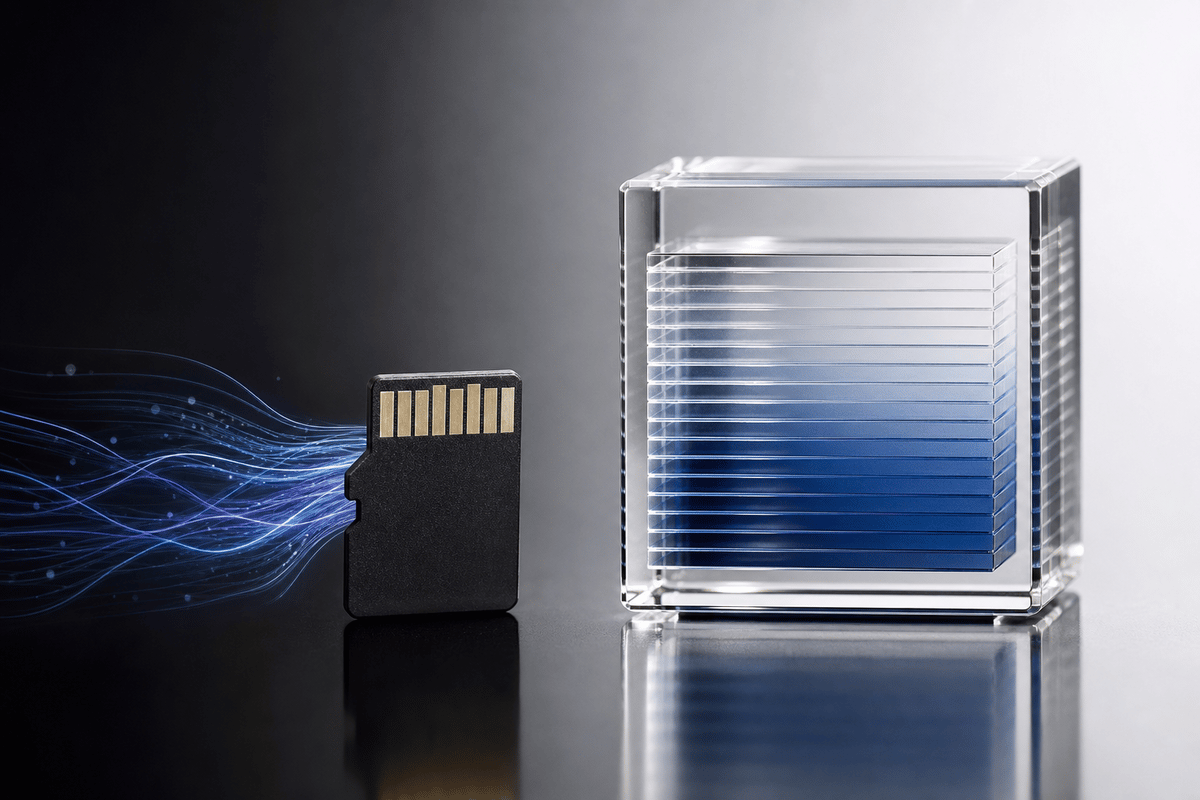
For a Switch 2 purchase, compatibility comes first. Once a card is a legitimate microSD Express model within Nintendo’s 2TB capacity limit, brand, warranty, price, and trusted retail availability are more useful decision points than chasing the highest number printed on the package.
When 1TB Makes Sense Instead
A 1TB microSD Express card makes sense for players who keep a large digital library installed year-round, regularly capture long gameplay videos, or want to minimize storage management for several years. The tradeoff is current pricing: SanDisk’s 1TB microSD Express card carries a $429 MSRP and has been discounted to $359, making it a much more expensive upgrade than the 512GB options.
That price gap makes 512GB the stronger value point for most Switch 2 owners. It solves the immediate pressure created by the console’s 256GB onboard storage while leaving enough budget headroom to buy games rather than putting most of the upgrade cost into storage.
Practical Recommendation
Buy a 512GB card when the listing explicitly says microSD Express, confirms Switch 2 compatibility, and comes from a seller with a clear return path. The $74.77 Onn deal is the best reported price when the SAVE3X coupon applies; the $98 SanDisk GamePLAY price is the cleaner fallback when it does not.
Skip every cheap standard microSDXC deal, regardless of capacity. A regular card may work perfectly in an original Nintendo Switch, PC, camera, or handheld, but it cannot provide expanded storage on Switch 2. Get the right Express card first, keep free space available after installation, and treat 512GB as a flexible library upgrade rather than a permanent cure for unlimited downloads.
FinalBoss // Gear
Level up your setup
01Best-selling Switch 2 gameson Amazon→02Switch 2 accessorieson Amazon→038BitDo controllerson Amazon→04Discounted game keyson Kinguin→Affiliate links · As an Amazon Associate, FinalBoss earns from qualifying purchases.
Want to Level Up Your Gaming?
Get access to exclusive strategies, hidden tips, and pro-level insights that we don't share publicly.
Ultimate Guide Strategy Guide + Weekly Pro Tips