
Table of Contents (9)
What Is DLSS 4.5?
DLSS (Deep Learning Super Sampling) has evolved from a straightforward upscaling tech into a nuanced, AI-driven layer that sits between your game engine and display. With the 4.5 update, NVIDIA adds a second-generation transformer model for Super Resolution (SR) plus two flavors of Multi Frame Generation (MFG): Dynamic MFG (DMFG) and an extreme 6X MFG mode. Together, these features promise cleaner motion, sharper particles, and sky-high frame rates—if your hardware can keep up.
Transformer Super Resolution: Cleaner Motion, Sharper Details
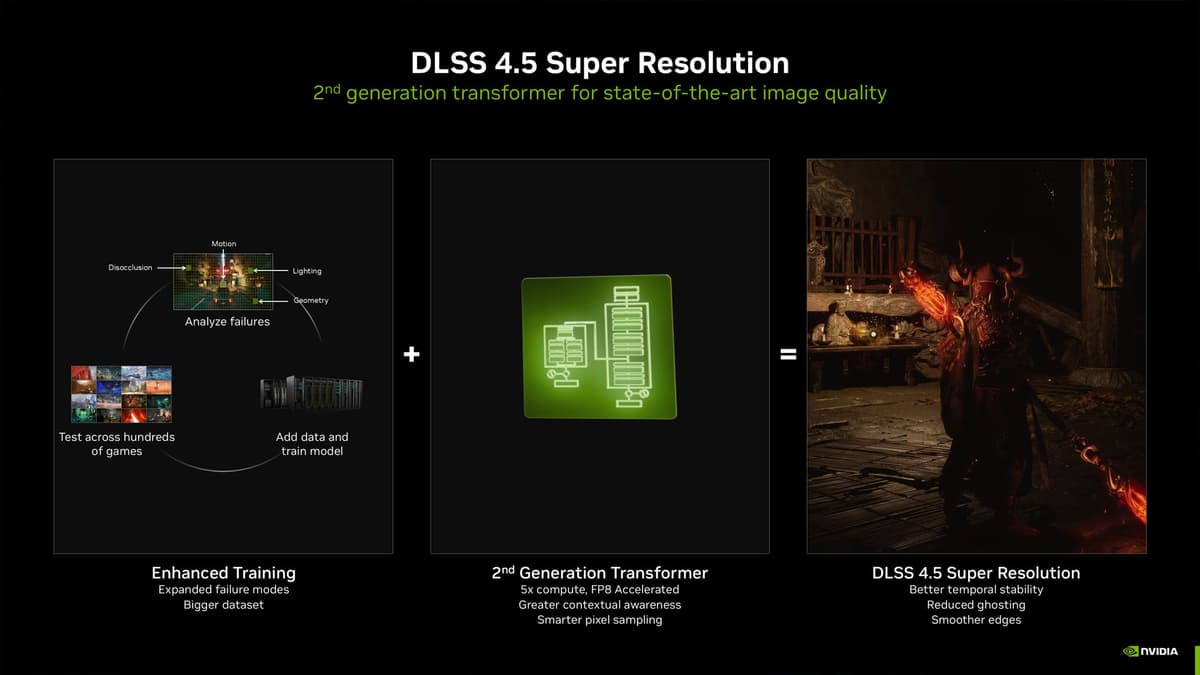
The new SR model uses transformer-based AI to analyze multiple frame buffers and reconstruct each output with fewer artifacts. You’ll notice:
- Smoother motion blur and reduced ghosting, especially in fast-moving scenes.
- Sharper particles, foliage, and fine geometry without the usual shimmering.
- Driver-level override on all RTX GPUs (2000, 3000, 4000, 5000 series), meaning your existing library sees instant quality bumps—no individual game patches required.
Dynamic Frame Generation (DMFG) & 6X MFG: AI-Driven Frame Multipliers
Dynamic MFG automatically toggles between native rendering and AI-generated frames based on scene complexity, aiming to hit your target refresh rate with minimal overhead. If you really want to show off, the one-click 6X MFG option forces the engine to produce up to six AI-interpolated frames for every rendered one—ideal for 240 Hz+ monitors but available only on RTX 50 series cards. Key trade-off: extra frames mean extra latency, so competitive multiplayer fans may prefer to stick with pure rendering.
Real-World Performance Impact
In practice, the transformer SR model costs roughly 2–3 percent of your GPU’s compute power in most AAA titles, a small price for visibly cleaner images. On an RTX 5090 at 4K path-traced in Black Myth: Wukong, I saw
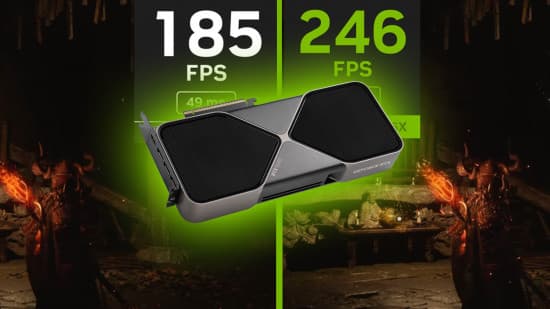
—a real-world example—246 FPS at 4K with 53 ms total render latency, compared to 252 FPS in standard DLSS Quality mode. Override-enabled RTX 4090 and 4080 cards top out around 4X MFG, offering a mild boost without locking you into the beta app.
Older RTX 20 series GPUs will feel the 2–3 percent overhead more acutely when chasing 60 FPS, but for most 1440p or 4K players on RTX 30/40, it’s nearly imperceptible.
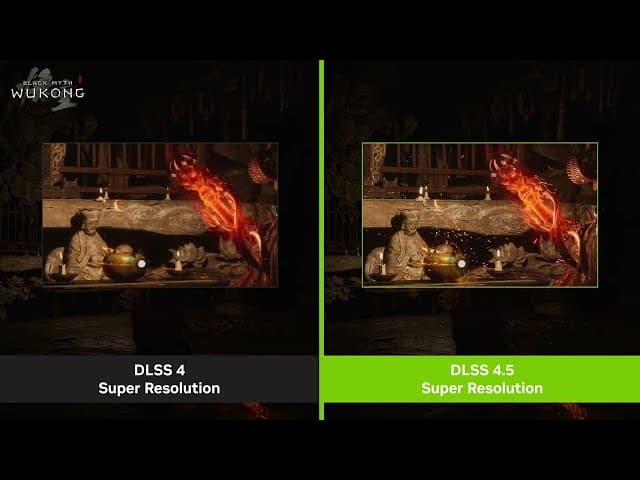
Image Quality Comparison
Comparing screenshots side-by-side, DLSS 4.5’s transformer SR model:
- Retains fine details—like leaf edges and distant textures—more consistently than the first-gen DLSS or AMD’s FSR 3.
- Delivers crisper motion blur with far less ghosting in rapid pans or driving sequences.
- Keeps transparent or particle-heavy effects (smoke, sparks) stable without the usual flicker.
In titles like The Outer Worlds 2 and Indiana Jones and the Great Circle, menus and HUD elements stay rock-steady, and frame drops feel far less jarring—with no manual game update needed.
How to Enable DLSS 4.5 Features
- Install Game Ready Driver 566.03 or later via GeForce Experience.
- Download and open NVIDIA App 11.0.2+ (beta toggles are here).
- Under “Super Resolution,” select the new Transformer Model.
- In supported games, open the in-game DLSS menu or the NVIDIA overlay and enable “Dynamic MFG” or “6X MFG.”
- Restart your game to apply changes. Windows 11 24H2 and Reflex integration will minimize added latency.
Note: PC only—no console support yet.
Who Is It For?
Stripping away the hype, here’s my take:
Transformer SR Model Is Ideal For:
- Any RTX 2000/3000/4000/5000 owner playing AAA games at 1440p or 4K—your small GPU hit is worth the stable detail and smoother motion.
- Visual fidelity nuts who can spot shimmer, ghosting, or unstable textures in a heartbeat.
- Backlog hoarders whose existing DLSS-enabled libraries get upgraded overnight, no patches needed.
DMFG & 6X MFG Are Geared Toward:
- RTX 50 series early adopters chasing the latest AI gimmicks for bragging rights.
- 240 Hz+ high-refresh heroes willing to trade a few milliseconds of latency for cinematic smoothness.
- Benchmark buffs who just want “6X frame gen” in an overlay, even if it’s mostly a tech demo.
If you’re on an RTX 3070 at 1440p, just leave the frame gen alone—this transformer SR alone is quietly fantastic. Debating an upgrade to RTX 50? DMFG is one of the first “real reasons” to consider it beyond raw TFLOPS.
FinalBoss // Gear
Level up your setup
01Graphics cardson Amazon→02Gaming laptopson Amazon→03High-refresh gaming monitorson Amazon→04Discounted game keyson Kinguin→Affiliate links · As an Amazon Associate, FinalBoss earns from qualifying purchases.
Want to Level Up Your Gaming?
Get access to exclusive strategies, hidden tips, and pro-level insights that we don't share publicly.
Ultimate Tech Strategy Guide + Weekly Pro Tips