
Table of Contents (7)
Use the 30fps Cap on Switch 2
Onimusha: Way of the Sword is built around 30fps on Nintendo Switch 2, and that is the setting to use. The default cap gives combat a consistent frame-time rhythm in both TV and Handheld modes, which matters more than occasional bursts above 30fps when Miyamoto Musashi is parrying, dodging, and cutting through effects-heavy fights.
The optional unlocked setting can push frame rate into a 30-40fps window, but it does not turn Switch 2 into a 60fps version of the game. It makes camera movement and light scenes feel a little more immediate, then gives that gain back when the engine is under pressure. For a deliberate action game where timing is central, a stable 30fps presentation is the better trade.
| Switch 2 setting | Resolution target | Frame-rate behavior | Best use |
|---|---|---|---|
| TV Mode, 30fps cap | Up to 1920 × 1080 | Locked 30fps target with the most consistent pacing | The best overall Switch 2 setup, especially on a TV |
| Handheld Mode, 30fps cap | Up to 1600 × 900 | Locked 30fps target | Portable play with predictable combat response |
| TV or Handheld, frame rate unlocked | Same mode-dependent targets | Variable 30-40fps range | Players who prefer occasional responsiveness over consistency |
Switch 2 Does Not Have Traditional Performance and Quality Modes
Console graphics menus have trained players to look for “Prioritize Performance” and “Prioritize Quality.” That is how the PlayStation 5 and Xbox versions work. Switch 2 handles the decision differently: TV Mode and Handheld Mode establish the resolution target, then the frame-rate cap determines whether the game stays locked at 30fps or operates in its semi-variable 30–40fps range.
That distinction prevents a common bad setting choice. Unlocking the frame rate is not a hidden high-performance mode. Switch 2 has no documented 60fps option for Way of the Sword. The unlock simply permits the RE Engine to use spare performance headroom when a scene allows it.
Docked Mode Is the Better-Looking Switch 2 Version
TV Mode tops out at 1920 × 1080, while Handheld Mode tops out at 1600 × 900. Both use dynamic resolution and upscaling, so those numbers are upper targets rather than permanent native render resolutions. During demanding encounters, dense particle work and busy environments can force the internal image below its target before it is reconstructed for display.

The difference is easy to understand in practice. Docked mode has more pixel budget for the image reconstruction to work with, producing a cleaner view of enemy silhouettes, environmental detail, and cinematic framing. Handheld remains perfectly usable, but it is visibly softer during motion and in darker scenes. The 900p target has fewer pixels to work with, and dynamic scaling becomes more noticeable when the game is working hard.
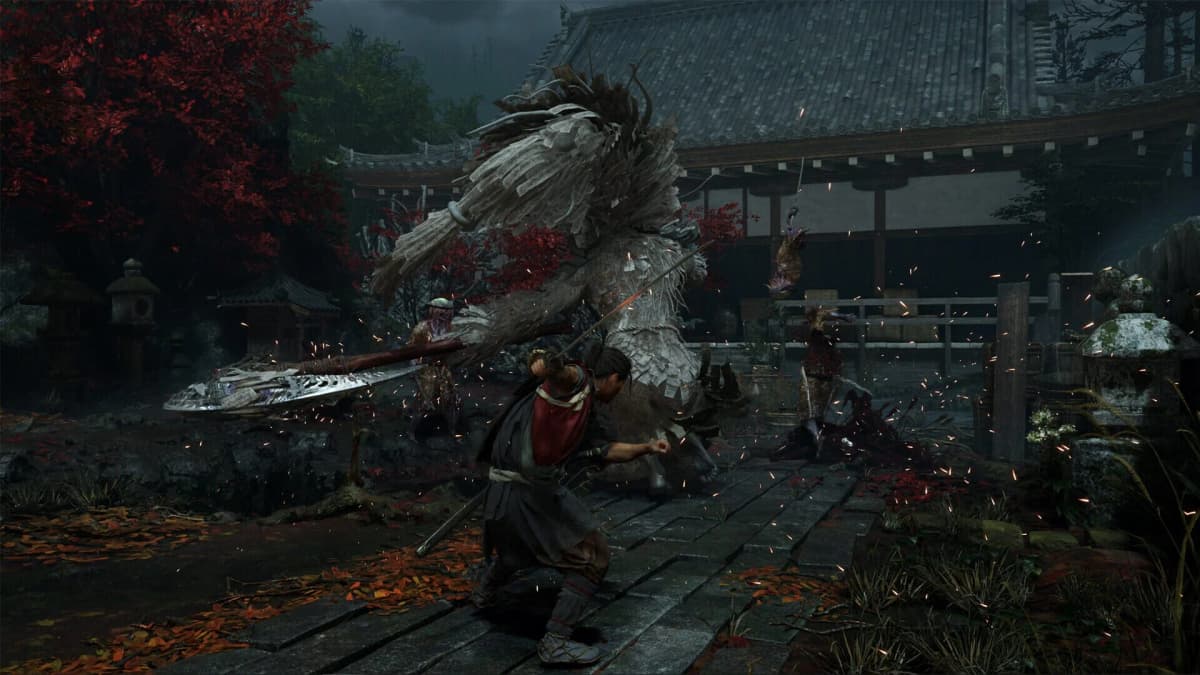
Capcom has made sensible cuts rather than gutting the game’s identity. Character models, real-time cutscenes, cloth motion, and the general atmosphere carry across well. Hair rendering takes the clearest hit: it is noisier, more pixelated, and less sharply defined than on the larger consoles. Texture detail is more conservative, while some interiors lose lighting depth. Those compromises are far less distracting on the Switch 2 screen than on a large 4K television.
Locked 30fps Versus Unlocked 30–40fps
The locked mode is the practical setting because steady pacing is more valuable than an inconsistent frame-rate counter. A stable 30fps frame lasts 33.3ms. When a variable mode rises and falls through the 30s, input response can improve briefly, but uneven frame delivery is also more visible during camera pans and combat movement.
- Choose the 30fps cap for combat reliability. It gives the cleanest input rhythm during parries, evasions, and effects-heavy encounters.
- Use the unlocked setting only if frame-rate variance does not bother you. It can feel smoother in quiet areas, but it cannot maintain 40fps as a fixed target.
- Keep the cap enabled in handheld play. The smaller screen disguises the lower resolution well; uneven motion stands out more than the missing frames do.
- Keep the cap enabled on a 60Hz television. The steady cadence suits a 60Hz display better than a frame rate that repeatedly drifts through the 30s.
How Switch 2 Stacks Up Against PS5, Steam Deck, and Xbox
Switch 2 delivers the portable compromise: lower resolution and a 30fps ceiling in return for playing a current RE Engine action game away from a television. PS5 and Xbox Series X have the headroom to target 60fps, while Xbox Series S holds a meaningful advantage in its 1080p performance mode. Steam Deck sits in a different category again: its 1280 × 800 presentation has fewer pixels than Switch 2 handheld mode, and it requires more tolerance for visual concessions.
| Platform | Performance-focused option | Quality-focused option | Best reason to choose it |
|---|---|---|---|
| Nintendo Switch 2 | 1080p TV / 900p handheld target, locked 30fps | Unlocked 30–40fps option with the same resolution structure | Portable play and a stable 30fps experience |
| PlayStation 5 | Dynamic 1440p–4K presentation, 60fps cap | Typical 4K presentation, 30–40fps | The strongest balance of image quality and 60fps responsiveness |
| Xbox Series X | Dynamic 1440p–4K presentation, 60fps cap | Typical 4K presentation, 30–40fps | Equivalent high-frame-rate console alternative to PS5 |
| Xbox Series S | 1920 × 1080, 60fps | 1920 × 1080, 30–50fps | 60fps play at a lower hardware cost |
| Steam Deck | 1280 × 800 presentation | Settings need to be reduced around the handheld’s lower pixel budget | PC library portability, with more visual compromise than Switch 2 |
For players with access to PS5 or Xbox Series X, the 60fps performance mode is the version to buy for combat feel alone. Higher refresh responsiveness makes a noticeable difference in an action game, particularly once enemy density rises. Switch 2 earns its place through portability, solid 30fps pacing, and a stronger image than the platform’s older generation of third-party ports — not through matching the current consoles frame for frame.
Switch 2 Features and Storage Requirements
The Switch 2 eShop download is 34.2GB, a large footprint for the system and enough to make storage planning relevant. A microSD Express card is the sensible purchase for anyone keeping several modern Switch 2 games installed. Nintendo Switch Online cloud saves also make the docked-to-handheld routine painless, with no need to manually juggle save data between sessions.
Capcom also uses the Switch 2 hardware beyond basic portability. Joy-Con 2 motion controls support physical slicing and chopping actions, while the gyroscope can be used for bow aiming. These are optional controls rather than a reason to abandon buttons, but gyro aiming is a worthwhile fit for ranged shots when playing handheld or with detached controllers.
The Best Settings by Platform
- Switch 2 on a TV: Use TV Mode with the 30fps cap enabled. It is the clearest and most stable Switch 2 configuration.
- Switch 2 handheld: Use the 30fps cap. The lower 900p target is easier to forgive on the smaller display than fluctuating frame times.
- Switch 2 with a VRR display: The unlocked setting is worth trying, but treat it as a responsiveness experiment rather than a performance upgrade.
- PS5 or Xbox Series X: Use Prioritize Performance for the 60fps cap. The quality modes make sense only for players who value the 4K image above control response.
- Steam Deck: Prioritize manageable settings and accept the lower 1280 × 800 pixel budget. It is the least visually ambitious route of the three handheld-friendly options.
FinalBoss // Gear
Level up your setup
01Best-selling Switch 2 gameson Amazon→02Switch 2 accessorieson Amazon→038BitDo controllerson Amazon→04Discounted game keyson Kinguin→
Affiliate links · As an Amazon Associate, FinalBoss earns from qualifying purchases.