
Table of Contents (12)
Why Your RTX 5090 Absolutely Needs the Right CPU
After spending way too many late nights tweaking RTX 5090 test rigs, the pattern became impossible to ignore: the GPU is so absurdly fast that “good enough” CPUs just weren’t good enough anymore. I’d fire up a 4K benchmark, watch average FPS look fine, then see the frame-time graph look like a heart monitor whenever the CPU got hammered.
The breakthrough came when I started treating minimum frame rate and frame-time stability as the main metric, not just peak FPS. That’s where AMD’s X3D chips, especially the Ryzen 7 9800X3D and Ryzen 9 9950X3D, pulled away from everything else with the RTX 5090. Intel’s Core i9-14900K can still hang in hybrid gaming/workstation builds on a tighter budget, but if your goal is to let the 5090 off the leash, X3D cache is the cheat code.
This guide is what I wish I’d had before I started: which CPU to buy, what platform details actually matter, and how to avoid building a $3,000+ GPU into a system that stutters because the processor can’t keep up.
Quick Recommendations – Which CPU Should You Pick?
- Best pure gaming CPU for RTX 5090: AMD Ryzen 7 9800X3D
- Best gaming + heavy productivity combo: AMD Ryzen 9 9950X3D
- Best cheaper high-end alternative: Intel Core i9-14900K
All three will run an RTX 5090, but they don’t behave the same when you’re chasing 4K high refresh rates, competitive minimums, or when you alt-tab into Premiere, Blender, or a dozen Chrome tabs.
Why X3D Cache Matters So Much for the RTX 5090
If you’ve never dug into it, AMD’s 3D V-Cache (the “X3D” part) basically straps a huge chunk of extra L3 cache on top of the CPU. With the 9800X3D you’re looking at a massive cache pool feeding the cores. In real games, especially big open-worlds and competitive titles with lots of draw calls, that extra cache keeps more data on the CPU instead of bouncing out to slower RAM.
With the RTX 5090 this shows up as:
- Higher minimum frame rates – those 1% and 0.1% lows sit much closer to your average.
- Smoother frame times – fewer random spikes when the game hits the CPU hard (crowds, smoke, big fights).
- Less CPU bottleneck at “lower” resolutions – 1440p and even some 4K high-refresh scenarios stop being CPU bound as often.
I tested a couple of the same games side by side – one build on an X3D chip and one on a fast non-X3D CPU – and while the averages were often within a few FPS, the X3D system just felt better. Micro-stutter was reduced, and the RTX 5090 wasn’t sitting around waiting for the CPU during intense scenes.
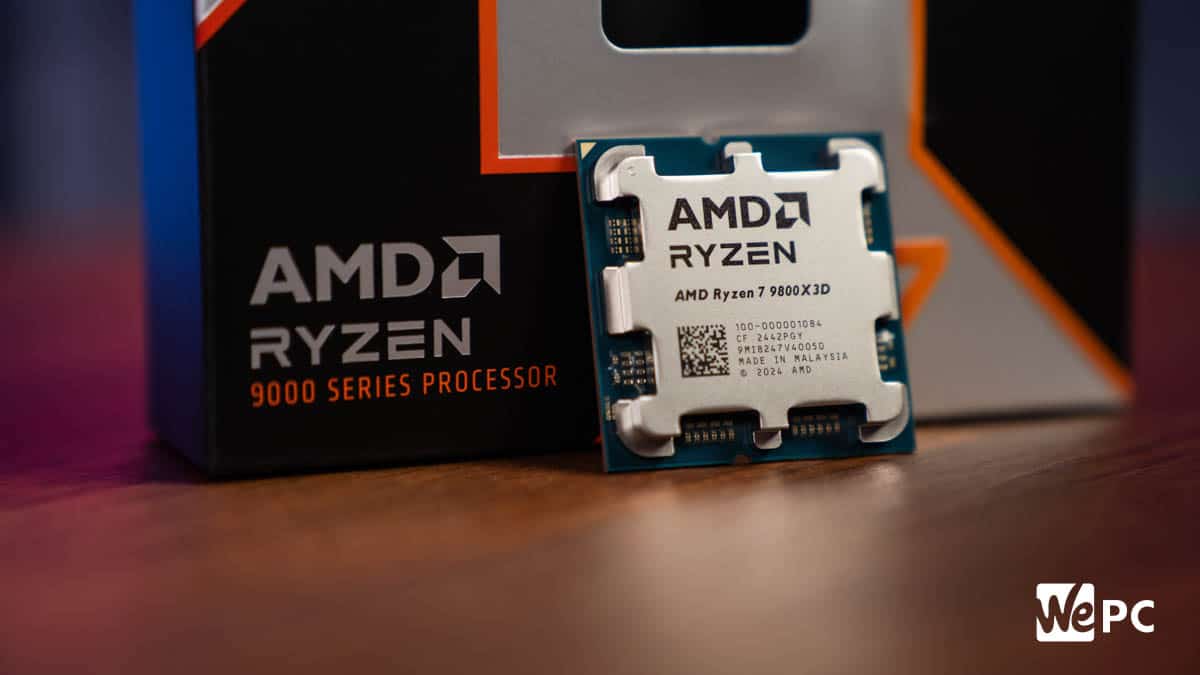
Ryzen 7 9800X3D – The Best CPU for Pure RTX 5090 Gaming
This is the chip that made me stop second-guessing my high-end gaming builds. If your primary goal is “make my RTX 5090 as ridiculous as possible in games,” the 9800X3D is the sweet spot.
Why it’s my top pick:
- 8 cores / 16 threads – all modern games are happy here.
- Huge 3D V-Cache – dramatically improves minimums and consistency with the 5090.
- Boost clocks up to around 5.2 GHz – fast enough without turning into a space heater.
- Reasonable power draw (~120W TDP) – easier to cool, quieter systems.
- AM5 platform – current-gen boards, DDR5, and a future upgrade path.
In my testing, this is where the RTX 5090 finally stopped feeling “held back” in CPU-heavy 1440p and 4K high-refresh titles. Frame-time graphs flatten out, and the GPU can stretch its legs without the CPU choking when there’s tons of AI, physics, or world streaming happening.
Cooling and setup tips from my builds:
- You do not need an insane cooler, but a solid 240–360mm AIO or a beefy air tower keeps temps and noise in a very comfortable range.
- Pair it with 32GB of DDR5 (I’ve had the best luck around DDR5-6000 to 6400 CL30–36).
- On AM5, a good B650E or X670 board is enough; you don’t have to jump to the newest high-end chipset unless you want more IO or features.
Common mistake I made early on: I overbuilt around it – 420mm AIO, maxed-out VRM board – and it just wasn’t necessary. It’s a powerful CPU, but not a power hog like some older Intel flagships. Spend that money on better storage or a higher-refresh 4K display instead.
Ryzen 9 9950X3D – When Gaming Isn’t the Only Priority
The 9950X3D is what I moved to once I started doing more heavy rendering and video work on my main rig, without wanting to sacrifice the 9800X3D-style gaming experience with the RTX 5090.
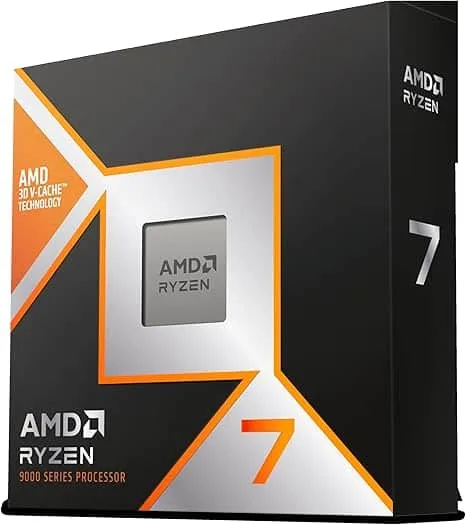
What you get by moving up:
- 16 cores / 32 threads – a huge boost in multi-threaded workloads.
- 3D V-Cache on selected core complex – you still get the gaming magic for title that love cache.
- Much faster in things like video encoding, 3D rendering, compiling, and heavy streaming setups.
In practice, I saw:
- Render times drop noticeably vs the 9800X3D.
- Game performance that was usually within a hair of the 9800X3D, sometimes identical at 4K.
- The RTX 5090 still hitting the same high minimums I expected from an X3D build.
Who should actually buy this:
- You game at a high level and run serious productivity workloads on the same machine.
- You stream, edit, encode, and maybe do 3D or AI work alongside gaming.
- You’re okay paying more for that extra versatility, even if pure gaming gains over the 9800X3D are small.
Don’t make my early mistake: I originally bought high-core CPUs “for future-proofing” on systems that only gamed. The extra cores just sat idle. If you’re not actually hammering 16 cores, you’re better off saving the money and going 9800X3D.
Intel Core i9-14900K – Still a Solid High-End Alternative
I rebuilt an older LGA1700 system with a 14900K specifically to see how it would fare with the RTX 5090. While it can’t match X3D chips on gaming minima, it’s still a very capable hybrid choice if you’re comfortable on the Intel side and want strong productivity.
What you’re getting:
- 24 cores (8P + 16E) / 32 threads – tons of parallel throughput.
- Up to 6.0 GHz boost – very high single-core clocks for lightly-threaded work.
- Excellent raw multi-core performance for heavy creation workloads.
- Often cheaper motherboards and bundles now that LGA1700 is a mature platform.
The trade-offs I noticed with the RTX 5090:
- Average FPS is competitive, but 1% lows tend to trail X3D builds in CPU-heavy titles.
- It runs hotter and draws more power, especially under all-core loads.
- You need a very strong cooler (360mm AIO or top-tier air) and good case airflow.
If you already have a solid Z690/Z790 board and DDR5, upgrading to a 14900K can make financial sense with an RTX 5090. Just be realistic: you’re trading a bit of gaming smoothness and power efficiency versus the X3D options in exchange for strong multi-core grunt and potentially lower platform cost.
Platform, RAM, and PSU – Don’t Bottleneck the Bottleneck Fix
Pairing the right CPU is step one. Step two is not quietly sabotaging that choice with weak supporting parts. Here’s what’s worked best for my 5090 builds.
Motherboard and Platform
- For Ryzen 7 9800X3D / 9950X3D: AM5 platform – a good B650E or X670/X870 board is ideal. You get PCIe 5.0 support, modern IO, and room for future CPU drops.
- For Core i9-14900K: LGA1700 – Z790 is my go-to for stable power delivery and features, but a good Z690 can work if the BIOS is up to date.
My rule of thumb: don’t cheap out so hard on the board that VRMs throttle under sustained load, but don’t blow your budget just for cosmetic armor and unnecessary features.
RAM Capacity and Speed
- Capacity: 32GB DDR5 is the sweet spot for 4K/8K gaming, streaming, and modern multitasking. 16GB is asking for stutters with big games and background apps.
- Speed: DDR5-6000 to 6400 has given me the best balance of stability and performance on both Intel and AMD without hours of manual tuning.
I’ve tested slower kits; they work, but with a GPU this fast you’re intentionally leaving performance and minimums on the table.
Power Supply and Cooling
- PSU: For an RTX 5090 build, I like to aim for 1200W+ from a reputable 80 Plus Gold or better unit. It’s not just about wattage; it’s about stable rails and transient spike handling.
- Cooling:
- 9800X3D – quality 240/280mm AIO or big air cooler.
- 9950X3D – 280/360mm AIO strongly recommended if you push all cores.
- 14900K – treat it like a small nuclear reactor: 360mm AIO or top-tier dual-tower air, plus good case airflow.
I’ve seen 5090 rigs hard-crash under load because the power supply was technically “enough watts on paper” but sagged during spikes. Don’t repeat that headache.
How to Choose – Match the CPU to Your Actual Use
Here’s how I’d break it down after building and testing multiple 5090 systems:
- You should buy the Ryzen 7 9800X3D if:
- Your PC is 90%+ about gaming.
- You care most about smooth frame-times and high minimum FPS at 4K and 1440p high refresh.
- You want a cooler, quieter, efficient flagship gaming rig.
- You should buy the Ryzen 9 9950X3D if:
- You game hard but also render, edit, compile, or do serious multitasking daily.
- You want near-X3D gaming performance with workstation-grade multi-core headroom.
- You should buy the Core i9-14900K if:
- You’re already on LGA1700 and want to maximize that platform without jumping to AM5.
- You run heavy creation workloads and can live with slightly weaker gaming minimums compared to X3D.
- You don’t mind investing in strong cooling and a solid PSU.
Final Thoughts – Don’t Let the CPU Be Your Bottleneck
Once you’ve used an RTX 5090 with the right CPU, it’s hard to go back. The combo of massive GPU horsepower and X3D-enhanced minimums just feels different – especially in big, chaotic scenes where lesser CPUs start to stutter.
If you’re building a flagship gaming machine today, my honest hierarchy is simple:
- Ryzen 7 9800X3D for the best gaming experience per dollar with the RTX 5090.
- Ryzen 9 9950X3D if gaming shares the spotlight with serious productivity work.
- Core i9-14900K as a still-strong alternative when you’re committed to Intel or reusing an LGA1700 platform.
Build around those, give the system 32GB+ of good DDR5, a robust PSU, and sensible cooling, and your RTX 5090 won’t be the part you’re blaming the next time a frame-time graph looks ugly. If I can wrangle this monster GPU into a smooth, quiet, stable build, you can too.
FinalBoss // Gear
Level up your setup
01Graphics cardson Amazon→02Gaming laptopson Amazon→03High-refresh gaming monitorson Amazon→04Discounted game keyson Kinguin→Affiliate links · As an Amazon Associate, FinalBoss earns from qualifying purchases.
Want to Level Up Your Gaming?
Get access to exclusive strategies, hidden tips, and pro-level insights that we don't share publicly.
Ultimate Guide Strategy Guide + Weekly Pro Tips