
Table of Contents (17)
Desk Gaming Audio: Why a TV-Style Soundbar Usually Disappoints
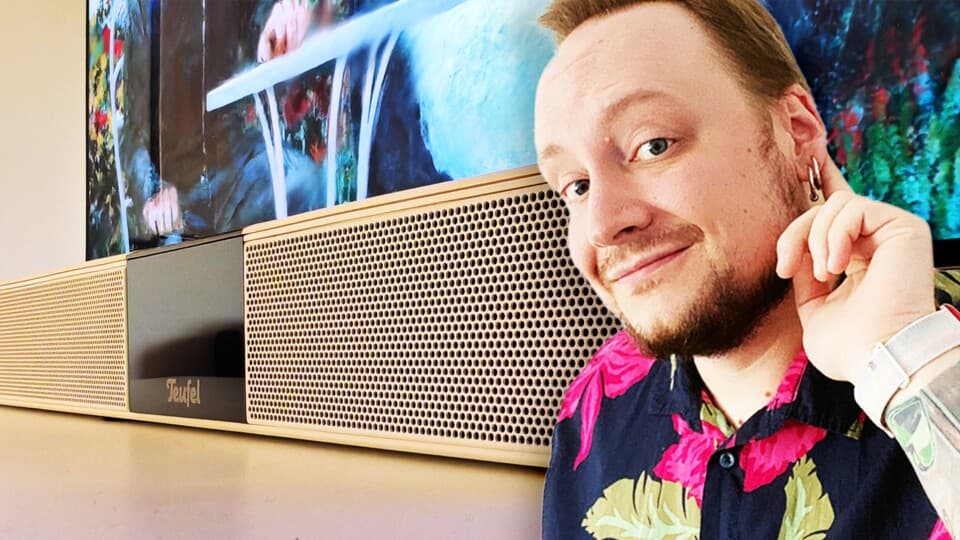
For close-range PC gaming, a long TV-style soundbar is almost never the best choice. At a typical desk distance of 50-80 cm, the very things that make a soundbar work under a TV start working against you: the bar is too wide, sits too low, and fires sound in directions that your body and monitor physically block. When I compared a popular gaming soundbar against a pair of compact speakers on my own desk, the difference in positional audio and clarity was not subtle.
This guide walks through why that happens, what actually works in a PC setup, and how to build or upgrade a desk-friendly audio system that gives you clear footsteps, satisfying explosions, and good music playback without wasting money on the wrong form factor.
Why TV-Style Soundbars Struggle at PC Distance
Soundbars are designed around one assumption: you sit a couple of meters away, roughly centered in front of a TV. At that distance, a 70-90 cm bar can create a decent stereo image because your ears are far enough away for left and right drivers to form a soundstage. Reflections from walls and ceilings help “widen” the sound.
Now shrink that distance to a PC desk: you’re 50-80 cm away, often slightly off-center, with a big monitor right in front of you. The physics change completely:
- Driver spacing becomes meaningless: At 60 cm from your ears, the left and right ends of a long bar are only slightly apart in terms of angle. The sound from both sides arrives almost as one blob, so your brain struggles to place audio precisely.
- Your body blocks part of the bar: A bar that sits under the monitor often fires sound into your torso and desk. I noticed midrange (voices, gunshots) getting oddly muffled because my arms and keyboard literally sat in the sound path.
- Reflections stop helping: Those fancy “wide soundstage” tricks rely on bouncing sound off side walls. At desk distance, you mostly get strong direct sound and only tiny, early reflections that don’t create convincing width.
- Height is wrong: Many bars sit well below ear level, so high frequencies (where detail and localization live) aim at your chest or bounce off the desk first.
On my main setup (75 cm deep desk, 27-inch monitor), a gaming-branded soundbar looked tidy, but the audio felt like it came from a single noisy strip, not a world I could read for positional cues. When enemies flanked me in shooters, I often knew “left-ish” but not how far or how fast, which is a problem if you care about reacting quickly.
What Changed When I Switched to Proper Speakers
The breakthrough came when I stopped trying to force a TV soundbar into a desk role and set up a pair of compact active speakers on stands, spaced about as wide as my monitor. Same room, same games, same PC.
- Footsteps “snapped” into position: Instead of a vague smear from the front, I could point to exactly where footsteps and reload sounds were. In games like Valorant and CS-style titles, that clarity felt like cheating compared to the bar.
- Dialogue became easier to follow: In RPGs and story-heavy games, character voices sounded more natural and less boxy. Because each speaker was angled at my ears, I didn’t have to fight room reflections or desk resonance as much.
- Music actually sounded like music: With the bar, stereo tracks felt collapsed into the middle. With speakers, instruments separated across the stage again—guitars left, synths right, vocals centered.
All of that came down to one basic thing: physically separated left and right speakers that I could aim at my ears in a true near-field setup. Most soundbars just cannot do that at 50–80 cm, no matter what DSP or virtual surround mode they advertise.
When a Small Soundbar Can Still Make Sense
There is one situation where a soundbar-like device can work on a desk: when it’s effectively a compact, near-field speaker disguised as a bar.
- Length under ~40 cm: Short enough that the drivers are close together and act like a single, well-controlled source rather than a too-wide strip firing past your head.
- Drivers angled up toward your ears: Many “PC soundbars” tilt slightly upward, which helps compared to flat TV bars that fire at your chest.
- Intended for 50–100 cm distance: Some models are clearly advertised for desktop use, sometimes bundled with small subwoofers.
I’ve used a compact bar like this on a secondary setup with a 24-inch monitor. It was miles better than built-in monitor speakers and fine for casual gaming and YouTube. But even that short bar could not match the stereo separation and imaging of a decent 2.0 speaker pair placed correctly.
Step-by-Step: Setting Up Good Desk Audio
Step 1: Measure Your Listening Distance and Desk Space
Start with a tape measure:
- Measure from your nose to the front edge of your desk. For most PC setups, this will fall between 50 and 80 cm.
- Measure the width of the space available on either side of your monitor.
- Check desk depth: can you place speakers without having them hang off the edge?
If you are truly sitting more than 1.5–2 meters away (for example, using a 55-inch TV as a combined monitor from a couch), then a proper TV soundbar might make sense. Anything under about 1 m is squarely near-field territory, where separate speakers shine.
Step 2: Choose Between 2.0, 2.1, or Compact Soundbar
Here’s how I now decide what belongs on a desk:
- 2.0 active speakers if:
- You care about positional audio and clarity in competitive and single-player games.
- You listen to a lot of music at your PC.
- You have enough space to place a speaker on each side of the monitor.
- 2.1 speakers (with subwoofer) if:
- You want more bass impact for explosions and movies.
- You can put the subwoofer under the desk on the floor.
- You’re okay with a bit of rumble and don’t have super-thin walls or picky neighbors.
- Compact PC soundbar if:
- Space truly does not allow separate left/right speakers.
- You mainly want a clean look and an upgrade over monitor speakers.
- You understand you’re trading some positional accuracy for convenience.
Full-size TV soundbars don’t really belong in any of those near-field categories. Every time I’ve tried one at a desk, it either blocked keyboard space, sat too close to the monitor, or needed to be so far forward that it got in the way of my hands.
- 2.0 active speakers if:
- You care about positional audio and clarity in competitive and single-player games.
- You listen to a lot of music at your PC.
- You have enough space to place a speaker on each side of the monitor.
- 2.1 speakers (with subwoofer) if:
- You want more bass impact for explosions and movies.
- You can put the subwoofer under the desk on the floor.
- You’re okay with a bit of rumble and don’t have super-thin walls or picky neighbors.
- Compact PC soundbar if:
- Space truly does not allow separate left/right speakers.
- You mainly want a clean look and an upgrade over monitor speakers.
- You understand you’re trading some positional accuracy for convenience.
Full-size TV soundbars don’t really belong in any of those near-field categories. Every time I’ve tried one at a desk, it either blocked keyboard space, sat too close to the monitor, or needed to be so far forward that it got in the way of my hands.
🎮 Get This Game at the Best Price
Compare prices instantly and save up to 80% on Steam keys with Kinguin — trusted by 15+ million gamers worldwide.
*Affiliate link — supports our independent coverage at no extra cost to you

Step 3: Place and Angle Your Speakers Correctly
Once you commit to speakers, placement matters as much as the gear itself. This is where most people (including me, at first) leave performance on the table.
- Form a triangle:
- Distance between left and right speakers: roughly equal to the distance from each speaker to your head.
- For a 70 cm listening distance, aim for about 60–80 cm between speakers.
- Angle them toward your ears:
- Toe-in both speakers slightly so you can just see a sliver of the inside panel.
- This tightens imaging and reduces reflections from side walls.
- Get tweeters near ear height:
- Use stands, risers, or even sturdy books to lift speakers so the high-frequency driver is roughly level with your ears when you’re sitting normally.
- Decouple from the desk:
- Foam pads or rubber feet help reduce boominess caused by the desk vibrating.
I initially just dropped my speakers flat on the desk, pointing straight ahead. Imaging was okay, but things clicked when I raised them slightly and toed them in. Footsteps, environmental sounds, and even UI pings all became easier to place without extra volume.
Step 4: Connect and Configure Your PC (or TV-as-Monitor)
How you wire everything up matters too, especially if you’re repurposing a TV as a big monitor.
- For standard PC speakers:
- Connect via USB (if the speakers have a built-in DAC), or
- Use a 3.5 mm cable from your motherboard or audio interface output.
- For compact soundbars with optical/USB:
- Prefer digital (USB/optical) over analog if available; it bypasses noisy onboard audio.
- For TV-as-monitor with soundbar:
- If you truly sit far enough away to justify a TV soundbar, use HDMI ARC/eARC from TV to soundbar.
- On PC, set audio output to the TV via HDMI; on the TV, enable ARC/eARC and pass-through audio.
On Windows, double-check your output device and channel configuration:
- Right-click the speaker icon →
Sound settings. - Select your device →
Configureand set it to Stereo for 2.0 or 2.1 setups. - Disable system-level virtual surround (like Windows Sonic) if you’re relying on clean stereo imaging. Let games handle HRTF or surround virtualization individually if they support it.
Why Virtual Surround and Atmos Don’t Rescue Desk Soundbars
Many soundbars lean heavily on marketing for Dolby Atmos, DTS:X, or proprietary virtual surround. Those technologies are designed for room-scale setups, not 60 cm away from your face.
- Atmos relies on reflections: Up-firing drivers bounce sound off the ceiling to simulate height. At desk distance, with your head much closer to the speakers, these reflections don’t reach your ears with the timing and intensity they need to create a believable overhead image.
- Virtual surround assumes you’re in the far field: Algorithms that widen the soundstage tend to break in near-field listening. At my desk, most “3D” modes either smeared imaging or made everything sound hollow.
- Games already have their own audio processing: Many modern titles include their own HRTF-based spatial audio. Stacking that on top of a soundbar’s virtual surround often made cues less reliable, not more.
In practice, the cleanest results I’ve had for PC gaming come from keeping the chain simple: physical stereo speakers, stereo output selected in Windows, and game-level spatial processing left at its default or set to “headphones” if I’m on a headset. Desk soundbars add another layer of processing that doesn’t align with the geometry of near-field listening.
Buying Advice by Budget and Use Case
Budget Tier: Under ~£50 / €60
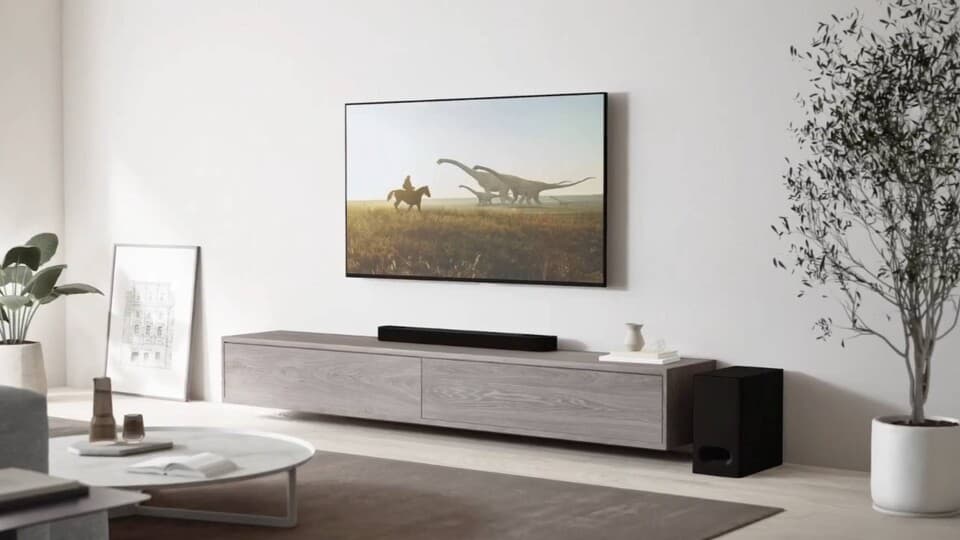
In this range, I’d pick a basic 2.1 PC speaker set over a cheap long soundbar every time.
- Look for:
- Separate left/right satellites you can place beside the monitor.
- A small subwoofer for floor placement (tucked under the desk).
- Front-accessible volume knob and headphone jack.
- Avoid:
- One-piece bars longer than ~40 cm that claim “cinema sound” at this price.
- Ultra-thin bars powered only by USB that are basically glorified laptop speakers.
I’ve run a cheap 2.1 kit like this on a secondary rig. It won’t impress audiophiles, but for the money, it gave better stereo and bass impact than any bargain soundbar I tested at the same price.
Midrange Tier: ~£60–£150 / €70–€170
This is the sweet spot for “real” desktop audio that will instantly outclass monitor speakers and most soundbars:
- Compact desktop speakers:
- Models similar in spirit to Audioengine A2+/HD3 or Razer’s desk-focused speakers.
- Small footprints, often with built-in DACs and Bluetooth.
- Tuned specifically for near-field listening.
- What I noticed:
- Much cleaner mids and highs than bar-style systems.
- Bass that’s controlled rather than boomy (you may not shake the room, but explosions feel convincing).
If you game a lot and listen to music at your desk, this is where spending a bit more starts to really pay off. The improvement in clarity and positional information compared to a similarly priced “gaming” soundbar is significant.
Enthusiast Tier: £150+ / €170+
At this level, you can step into proper near-field monitors or higher-end active bookshelf speakers, often paired with a small audio interface or dedicated DAC.
- Expect:
- More neutral, detailed sound that reveals game audio design and music mixes.
- Better dynamic range (quiet details and loud explosions coexist without distortion).
- Room for future upgrades: add a subwoofer later if you want more low end.
- Desk considerations:
- These speakers are physically larger; plan for stands or shelf mounts if your desk is shallow.
- Give them some breathing room from the back wall to avoid boomy bass.
Compared to a high-end Atmos soundbar, you lose virtual height channels but gain accuracy where it matters most at a desk: the front stereo field. For PC gaming and close-range use, that trade is usually worth it.
Common Desk Audio Mistakes (and How to Fix Them)
- Parking a soundbar directly under a thick monitor bezel:
- The monitor frame physically blocks some of the high frequencies.
- If you must use a bar, pull it slightly forward and angle it up, but understand it’s a compromise.
- Placing a subwoofer on the desk:
- This couples bass straight into the desk and your keyboard.
- Put the sub on the floor instead, near a wall but not jammed into a corner.
- Speakers too far apart or too close together:
- Too far: you get a “hole” in the middle where voices and key sounds lose focus.
- Too close: everything collapses into the center.
- Relying on the monitor’s headphone jack:
- Many TVs and monitors have noisy, low-quality outputs.
- Whenever possible, connect speakers directly to the PC or a dedicated DAC/interface.
- Leaving spatial audio modes on for stereo speakers:
- System-wide virtual surround can smear your carefully set-up stereo field.
- Stick to plain stereo output unless a specific game’s HRTF mode clearly improves things.
Example Setups That Work Well
- Small desk, 24-inch monitor, short distance (~50–60 cm):
- Compact 2.0 speakers on small stands, just outside the monitor edges.
- Or a very short, upward-angled PC soundbar if space is extreme.
- Standard desk, 27–32 inch monitor (~60–80 cm):
- Midrange 2.0 or 2.1 speakers, properly angled, tweeters at ear height.
- Subwoofer under desk if you want more bass.
- Hybrid PC/TV setup, 40–55 inch display at 1.5–2 m distance:
- Here a true TV soundbar starts to make sense, especially for console plus PC use.
- If you still sit at the desk for work, consider a separate near-field speaker pair for PC and leave the soundbar for couch distance.
The consistent pattern across all of these is simple: at short PC distances, physical left/right separation you can control beats a long, TV-optimized soundbar almost every time. If your main goal is better gaming audio at a desk, you’ll usually get more for your money from properly placed speakers than from a flashy bar that was never designed for near-field listening.
FinalBoss // Gear
Level up your setup
01Graphics cardson Amazon→02Gaming laptopson Amazon→03High-refresh gaming monitorson Amazon→04Discounted game keyson Kinguin→Affiliate links · As an Amazon Associate, FinalBoss earns from qualifying purchases.
Want to Level Up Your Gaming?
Get access to exclusive strategies, hidden tips, and pro-level insights that we don't share publicly.
Ultimate Guide Strategy Guide + Weekly Pro Tips