
Table of Contents (9)
Why these mini LED monitors and how I actually tested them
After sinking way too many evenings into swapping monitors in and out of my RTX-powered PC and consoles, the pattern with mini LED became clear: the spec sheet tells only half the story. Zone counts, HDR badges, and peak nits look impressive, but what really matters is how the backlight behaves in real games and films.
For each of the monitors below, I focused on three things:
- Real-world HDR – highlights, black levels, and how bad blooming/haloing gets in dark scenes.
- Local dimming behavior – how quickly and precisely zones react, and whether they crush shadow detail.
- Gaming performance – motion clarity, input lag, and how smooth they feel at 120–240Hz on PC, PS5, and Xbox Series X.
I ran the same small suite of tests on everything: HDR games like Cyberpunk 2077 and Resident Evil 4 remake on PC and console, a starfield demo and subtitles on black bars for blooming checks, plus off-angle viewing to see which panels fall apart when you shift in your chair. Only the displays that stayed impressive outside of a lab chart made this list.
Quick recommendations by use case
- Best overall 4K mini LED: ASUS ROG Swift PG32UQX – absurd HDR and FALD precision if you can stomach the price.
- Best value 1440p mini LED: Cooler Master Tempest GP27Q – high-end HDR feel at a mid-range price.
- Premium 4K alternative: ViewSonic ELITE XG321UG – similar zone count and HDR punch, tuned a bit more for creators.
- Best ultrawide mini LED: Samsung Odyssey Neo G9 – the “wraparound cockpit” pick for sim and immersive gamers.
- Best esports-focused mini LED: AOC AGON Pro AG274QZM – 240Hz speed without giving up proper HDR.
There are over 60 mini LED models around now, including newer budget options with lots of zones, but these are the ones that consistently felt a tier above when I actually played on them.
Best overall 4K mini LED – ASUS ROG Swift PG32UQX
The PG32UQX is the first mini LED monitor that genuinely made me forget about my OLED TV for HDR gaming at a desk. It pairs a 32-inch 4K IPS panel with 1,152 full-array local dimming zones, VESA DisplayHDR 1400, and a 144Hz refresh rate.
On paper it looks impressive. In practice, the backlight precision is what sells it. In Cyberpunk’s nighttime city scenes, neon signs pop hard without turning the surrounding sky into a grey smear. Small light sources like muzzle flashes and HUD elements stay reasonably contained, even against dark backgrounds, which is exactly where cheaper FALD implementations fall apart.
What finally convinced me was how usable it is for mixed PC work and gaming. IPS off-axis color holds up very well, so if you lean left or right in a long session, blacks don’t suddenly wash out like on some VA-based mini LED sets. At native 4K/144Hz, motion looks clean enough that I stopped missing my 240Hz 1440p panel outside of twitch shooters.
What to watch out for: this thing launched at an eye-watering price and is still expensive, even after a couple of years of price erosion across the category. Also, HDR on Windows can exaggerate the “auto-dimming” feel if you leave the monitor’s local dimming on the most aggressive mode, so I ended up using the “normal” setting for a better balance of punch and stability.
Best value 1440p mini LED – Cooler Master Tempest GP27Q
The Tempest GP27Q is where mini LED starts to make sense for far more people. It’s a 27-inch 1440p IPS panel with 576 dimming zones, 165Hz, 1ms response time, and peak HDR brightness around 1,200 nits. On my rig (Ryzen 7 + RTX 4070), this was the easiest display to actually drive at high frame rates while still getting meaningful HDR.
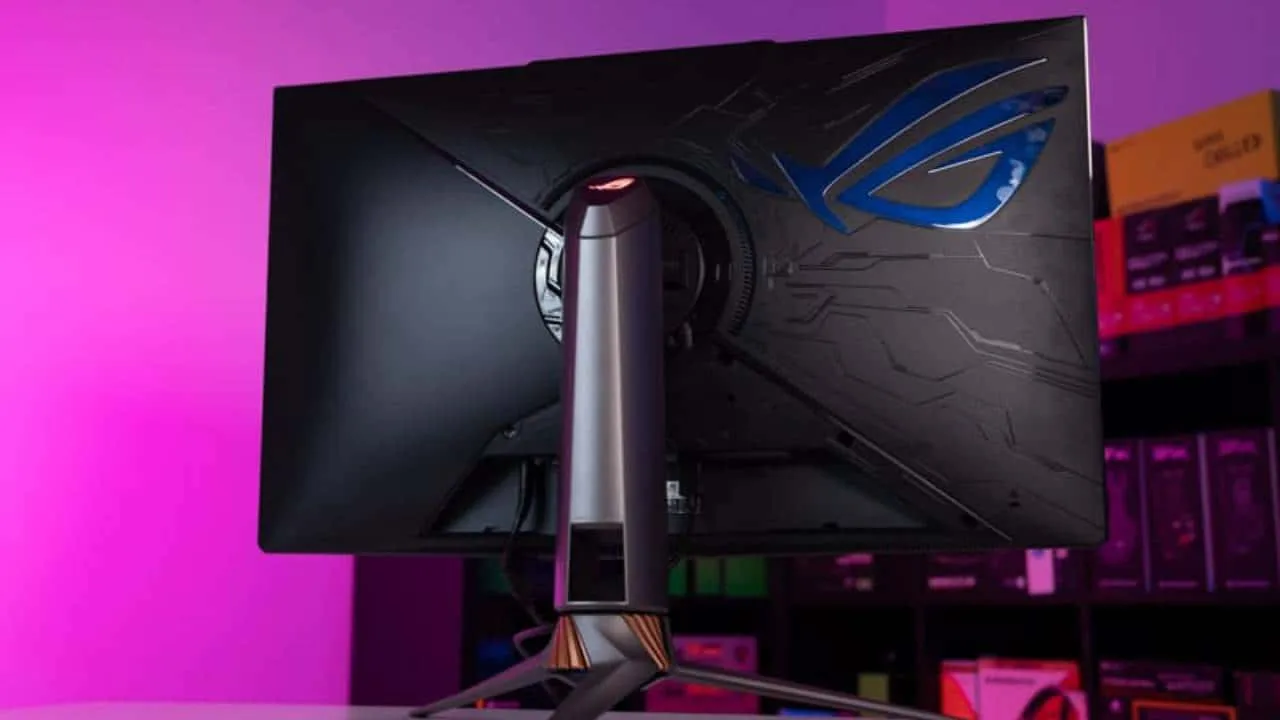
The breakthrough moment with this monitor was when I realized I didn’t have to compromise: I could keep 1440p/144–165fps in most games and still get mini LED contrast. In titles like Halo Infinite and Fortnite, the GP27Q’s backlight reacts quickly enough that I didn’t notice distracting halos around players or crosshairs, as long as I wasn’t sitting completely off-center.
Compared with some of the even cheaper high-zone competitors (e.g., AOC and Cooler Master’s own budget variants that are dipping under the 300€ mark), the GP27Q’s firmware felt more mature. I had fewer weird brightness pumping moments in cutscenes, and HDR tone mapping looked sane without digging deep into menus.
Common pitfalls: don’t make my mistake of running it at the default SDR desktop brightness with HDR permanently on in Windows. Text fringing and washed-out UI elements get annoying fast. I now toggle HDR only when I’m actually launching HDR content, and keep the monitor’s brightness around 40–50% for desktop work.
Premium 4K alternative – ViewSonic ELITE XG321UG
If you want the “PG32UQX experience” but lean a bit more toward content creation and color-critical work, the ViewSonic ELITE XG321UG is the one I’d put on your radar. It also uses a 32-inch 4K IPS panel with 1,152 dimming zones and an HDR 1400-level implementation, but its factory calibration and 10-bit color depth are tuned more for accuracy than flash.
When I pulled up calibrated test patterns and wide-color-gamut footage, shadow detail on the XG321UG tended to hold onto a little more nuance than on some of the gaming-first mini LEDs I’ve tested. Blacks are not OLED-deep, but you get a very controlled, “cinema-like” look in dark games like Alan Wake 2 without posterization or weird color casts.
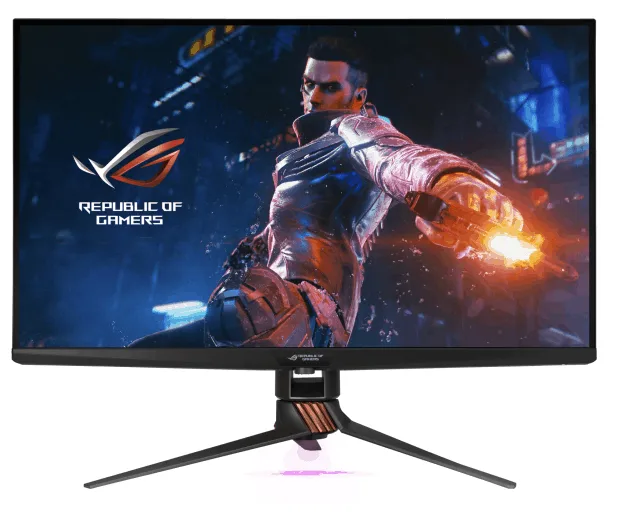
The trade-off is speed. At 144Hz with around 3ms response times, it’s absolutely fine for story-driven games and general PC use, but if you’re chasing every last millisecond in competitive shooters, there are snappier options in lower resolutions. This feels like the right choice if you edit HDR video or photos by day and game in 4K by night.
Best ultrawide mini LED – Samsung Odyssey Neo G9
The Odyssey Neo G9 is the monitor that made me reorganize my entire desk. It’s a 49-inch 32:9 monster with a 5120×1440 resolution, 240Hz refresh rate, mini LED backlight, and a VA panel.
For sim racers and flight sim players, this is simply on another level. In Microsoft Flight Simulator, the combination of width, curve, and HDR brightness made cockpits feel genuinely panoramic. Highlights off aircraft fuselages and sun reflecting on water are where the Neo G9’s high peak brightness and strong contrast really come alive.
However, VA mini LED always comes with a catch: black crush and off-axis shifts. If you sit dead center and at the right distance, you get inky blacks and minimal blooming. Move your head too far off to one side, though, and you start to see gamma and color shifting, along with more visible halos around bright UI elements on dark backgrounds.
My advice: treat seating distance and height as part of the purchase. I ended up pushing the Neo G9 further back than my usual 27-inch monitor and raising my chair slightly to hit the sweet spot of the curve. Also, be sure to install the latest firmware – earlier revisions were a bit aggressive with auto-dimming and local dimming transitions.
Best esports-focused mini LED – AOC AGON Pro AG274QZM
The AGON Pro AG274QZM is the first mini LED monitor I used where I didn’t feel like I was giving up competitive edge for HDR. It’s a 27-inch 1440p panel with a blistering 240Hz refresh rate, 1ms response, and DisplayHDR 1000 with a dense array of dimming zones.
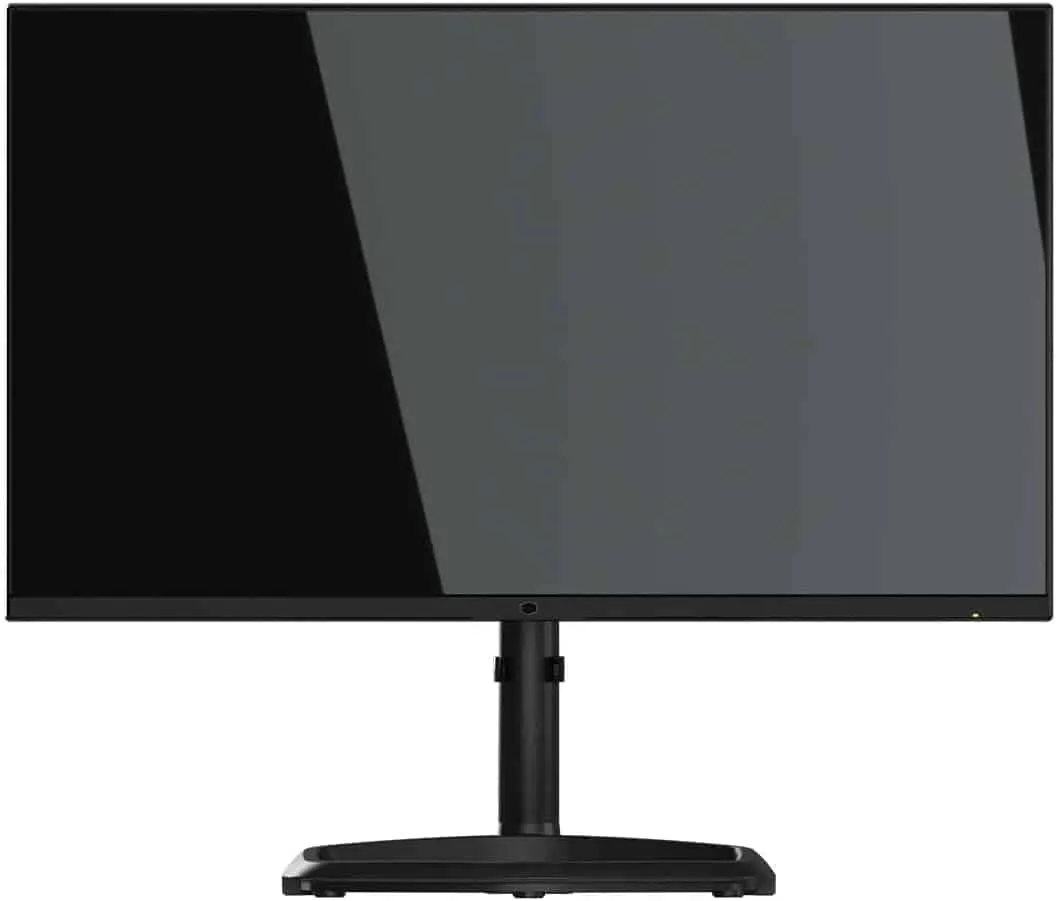
In fast stuff like Valorant or CS2, motion clarity was essentially on par with my non-HDR esports screen once I dialed in overdrive to the “medium” setting. The big win is that you can alt-tab into HDR titles later in the evening and still have genuinely impactful highlights and decent black levels, instead of the usual flat-looking SDR of typical 240Hz TN or basic IPS panels.
HDR performance isn’t quite as jaw-dropping as the 32-inch 4K monsters above, but that’s expected given the smaller size and different tuning. What you get instead is a very usable middle ground: proper FALD, strong brightness, and elite responsiveness in the same package.
What actually matters with mini LED (and what specs to ignore)
Across all of these displays, the same lessons kept repeating themselves. If you’re comparing mini LED monitors, focus on these factors in order:
- Zone count and control: 1,152+ zones is where blooming starts to become much less noticeable on typical desktop sizes, but firmware and dimming algorithms matter just as much as raw numbers.
- Panel type: VA gives deeper native blacks but risks black crush and poor off-angle behavior; IPS has slightly greyer blacks but better color accuracy and viewing consistency.
- Peak brightness and full-field brightness: marketing usually quotes a small-window peak (like “1400 nits”). What matters more is how bright the panel can stay when large parts of the screen are lit, because that affects bright HDR scenes and UI elements.
- HDR tuning: some monitors overshoot into eye-searing territory or dim too aggressively to avoid halos. Look for reviews or user impressions that talk about natural tone mapping, not just high numbers.
- Refresh rate and input lag: for competitive play, 240Hz 1440p mini LED like the AG274QZM hits a sweet spot; for cinematic games, 120–144Hz at 4K is usually sufficient.
Ignore generic “HDR” logos and vague marketing terms. In 2026, there are already budget mini LED options with high zone counts from brands like AOC and Cooler Master that undercut older premium models, but some of them ship with immature firmware or aggressive local dimming presets. Prioritize displays where multiple hands-on reviews agree on stable HDR behaviour.
Getting the most from mini LED on PC, PS5, and Xbox
The last piece of the puzzle is setup. I wasted hours thinking a panel was underwhelming before realizing my settings were wrong. A quick checklist that helped across all the monitors above:
- On PC: in Windows, enable HDR only when you’re about to use HDR content, set the HDR calibration tool so that the last visible highlight matches the monitor’s capabilities, and select the correct color format (often RGB Full at 10-bit if supported).
- On PS5/Xbox: run through the built-in HDR calibration wizards after switching monitors. Raise the “symbol brightness” until it only just disappears instead of cranking it to max.
- On the monitor itself: find the local dimming setting that doesn’t crush detail. “High” or “Strong” isn’t always best – I often landed on “Normal” for a more natural image.
- Test scenes: use content with small bright objects on black (space scenes, credits with white text, subtitles on letterboxed films) to judge blooming. Then use bright daylight scenes to see how the monitor handles full-screen luminance.
Once I started using the same handful of HDR scenes and game moments across all these screens, the differences between good and merely acceptable mini LED implementations became impossible to unsee. The monitors in this guide are the ones that consistently got those tests right while still feeling great to actually play on, not just stare at in a spec sheet.
FinalBoss // Gear
Level up your setup
01Graphics cardson Amazon→02Gaming laptopson Amazon→03High-refresh gaming monitorson Amazon→04Discounted game keyson Kinguin→Affiliate links · As an Amazon Associate, FinalBoss earns from qualifying purchases.
Want to Level Up Your Gaming?
Get access to exclusive strategies, hidden tips, and pro-level insights that we don't share publicly.
Ultimate Guide Strategy Guide + Weekly Pro Tips