

Table of Contents (8)
Can You Play Pokémon Pokopia on PC Right Now?
The blunt answer: no, there is no official Pokémon Pokopia PC version, and there’s no working PC emulator setup for it right now either. If you want to actually play Pokopia today, you need a Nintendo Switch 2. The game was built specifically for that hardware and isn’t on Steam, Epic, GOG, or any other PC storefront.
I’m primarily a PC player myself and only bought a Switch 2 because Pokopia’s whole “post-apocalyptic cosy life sim with Pokémon” hook was too good to ignore. After clearing the early game and sinking a bunch of hours into habitat building, I went hunting for ways to get it running (or at least displaying) on my desktop. Here’s what I actually found that works – and what definitely doesn’t.
No Native Pokémon Pokopia PC Port (And Why That Matters)
Pokémon Pokopia is currently exclusive to Nintendo Switch 2. Nintendo and The Pokémon Company have not announced:
- a PC version
- a cloud streaming version for PC browsers
- a mobile port you could mirror to PC
The game leans heavily on the Switch 2 hardware: stable 60 FPS, lots of Pokémon on screen in your habitats, and surprisingly detailed building tools. From what I’ve played, it feels like something designed with the console’s upgraded CPU and memory in mind, not like a cross-platform game that was quietly held back for a later PC release.
That doesn’t mean a PC port is impossible someday, but if you’re trying to decide whether to wait for “Pokémon Pokopia PC” or just commit to the console, all current signs point to: don’t wait on a PC port. Historically, Nintendo-published Pokémon titles do not come to PC.
What About a Pokémon Pokopia Emulator?
This is the next thing I dug into: “OK, no PC port – but is there a Pokémon Pokopia emulator that works?” At the moment, the answer is still no.
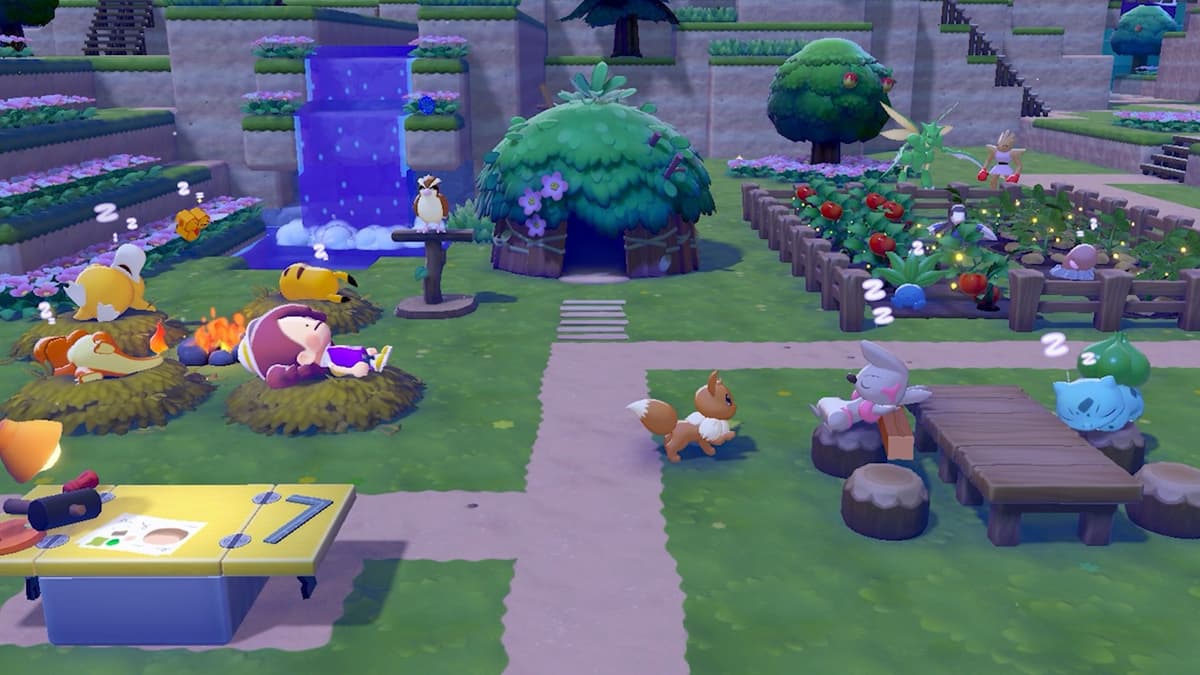
Here’s the key context from a gamer’s perspective:
- Pokopia is a Switch 2 game, not a Switch 1 title.
- Existing popular Switch 1 emulators were built for the older hardware and firmware, not Switch 2.
- As of now, there’s no stable, public emulator that can boot and play Pokémon Pokopia at anything close to a playable state.
I also ran into a ton of shady sites in the process: “Pokémon Pokopia PC Download”, “Pokopia Switch 2 Emulator Pack”, and similar. Every single one I checked out either:
- asked for surveys or strange installers
- wanted me to run unsigned .exe files with no reputation
- or clearly just re-used screenshots from legitimate reviews
Based on experience, those are almost always malware, scams, or both. If you don’t see real footage of someone going from emulator launch → Pokémon Pokopia title screen → in-game with repeatable steps, treat it as fake.
There’s also the legal and ethical side. Even when emulation itself can be legal in some regions, downloading commercial game files you don’t own is usually not. Nintendo is particularly aggressive about shutting down projects and sites around its newer systems. So right now, relying on a “Pokémon Pokopia emulator” is both unsafe technically and uncertain legally, and in practice you still can’t actually play the game that way.
Using a Switch 2 with Your PC: The Only Practical Workaround
What does work – and what I’ve settled on – is treating my Switch 2 as the console it is, and using my PC purely as a display and controller hub. This is not emulation and not a PC port; it’s just a way to make Pokopia feel more like a “PC game” in your setup.
There are two main approaches I’ve used:
1. Capture Card Setup (Best Quality, Higher Cost)
This is how I play most of my console games at my desk.
- Dock your Switch 2 as usual.
- Run the dock’s HDMI output into a USB capture card plugged into your PC.
- Open capture software (I use OBS) and add the capture card as a
Video Capture Device. - Set the preview to “Fullscreen Projector” on your main monitor.
- Play using your Switch controllers or a paired PC controller, depending on your setup.
This basically turns Pokopia into a “windowed” application on your desktop. Input delay is negligible on a decent capture card, and for a slower-paced life sim like this, it feels completely natural. The downside is obvious: you still had to buy the Switch 2 and a capture card, so it’s not a money-saver. It just makes the experience PC-like.
2. Local Streaming / Game Share from Switch 2
Depending on how Nintendo has rolled out Game Share / remote play style features for Switch 2, you may also be able to stream the console’s output over your local network. The principle is always the same: your Switch 2 still runs Pokémon Pokopia, and your PC only displays a video feed and sends inputs back.
In practice, I’ve found this is more sensitive to Wi‑Fi quality. When terraforming big areas or running around large habitats, bitrate spikes can cause artifacting if your network isn’t rock solid. It’s playable, but if you’re already investing in the console, the capture card route is more consistent.
Either way, these are both console-first solutions. You must own a Switch 2 and a copy of Pokémon Pokopia. Your PC is just piggybacking on that hardware, not replacing it.
If You’re PC-Only: Games That Feel Closest to Pokopia
Before I bought a Switch 2, I tried to fill the “Pokopia-shaped hole” on PC with other games. None of these are one-to-one replacements, but they scratch similar itches:
- Palworld – If what attracts you to Pokopia is “monsters plus building”, Palworld is the closest PC-native mix. You capture creatures, automate bases, and farm resources. It’s harsher in tone and has more combat, but the loop of building efficient habitats and using creatures’ specialties overlaps nicely.
- Ooblets – This is the cosiest option. It leans hard into town life, farming, and befriending cute creatures. When Pokopia has me zoning out placing habitat decorations, Ooblets gives similar vibes on PC.
- Slime Rancher 2 – No Pokémon here, but the whole “collect creatures, build pens, optimize layouts” core is familiar. Great if you like Pokopia’s ranching and resource loops more than its social side.
- My Time at Sandrock – If you’re drawn to Pokopia’s post-apocalyptic town restoration angle, Sandrock hits that note. You rebuild a community through crafting, commissions, and relationship-building.
- Disney Dreamlight Valley – This overlaps with Pokopia’s “life sim meets big IP” feel. Lots of quest chains, decorating, and village management, just with Disney instead of Pokémon.
On my own setup, I tend to play Pokopia on the Switch 2 when I specifically want Pokémon and emergent creature behavior, and bounce back to Palworld or Sandrock on PC when I crave something visually busier or mod-friendly. If you’re 100% PC-locked, starting with one or two of these will give you a good chunk of the Pokopia experience without buying new hardware.
What to Realistically Expect Going Forward
Right now, all the practical paths look like this:
- Want to actually play Pokémon Pokopia? You need a Switch 2 and the game.
- Want to use your PC setup? Run Pokopia on Switch 2 and route it through your PC via capture card or local streaming.
- Strictly PC-only, no console budget? Stick to similar titles like Palworld, Ooblets, Slime Rancher 2, My Time at Sandrock, or Disney Dreamlight Valley.
- Holding out for emulation? There’s nothing usable for Pokopia yet, and anything promising an instant “Pokémon Pokopia PC emulator” download is almost certainly unsafe.
I went through the same “hoping there’s a secret PC method” phase, and the honest state of things is pretty simple: for now, Pokopia is a Switch 2 game only, and any true PC or emulator solution is a long way off, if it ever shows up at all.
FinalBoss // Gear
Level up your setup
01Best-selling Switch 2 gameson Amazon→02Switch 2 accessorieson Amazon→038BitDo controllerson Amazon→04Discounted game keyson Kinguin→Affiliate links · As an Amazon Associate, FinalBoss earns from qualifying purchases.
Want to Level Up Your Gaming?
Get access to exclusive strategies, hidden tips, and pro-level insights that we don't share publicly.
Ultimate Guide Strategy Guide + Weekly Pro Tips