
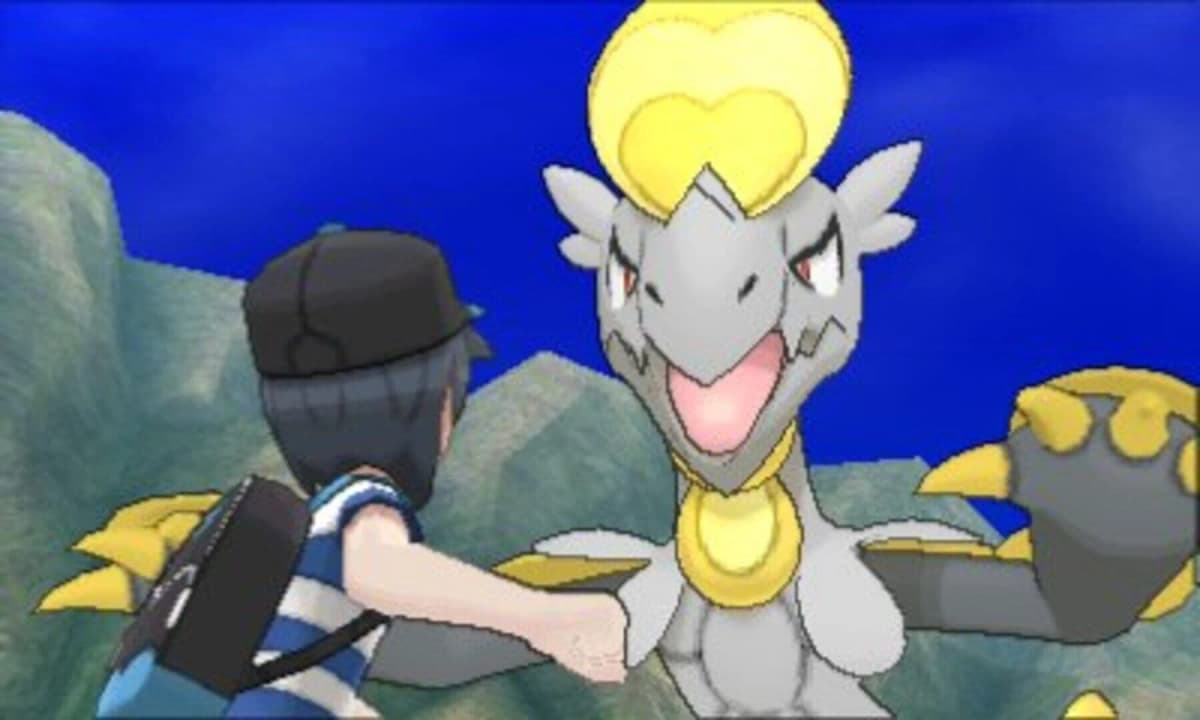
The Wish Upon a Jirachi event in Pokémon Pokopia runs from June 23, 2026, at 5:00 a.m. local time until July 8, 2026, at 4:59 a.m. local time. To finish everything before the window closes, you need to verify your setup, earn Wish Notes by helping town Pokémon, unlock Sparkling Wish Notes, trade for event-exclusive rewards, and assemble the Surrounded by Stars Jirachi habitat with the correct components and electrical setup.
Table of Contents (9)
Prerequisites: What You Must Finish Before Jirachi Arrives
Jirachi will not visit your town unless specific conditions are met. Nintendo locks event participation behind town infrastructure and system settings, so run through this checklist before you launch the game.
- Update to the current event version. Download the latest update data from the Nintendo Switch 2 HOME Menu, then launch Pokémon Pokopia and confirm the software version on the title screen.
- Rebuild a Pokémon Center. You must complete your town’s important requests and finish the Pokémon Center reconstruction. Jirachi only visits towns with an operational Center.
- Match real-world time. Your Nintendo Switch 2 system date and time must reflect the actual clock. If the console is set outside the June 23-July 8 event period, the event will not trigger.
- Launch while connected to the internet. Start the game with an active internet connection so the event flag can appear properly.
If Jirachi is absent after the opening cutscene, exit to the HOME Menu, verify your system clock, confirm your internet connection, and reload. Players who have not completed the town requests leading to the Pokémon Center should finish those first; the event is inaccessible in a brand-new save.
Step 1 – Verify Event Access and Meet Jirachi
Once your prerequisites are clear, load into your town. The event should trigger shortly after you gain control, introducing Jirachi and the Wish Note system. If the starry introduction does not play, double-check the title-screen version number against the latest patch notes. Do not proceed with normal town activities assuming the event is merely delayed; without the proper version and internet verification, none of the event currencies will drop.
After the introduction, Jirachi will task you with gathering Wish Notes. These are the crafting and handoff items you need to make first, functioning as the base event currency. Speak with Jirachi to open the event trade menu and review the full list of rewards. Note which items require standard Wish Notes and which require the rarer Sparkling Wish Notes so you do not spend your early currency on low-priority cosmetics.
Step 2 – Earn Wish Notes Through Pokémon Requests
The primary source of Wish Notes is completing requests from Pokémon around your town. These tasks work like the standard town errands you have already completed to rebuild facilities, but during the event they reward the special currency instead of the usual materials. Walk through every district and speak to every Pokémon with a request marker.
Focus on clearing every available request before the daily reset. Early on, every completed task drops standard Wish Notes. These accumulate quickly, but do not spend them immediately. You need a stockpile to unlock the next tier of event progression, because the altered currency flow gates Sparkling Wish Notes behind an initial investment of regular ones.
Some requests involve fetch quests across biomes you have already explored, while others ask you to craft specific items on your workbench. Keep a stack of common building materials in your storage-wood, stone, and ingots-so you can fulfill crafting requests without pausing to mine. If you own the Expansion Pass and claimed the 30 rare Pokémetal ingots bonus before August 31, 2027, this is a good time to dip into that reserve for urgent hand-ins.
Step 3 – Unlock Sparkling Wish Notes
After you have turned in enough standard Wish Notes through requests or trades, the event unlocks Sparkling Wish Notes. This is the premium currency for the best rewards, including the core components for the Surrounded by Stars Jirachi habitat. Sparkling Wish Notes come from continued Pokémon requests, typically from the same town Pokémon but at a higher completion threshold, or from specific multi-part errands that only appear after you have cleared the initial wave.
The fastest route is to exhaust every regular request in town, collect the standard Wish Notes, hand in the required amount to Jirachi to open the Sparkling tier, and then immediately tackle the new errands that appear. Do not skip the intermediate trade step: some players farm standard notes indefinitely without realizing they must interact with Jirachi’s trade menu to officially unlock the Sparkling Note requests.
Step 4 – Trade for the Right Rewards
Jirachi’s trade list contains decorative items, clothing, and habitat blueprints. Prioritize the Surrounded by Stars Jirachi habitat components first. The event is time-boxed, and the habitat requires multiple distinct parts that must be purchased separately. If you spend early Sparkling Wish Notes on furniture or outfits, you may not be able to earn the remaining balance before July 8.
Check the blueprint for the habitat before you buy anything else. It lists every component you still need. Buy the structural frame and the star-themed centerpiece first, then fill in any secondary decorations if you have leftover currency. Remember that some habitat pieces cost standard Wish Notes while the rarest parts cost Sparkling Wish Notes, so balance your spending across both pools rather than draining one.
Step 5 – Assemble the Surrounded by Stars Jirachi Habitat
Once you have traded for all habitat components, open your building menu and place the Surrounded by Stars Jirachi habitat on your lot. This is not a simple drop-and-place item; it requires active electrical setup to function. Place the main habitat structure in an open area where you have room to run power lines or position a generator nearby.
Connect electricity to the habitat using your town’s power grid or a standalone generator. If the blueprint includes wiring steps, lay the cables from your power source to the habitat’s connection point before you attempt to activate it. The build will not register as complete-and Jirachi will not interact with it—if the structure is unpowered. After the electricity is connected, place any remaining interior components such as the starry floor panels or celestial lamps inside the habitat boundaries.
Activate the finished habitat and speak with Jirachi one final time to complete the event arc. If the interaction does not trigger, walk through the structure and verify that every purchased component is placed and that the power indicator is lit. Missing a single lamp or leaving a wire unconnected are the most common reasons the completion flag fails to fire.
Troubleshooting Common Event Blockers
- Jirachi does not appear: Confirm your system time matches the real world, the game is updated, your Pokémon Center is rebuilt, and you launched while online.
- No Sparkling Wish Notes dropping: Ensure you have handed in enough standard Wish Notes at Jirachi’s trade menu to unlock the tier. Simply hoarding them in your inventory is not enough.
- Habitat will not activate: Double-check that all traded components are placed and that electricity is actively flowing to the structure. Unpowered builds remain inactive.
- Requests are not spawning: Clear any non-event requests that are clogging the town queue. Some Pokémon can only offer event errands once their standard quest lines are finished.
Time Management for the Event Window
The event runs for just over two weeks, but the daily request cap means you cannot grind everything in the final weekend. Spend the first few days clearing standard requests to unlock Sparkling Wish Notes, then focus the remaining time on the premium errands and habitat build. If you start late, skip the cosmetic rewards entirely and pour every currency into habitat components, since those cannot be obtained after July 8, 2026, at 4:59 a.m. local time.
Because the event is tied to real-world time and verified online, do not attempt to time-travel backward after the deadline to reclaim missed items. Nintendo explicitly blocks the event flag if the Nintendo Switch 2 system date is set outside the active period.
Final Checklist
- Download the update and confirm the version on the title screen.
- Verify your Pokémon Center is fully rebuilt.
- Launch connected to the internet with correct system time.
- Complete Pokémon requests for standard Wish Notes.
- Trade standard notes to unlock Sparkling Wish Notes.
- Purchase all Surrounded by Stars habitat components before cosmetics.
- Place the habitat, connect electricity, and insert interior items.
- Activate and speak to Jirachi to finish.
Stick to this order and you will have the full event cleared with time to spare.
FinalBoss // Gear
Level up your setup
01Best-selling Switch 2 gameson Amazon→02Switch 2 accessorieson Amazon→038BitDo controllerson Amazon→04Discounted game keyson Kinguin→
Affiliate links · As an Amazon Associate, FinalBoss earns from qualifying purchases.
Want to Level Up Your Gaming?
Get access to exclusive strategies, hidden tips, and pro-level insights that we don't share publicly.
Ultimate Guide Strategy Guide + Weekly Pro Tips