
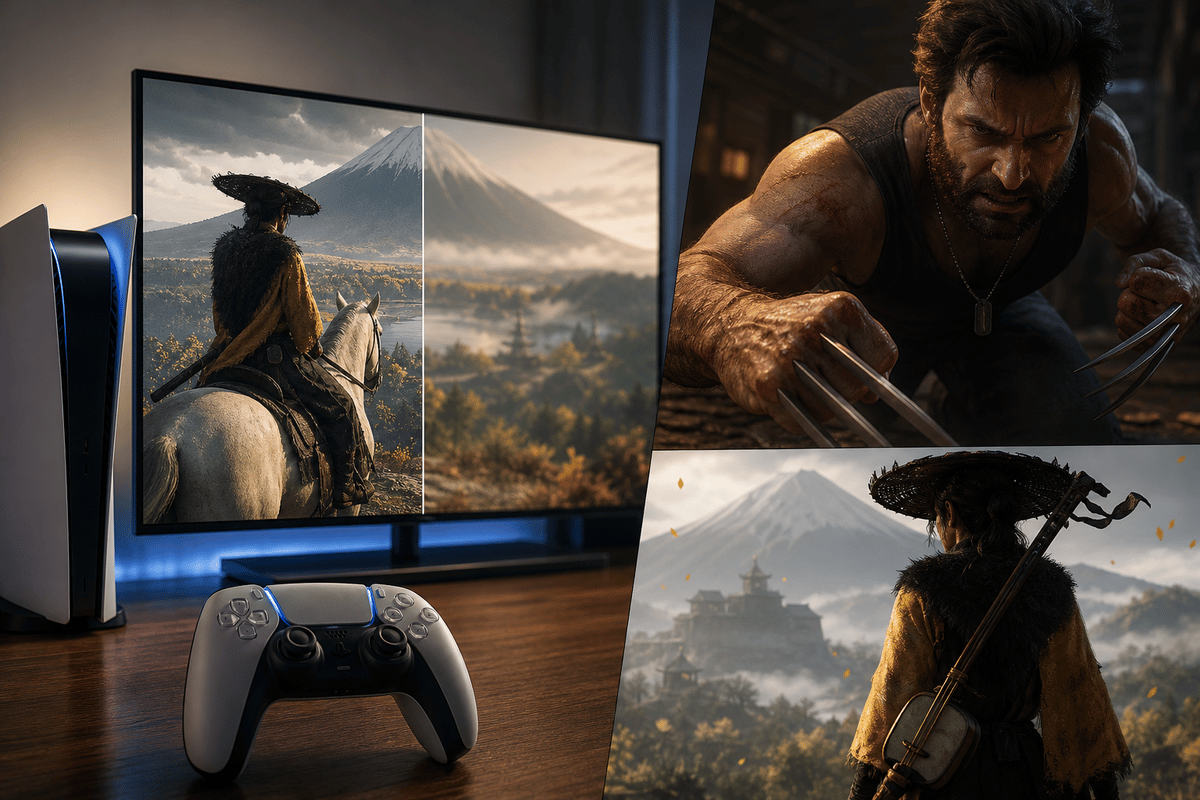
Quick Spectral Super Resolution arrived on October 1, 2026 as an optional graphics setting for Marvel’s Wolverine and Ghost of Yōtei on the standard PlayStation 5. Update the game, find the QSSR option in its display or graphics menu, then compare it with the prior upscaling mode in the exact same moving scene. The payoff Sony is chasing is steadier detail during motion: fewer crawling edges, cleaner foliage, and thin geometry that holds together rather than fizzing apart.
Table of Contents (6)
What PS5 QSSR Does
QSSR is Sony’s AI-powered image reconstruction system for the base PS5. The game renders a lower-resolution internal image, then QSSR analyzes the image pixel by pixel to reconstruct a cleaner output. It is a streamlined counterpart to PlayStation Spectral Super Resolution, the higher-end PSSR technology used on PlayStation 5 Pro.
Sony built QSSR through Project Amethyst, its graphics-technology collaboration with AMD. PSSR’s computational demands kept it confined to PS5 Pro hardware; QSSR uses a smaller neural-network approach and a hand-tuned implementation intended to fit the standard PS5’s much tighter graphics budget.
That distinction matters. QSSR does not create a universal console-level “AI quality” switch and it does not automatically update older games. Each studio must integrate it, patch the game, and expose it as a selectable option. Sony is making the technology available to PlayStation developers, but support remains game by game.
QSSR Support at Launch
- Marvel’s Wolverine: QSSR was added in version 1.002.000. Insomniac Games’ implementation shows the larger visual gain, particularly in temporal stability, fine detail, sub-pixel geometry, and moving foliage.
- Ghost of Yōtei: QSSR is also available as an added graphics option. The improvement is subtler because Sucker Punch’s game already produces a comparatively stable image, making the upgrade more of a cleanup pass than a dramatic before-and-after.
How to Verify QSSR Is Enabled
- Install the game patch. QSSR is delivered through the game update, not a PS5 system setting. For Marvel’s Wolverine, confirm version 1.002.000 is installed.
- Open Display or Graphics settings. Look for “QSSR,” “Quick Spectral Super Resolution,” or a new image-quality/upscaling selection. It sits alongside existing graphics choices rather than replacing every mode outright.
- Keep every other option fixed. Use the same performance or quality mode, output resolution, HDR state, brightness, and sharpening settings. Changing two variables at once makes the comparison useless.
- Turn off motion blur temporarily. Motion blur can hide shimmer and make a softer reconstruction look smoother than it is. It is useful for playing, but poor for inspecting reconstruction quality.
- Compare a repeatable sequence. Use the same camera angle and pan speed, then switch QSSR off and on. A still screenshot can reveal sharpening; movement exposes whether the image really stays coherent.
Where QSSR Should Be Easiest to See
The useful targets are small, high-contrast details that conventional temporal upscalers often mishandle. Check narrow railings, power lines, grilles, thin branches, grass, hair, distant signs, and character outlines against bright or busy backgrounds. These are the pixels that tend to sparkle, break up, or vanish when the camera moves.
In Marvel’s Wolverine, pan slowly across dense vegetation and built-up scenery, then repeat at normal traversal speed. QSSR should preserve more tiny detail from frame to frame and reduce the unstable look of moving foliage. The meaningful change is not merely a sharpened edge; it is whether that edge stays in the same place without flickering, dissolving, or leaving residue behind.
In Ghost of Yōtei, focus on distant foliage, narrow environmental detail, and texture persistence while moving through a scene. Its existing reconstruction is already strong, so QSSR’s benefit lands in smaller corrections: less shimmer, more consistent fine structure, and a calmer image during motion.
QSSR vs. Common Reconstruction Problems
| What you see | What it means | What QSSR should improve |
|---|---|---|
| Thin fences, branches, or wires flicker during camera pans | Temporal shimmer or unstable sub-pixel reconstruction | Lines remain more continuous and less noisy in motion |
| Grass and leaves sparkle, dissolve, or pop as the camera moves | Foliage breakup caused by incomplete temporal data reconstruction | Vegetation holds its shape more consistently across frames |
| Fine texture detail turns into a soft blur during movement | Smearing from an upscaler losing high-frequency image detail | Surface detail persists longer without becoming a mushy wash |
| A faint afterimage follows a moving object | Ghosting or poor history-buffer cleanup | Less trailing behind characters and environmental objects |
| Bright outlines form around high-contrast objects | Ringing or excessive sharpening | Detail improves without obvious halos around edges |
| Newly revealed scenery takes a moment to resolve | Disocclusion artifact after an object moves out of view | Cleaner recovery when fresh image areas appear |
What QSSR Does Not Promise
QSSR is an image-quality feature, not a blanket frame-rate upgrade or a native-resolution mode. Sony’s targets are improved detail, temporal stability, and fewer reconstruction artifacts. The final image still depends on the game’s internal resolution, graphics mode, motion-vector quality, developer integration, display resolution, viewing distance, HDR configuration, and television-side processing.
Do not compare QSSR directly with PS5 Pro PSSR as if they are the same implementation running on different boxes. PSSR remains the more capable solution on PS5 Pro. QSSR brings the same basic AI reconstruction direction to standard PS5 hardware through a deliberately reduced performance tier.
FinalBoss // Gear
Level up your setup
01Best-selling PS5 gameson Amazon→02DualSense controllerson Amazon→03PS5 SSD upgrades (M.2 NVMe)on Amazon→04Discounted game keyson Kinguin→Affiliate links · As an Amazon Associate, FinalBoss earns from qualifying purchases.
Want to Level Up Your Gaming?
Get access to exclusive strategies, hidden tips, and pro-level insights that we don't share publicly.
Ultimate Tech Strategy Guide + Weekly Pro Tips