
Table of Contents (17)
Why Reborn Skills Master Codes Matter (and How I Messed Up at First)
After a few weeks grinding Reborn Skills Master on Roblox, I hit that classic wall: skills were getting pricier, maps were tougher, and my potions stash was empty. That’s when I really dug into codes. I’d seen people one-shotting mobs with crazy buffs while I was chipping away with basic swords – the difference was, they were actually redeeming every update code on time.
The first night I tried to catch up, I made all the mistakes: typing codes wrong, staying on an outdated server where new codes didn’t work, and wasting time on expired ones. Once I figured out the right redemption flow and a few troubleshooting tricks, I started claiming every new code (like update66) within minutes and snowballed my progress.
This guide walks you through exactly how I handle Reborn Skills Master codes now: the full current list, the fastest way to redeem them via Shop → Code, how to fix “invalid” errors, and how to squeeze the most value out of those free potions and boosts.
All Working Reborn Skills Master Codes (Including update66)
These are the codes that have been working as of the March 12, 2026 update (when update66 was added). Codes can stop working without warning, so redeem quickly.
Priority Codes to Redeem First
update66– Freebies (latest code as of March 12, 2026; redeem this first)update65– Freebiesupdate64– Freebieswelcome– x1 Gold Potion (amazing early-game boost, don’t skip this)
The “Freebies” from update codes are usually potions, boosts, and other helpful items. Exact rewards can shift across updates, but they’re always worth claiming if you’re actively playing.
Full Current Code List
Here’s the longer list of codes that have been working. I usually start from the newest and work backward until I hit one that errors out (which usually means I’ve already redeemed it or it finally expired).
update66– Freebiesupdate65– Freebiesupdate64– Freebiesupdate59– Freebiesupdate58– Freebiesupdate57– Freebiesupdate56– Freebiesupdate55– Freebiesupdate54– Freebiesupdate53– Freebiesupdate52– Freebiesupdate51– Freebiesupdate50– Freebiesupdate49– Freebiesupdate48– Freebiesupdate47– Freebiesupdate46– Freebiesupdate45– Freebiesupdate44– Freebiesupdate43– Freebiesupdate42– Freebiesupdate41– Freebieswelcome– x1 Gold Potionupdate27– Freebiesupdate26– Freebiesupdate25– Freebiesupdate24– Freebiesupdate23– Freebiesupdate22– Freebiesupdate21– Freebiesupdate20– Freebiesupdate19– Freebiesupdate18– Freebiesupdate17– Freebiesupdate16– Freebiesupdate15– Freebiesupdate14– Freebiesupdate13– Freebiesupdate12– Freebiesupdate11– Freebiesupdate10– Freebiesupdate9– Freebiesupdate8– Freebiesupdate7– Freebiesupdate6– Freebiesupdate5– Freebiesupdate1– Freebies
You don’t have to memorize any of these. I keep them in a small notepad file and copy-paste them in batches whenever a new update drops, just to make sure I didn’t miss anything on a new account.
How to Redeem Reborn Skills Master Codes (Step-by-Step)
This is where I initially messed up. I was hunting around menus and typing codes into chat. None of that works. The only place you should enter codes is in the Shop menu.
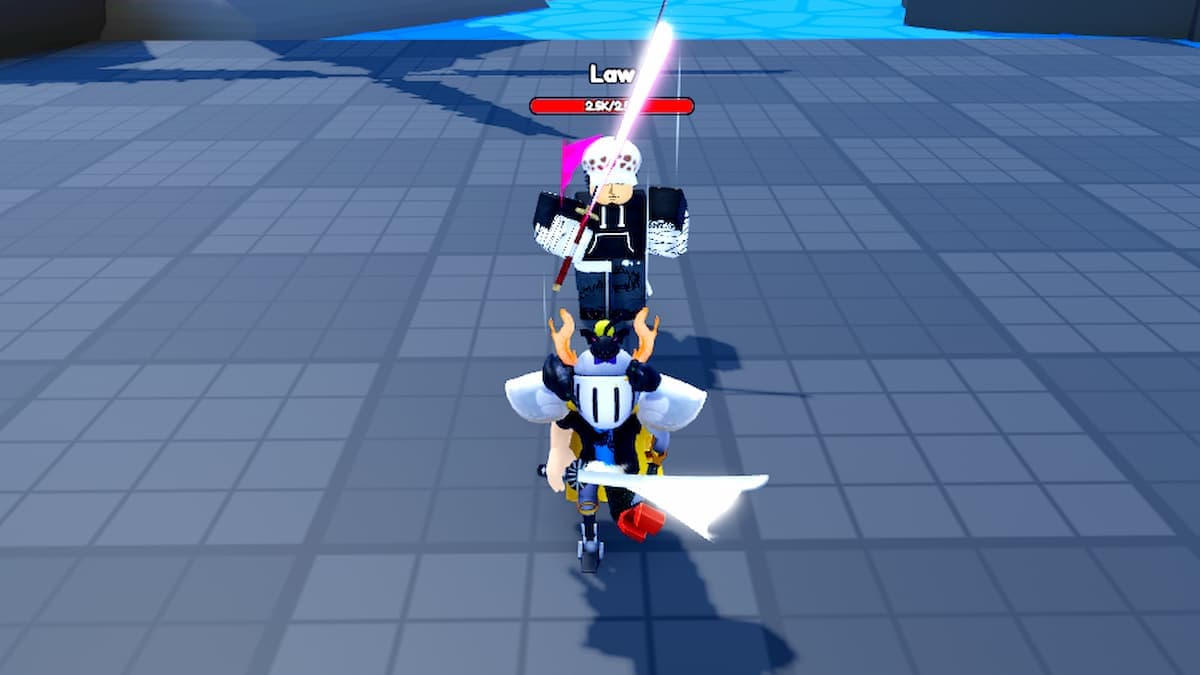
Step 1 – Open the Code Menu
- Launch Reborn Skills Master on Roblox.
- Once you’re in a server and can move your character, look for the Shop button on your screen (usually on the side or bottom, depending on your device).
- Click or tap
Shop. - Inside the Shop interface, find and press the Code button/tab.
If you don’t see the Code button at first, scroll or look for smaller icons within the Shop window – the first time I played on mobile, I didn’t realize it was a separate tab there.
Step 2 – Enter the Code Exactly
- In the Code screen, tap the text box.
- Type or paste your code exactly as shown, for example:
update66orwelcome. - Press the Get Reward (or similar) button to confirm.
Important: codes are case-sensitive. That means update66 is not the same as Update66 or UPDATE66. I strongly recommend copy-pasting from a code list instead of typing by hand, especially on mobile.
Step 3 – Confirm Your Rewards
- If the code is valid and active, you’ll see a success message and get your rewards instantly.
- Potions and other items will go straight into your inventory; boosts apply as described.
- If you see an error message (“invalid”, “already redeemed”, or similar), check the troubleshooting section below.
Once I got into the habit, it took me under a minute to run through 10+ codes whenever I hopped onto a new account. The time spent is tiny compared to the grind those freebies save you.
Step 3 – Confirm Your Rewards
- If the code is valid and active, you’ll see a success message and get your rewards instantly.
- Potions and other items will go straight into your inventory; boosts apply as described.
- If you see an error message (“invalid”, “already redeemed”, or similar), check the troubleshooting section below.
Once I got into the habit, it took me under a minute to run through 10+ codes whenever I hopped onto a new account. The time spent is tiny compared to the grind those freebies save you.
🎮 Get This Game at the Best Price
Compare prices instantly and save up to 80% on Steam keys with Kinguin — trusted by 15+ million gamers worldwide.
*Affiliate link — supports our independent coverage at no extra cost to you
Common Redemption Mistakes (Don’t Repeat Mine)
Here are the issues that wasted most of my time early on, and how to avoid them.
- Using chat instead of the Code menu: Codes only work via
Shop → Code. Typing them in Roblox chat does nothing. - Typos and capitalization errors: One wrong letter or missing number will invalidate the code. Use copy-paste whenever possible.
- Spaces before/after the code: On mobile especially, it’s easy to copy a code with a trailing space. If you get “invalid” and you’re sure it’s active, delete everything and retype carefully.
- Redeeming on an outdated server: This one hit me on the day
update66dropped. The code was live, but my server hadn’t updated yet, so it kept failing.
That last issue leads straight into the most useful trick I learned.
Fixing Codes That “Should” Work (Server Switch Trick)
Sometimes a brand-new code gets announced, everyone says it works, and you still see an error. When that happens, I don’t assume the code is fake – I assume my server is behind.
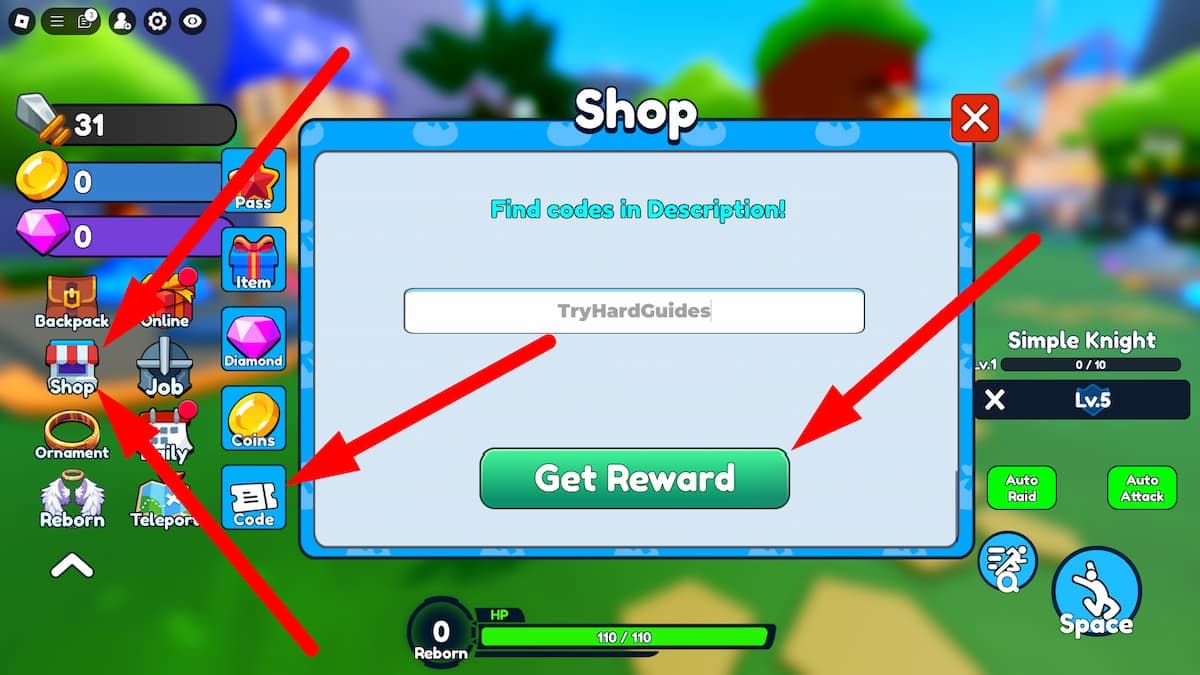
Step-by-Step Server Refresh
- Completely leave the game (back to the Roblox game page).
- Rejoin Reborn Skills Master; this usually drops you into a different, more up-to-date server.
- Open
Shop → Codeagain and try the same code.
I’ve had codes go from “invalid” to working instantly just from this server hop. It’s especially useful right after a big update or when a code like update66 has just been released.
Other Things to Check
- Already redeemed: If you see a message that clearly says you’ve used it before, that code is done on that account. Try the next one.
- Expired codes: Developers don’t always announce expiry times. If an older code fails while newer ones work, it’s probably gone for good.
- Copy from a reliable list: Don’t trust random chat messages; one wrong character will ruin your attempt.
My rule now: if a code fails on two different servers and I’m sure I copied it correctly, I mark it as expired in my notes and move on.
When New Reborn Skills Master Codes Usually Drop
There’s no official fixed schedule, but after watching a bunch of code waves roll in, some patterns are pretty clear.
- Major game updates: Codes like
update66,update65, etc., usually arrive alongside content updates or patches. - Holidays and events: Special events (New Year, Halloween, etc.) are prime time for extra freebies.
- Milestones: When the game hits like or favorite milestones, devs often celebrate with a new code.
- Compensation after issues: If there’s noticeable downtime or a big bug, keep an eye out for “sorry” codes.
Personally, I’ve gotten the most value by checking for new codes right after loading the game following an update, before I start any serious grinding. That way, any potions or boosts I get are active while I’m actually playing.
How to Use Your Free Potions and Boosts Efficiently
Grabbing codes is only half the battle. The other half is not wasting the rewards. When I first stacked a bunch of potions, I blew them during short, distracted sessions and barely felt the impact. Here’s what I do now.
- Plan a focused grind window: Before you pop any time-limited boosts, make sure you have 20–30 minutes to actually play.
- Use the
welcomeGold Potion early: That x1 Gold Potion is great for smoothing out the early game. I save it for when I’m about to push into a slightly harder map or upgrade a key skill. - Stack boosts with good maps: Use your strongest freebies when you’re farming enemies that are tough enough to give good rewards but not so strong that you’re dying constantly.
- Don’t hoard forever: I used to sit on potions “for the perfect moment” and ended up barely using them. It’s better to use them steadily as you progress.
If you treat every code as a small accelerator and actually play while the boosts are active, your power curve stays way ahead of players who ignore codes.
Quick Recap: Your Reborn Skills Master Code Gameplan
- Redeem
update66and other new codes as soon as you can – they can expire without warning. - Always use
Shop → Code, never chat, to redeem. - Remember that codes are case-sensitive; copy-paste to avoid typos.
- If a fresh code won’t work, leave and rejoin to switch servers, then try again.
- Use the
welcomeGold Potion and other freebies during focused grind sessions so you feel the boost.
Once I started treating codes as part of my regular routine instead of a bonus, Reborn Skills Master got a lot smoother. If I can go from struggling through basic maps to cruising on update freebies, you can do the same – just stay on top of new codes, redeem them correctly, and make every potion count.
FinalBoss // Gear
Level up your setup
01Mobile gaming controllerson Amazon→02Top-rated gaming headsetson Amazon→038BitDo controllerson Amazon→
Affiliate links · As an Amazon Associate, FinalBoss earns from qualifying purchases.
Want to Level Up Your Gaming?
Get access to exclusive strategies, hidden tips, and pro-level insights that we don't share publicly.
Ultimate Guide Strategy Guide + Weekly Pro Tips