
Game intel
Slay the Spire 2
The iconic roguelike deckbuilder returns! Craft a unique deck, encounter bizarre creatures, and discover relics of immense power in Slay the Spire 2 - featuri…
I’ll be honest: when a new Slay the Spire 2 update drops, I’m not just scanning for wild new relics (though those always get me); I’m hunting for signs Mega Crit truly “gets” what made the original so addictive. This week’s dev blog is exactly the kind of reveal that gets true fans buzzing. Sure, there are fresh potions and relic teases, but hidden in the fine print is something I didn’t know I needed: a smarter, clearer UI that actually keeps pace with the high-stakes choices this game demands. That, more than any flashy card or overpowered buff, has me genuinely stoked for the sequel.
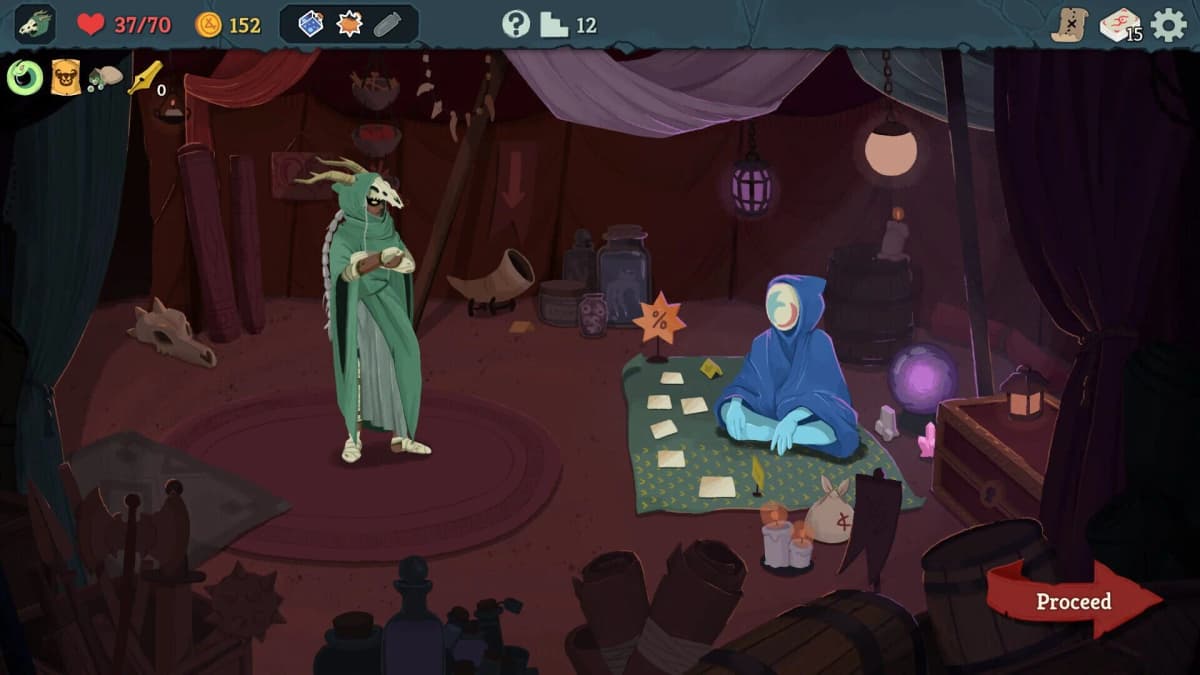
The most eye-catching change? A persistent turn counter. In the original, the turn indicator would pop up, do its thing, and vanish before you could process it—leading to nearly half my runs going to waste because I forgot exactly when my Stone Calendar would detonate. In Slay the Spire 2, that counter sits in the corner, counting up every turn of every battle. No more guesswork, no more missed relic triggers.
Beyond the turn count, relic icons now glow subtly when they’re about to activate. If you’re running The Clockwork Compass, you’ll see a pulsing outline the moment extra energy is queued—no frantic mouse-overs required. Dynamic tooltips update live, so when a relic boosts a specific card type, you don’t just get a static description—you see how many of those cards you currently have in your deck.
Player Anecdote #1: During a recent beta stream, popular content creator StormSlayer19 paused mid-boss fight to tell viewers, “I literally screamed when the counter stayed put—I’m not a horrible person, I just care about my run!” Chat flooded with viewers sharing their own turn counter horror stories.
Player Anecdote #2: A friend who juggles a keyboard and reading glasses used to scribble turn numbers on sticky notes—like playing Minesweeper on the side. He messaged me after the update went live: “I can finally throw away my notes and just focus on wrecking the Spire.”
Community Reaction: On the official forums, “RelicHunter” posted a side-by-side video of old versus new tooltips, showing how hover info now animates instantly when you gain a buff or upgrade a card. Upvotes skyrocketed overnight—proof that even seasoned players crave these micro-improvements.
Potions have gotten a full facelift. In the original, you’d often slam the wrong bottle by accident—especially when every second counted in a boss fight. Now, each potion bottle sports a unique silhouette, color, and emblem. The Strength potion shows a flexing arm, the Regeneration flask drips green crosses, and the enigmatic Ship in a Bottle has a tiny galleon icon. You can’t confuse them under pressure.
Tooltips have leveled up too. Hovering over a potion dynamically shows exact values: if you have +10 Strength, the tooltip for a Strength potion reads “Gain +3 Strength → Attack deals +x damage,” with the precise number filled in. Gone is the vague “increases damage.”
Player Anecdote #1: In a community tournament, one contender admitted he’d downed a Venom Vial by mistake, wiping out his whole deck instead of poisoning the boss. When devs hinted at clearer icons, chat erupted. Now the change is live, and that competitor posted on Reddit: “I never rage-quit so gracefully.”
Player Anecdote #2: A speedrunner friend of mine uses keyboard hotkeys for potions, but the old overlapping icons made mapping unreliable. In Slay the Spire 2, each potion slot can be assigned a number key and shows the corresponding numeral on the icon itself. He messaged me mid-beta: “Hotkey potion clarity alone shaved seconds off my runs.”
The three new relics teased—Wongo’s Bargain Ticket, Stone Humidifier, and Joss Paper—hint at expanded shop and campfire mechanics that deepen strategic choices. Wongo’s Bargain Ticket seems to unlock discounts or even an auction-style mini-game, while Stone Humidifier might grant additional campfire options like rare buffs or conditional healing.
Cart UI has been reworked too. Price tags now turn green when discounted, and hovering a relic in the shop shows exactly how it will interact with your deck—down to the turn count or buff duration. That means you can weigh a high-cost relic’s value in gold and impact before committing.

Player Anecdote #1: I once skipped a shop for lack of gold and immediately regretted it. Now, with relic previews in shops, you know at a glance whether that 150-gold item is truly game-breaking or just a flashy dud. I’ve already changed my path twice because of it.
Player Anecdote #2: On the Steam discussion boards, a user speculated Joss Paper could duplicate cards or resurrect discarded ones. That fan-led theory went wild—because clear tooltips will confirm or deny these guesses on the fly, keeping the surprise while removing confusion.
Accessibility has quietly become central to Slay the Spire 2’s design. UI scaling options let you adjust text size and icon dimensions, while a new color-blind mode replaces ambiguous reds and greens with distinct patterns and shapes. There’s even an option to choose between a comprehensive HUD or a minimalist “battle-only” overlay for viewers who prefer watching uncluttered action.
Sound cues have been enhanced too. When a relic triggers or a potion takes effect, a subtle chime alerts you—ideal for players who rely on audio feedback. Early testers noted that these cues help them keep eyes on the battlefield rather than hunting for visual signals.
Player Anecdote #1: A color-blind streamer I follow activated the new preset and told her chat, “I can finally see what’s going on without squinting—this feels like a whole different game.” Viewers cheered as she breezed through run after run.
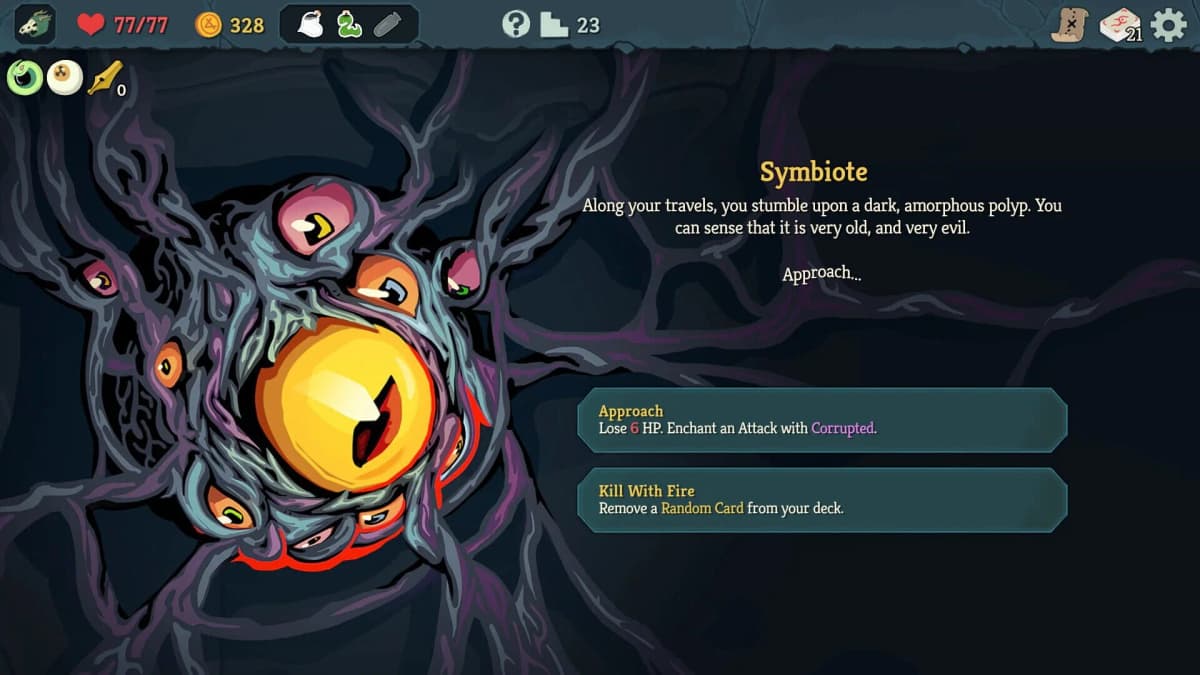
Player Anecdote #2: A friend with mild dyslexia praised the typeface overhaul. He said the new font helped him track card names and buffs faster, turning frustrating mis-reads into smooth plays.
Community Reaction: Mega Crit has been active on the official forums, replying to threads about “must-have QoL changes” and marking many as “In Progress.” It’s rare to see indie developers this responsive to player feedback, and it bodes well for ongoing support post-launch.
The genius of Slay the Spire 2’s latest reveals isn’t in reinventing the wheel—it’s in sharpening it. By tackling the small pain points that frustrate even seasoned veterans, Mega Crit is sending a message: this sequel respects your time, your expertise, and your love for the original. Whether it’s seeing the exact turn your relic triggers, never mis-clicking a potion, or weighing shop choices with crystal-clear information, these updates streamline the core loop without diluting its tension.
In a crowded deckbuilder market, such polish is a statement of intent. Slay the Spire 2 isn’t going to drown you in unnecessary complexity or tease features that die in alpha. Instead, it’s evolving where it matters—where every decision feels impactful and clear. It’s the kind of design that invites you back for “just one more run” and actually delivers on that promise.
If you loved the first game, the newest Slay the Spire 2 details might look like mere polish—until you see them in action. A smarter UI, unique potion art, deeper relic interactions, and accessible options show Mega Crit is sweating the details that turn good runs into legendary climbs. 2025 can’t come soon enough—my deck is already primed and ready.
Get access to exclusive strategies, hidden tips, and pro-level insights that we don't share publicly.
Ultimate Gaming Strategy Guide + Weekly Pro Tips