
Table of Contents (9)
Why Your StarSavior Codes Aren’t Working Right Now
After spending a couple of evenings testing every “active” StarSavior code I could find on my phone, I hit the same message over and over: the codes were expired. That matched the in‑game behavior as of March 19, 2026 – every previously known code I tried was dead.
This is why you’re probably seeing “invalid” or “expired” when you punch in codes that other sites still claim are working. Those lists were accurate around early to mid‑March, but the codes quietly timed out shortly after. The result: right now there are no active StarSavior codes to redeem.
That doesn’t make codes useless. When they’re live, they’re easily one of the best ways to grab bonus resources like Star Radiance Stones, summon tickets, and upgrade materials without spending. The trick is understanding how to redeem them correctly and where to watch so you can pounce before they expire again.
This guide walks you through three things I wish I’d known from day one:
- Why the old codes have stopped working
- Exactly how to redeem StarSavior codes in‑game (step by step)
- Where new codes get posted first so you don’t miss the next wave
How StarSavior Codes Work (When They’re Active)
From my time at global launch, StarSavior followed the usual gacha pattern. The developers dropped limited‑time codes for events like:
- Global release celebrations
- Milestone days (like “happy 100 days” style events)
- Seasonal events such as Valentine’s Day
- Social media or livestream promos
When those codes were active, they typically rewarded progression boosters such as:
- Star Radiance Stones – premium currency for summons
- Summon tickets – straight pulls without burning your Stones
- Upgrade materials – growth mats needed to level and ascend units
- Occasional extras like Star Jades or Arcana cards (based on earlier code batches)
The important behavior I observed:
- One use per account: once a code is claimed, you’re done on that account forever.
- Time‑limited: they can stop working abruptly after an event ends.
- Case‑sensitive: entering them slightly wrong gives the same error as an expired code.
- Account‑bound: rewards go straight to your in‑game mail or inventory on that server/account.
Right now, all the codes tied to the March 2026 launch window have expired. But the system itself is still there, ready for the next promo batch. Knowing where the redeem option is will save you time when fresh codes drop.
Step‑by‑Step: How to Redeem Codes in StarSavior
This is the exact flow I used while testing codes on Android. iOS is functionally the same, though some labels may differ slightly (I’ve seen both “Account” and “Account Management” used, as well as “Enter Coupon” vs “Codes”). The structure is consistent.
Step‑by‑Step: How to Redeem Codes in StarSavior
This is the exact flow I used while testing codes on Android. iOS is functionally the same, though some labels may differ slightly (I’ve seen both “Account” and “Account Management” used, as well as “Enter Coupon” vs “Codes”). The structure is consistent.
🎮 Get This Game at the Best Price
Compare prices instantly and save up to 80% on Steam keys with Kinguin — trusted by 15+ million gamers worldwide.
*Affiliate link — supports our independent coverage at no extra cost to you
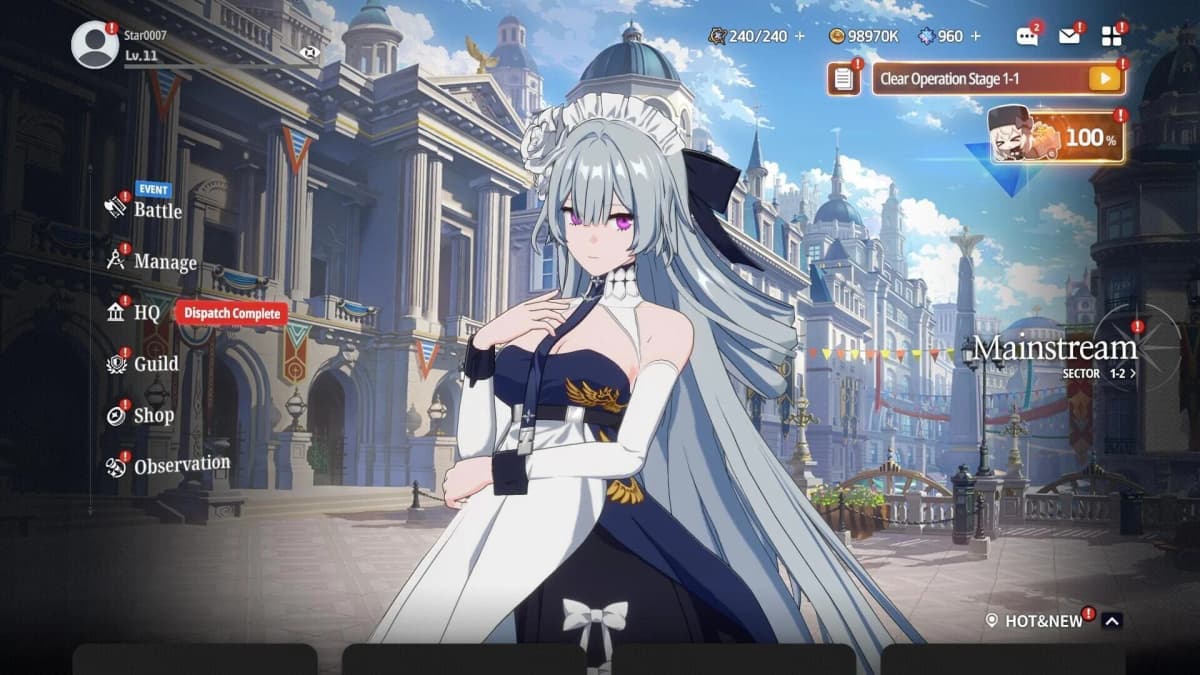
- Launch StarSavior and reach the lobby
Let the game load fully until you’re at the main lobby screen where your characters, menus, and current quests are visible. You can’t redeem from the title screen. - Open the system menu
Look in the top‑right corner of the screen. Tap the≡or menu icon (depending on build) to open the extended menu if it’s not already visible. - Tap the Settings icon
Hit the small cogwheel icon labeled something likeSettingsorOptions. This takes you to the full settings panel. - Go to the Account / Account Management tab
Along the top or left side, you’ll see multiple tabs (Audio, Graphics, etc.). Switch to the one labeledAccountorAccount Management. On one of my devices it was “Account”; on another it was “Account Management”, but both contained the redeem button. - Find the Enter Coupon / Codes button
In the Account area, scroll down if needed. Look for a blue button:- On one build it read Enter Coupon.
- On another it simply said Codes.
Tap that button.
- Enter your code carefully
A text field pops up. This is where you:- Paste the code if you copied it from an announcement. This avoids typos.
- If you must type manually, match the exact case and characters – numbers, letters, and any symbols.
Once done, press
ConfirmorOK. - Confirm the redemption
If the code is valid and active, you’ll see a confirmation popup. Rewards are usually sent straight to your in‑game mailbox:- Return to the lobby.
- Tap the
Mailicon (usually top‑right). - Hit
Claim Allor claim each item individually.
Right now, step 7 is where everything fails – every known code I tested on March 19, 2026 returned an expired or invalid message. When new codes arrive, this exact path is how you’ll redeem them.
Common Redemption Errors and How to Fix Them
While I was testing, I ran into a bunch of error messages. Here’s what they usually meant and how to handle them.
- “Code expired” / “Invalid code”
If you’ve copy‑pasted correctly and still see this, the code is almost certainly no longer active. Don’t waste more time trying to brute‑force it. - No button for “Enter Coupon” / “Codes”
Double‑check you’re:- On an updated client (visit your app store and update StarSavior).
- On the Account / Account Management tab, not General or Graphics.
In all my testing, the coupon button has always been inside the account‑related tab.
- Code works on a friend’s account but not yours
Most likely you’ve already redeemed it. Remember: one use per account. The game doesn’t tell you which code you used previously, only that this one is no longer valid for you. - Wrong server or guest account issues
If you’re playing as a guest and later bind your account to another login, codes you used on the guest profile won’t transfer. I strongly recommend binding your account before you start redeeming anything valuable.
Don’t make my early mistake of spending half an hour retesting the same expired code from three different sites. Once you see consistent failure across a couple of devices, move on and wait for fresh drops.
Where New StarSavior Codes Usually Drop First
Because the old codes vanished quietly, the next crucial question is: where do I actually find new ones on time? From watching the launch window closely, StarSavior follows the standard gacha playbook.
- Official Discord server
This is usually the most reliable place. Devs post announcements in channels like “events” or “notices,” and previous batches of codes showed up there alongside maintenance and celebration posts. Join once, keep notifications for announcements on, and you’re covered. - X (formerly Twitter) – @StarSavior_EN
The English account posts:- Global milestones
- Event trailers
- Maintenance notices
- Code giveaways tied to special campaigns
I’ve seen codes appear here with simple “copy this and redeem in‑game” messaging.
- Official YouTube channel
When they run livestreams or pre‑recorded events, they sometimes flash codes on screen or drop them in the description. If you like watching previews and dev talks anyway, it’s an easy extra source.
Community sites and wikis are useful, but they lag behind reality. When I cross‑checked different guides in mid‑March, some still listed five supposedly active codes that had already expired, and only direct in‑game testing confirmed the truth. Use those lists as reminders of what to try, but always trust:
- In‑game redemption results
- Official Discord / X / YouTube announcements
If you only have time to follow one thing, follow the official X account and join the Discord. That combo caught every previous batch I used, usually on day one.
Preparing for the Next Wave of StarSavior Codes
Even though there are no active codes as of March 19, 2026, you can still set yourself up to squeeze maximum value out of the next set. Here’s what I’m doing on my own account.
- Bind your account properly
Before you ever redeem valuable rewards, go toMenu → Settings → Account / Account Managementand bind to a stable login (Google, Apple, etc.). This prevents losing redeemed rewards if you switch devices. - Keep some stamina and upgrade space free
Code rewards often include energy refills and growth materials. If your resource caps are already full, you can’t exploit extra stamina efficiently. When I expect codes, I try to:- Spend down stamina to 0–20 before big events.
- Clear out low‑value materials and clutter from my inventory.
That way, I can immediately funnel new mats into priority characters.
- Know your priority targets
When fresh Star Radiance Stones or summon tickets hit, it’s tempting to throw them at the first banner you see. Decide in advance:- Which banner you’re saving for (meta unit, favorite character).
- Whether you’re rerolling or building one long‑term account.
During launch, the players who came out ahead were the ones who saved all their code rewards for a specific limited banner instead of random pulls.
- Turn on smart notifications
In Discord, mute most channels and leave only:- Announcements / News
- Events / Notices
On X, enable notifications for @StarSavior_EN posts only. This keeps you from drowning in noise while still catching code drops quickly.
The window for redemption can be surprisingly short. Some gacha events give codes that last a couple of weeks; others only run for a few days. Being ready means you don’t waste time figuring out the redeem menu while the clock is ticking.
Quick FAQ: StarSavior Codes Right Now
- Are there any active StarSavior codes right now?
As of March 19, 2026, every previously known code I tested in‑game returned an expired/invalid message. Practically speaking, there are no active codes at the moment. - Why do some sites still list working codes?
Their lists were based on checks from early–mid March. Those codes likely expired between then and March 19. The articles weren’t updated, but the in‑game system was. - Where should I look for new codes?
Prioritize the official Discord server, X account (@StarSavior_EN), and official YouTube. Community lists are fine as backup but can be out of date. - Do codes work for both new and veteran players?
Yes. As long as a code is active and you haven’t redeemed it on that account before, it will work whether you started yesterday or at launch.
If you’re reading this after March 19, 2026, repeat the redemption steps above and test any newly advertised codes directly in‑game. If they go through, you’ll know the next wave has started. Until then, get your account setup and priorities straight so that when the rewards do land, you’re ready to make every Star Radiance Stone and summon ticket count.
FinalBoss // Gear
Level up your setup
01Mobile gaming controllerson Amazon→02Top-rated gaming headsetson Amazon→038BitDo controllerson Amazon→Affiliate links · As an Amazon Associate, FinalBoss earns from qualifying purchases.
Want to Level Up Your Gaming?
Get access to exclusive strategies, hidden tips, and pro-level insights that we don't share publicly.
Ultimate Guide Strategy Guide + Weekly Pro Tips