
Table of Contents (9)
The practical Switch 2 portable setup answer
Buy a microSD Express card if the goal is more Switch 2 game storage. Buy a hub/SSD combo such as the Sharge Disk Pro 2 if the goal is a compact travel dock, card reader, external SSD enclosure, and HDMI adapter for several devices. Buy a 15.6-inch USB monitor for a hotel desk or tabletop setup only after confirming how it receives both video and power.
The awkward part is that these accessories are often marketed as if USB-C makes everything interchangeable. It does not. A hub can work perfectly with a laptop, charge an external SSD, and drive a display at home, then fail to put a stable image on a Switch 2 once the console, charger, and monitor are all connected. Switch 2 portable gear is a power-and-protocol system. Treating it as a pile of USB-C plugs is how a supposedly tidy travel kit becomes a cable debugging session.
Choose the accessory by the job it performs
| Portable setup goal | Best accessory type | What it solves | Critical limitation |
|---|---|---|---|
| More Switch 2 game-install space | microSD Express card | Uses the console’s supported expandable-storage path | Older standard microSD cards are not a substitute |
| Hotel TV or tabletop display setup | Switch 2-compatible USB-C hub with PD and HDMI | Routes power to the console and video to a display | Generic PC hubs are not automatically reliable with Switch 2 |
| Carry one device for SSD, HDMI, cards, and ports | Sharge Disk Pro 2-style SSD/hub | Combines a hub, M.2 enclosure, card readers, and video output | Its SSD does not expand the Switch 2 game library |
| Portable tabletop gaming screen | Single 15.6-inch monitor with HDMI or verified USB-C video input | Creates a compact alternative to a TV | The monitor may need separate power at useful brightness |
| Travel workstation with a console alongside a laptop | Dual 15.6-inch USB monitor kit | Provides screen space for a laptop and a separate Switch 2 display | Switch 2 does not turn a dual-screen kit into a two-screen gaming desktop |
The first row is the one many buyers get wrong. Switch 2 supports microSD Express for expandable storage. An external USB SSD can be useful in a travel bag, but it does not become extra install space for Switch 2 games. That makes the SSD/hub category a convenience purchase rather than a storage upgrade for the console itself.
Why an SSD hub is useful, but not a Switch 2 storage solution
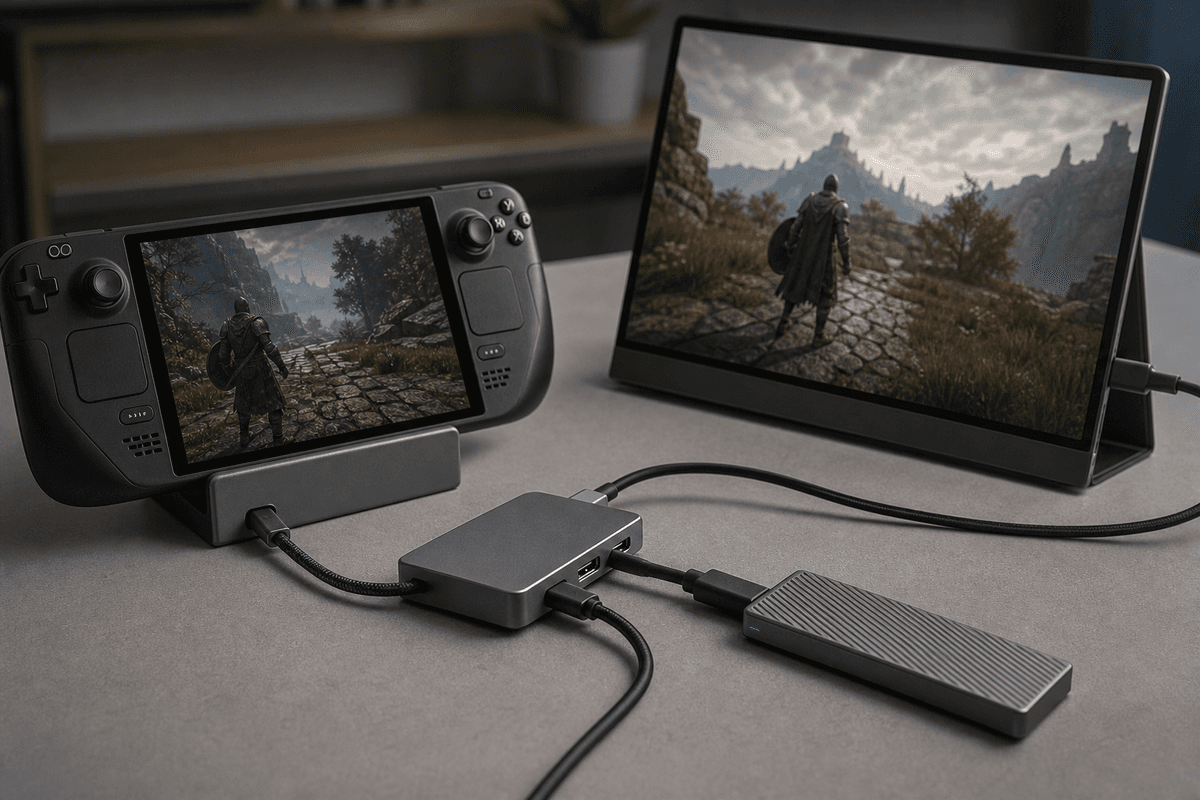
The Sharge Disk Pro 2 is appealing because it consolidates several things that normally rattle around loose in a tech pouch: an M.2 SSD enclosure, USB-C hub, HDMI output, USB-A port, SD and microSD readers, and USB-C Power Delivery passthrough. It accepts M.2 2230, 2242, and 2280 drives and supports up to 8TB of SSD capacity. For someone carrying a laptop, handheld, camera gear, or a capture workflow, that consolidation has real value.
Its HDMI 2.1 output is rated up to 4K at 144Hz, and its USB-C passthrough has delivered 80W in a multi-device configuration. Those are strong specifications for a device small enough to serve as an everyday-carry hub. They also need to be interpreted correctly for Switch 2 use. The console will negotiate its own charging and display connection; it does not need, receive, or benefit from 80W merely because the hub can pass that much power in another setup.
The Disk Pro 2 makes the most sense in three situations: a travel dock for a hotel desk, a single-cable laptop companion that can also handle the Switch 2, or an SSD enclosure that eliminates a separate external drive. It makes little financial sense for someone whose only complaint is a full Switch 2 library. Put that money toward a microSD Express card first.
The hub failure point is power negotiation
USB-C Power Delivery is negotiated between devices. The charger offers power profiles, the hub distributes what it can, and the console and peripherals request what they need. Add an SSD, a card reader, a display, and a controller receiver, and the available budget becomes more complicated than the large wattage number on the product box suggests.
- Charger to hub: The charger must provide USB-C PD through the hub’s dedicated power-input port.
- Hub to Switch 2: The console needs stable passthrough power while it is sending video.
- Hub to monitor: HDMI or USB-C video needs to remain active without the display dropping signal.
- Hub to peripherals: SSDs, card readers, Ethernet adapters, and USB accessories add their own draw and controller traffic.
That is why a portable dock should be tested as a complete kit rather than as individual accessories. Connect the intended charger, Switch 2, monitor, SSD if one is part of the bag, and any controller receiver or Ethernet adapter. Run the monitor at the brightness level that will be used away from home. A setup that only works with an empty hub and a dim screen is not travel-ready.
USB monitors: HDMI is usually the safer travel path
“USB monitor” is an unhelpfully broad label. Some portable displays can accept a USB-C video signal and power through one cable. Others use USB-C for power but still need HDMI for video. A third group has both connectors but requires a separate power source once brightness is raised or additional devices are attached.
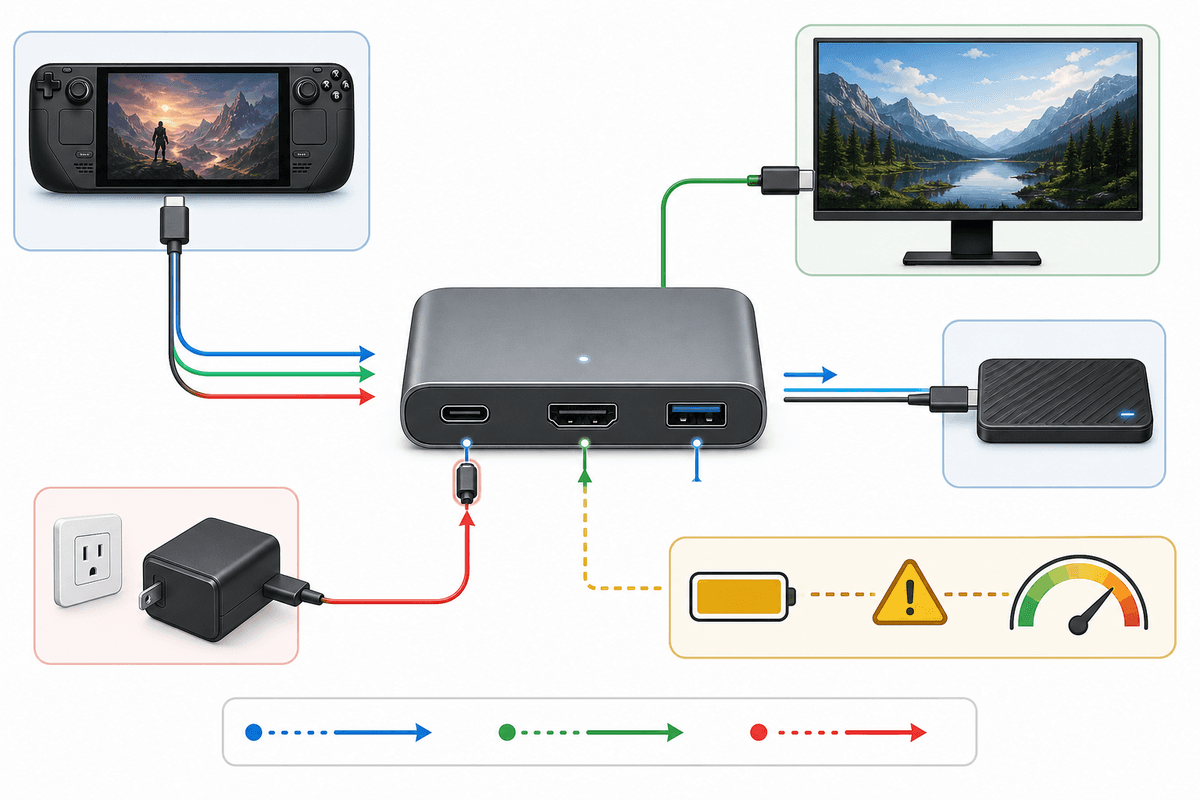
For Switch 2 tabletop play, the dependable arrangement is usually straightforward: USB-C PD charger into the hub, hub to Switch 2, HDMI from the hub to the monitor, and separate USB-C power to the monitor if it needs it. This uses the hub for the console’s dock-like behavior and avoids asking one cable to carry video and enough power for every part of the setup.
A single-cable USB-C monitor can make a cleaner kit, but only when the display explicitly supports external USB-C video modes and the hub’s output behavior is confirmed for Switch 2. USB-C ports can carry charging, data, video, or a mix of those functions. Connector shape tells buyers almost nothing by itself. The monitor specification needs to state video support clearly, and the included cable needs to support the required video connection rather than charging alone.
What to check before buying a 15.6-inch portable monitor
- Video input: Confirm HDMI input, verified USB-C video input, or both. HDMI is the cleanest match for a hub-based Switch 2 setup.
- Power behavior: Check whether the monitor can run from the hub, needs its own USB-C power feed, or requires an included wall adapter for normal brightness.
- Included cables: A kit should include the necessary HDMI cable, USB-C power cable, and a full-featured USB-C cable if USB-C video is part of the design.
- Stand design: Thin displays are easy to pack, but a weak kickstand is miserable on a small hotel desk. Look for a case-stand or a rigid integrated stand that can hold the panel upright beside the console.
- Native resolution and refresh: A 15.6-inch 1080p, 60Hz IPS panel is a practical portable target. Higher monitor specifications do not raise a game’s frame rate or improve the console’s output by themselves.
- Audio fallback: Built-in monitor speakers are useful in a pinch, but they are rarely a reason to choose one display over another. Prioritize stable video and power first.
A dual 15.6-inch kit is a workspace accessory first
A folding dual 15.6-inch monitor kit sounds ideal for portable gaming, but its best use is broader than Switch 2 alone. One panel can show the game through the hub’s HDMI connection. The other can serve a laptop, tablet, chat device, capture preview, strategy notes, or media controls. That is useful on a desk where a Switch 2 and work device are sharing the same small space.
The purchase becomes much less compelling if the expectation is two active Switch 2 gaming displays. The extra panel does not create a second console video output or an extended desktop for the game. It is an independent screen that needs its own input source. Buyers who mainly want a larger Switch 2 picture should choose one solid portable monitor and spend the difference on a compatible hub, charger, or microSD Express card.
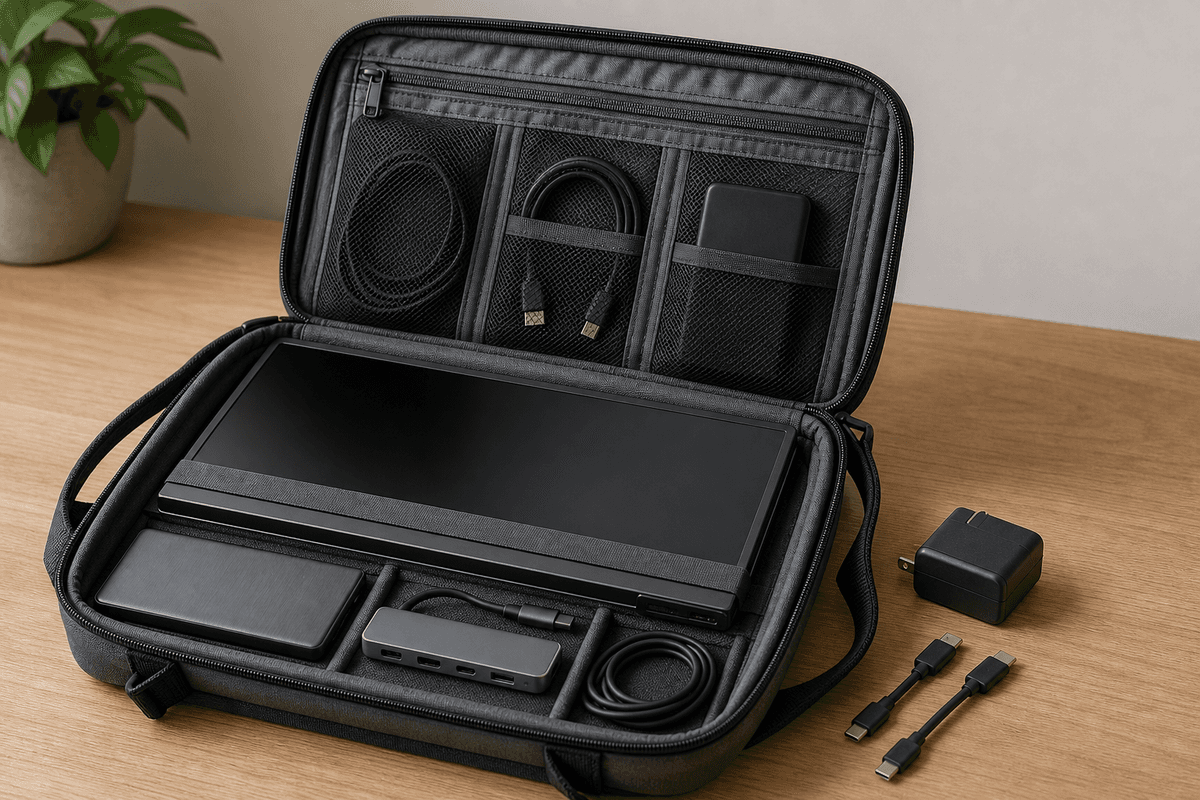
Power is especially important with dual kits. Two 15.6-inch panels can draw substantially more power than one, particularly when both are bright. The cleanest layout gives the hub and console a dedicated PD charger, then powers the monitor kit separately when the design calls for it. A battery bank can be part of the kit, but it needs USB-C PD output capable of supporting the full load instead of merely topping up a phone.
Compatibility checks that prevent expensive dead ends
Switch 2 hub compatibility is stricter than many original Switch owners expect. A generic laptop dock may expose the correct ports and still fail to establish a stable console display connection. The buying standard should be explicit Switch 2 support or a clearly demonstrated Switch 2 configuration that includes charging and HDMI output at the same time.
- Confirm that the hub supports simultaneous PD passthrough and HDMI output, not merely each feature on its own.
- Verify that the hub is intended to work with Switch 2; “USB-C hub” and “compatible with laptops” are insufficient claims.
- Use a charger with USB-C PD rather than relying on an old USB-A adapter and conversion cable.
- Keep the monitor’s power requirement separate from the console’s requirement whenever the display documentation calls for separate power.
- Buy microSD Express for game storage. Do not buy an external SSD expecting the Switch 2 to use it as an install drive.
- Test every cable in the final configuration. USB-C cables that look identical can support very different charging and video capabilities.
Build the kit in the right order
Start with microSD Express if storage is the problem. Add a Switch 2-compatible hub with PD passthrough and HDMI if travel docking is the problem. Choose a single HDMI-capable 15.6-inch monitor for straightforward tabletop play. Add an SSD/hub such as the Sharge Disk Pro 2 only when its laptop, card-reader, and external-storage utility will be used beyond the console.
A dual 15.6-inch monitor kit belongs in a portable work-and-play setup, where the second screen has a laptop or other independent source to serve. For Switch 2 alone, it is extra hardware, extra power draw, and extra setup time without a matching gameplay benefit.
FinalBoss // Gear
Level up your setup
01Best-selling Switch 2 gameson Amazon→02Switch 2 accessorieson Amazon→038BitDo controllerson Amazon→04Discounted game keyson Kinguin→Affiliate links · As an Amazon Associate, FinalBoss earns from qualifying purchases.
Want to Level Up Your Gaming?
Get access to exclusive strategies, hidden tips, and pro-level insights that we don't share publicly.
Ultimate Tech Strategy Guide + Weekly Pro Tips