

Table of Contents (10)
The Display Problem Dual-Mode Hardware Attempts to Solve
Current gaming displays force an explicit compromise. Panels at 3840×2160 deliver the spatial fidelity required for detailed environments and high-density desktop workspaces, yet their refresh rates remain bounded by interface bandwidth and pixel transition physics. High-refresh-rate monitors at 480Hz and above provide the temporal resolution competitive first-person shooters demand, but typically top out at 1920×1080. Dual-mode monitors enter this market gap not as a synthesis, but as a hardware toggle. Products such as the LG UltraGear 32GS95UE-B and the forthcoming Sony Inzone M10S II advertise two discrete native configurations-usually 4K at 160-240Hz and 1080p at 320-720Hz-intended to let a single panel serve both fidelity and frame-rate priorities without software scaling. The operative question is whether the switch preserves the performance it promises, or merely reallocates the same underlying limitations between two presets.
What the Switch Actually Does
A dual-mode monitor does not dynamically scale a single native resolution. Instead, the panel controller accepts two fully independent timing specifications, each treated as a one-to-one native signal. In high-resolution mode-3840×2160 at 240Hz on the LG 32GS95UE-B, for instance—the display scans out every pixel line sequentially across the full panel surface at a fixed rate. When the user switches to the high-refresh performance mode, the controller reconfigures to a lower resolution at a higher frequency, typically 1920×1080. On many implementations, particularly OLED panels, this is not bicubic interpolation. The panel maps each input pixel to a two-by-two block of physical subpixels, filling the screen without blur but introducing visible pixel structure. The Sony Inzone M10S II is expected to offer a similar downshift, moving from 2560×1440 to 1920×1080 at up to 720Hz. The result is a native timing in the technical sense—no scalar guesswork—but not necessarily a native appearance in terms of perceived density.
When a traditional 4K monitor receives a 1080p signal, the scalar processor interpolates the lower-resolution image across the full 3840×2160 grid. This produces softness, chromatic aberration around high-contrast edges, and input lag added by the scaling algorithm—typically two to five milliseconds in gaming monitors, though some bypass modes reduce this. Dual-mode monitors eliminate the scalar from the critical path in performance mode. The panel receives the 1080p timing natively and maps it to physical pixels without interpolation. On a 4K WOLED panel, each input pixel drives a two-by-two cluster of white OLED subpixels filtered through the color matrix. The image is geometrically perfect but optically blocky. There is no blur, but there is also no additional detail. It is a direct trade of spatial frequency for temporal frequency.
At 240Hz, a full frame scanout completes in approximately 4.16 milliseconds. At 480Hz, this drops to roughly 2.08 milliseconds. In the 720Hz mode referenced for the Inzone M10S II, scanout reaches 1.39 milliseconds. These figures represent the theoretical minimum time required to draw the image, not the total end-to-end latency. The panel’s physical response time—near-instantaneous on OLED, slower on IPS or VA—adds a variable that refresh rate alone does not control. Furthermore, the GPU must actually sustain the frame rate. A monitor advertising 480Hz is only relevant if the system can push 480 frames per second in the target application. In Overwatch 2’s Stadium Quickplay, achieving this consistently requires both CPU and GPU headroom that exceeds standard mid-range builds.
Representative Dual-Mode Monitor Specifications
Specifications
The Engineering Reality Beneath the Marketing
Marketing materials present dual-mode monitors as eliminating compromise. The engineering reality is more constrained. A single panel cannot simultaneously maximize pixel count and refresh rate beyond the limits of its physical interconnects. DisplayPort 1.4 with Display Stream Compression, or HDMI 2.1, provides the bandwidth necessary for 4K 240Hz, but stepping to 480Hz demands a reduction in total pixel count. The dual-mode approach accepts this limitation explicitly, partitioning the panel’s available bandwidth between two validated timing configurations rather than attempting a continuous range that would introduce instability.
The panel’s overdrive algorithm also varies between modes. Overdrive applies voltage overshoot to accelerate liquid crystal transitions, or in OLED implementations manages pixel capacitance and voltage compensation to prevent burn-in and color shift. A drive tuned for 240Hz at 4K may produce inverse ghosting or coronas when forced to 480Hz, and vice versa. Manufacturers typically store discrete lookup tables for each mode, but these tables are validated against specific frame rates and temperature states. Running a variable refresh rate that spans both extremes is technically impossible on a dual-mode display; the panel must operate in one discrete configuration or the other. FreeSync Premium or G-Sync Compatible certification applies within each mode’s specific range, not across the monitor’s entire advertised specification. A user switching from 4K 240Hz with a 48-240Hz VRR range to 1080p 480Hz may encounter a narrower effective VRR window, potentially triggering Low Framerate Compensation behaviors at different thresholds.

Power draw and thermal behavior further complicate the specification sheet. A 32-inch OLED panel driving 4K 240Hz draws substantial power to maintain pixel brightness across eight million active elements. In 1080p 480Hz mode, total pixel count drops by seventy-five percent, but refresh rate doubles. OLED panels consume power primarily based on luminance and active pixel count, meaning the 1080p mode may run slightly cooler or dimmer depending on Automatic Brightness Limiter algorithms. Some dual-mode monitors restrict peak brightness in high-refresh mode to maintain panel longevity or power supply stability. This is rarely advertised but visible in sustained full-field white patterns. For competitive Overwatch 2 play, where HUD elements occupy fixed positions, ABL fluctuations can cause subtle luminance shifts in peripheral UI elements over long sessions.
Real-World Performance in Competitive Environments
In the specific context of Overwatch 2, the monitor’s mode selection maps directly to gameplay priorities. Blizzard’s current competitive rotation includes Stadium Quickplay, a format emphasizing rapid ability cycling and close-quarters tracking. Here, higher refresh rates reduce motion blur and improve target acquisition during high-velocity duels. The forthcoming Season 3 content, labeled “Into the Tiger’s Den” and scheduled for release on June 16, 2026, introduces the hybrid map Neon Junction and the damage hero Shion. These additions bring vertically complex geometry and sustained firefights that theoretically benefit from both clarity and fluidity. that said, Overwatch 2’s engine is not infinitely scalable. At 1080p low settings, high-end systems can push frame rates well into the 400–600 FPS range, but CPU bottlenecks during ability-heavy team fights introduce frame-time spikes that a monitor cannot smooth.
Overwatch 2’s render pipeline adds a specific complication. The game supports render scale adjustment independent of display resolution. A player running at 4K with fifty percent render scale produces an internal 1080p image upscaled by the engine, then outputs at 4K. This introduces two stages of scaling: engine temporal anti-aliasing and display scalar processing. In dual-mode performance mode, the player can instead run one hundred percent render scale at 1080p, output native 1080p, and let the monitor pixel-double. This removes the display scaler from the chain entirely, reducing one source of latency and softness. However, if the player maintains render scale below one hundred percent at 1080p output, the benefit is lost. The monitor cannot correct for engine-side undersampling.
The timing of hardware purchases also intersects with content satisfaction. Blizzard’s Overwatch 10th Anniversary event offered fifteen Anniversary Loot Boxes containing primarily Decennium recolors, name cards, and sprays, with limited legendary items and shop-only paid cosmetics. Regional disparities—particularly a China-exclusive event structure featuring Mythic Prisms and additional challenges—prompted claims that the celebration underdelivered globally. Players dissatisfied with the reward density may question whether a premium monitor investment aligns with the game’s current content cadence. The hardware functions independently of content quality, but the purchasing psychology is linked. A player anticipating Season 3’s Anima Strike story event and the Neon Junction map may justify the expense; a player alienated by the Anniversary rewards may defer.
Latency, Scaling, and Motion Handling
Total system latency comprises render latency, transport latency, and display latency. Dual-mode monitors affect primarily the display component, but the magnitude of that effect is often overstated. At 240Hz, the average scanout delay—the time between frame completion and pixel illumination—is half that of 120Hz. Moving to 480Hz halves it again. In absolute terms, the difference between 240Hz and 480Hz is roughly two milliseconds. For context, human reaction time variance in visual tasks typically exceeds twenty milliseconds. The competitive advantage exists at the margins—tracking a flanker through Neon Junction’s vertical corridors—but it is not transformative in the way a move from 60Hz to 144Hz was.
Transport latency also shifts with mode selection. At 4K 240Hz over DisplayPort 1.4 with Display Stream Compression, the data packet density is high, but the transport time across the cable remains negligible—under one millisecond. At 1080p 480Hz, the bandwidth demand is lower in total bits per frame but higher in packet frequency. The difference in transport latency is statistically insignificant. What changes is the frame delivery cadence. A GPU outputting 400 FPS at 1080p sends a new frame every 2.5 milliseconds. At 240Hz, the display can only present a new frame every 4.16 milliseconds, meaning a significant portion of frames are discarded or tear without VRR. At 480Hz, the display accepts a new frame every 2.08 milliseconds, reducing discard rates and keeping the on-screen image closer to the engine’s current simulation state. In Overwatch 2’s engine, this reduces the delta between server-side hit registration and client-side visual feedback, though netcode interpolation limits the practical impact.
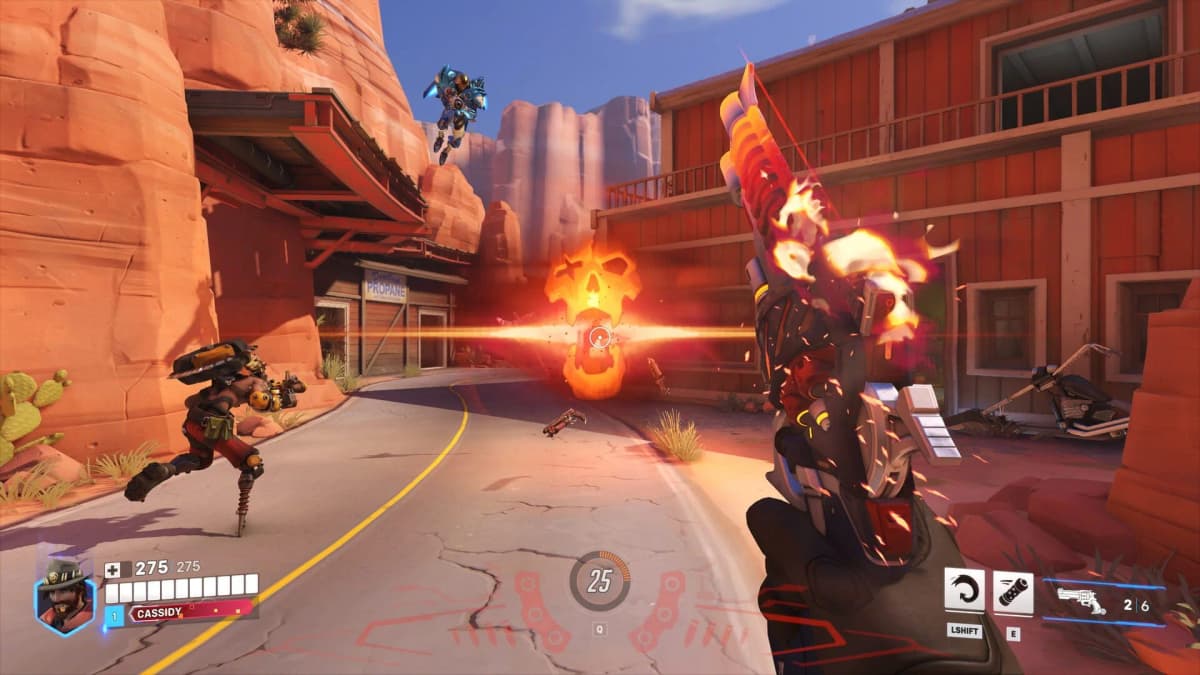
Scaling behavior presents a separate issue. Pixel-doubled 1080p on a 32-inch 4K OLED produces crisp edges without the softness of interpolation, but the pixel grid becomes visible at normal desktop distances. Text readability in team chat and HUD elements suffers compared to true 1440p or 4K. On smaller 27-inch panels, the density mask improves slightly, but 1080p at 27 inches remains a coarse canvas by modern standards. Players accustomed to native 1440p may find the downshift to 1080p perceptually jarring, particularly in menus outside of gameplay.
Motion handling introduces further nuance. OLED panels handle pixel transitions with minimal persistence blur, making them ideal for high-refresh implementations. However, sample-and-hold display technology—used in all modern flat panels—still produces blur proportional to refresh rate. 480Hz reduces this significantly, but only if the frame delivery is equally consistent. Frame interpolation or black frame insertion are generally unavailable in dual-mode high-refresh configurations because the panel controller prioritizes raw input bandwidth. Users sensitive to motion clarity may find the improvement from 240Hz to 480Hz less dramatic than expected because the panel remains sample-and-hold.
VRR behavior splits across the two modes. In 4K 240Hz, a typical FreeSync range might span 48Hz to 240Hz. In 1080p 480Hz, the same panel may offer a reduced range, such as 60Hz to 480Hz, or may disable certain adaptive sync features entirely depending on firmware implementation. The transition between modes usually requires a full EDID handshake, meaning the display blanks for several seconds and the operating system must re-negotiate the output. For PC players, this is a minor inconvenience. For console players on PlayStation 5 or Xbox Series X|S—where Overwatch 2 is capped at 120Hz—the dual-mode functionality is irrelevant. The Nintendo Switch port operates at even lower throughput, making these monitors excessive for that platform.
Practical Recommendation: Who Benefits and Who Should Skip
The practical buyer profile for a dual-mode monitor is narrow. It suits the PC player who splits time between competitive Overwatch 2 sessions—where motion clarity matters—and single-player or cinematic content that benefits from 4K resolution. It also suits streamers who output at 1080p but want 4K desktop real estate for production workflows. For players exclusively focused on Overwatch 2’s Stadium Quickplay or the upcoming Ranked changes, a dedicated 1080p 540Hz or 1440p 360Hz monitor offers the same competitive benefit at lower cost and without the mode-switching overhead.
Players building around the forthcoming Season 3 meta—with Shion’s addition and potential hero balance shifts responding to tournament pressure—should recognize that monitor hardware is not the primary variable in competitive improvement. Network stability, frame-time consistency, and mechanical skill dominate. A dual-mode monitor is a peripheral optimization, not a fundamental upgrade. It requires a top-tier GPU to generate the frame rates that justify the high-refresh mode. A player on mid-tier hardware who drops to 180 FPS during chaotic ultimates receives no benefit from 480Hz; in fact, the mismatch between render rate and display rate can introduce additional stutter if VRR ranges are not optimally configured.
Pros and Cons
Verdict
FinalBoss // Gear
Level up your setup
01Best-selling Switch 2 gameson Amazon→02Switch 2 accessorieson Amazon→038BitDo controllerson Amazon→04Discounted game keyson Kinguin→
Affiliate links · As an Amazon Associate, FinalBoss earns from qualifying purchases.
Want to Level Up Your Gaming?
Get access to exclusive strategies, hidden tips, and pro-level insights that we don't share publicly.
Ultimate Tech Strategy Guide + Weekly Pro Tips