
Why Picking the Right Gaming PC in 2025 Actually Matters
After months of impulse buys, marathon bench runs, and more “what was I thinking?” moments than I care to tally, I’ve landed on one truth: the “best” gaming PC isn’t always the flashiest. It’s the one that aligns with your favorite titles, your workspace setup, and your wallet’s comfort zone. I’ve built, tweaked, and even regretted more rigs than I admit—so instead of yet another generic “top 10” list, here are the machines I’ve truly used, stressed, and wholeheartedly recommend for real-world gaming in 2025.
Table of Contents (11)
Step 1: Define Your Gaming & Upgrade Goals
Before you start comparing case colors or GPU benchmarks, ask yourself where your priorities really lie. This self-audit will save you cash and frustration down the road.
- Game library focus: Fast-paced shooters crave high frame rates, while sprawling open-world RPGs lean on VRAM. Identify your most-played titles.
- Streaming and content creation: Planning to broadcast on Twitch or edit video? Nvidia’s NVENC hardware encoder can offload your livestream work and keep in-game settings high.
- Desk space and noise tolerance: Need a whisper-silent mini-tower for your apartment, or is a full-height case part of the battle-station aesthetic?
- Future upgrades: Will you swap in a next-gen GPU in a couple of years, or do you prefer a one-and-done build you never touch again?
- Total budget outline: Factor in your monitor, keyboard, mouse, cables and a buffer for surprise costs. A GPU alone can eat through a big chunk of your spending plan.
Key takeaway: Always prioritize a capable GPU and CPU, but don’t skimp on case airflow, cooling, and room for upgrades. Comfort and reliability matter more in day-to-day use than chasing an extra handful of FPS.
Step 2: Top Prebuilt Gaming PCs I’ve Actually Tested
Not all prebuilt rigs are created equal. These are the systems I’ve run through real gameplay, streaming, and benchmark torture tests—so you know exactly what you’re getting.
Acer Predator Orion 5000 – Best All-Rounder
Why It Wins: Around $1,500 gets you a well-balanced combo of a multithreaded CPU and a mid-to-high tier GPU that handles AAA games comfortably at 1440p, with entry-level VR support.
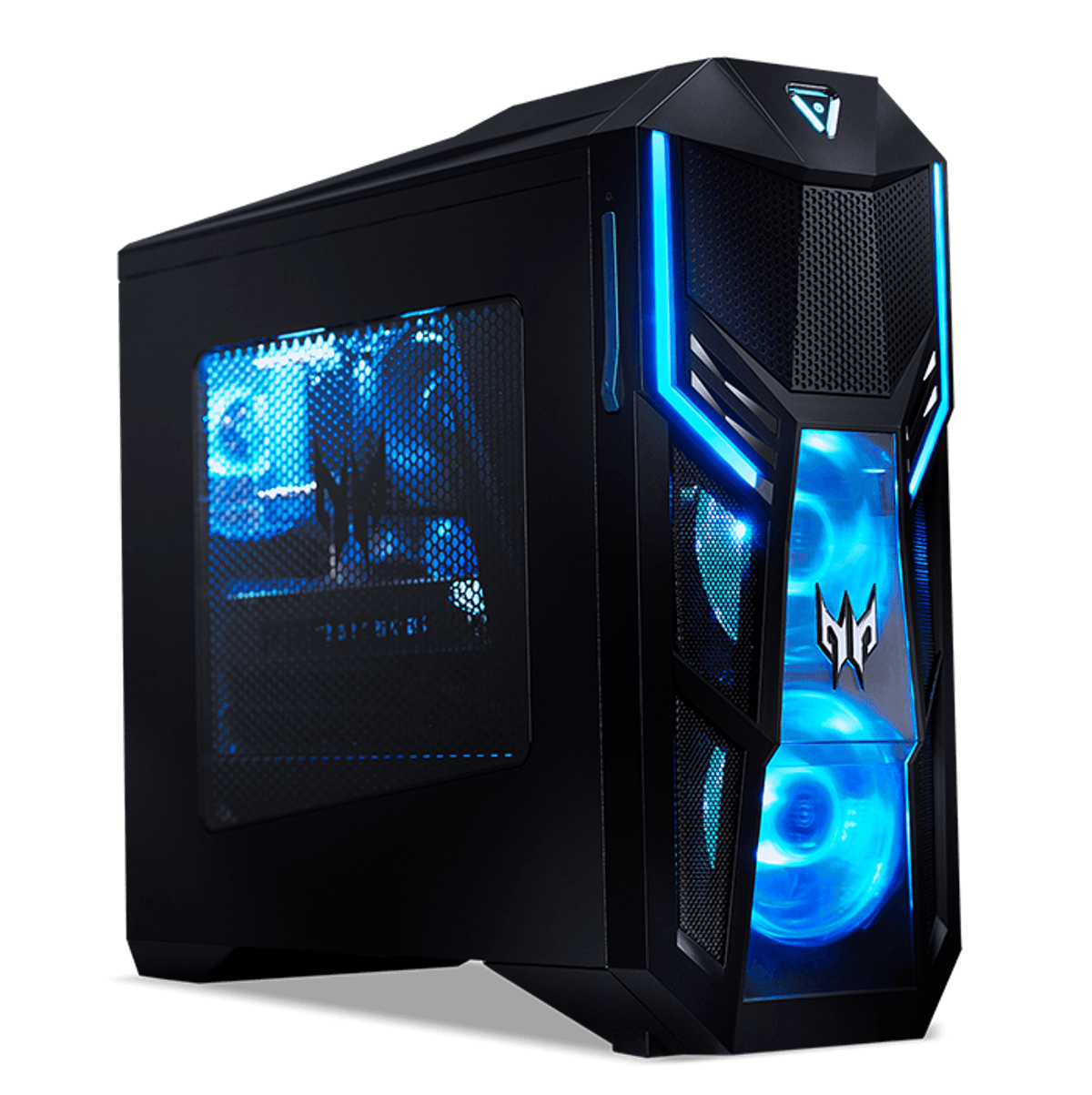
- 32GB DDR5 RAM: Juggle Chrome tabs, Discord, and background livestream encoding without hiccups.
- Upgrade-friendly: Extra M.2 slots and a spacious interior let you slide in a beefier GPU later.
- Basic stock cooling: Solid but not spectacular—overclockers will want aftermarket fans or a liquid cooler.
- Functional build quality: Cable management is serviceable, though not showroom neat.
Perfect for: Players who want a plug-and-play setup with reliable, all-around performance at a sensible price.
Corsair One i500 – Best Compact Powerhouse
Breakthrough Moment: I slid this under my desk and couldn’t believe it cranked out RTX-level performance in a footprint smaller than a coffee maker. It blends style, silence, and raw power—ideal if desk space is at a premium.
- Ultra-compact: A tiny chassis with wood-trim accents that feels more design piece than PC.
- Whisper-quiet: Intelligent fan curves keep noise down, even in extended sessions.
- Limited DIY upgrades: Internals are so snug you’re mostly locked into stock specs.
- Premium price: You’re paying extra for the small size and advanced cooling solution.
Perfect for: Apartment dwellers or minimalist setups where space and silence outweigh modding freedom.
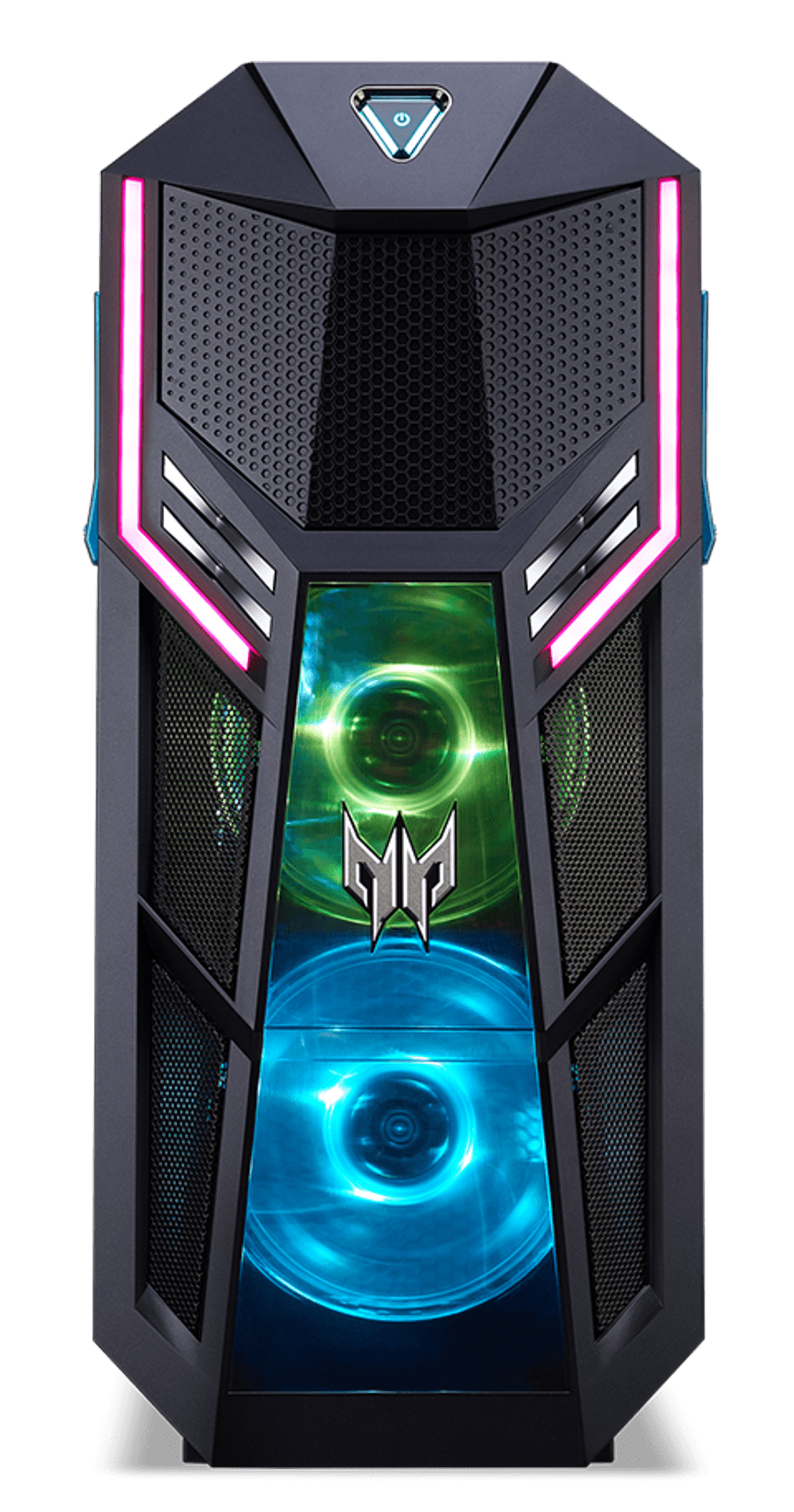
Cyberpower Esports Essential – Best Budget/Esports Pick
Personal Lesson: After splurging on “ultra-refresh” claims, I built this <$1,200 rig for a friend. A Ryzen multi-core processor and solid mid-tier GPU delivered rock-solid 1080p performance in competitive shooters.
- Excellent airflow: A roomy case gives you space for future GPU upgrades.
- Two-year warranty: Uncommon at this price point—peace of mind matters.
- 600W PSU: Handles today’s graphics cards but plan to upgrade your power supply for top-end GPUs later.
- 1TB SSD: Fills up fast—budget for more storage if you’re a digital collector.
Perfect for: Students, budget-conscious gamers, or esports fans who want smooth 1080p framerates without blowing the bank.
NZXT Streaming Pro PC – Best for Streamers & Creators
Where It Shines: Built to tackle single-machine streams or dual-PC workflows. Nvidia NVENC offloads video encoding, letting you game at max settings with zero dropped frames.
- 32GB RAM & smart airflow: Keeps performance snappy under heavy multitasking.
- Tidy cable routing: Simplifies thermal tuning and delivers cleaner looks.
- Best at 1440p: True 4K enthusiasts might want a heftier GPU later.
- Single 1TB drive: Creators should plan for additional storage soon.
Perfect for: Streamers, video editors, and multitaskers who need consistent performance plus room for overlays and recording software.
Step 3: Common Pitfalls (Learn from My Mistakes)
Even seasoned builders slip up—here’s what to watch for:
- Overpaying for RGB: Pretty lights don’t cool hardware. My flashy case ran hot until I installed high-airflow fans.
- Ignoring PSU headroom: A 600W supply might work today, but not necessarily tomorrow. Aim for at least 20–30% extra wattage.
- Underestimating storage: Modern AAA games can top 100GB each. A 1TB SSD can vanish in weeks.
- Skipping warranty details: Some brands offer one year, others three. Always read the fine print.
Step 4: DIY vs Prebuilt—Which Path to Choose?
Building your own rig is rewarding (and often wallet-friendly) if you love cable-tying ceremonies. But for plug-and-play convenience, full-component warranties, and quiet systems, a reputable prebuilt often justifies its 5–10% premium.
- DIY pros: Lower cost per performance, total control, and endless customization.
- DIY cons: No single warranty, potential compatibility headaches, and time investment.
- Prebuilt pros: Hassle-free setup, one warranty covers everything, and fine-tuned thermal solutions.
- Prebuilt cons: Slightly higher cost, fewer upgrade options in some compact models.
Step 5: Match Your Rig to Your Needs
- All-Round Value: Acer Predator Orion 5000
- High-End in a Tiny Box: Corsair One i500
- Budget Esports: Cyberpower Esports Essential
- Streaming & Creation: NZXT Streaming Pro PC
No single system is “best” in a vacuum—only in how well it aligns with your favorite games, your desk footprint, and your upgrade appetite. Choose wisely, and you’ll avoid buyer’s remorse.
Troubleshooting & Pro Tips
- High temps? Undervolt your CPU/GPU to shave off 10°C+ without new hardware.
- Too loud? Swap stock fans for quiet, high-airflow models. Your ears will thank you.
- Future-proofing? Invest in a roomy case and a PSU with ≥20% headroom—small choices now pay off later.
- Upgrade-obsessed? Avoid tiny cases unless you’re okay with external GPU docks or locked internals.
Conclusion: Key Takeaways & Next Steps
Building or buying a gaming PC in 2025 comes down to matching your rig to your lifestyle:
- Know your primary games and performance targets before spending.
- Plan for streaming or creative workloads if that’s on your horizon.
- Balance initial cost with upgrade headroom and warranty coverage.
- Test noise and fit in person when possible—photos don’t convey sound levels.
If you’re still on the fence, stop by a local shop or borrow a friend’s setup to get a hands-on feel. Ask about return policies, double-check component compatibility, and read the fine print on warranties. In the end, the “perfect” gaming PC is the one that lets you play, stream, and create with zero regrets—here’s to smooth framerates and epic sessions all through 2025!
FinalBoss // Gear
Level up your setup
01Graphics cardson Amazon→02Gaming laptopson Amazon→03High-refresh gaming monitorson Amazon→04Discounted game keyson Kinguin→Affiliate links · As an Amazon Associate, FinalBoss earns from qualifying purchases.
Want to Level Up Your Gaming?
Get access to exclusive strategies, hidden tips, and pro-level insights that we don't share publicly.
Ultimate Guide Strategy Guide + Weekly Pro Tips