
Table of Contents (12)
Living With the ThunderX3 Solo 360: The Budget Chair That Feels Weirdly Premium
The ThunderX3 Solo 360 turned up at my door in a box that made me suspicious. I’ve built more gaming chairs than I care to admit, and usually the packaging is the size of a washing machine and weighs about the same. This thing looked more like an oversized cereal box. My first thought was: “Right, what corners have they cut to get it this compact?”
A few weeks, many workdays, and several late-night sessions of Baldur’s Gate 3 later, I had my answer: surprisingly few. For around £200/€220, the Solo 360 crams in the kind of adjustability and comfort I’m used to seeing on pricier chairs, without the loud “racer” styling or the usual budget compromises like wobbly armrests and foam that collapses in a month.
It isn’t perfect. There’s no adjustable lumbar system, the fabric version is absolutely not wipe-clean, and the chair is basically a ghost in the US right now. But if you’re in the UK or Europe and shopping around that £200 mark where things like the Corsair TC100 Relaxed live, the Solo 360 is absolutely worth your attention.
Key Takeaways
- Compact box and light parts make it genuinely easy to build solo.
- Firm, car-seat-style foam and built-in curves are comfortable for all-day use.
- 3D x 360° armrests and synchronous tilt feel luxurious for the price.
- No adjustable lumbar or extra pillows; you get what’s built into the shell.
- Loft Air fabric looks and feels good, but spills and sweat will be a pain.
- Excellent budget rival to the Corsair TC100 Relaxed, but not yet sold in the US.
Unboxing and Assembly: The First Chair I Didn’t Swear At
The last “big” chair I put together was an XL racing-style monster that arrived in a cardboard cube so huge it barely fit through my front door. The ThunderX3 Solo 360, by comparison, looked almost suspiciously small when the courier handed it over. I actually checked the label to be sure they hadn’t sent me a footstool by mistake.
That compact box turns out to be one of the Solo 360’s secret weapons. Every part of the chair is light enough that I could build it alone without doing the usual awkward dance of balancing the backrest on my shoulder while trying to line up bolts. The foam is firm, the frame is reasonably slender, and the whole thing just doesn’t weigh a ton.
The instructions are mostly clear, although the drawings of the screws don’t quite match the actual hardware in the bag. Thankfully, everything is labelled and ThunderX3 even throws in a spare of each screw type, which I always appreciate. If you’ve spent any time swearing at flat-pack furniture, that will feel like a small miracle.
One detail I weirdly loved: the included L-shaped hex key has a ball end. That makes getting into awkward angles so much easier. I own a proper tool kit and I still ended up just using the bundled key because it did the job fine.
From opening the box to sitting down, I spent maybe 25-30 minutes on the build, including one “oh, right” moment where I had to take the armrests back off to add a plastic joint I’d missed. No wrestling with the gas lift, no needing a second pair of hands to mount the back, no mystery screws left at the end. For a £200 chair, that’s a very strong start.
Specs and Fit: Who This Chair Is Actually Built For
On paper, the Solo 360 is designed for a pretty broad range of bodies:
- Recommended height: 155-195 cm
- Recommended weight: 50-125 kg
- Features: Synchronous tilt, multi-angle recline lock, 3D x 360° adjustable armrests, car-seat-style headrest
- Materials (varies by model): Loft Air fabric, breathable mesh, or leatherette
- Price: around £200 / €220
I’m around 178 cm and roughly 80 kg, so pretty much dead-centre in the recommended range, and the chair fits me well. The seat doesn’t feel narrow, and I never got that “pinched hips” feeling you get on some aggressively bolstered racing chairs. I can’t quite sit fully cross-legged, but I can tuck one leg up comfortably without fighting plastic side wings.
If you’re right at the edges of that height range-well under 160 cm or pushing 195 cm-you may want to try one in person if possible, mostly because of how the headrest lines up. For my build it hits a sweet spot, but shorter users might find it a bit too high even at the lowest setting.
Comfort and Ergonomics: Firm, Supportive, and Very “Car Seat”
My first sit in the Solo 360 was almost jarring. The foam is firm. Not “wooden bench” firm, but definitely more on the supportive, dense side than the plush, sink-in side. If you’ve ever sat in a decent car seat, that’s the closest comparison: it feels like it’s giving your body a defined shape to sit in rather than letting you flop wherever.
After a full workday in it-roughly eight hours of switching between typing, meetings, and idle scrolling—my back felt good. No hotspots, no dead legs, and my hips still felt supported. Over a couple of long evening sessions playing on PC, I never hit that “numb backside” threshold that cheaper chairs with soft, low-density foam often cross in under an hour.
The catch is the lack of any adjustable lumbar support. There’s no separate lumbar pillow, no internal dial like you get with high-end chairs such as the Secretlab Titan Evo, and nothing like the big built-in lumbar bump used on some Razer and ThunderX3 office models. You simply get the natural curve of the backrest.
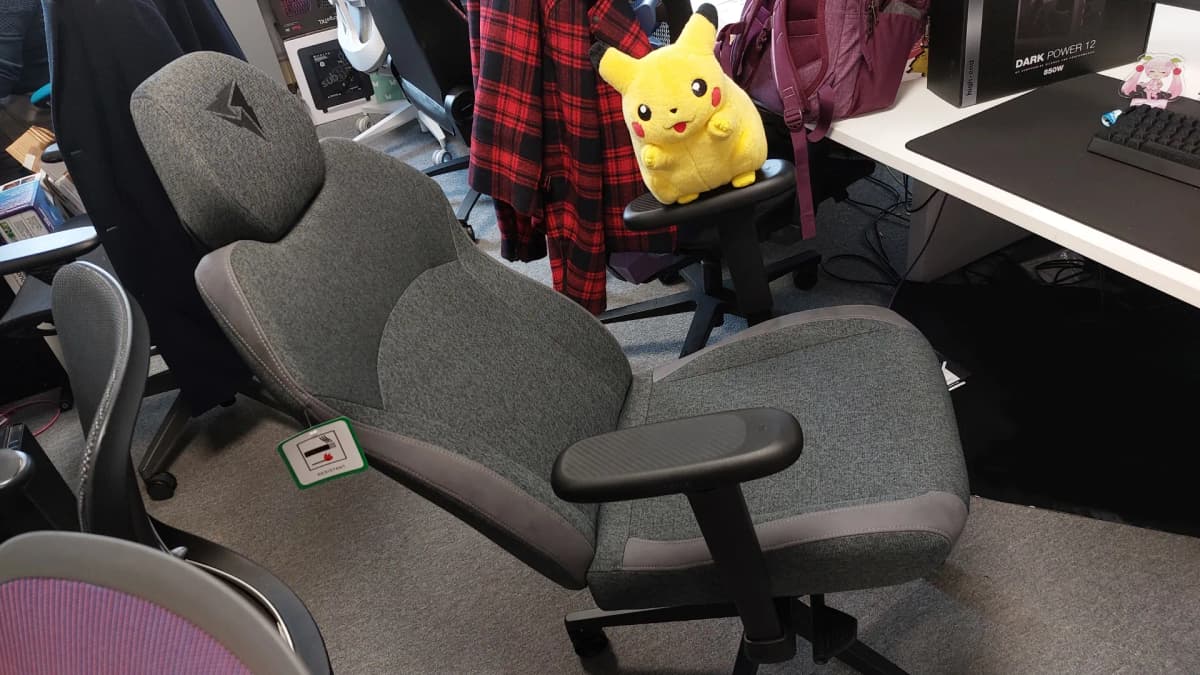
For me, that curve is “good enough” most of the time. On days when my lower back is cranky, I still found myself rolling up a towel for extra support, which is something I never need to do with a proper adjustable lumbar system. If you know you have back issues or you like micro-tuning support, that’s the biggest functional omission on this chair.
The headrest is attached via two steel stems, exactly like a car seat. It slides up and down with enough resistance that it holds its place once you’ve set it. There’s no angle adjustment and no removable memory foam pillow here—what you see is what you get. I actually like how tidy it looks, but I did occasionally miss the plush feel of a chunky head pillow when I was fully reclined watching YouTube.
The Synchronous Tilt: Reclining That Encourages You to Fidget (In a Good Way)
One feature you don’t always see at this price is the synchronous tilt mechanism. In practical terms, that means the backrest and seat pan tilt together in a set ratio rather than the whole chair just leaning back like a sun lounger.
In use, it feels great. Lean back a little and the seat tilts just enough to stop you sliding forward while the back opens up your hip angle. For longer writing sessions or chill gaming, it encouraged me to shift position rather than lock myself into a rigid, 90-degree posture. That sort of gentle movement is exactly what most ergonomic advice tells you to aim for.
You can also lock the recline at various angles using the main height-adjustment pedal. Push it in to set, pull it out to unlock. The mechanism works, but the execution is slightly sketchy: the first time I yanked the pedal to unlock the tilt, the entire plastic sleeve lifted off the metal rod and clattered onto the floor. No real harm done—I slotted it back on and carried on—but it doesn’t scream long-term robustness.
Minor drama aside, the recline range is more than enough to stretch out. I spent more than one lunch break fully kicked back, headphones on, thinking “this is far too comfortable for productivity.” If you’re in a cramped space, bear in mind that fully reclined the chair does take up more room lengthways than its compact footprint suggests.
Armrests and Adjustability: Where the Solo 360 Punches Above Its Weight
The “3D x 360°” armrests are ThunderX3’s big marketing bullet point, and for once the buzzword isn’t hollow. In practice, you get height adjustment via a lever underneath each arm, front/back retraction of the armrest top, and the ability to rotate the pads all the way around their axis.
The rotation isn’t loose, either. It moves in tactile little steps, so you feel a click when you twist them into position. That means once you’ve dialled in your preferred angle for typing, controller play, or just leaning on your elbows during Discord calls, they tend to stay put instead of drifting every time you brush against them.
Coming from a Corsair TC100 Relaxed, which only offers basic 2D armrests, the difference is immediate. On the Corsair I’m always compromising: either my wrists are happy but my shoulders aren’t, or vice versa. On the Solo 360 I could actually set the height so my shoulders stayed relaxed, then angle the tops so my wrists didn’t feel twisted while using keyboard and mouse.
For a chair that sits squarely in the budget bracket, these armrests are arguably the standout feature. They’re not the softest pads in the world, but they’re solid, don’t wobble, and they adjust in the ways that matter most.
Materials, Fabric, and Looks: Understated, With One Big Practical Catch
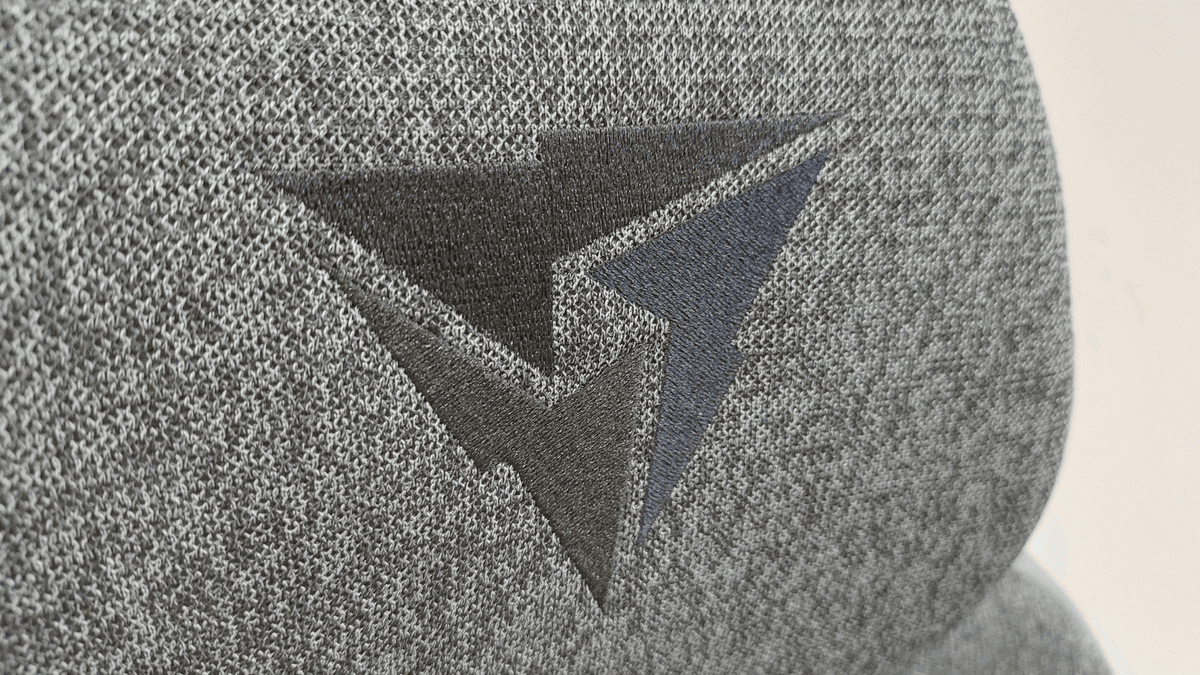
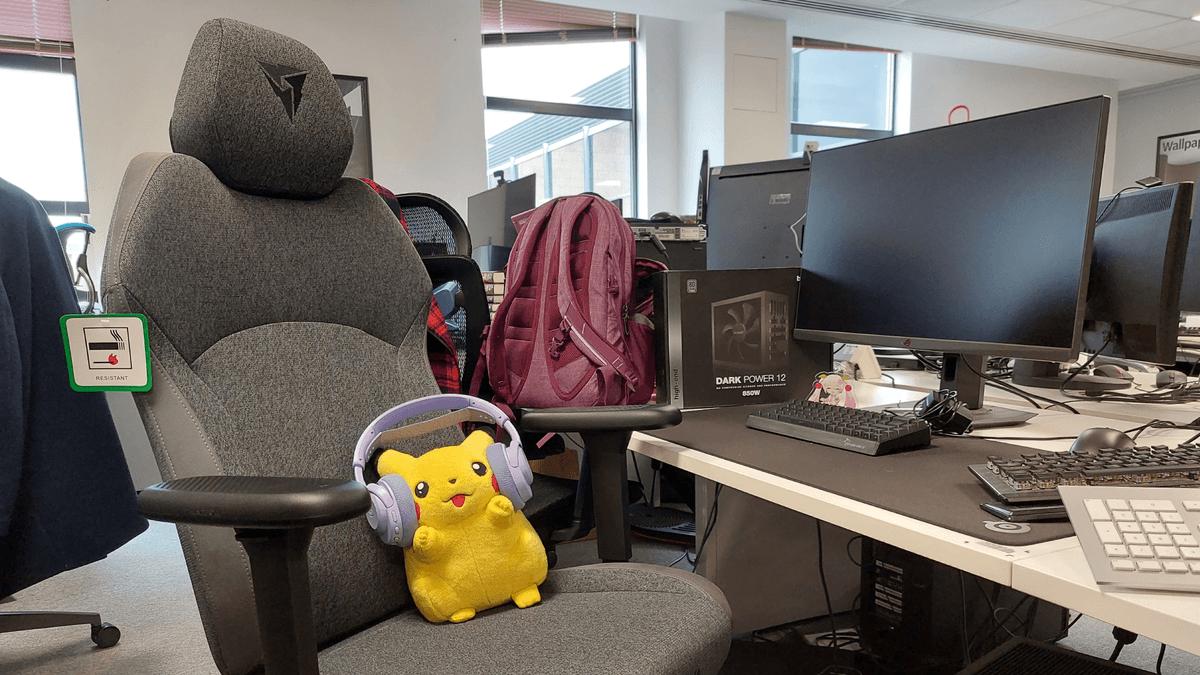
The model I’ve been using is the Loft Air fabric version in Dark Gray. It’s a woven, multi-layer upholstery that feels more “office chair” than “gamer throne”, with some subtle suede-like accents tracing the contours of the back. There’s a small embroidered ThunderX3 logo on the headrest, and that’s about as loud as the branding gets.
Personally, I’m into it. My setup already has enough RGB and angular plastic; a low-key, grey chair that doesn’t scream “streamer starter kit” is a nice change. If you want something a bit more playful, there are brighter Modern and Racer colourways in blue and red, plus mesh and leatherette variants, but the basic silhouette is still pretty restrained.
Round the back there’s a slim pocket sewn into the rear of the backrest. ThunderX3 pitches it as extra storage. Realistically, it’s good for the manual, a thin notebook, or maybe a tablet at most. You’re not stuffing a controller and headset back there without stretching the fabric.
The big downside of the Loft Air fabric: it’s absolutely not wipe-clean. If you eat at your desk, drink anything more adventurous than water, or live in a hot climate where summer gaming sessions get sweaty, you’ll need to be more careful than you would with PU leather. Spills will soak in fast, and sweat marks won’t just vanish with a quick wipe.
On the flip side, fabric doesn’t peel or crack like cheap leatherette tends to over time, and it’s a lot less sticky on hot days. After long sessions, I never had that gross “peeling myself off the seat” moment you get on some faux-leather chairs. As long as you treat it with basic respect (and maybe the occasional fabric cleaner), it should age more gracefully than the shiny stuff.
Long-Term Use: Workdays, Game Nights, and Fidget Tests
Across a couple of weeks, I used the Solo 360 as my main chair for both work and play. A typical day looked like this: eight-ish hours of writing and editing at my desk, then a break, then two to four hours of gaming in the evening. No switching chairs, no cheating.
The seat cushion has held its shape so far. There’s no obvious dip where I usually sit, and the foam still pushes back enough to keep my hips level. The front edge is slightly rounded, which helped avoid pressure behind the knees even when I had the chair a little high for typing.
My lower back was mostly happy, but the lack of dedicated lumbar adjustment did show up on days where I was already sore from bad sleep or previous workouts. Being able to tweak depth or height of lumbar support is where pricier chairs—or something like a Herman Miller office chair—really separate themselves. The Solo 360’s molded shape is good, just not customisable.
Where it did shine consistently was the way it encouraged me to move. With the synchronous tilt unlocked, I’d lean back during loading screens, sit more upright during tense fights, and occasionally lock in a mid-recline position for long cutscenes. That constant micro-movement kept me from seizing up in a rigid 90-degree posture, which does more for comfort than any amount of RGB or bolstering.
How It Compares to Other Budget Chairs
At around £200, the ThunderX3 Solo 360 is swimming in the same waters as the Corsair TC100 Relaxed and various “budget” lines from big-name brands like Razer and AndaSeat. It doesn’t try to out-gamer them; instead, it quietly out-features a lot of them.
Compared to the Corsair TC100 Relaxed, the big wins for the Solo 360 are:
- Easier assembly: Lighter parts and a smaller box made this much simpler to build alone.
- Better armrests: The 3D x 360° armrests offer more fine control than Corsair’s basic 2D setup.
- Subtler silhouette: Both can look understated, but I find the Solo 360’s proportions more balanced and office-friendly.
The Corsair still fights back with a slightly roomier seat and the option of more eye-catching colourways, plus its wider availability and brand recognition. If you like a very wide chair or frequently sit cross-legged, the TC100 Relaxed may suit you better.
Stack it against something like Razer’s budget Iskur V2 X, and the Solo 360 looks even stronger on pure value—especially in Europe, where Razer’s stuff often creeps well above this price tier. You don’t get the aggressive built-in lumbar bump Razer uses, but you do get genuinely flexible armrests and a more compact footprint.
Of course, if you step up into the premium bracket—Secretlab Titan Evo, Herman Miller Embody, or ThunderX3’s own more office-focused models—the Solo 360 starts to show its limits. Those big hitters bring proper adjustable lumbar, denser foam, heavier-duty bases, and in some cases, multi-year warranties that justify their much higher prices. The Solo 360 doesn’t compete there. It’s aiming at the “my budget tops out at £200, but I still care about my spine” crowd, and for that audience it lands well.
The US-Shaped Catch
Here’s the annoying part: as of writing, the ThunderX3 Solo 360 isn’t available in the US. Pricing is only listed in £ and €, and while other ThunderX3 products occasionally show up in different regions, this specific model is basically a Europe-and-UK treat for now.
Could you import one? Probably, but by the time you’ve paid international shipping and kissed goodbye to any practical warranty support, the maths stops making sense. If you’re in North America, you’re better off looking at local picks like the Corsair TC100 Relaxed, Razer’s discounted budget chairs, or waiting for ThunderX3 to expand distribution officially.
Who Should Buy the ThunderX3 Solo 360?
After living with it, here’s who I think the Solo 360 really suits:
- Budget-conscious PC gamers in the UK/EU who want something more ergonomic than a £100 Amazon special but can’t justify high-end pricing.
- People with shared spaces—living rooms, bedrooms, or hybrid home offices—who prefer a chair that doesn’t scream “esports arena”.
- Folks who value armrest and recline adjustability over extras like magnetic pillows or built-in RGB.
- Anyone tired of peeling faux leather and willing to treat a fabric seat with a bit of care to avoid stains.
And who should probably skip it:
- US buyers—it’s just not realistically available to you right now.
- People with known back problems who need fine-tuned lumbar support instead of a fixed backrest curve.
- Messy eaters and soda fiends, unless you fancy playing stain roulette with woven fabric.
- Gamers who love flashy hardware and want aggressive styling or wild colour schemes to match the rest of their setup.
FinalBoss // Gear
Level up your setup
01Top-rated gaming headsetson Amazon→02High-refresh gaming monitorson Amazon→03Gaming chairson Amazon→04Discounted game keyson Kinguin→Affiliate links · As an Amazon Associate, FinalBoss earns from qualifying purchases.
Want to Level Up Your Gaming?
Get access to exclusive strategies, hidden tips, and pro-level insights that we don't share publicly.
Ultimate Reviews Strategy Guide + Weekly Pro Tips