
Table of Contents (9)
The Always-On Era Is Ending—Sort Of
Since Valorant’s launch in 2020, Riot’s Vanguard anti-cheat has operated like a security guard who moves into your house permanently. Boot Windows, and vgk.sys loads at the kernel level before most of your own software gets a chance to breathe. It doesn’t ask whether you’re playing that day, that week, or even that month. The driver simply sits at the lowest privilege tier of your operating system, maintaining deep hooks into Windows whether you’re queueing for Ascent or just browsing a spreadsheet. Riot’s logic was straightforward: tactical shooters live and die by competitive integrity, and cheaters operate at the kernel level too. If you want to catch someone rewriting memory from ring zero, you need eyes in ring zero full-time.
That approach made Vanguard one of the most controversial pieces of gaming software in recent memory. While competitors like BattlEye and Easy Anti-Cheat also deploy kernel drivers, Vanguard’s insistence on loading at system startup turned it into a privacy and security lightning rod. Players worried about attack surface. Security researchers flagged the risks of any third-party kernel module running 24/7. Linux users discovered that Vanguard simply didn’t play nice with dual-boot setups. For five years, the trade-off was explicit: if you wanted to play Valorant, you accepted a persistent kernel resident. There was no opt-out, no off switch, no “please wait in the lobby until I launch the game.”
Now Riot is changing that contract. Vanguard is introducing an on-demand mode that keeps the kernel driver dormant until you actually launch a Riot title. It’s a meaningful philosophical pivot—from constant surveillance to conditional activation—but the company isn’t simply trusting players to behave. Instead, Riot is gating the privilege behind a hardware and software exam called Vanguard Pre-Check. Pass the exam, and Vanguard chills out until you need it. Fail it, and the on-demand option simply doesn’t appear.
What On-Demand Mode Actually Changes
Under the new model, the Vanguard kernel driver does not initialize when Windows boots. If you’re not playing a Riot game, vgk.sys stays off your system entirely. The driver only loads when you launch Valorant, League of Legends, or another protected Riot title, and it remains active for the duration of that play session. Once you close the game, Vanguard is supposed to stand down again. In practical terms, this means no more kernel-level anti-cheat running while you’re editing video, compiling code, or watching streams. Your system tray loses its permanent Vanguard babysitter.
But Riot isn’t naïve enough to think it can simply flip a switch and maintain the same cheat resistance. If the driver isn’t watching at boot, cheaters could theoretically load malicious drivers in the gap between Windows startup and game launch. To close that window, Riot built Runtime Driver Attestation. Before Vanguard loads, the system must prove that no cheat drivers have already taken root. It’s a trust-but-verify handshake: Windows attests to its own clean state, and Vanguard uses that attestation to decide whether it’s safe to come online.
This is where Vanguard Pre-Check enters the picture. Pre-Check isn’t a piece of software you download; it’s a validation of your system’s underlying security architecture. Riot is essentially borrowing Microsoft’s own hardware-rooted trust chain to do the job that Vanguard used to do itself through persistent kernel presence. Your PC becomes the bouncer, and Vanguard becomes the guest who only shows up when the venue is certified secure.
The change also alters how Vanguard’s user-facing components behave. VGTray—the familiar icon that has lurked in notification areas since 2020—shifts from a permanent resident to a conditional one. On compatible systems, you won’t see it hovering there after a fresh boot, because there is no Vanguard process to manage until a Riot title requests it. For players who have spent years reflexively checking Task Manager to confirm Vanguard’s presence, or absence, this will feel genuinely strange.
The Vanguard Pre-Check Security Exam
Vanguard Pre-Check is not a gentle suggestion. It is a hard dependency list, and every item must be satisfied before the on-demand toggle becomes available. Riot has tied the feature to Windows 11 version 25H2, which immediately cuts off anyone still running Windows 10 or an earlier Windows 11 feature update. Beyond the OS version, your machine needs four specific hardware and firmware security layers active: Secure Boot, TPM 2.0, VBS with HVCI-level protections, and IOMMU virtualization for peripheral isolation.
Let’s break down why each of these matters, because Riot’s choices here reveal exactly how the attestation model works. Secure Boot ensures your system’s boot chain hasn’t been tampered with; it cryptographically verifies that your bootloader and OS kernel are signed by trusted authorities. If a rootkit tries to wedge itself between your firmware and Windows, Secure Boot blocks the attempt. TPM 2.0 provides a hardware-based root of trust that can store cryptographic measurements of your system state and attest to them remotely—or in this case, locally to Vanguard. Without TPM, there is no tamper-resistant way to prove the machine booted cleanly.
VBS, or Virtualization-Based Security, creates a hypervisor-isolated region of memory that even the Windows kernel cannot directly touch. HVCI, which stands for Hypervisor-Protected Code Integrity, uses that isolated region to validate whether kernel-mode drivers are properly signed and untampered. In simpler terms, VBS and HVCI turn Windows into its own security monitor, catching suspicious driver behavior before it can affect the game. IOMMU—called VT-d on Intel platforms and AMD-Vi on Ryzen systems—prevents peripherals from performing unauthorized direct memory access. Without it, a malicious device or compromised firmware could theoretically bypass all the other protections by writing directly to physical memory.

Together, these features form a modern trusted computing base. Riot isn’t asking for them arbitrarily; the Runtime Driver Attestation relies on Microsoft’s ability to vouch for system integrity, and Microsoft only makes those guarantees when the full stack is active. If any layer is missing, the attestation is meaningless, and Vanguard cannot safely enter on-demand mode. It’s worth noting that this security stack mirrors what Microsoft itself requires for certain enterprise features and what Windows 11 originally demanded to great controversy. Riot is essentially saying: if your PC is modern enough to satisfy Microsoft’s most paranoid security posture, it is modern enough to run Vanguard on-demand.
Specifications
Auditing Your Rig Before Launch Day
Knowing the requirements is one thing. Verifying them on your specific build is another, especially if you’ve been running a custom PC with BIOS settings you haven’t touched since the day you assembled it. The good news is that every Pre-Check requirement can be verified without third-party software, using tools already built into Windows or your motherboard firmware.
Start with the easiest check: your Windows version. Press Windows+R, type winver, and hit Enter. If the dialog doesn’t show Windows 11 25H2 or later, you are not getting on-demand mode until Microsoft serves you that update or you force it through Windows Update. Given that 25H2 is a relatively recent feature update, a significant portion of the player base is likely still on 23H2 or 24H2. Do not expect Riot to backport this functionality; the attestation APIs Vanguard relies on are tied specifically to 25H2’s security architecture.
Next, verify your TPM status. Press Windows+R again and type tpm.msc. The TPM Management console should report “The TPM is ready for use” and show specification version 2.0. If you see an error or version 1.2, your motherboard either lacks a modern TPM module or it is disabled in firmware. Most boards manufactured after 2016 include TPM 2.0 support, but it often ships turned off by default. You will need to enter your BIOS—typically by spamming Delete or F2 during boot—and enable the TPM under security settings. On Intel platforms this may be labeled “PTT” (Platform Trust Technology); on AMD boards it might appear as “fTPM” (firmware TPM).
Secure Boot requires a similar BIOS excursion. In the same UEFI security menu where you found TPM, look for Secure Boot and ensure it is set to Enabled, not “Other OS” or “Disabled.” Here is where many enthusiasts get tripped up. If you dual-boot Linux, Secure Boot can complicate your life unless your distribution supports signed shim bootloaders. Some Linux users explicitly disable Secure Boot to avoid the hassle, and those users will need to make a choice: either configure a signed bootloader chain that satisfies Secure Boot, or accept that Vanguard on-demand mode is off the table. This is not a theoretical concern; the overlap between Linux dual-booters and Valorant players has been a pain point since 2020, and Pre-Check does not soften that blow.
For VBS and HVCI, the fastest verification is the System Information panel. Press Windows+R, type msinfo32, and look for “Device Guard Virtualization based security” and “Hypervisor-protected Code Integrity.” If HVCI is not running, you can enable it through the Windows Security app under Device Security > Core Isolation > Memory Integrity. Be warned: turning on HVCI can carry a performance penalty on older CPUs, particularly those without native mode-based execution control. On newer Intel and AMD chips the overhead is minimal, but if you’re running a rig from the early Windows 11 era, you might notice slightly longer load times or marginally reduced frame rates in CPU-bound scenarios. Riot is betting that players with 25H2-ready hardware are also running silicon new enough to absorb that cost.
Finally, there is IOMMU. This is the most obscure requirement and the one least likely to be enabled by default on consumer gaming boards. In your BIOS, look for VT-d on Intel systems or AMD-Vi on Ryzen builds. It may hide under advanced chipset settings or Northbridge configurations, depending on your motherboard vendor. Unlike Secure Boot, IOMMU generally does not interfere with operating system choice, but enabling it after years of dormancy can occasionally expose firmware bugs or compatibility quirks with certain USB controllers. If your system suddenly behaves strangely after toggling IOMMU, you may need a BIOS update from your board manufacturer.
The Tradeoffs Nobody Wants to Talk About
On paper, Vanguard on-demand mode is a pure win for player autonomy. Your kernel belongs to you again—at least until you decide to play. The privacy implications are real: a third-party driver that previously enjoyed permanent residence in ring zero now only visits when invited. That reduces long-term attack surface. If a vulnerability were ever discovered in Vanguard’s kernel module, an on-demand installation would only be exploitable while the driver is actually loaded, not during every waking moment of your PC’s operation.
Boot behavior also changes, though the practical impact varies by system. Without Vanguard initializing at startup, you may see slightly faster boot times or fewer background processes competing for I/O during login. Don’t expect miracles; modern SSDs already mask most boot latency. Still, for players who obsess over clean Task Manager startup tabs, the absence of VGTray and its kernel companion will be psychologically satisfying if nothing else.
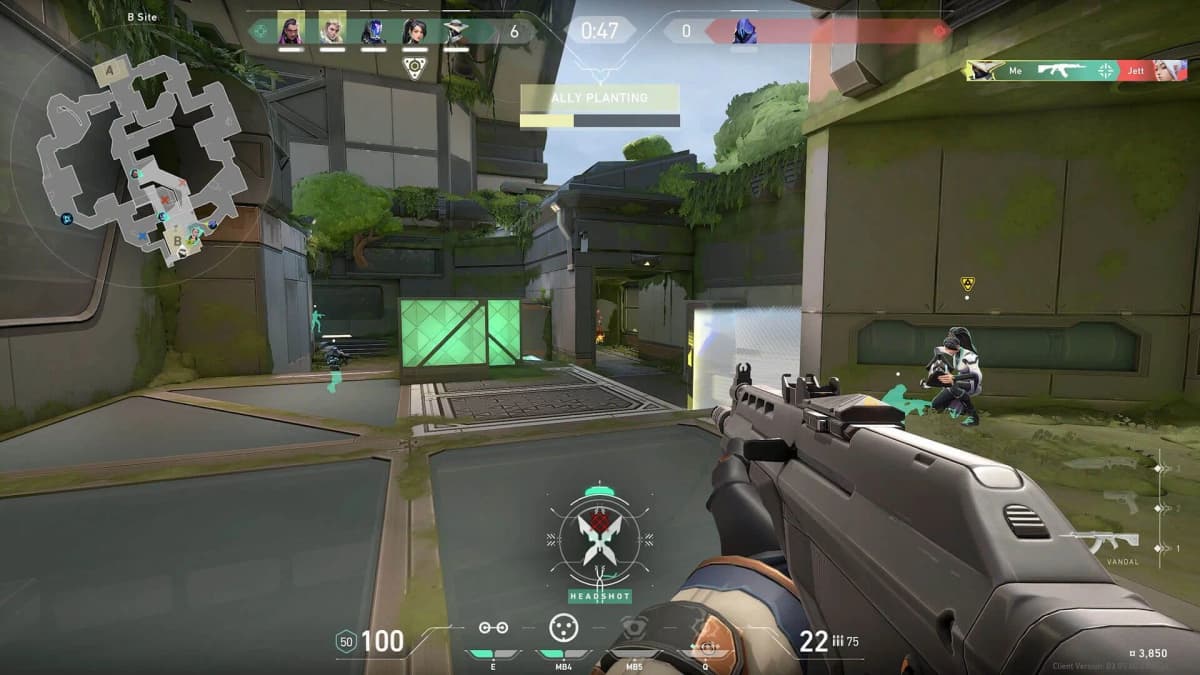
During gameplay, however, the experience should remain functionally identical. When Vanguard loads on-demand, it is still a kernel-level anti-cheat. It still scans memory, validates processes, and looks for injection patterns with the same aggressiveness it always had. The difference is purely temporal: the driver lives in your system for hours instead of years. Performance inside Valorant should not change, because the same protections are active during the same moments that matter. Any expectation that on-demand mode reduces in-game overhead misses the point; the kernel driver still does its job, it just starts the clock later.
The real tradeoff is one of trust transference. By moving away from always-on monitoring, Riot is placing enormous faith in Microsoft’s attestation stack. Runtime Driver Attestation does not work because Vanguard is clever; it works because Windows 11 25H2, with all its security layers active, is extremely difficult to deceive. But that shifts the burden of proof from Riot’s own driver to Microsoft’s hypervisor, TPM implementations, and firmware vendors. If a vulnerability exists in VBS, or if a motherboard vendor ships a broken TPM implementation—both of which have happened before—the attestation chain breaks. Vanguard on-demand is only as secure as the weakest link in that chain.
There is also the question of compatibility versus control. The old always-on model was invasive, but it was democratically invasive. Anyone with a Windows PC that could run Valorant got the same kernel-level treatment, for better or worse. The new model introduces a tiered experience. Players with modern hardware, updated Windows builds, and correctly configured firmware gain a privilege that older or more exotic setups cannot access. It is not quite pay-to-win, but it is absolutely buy-new-hardware-to-get-privacy. For a free-to-play game, that is an uncomfortable precedent.
Does Attestation Actually Work?
The central gamble of Vanguard on-demand is that Runtime Driver Attestation can replace persistent kernel presence without opening the door to load-time cheats. In the old model, Vanguard watched the door continuously, so any attempt to inject a cheat driver mid-session was theoretically observable. In the new model, Vanguard asks Windows “was the door locked when I wasn’t looking?” and trusts the answer. That trust is backed by hardware, but hardware attestation is not magic.
Cheating developers have spent years attacking TPM implementations, bypassing Secure Boot with leaked keys, and finding hypervisor escapes that let them run underneath VBS. Every one of those attack vectors has seen real-world exploitation in other contexts. The difference is that Riot is now outsourcing its frontline defense to the same stack that enterprise security relies on, which means Vanguard inherits both Microsoft’s strengths and Microsoft’s vulnerabilities. When it works, attestation is nearly invisible and extremely robust. When it fails, it tends to fail silently, giving cheaters a window that looks secure from the outside.
For the average player, this is largely academic. You will not need to think about attestation chains or hypervisor integrity during your ranked climb. But the architecture matters because it defines who controls the trust boundary. In 2020, Riot controlled it directly through its own driver. In 2025, control is shared between Riot, Microsoft, your motherboard vendor, and your TPM manufacturer. That distributed model is modern security orthodoxy, but it is also more complex. And in software, complexity is where exploits live.
The Hard Reality of the 35 Percent
Riot has stated that roughly 35 percent of Valorant players already meet the Pre-Check requirements. That is a minority. It means two out of every three active accounts are running on systems that either lack Windows 11 25H2, are missing TPM 2.0, have Secure Boot disabled, or lack the virtualization features necessary for HVCI attestation. For those players, the on-demand toggle simply will not appear with the next update. Their Vanguard experience remains exactly what it has been since 2020: always-on, always resident, always watching.
This creates a bifurcated player base that Riot will have to manage carefully. The engineering team cannot abandon the always-on driver while a majority of users still depend on it. That suggests the old kernel-resident model will persist in parallel for the foreseeable future, maintained alongside the new on-demand branch. From a development standpoint, that is a maintenance burden. From a player standpoint, it means your path to privacy is gated not just by Riot’s policy, but by your willingness and ability to update both your operating system and your motherboard firmware.
The Windows 11 25H2 requirement is particularly thorny. Gamers have historically been slow to adopt new Windows feature updates, and for good reason. Major updates break things: audio drivers, capture software, fan curves, overclocking utilities. Many players stay on stable builds until forced to migrate. Riot is now offering a tangible incentive—control over your own kernel—but only if you jump to Microsoft’s latest platform. It is a clever alignment of interests, but it is also a reminder that in modern PC gaming, the operating system vendor and the game publisher increasingly share the driver’s seat.
Pros and Cons: On-Demand vs. Always-On
FinalBoss // Gear
Level up your setup
01Graphics cardson Amazon→02Gaming laptopson Amazon→03High-refresh gaming monitorson Amazon→04Discounted game keyson Kinguin→
Affiliate links · As an Amazon Associate, FinalBoss earns from qualifying purchases.
Want to Level Up Your Gaming?
Get access to exclusive strategies, hidden tips, and pro-level insights that we don't share publicly.
Ultimate Tech Strategy Guide + Weekly Pro Tips