
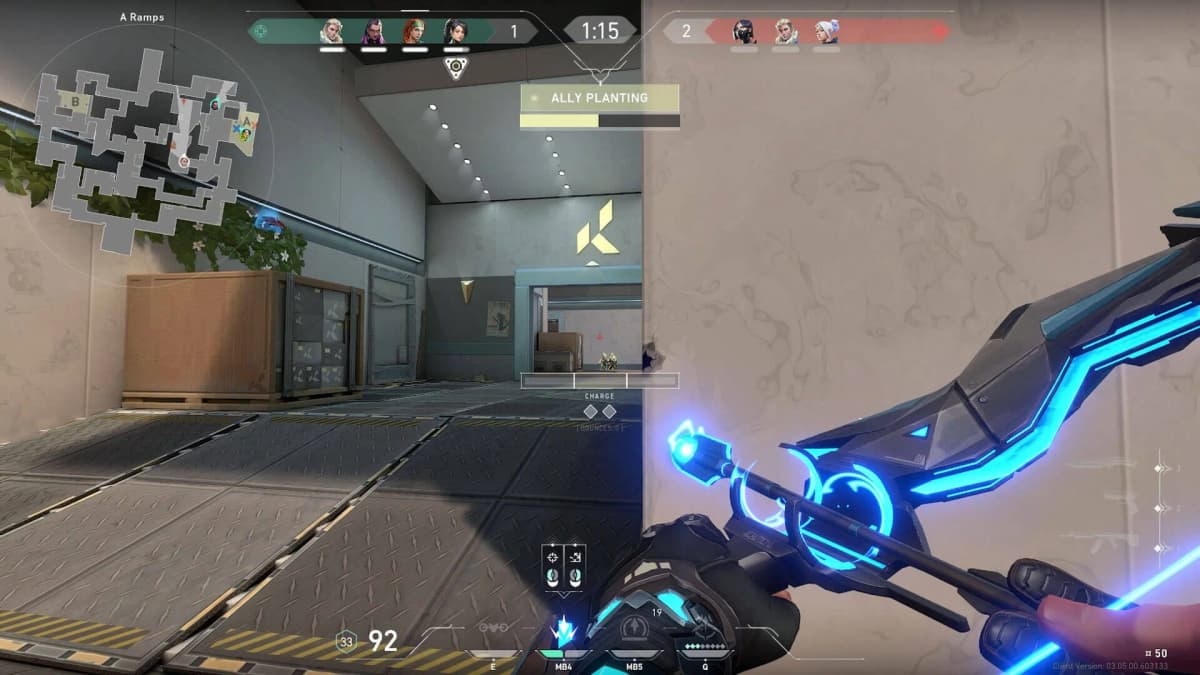
Valorant’s Vanguard anti-cheat can now run only while a Riot game is open, rather than starting with Windows and remaining active until shutdown. That is the change many players wanted. The trade-off is a stricter Windows 11 security baseline: Vanguard On-Demand depends on Secure Boot, TPM 2.0, Virtualization-Based Security, Memory Integrity, and IOMMU support being enabled before Riot will allow the driver to load on demand.
For players seeing Vanguard compatibility prompts, suspicious-cheat blocks, or a driver that refuses to initialize, reinstalling the game is usually the wrong first move. Vanguard Pre-Check is looking for a trusted boot chain and kernel protections that are configured below the game itself. The practical fix starts in Windows Security and, in some cases, the motherboard firmware.
Table of Contents (15)
How Valorant Vanguard works
Vanguard has two parts. vgk.sys is the kernel-mode driver, operating at ring 0 alongside Windows’ most privileged code. The Vanguard client runs in user mode with Riot Client and Valorant. Together, they check whether the game is running in an environment where a cheat could inject code, alter game memory, load a vulnerable driver, or use low-level hardware access to bypass normal protections.
The kernel driver matters because conventional anti-cheat software running only alongside the game can be beaten by software that already has deeper Windows access. A compromised or vulnerable driver can operate below a normal application, patch memory, conceal processes, or remove its tracks before the game client has much chance of seeing it.
Under Vanguard’s original model, vgk.sys loaded during Windows boot. Valorant would refuse to run if it had not started correctly, which is why installing Vanguard or changing its settings commonly required a full reboot. The driver then remained loaded until the PC shut down, even when Valorant was closed. That wide operating window was the source of the long-running criticism around Vanguard’s intrusiveness.
Vanguard operating modes and Windows requirements
| Mode | When vgk.sys runs | Security model | What it means for players |
|---|---|---|---|
| Legacy Vanguard | Starts with Windows and remains loaded until shutdown. | Vanguard observes the boot environment directly from startup. | Still used when a PC does not meet Vanguard Pre-Check requirements. |
| Vanguard On-Demand | Starts when a Riot game launches and shuts down after the game closes. | Uses Windows 11 platform hardening and Runtime Driver Attestation to establish trust before play. | Requires Windows 11 25H2 or newer, Secure Boot, TPM 2.0, VBS, HVCI, and IOMMU. |
What changed with Vanguard On-Demand
The difficult part of turning off a boot-time anti-cheat driver was always the gap before the game launched. A cheat could load a malicious or vulnerable driver early in Windows startup, use it to prepare the system, then remove it before an on-demand anti-cheat began checking. Vanguard would arrive late to the scene with the evidence already gone.
Riot’s updated approach relies on Runtime Driver Attestation, a Windows security capability developed with Microsoft’s Xbox OS Security team. The attestation process lets Vanguard assess the relevant driver state before its own on-demand session begins. That closes much of the blind spot that made an always-on driver necessary in the first place.
The distinction matters. Vanguard On-Demand does not remove kernel-level anti-cheat from Valorant. The driver still has deep access while the game is running. It changes the driver’s lifecycle on systems that can prove they are using Windows’ newer boot, virtualization, and device-memory protections.
The Windows security features Vanguard Pre-Check needs
Vanguard Pre-Check is effectively a system-hardening checklist. Each item covers a different route used by cheats and low-level malware to get beneath conventional detection.
Windows 11 25H2 or newer
Vanguard On-Demand requires Windows 11 version 25H2 or later. This is more than an arbitrary version check. The mode relies on modern Windows security functionality and attestation support that older Windows releases do not provide in the same form.

Press Win + R, type winver, and confirm the installed version. Apply pending Windows updates before changing firmware settings. A partially updated installation can produce confusing results when Windows Security, virtualization features, and Riot’s pre-check are all checking different pieces of the same platform.
UEFI and Secure Boot
Secure Boot verifies signatures in the boot chain, beginning with UEFI firmware and continuing through the Windows bootloader. Its job is to make bootkits and unauthorized pre-Windows components far harder to load. For Vanguard, that means the operating system has a stronger chain of trust before the anti-cheat driver ever begins its own work.
Check the status by pressing Win + R, entering msinfo32, and finding Secure Boot State. It should read On. If it reads Off, restart into your motherboard’s UEFI settings and enable Secure Boot. Older installs may still be configured for Legacy or CSM boot mode; Secure Boot requires UEFI booting. Do not flip firmware settings blindly if Windows was installed in legacy mode, since a mismatched partition layout or boot mode can leave the PC unable to start.
TPM 2.0
TPM 2.0 is the hardware or firmware security module Windows uses to protect cryptographic material and strengthen device trust. On most current desktop platforms it appears as Intel PTT or AMD fTPM in the BIOS rather than as a separate physical module.
Press Win + R, enter tpm.msc, and check that Windows reports a ready TPM with specification version 2.0. If it is unavailable, enable Intel PTT, AMD fTPM, or the equivalent firmware TPM option in UEFI. Avoid clearing a TPM as a casual troubleshooting step; it can affect encryption and Windows sign-in protections.
VBS and Memory Integrity (HVCI)
Virtualization-Based Security, or VBS, uses Windows’ hypervisor to isolate sensitive security functions from the ordinary Windows kernel. Hypervisor-Protected Code Integrity, commonly shown as Memory Integrity, builds on that isolation to prevent untrusted or altered kernel code from running.
This is one of the most important pieces of the on-demand design. Cheats often abuse legitimately signed but vulnerable drivers to gain kernel access. HVCI raises the bar by enforcing code-integrity rules from a more isolated environment, reducing the chance that a bad driver can become a convenient cheat loader.
- Open Windows Security, then go to Device security.
- Open Core isolation details.
- Turn on Memory integrity, then restart when Windows requests it.
- Open msinfo32 after rebooting and confirm that Virtualization-Based Security is listed as running.
If Memory Integrity refuses to enable, read the incompatible-driver warning rather than ignoring it. Old peripheral utilities, legacy controller software, obsolete audio packages, and abandoned hardware tools can install drivers that fail HVCI’s requirements. Update that driver from its manufacturer or remove the utility if it is no longer needed. Disabling HVCI to make an old driver work moves the PC away from the exact security state Vanguard On-Demand expects.
IOMMU and Kernel DMA Protection
IOMMU stands for input-output memory management unit. Intel boards usually label it VT-d; AMD boards generally call it IOMMU. It controls how devices access system memory, placing boundaries around Direct Memory Access rather than allowing hardware to reach arbitrary physical memory.
That matters for anti-cheat because a DMA-capable device can potentially inspect or modify memory without running ordinary cheat code on the CPU. External PCIe devices and modified hardware sit outside the simple “scan the game process” model. IOMMU provides the hardware-backed memory isolation needed to make this kind of attack harder to pull off and easier for the platform to contain.
Restart into UEFI and enable Intel VT-d or AMD IOMMU. CPU virtualization, labelled Intel Virtualization Technology or AMD SVM, may also need to be enabled for VBS to function. Back in Windows, msinfo32 can show the state of Kernel DMA Protection where the platform supports it. Firmware menus differ wildly by motherboard vendor, so use the board manual rather than enabling unrelated overclocking or storage options while searching for the setting.
Verify the PC before launching Valorant
Work through the checks in this order. It prevents a common time sink: repeatedly reinstalling Vanguard when Windows itself is still failing the prerequisite check.
- Update Windows first. Confirm Windows 11 25H2 or newer with winver, then install available updates and restart.
- Confirm the trusted boot chain. In msinfo32, verify UEFI mode and Secure Boot State: On.
- Verify TPM 2.0. Use tpm.msc and make sure Windows reports that the TPM is ready for use.
- Enable VBS and Memory Integrity. Check Windows Security’s Core isolation page, restart, and confirm VBS is running in msinfo32.
- Enable IOMMU or VT-d in UEFI. This setting is essential for the anti-DMA portion of Riot’s pre-check.
- Restart after security changes. Secure Boot, HVCI, VBS, and Vanguard driver changes are all tied to startup state. A shutdown followed by a cold boot can help if Windows reports stale configuration information.
- Launch Vanguard through Riot Client or its VGTray controls. A compatible PC can use Vanguard’s on-demand behavior; a PC that fails the pre-check remains on the boot-time driver model.
What to do with Vanguard errors and suspicious-cheat blocks
Vanguard restrictions can feel opaque because the game client often reports the result rather than the failed layer. The useful approach is to isolate whether the issue is boot security, an incompatible driver, a virtualized environment, or Vanguard’s own installation state.
Compatibility errors after enabling Memory Integrity
Start with the incompatible-driver list in Windows Security. A legacy driver that prevents HVCI from starting can also prevent Vanguard Pre-Check from passing. Updating motherboard chipset drivers, GPU drivers, and actively used peripheral software is sensible; retaining old driver packages for hardware no longer connected to the PC is usually where the mess begins.
Vanguard still asks for a reboot
A reboot requirement is expected after Vanguard installation, Windows security changes, or an update that affects the driver’s startup state. Vanguard’s legacy configuration must be present early enough in the Windows boot process to validate the environment. Reboot once, then recheck Secure Boot and VBS rather than cycling through multiple reinstalls.
Virtual machines and unusual system isolation
Running Valorant from inside a virtual machine or a heavily virtualized environment can trigger a restriction. Virtualization is required for Windows’ VBS security model, but that does not mean Vanguard treats a full game VM as an ordinary desktop. The intended setup is Valorant running directly on a secured Windows installation with the hypervisor protecting Windows security features in the background.
Performance and stability considerations
VBS and HVCI can have a performance cost on some hardware and workloads, particularly older CPUs or systems with dated drivers. Valorant is light enough that the practical impact may be small on a current gaming PC, but frame-time consistency matters more than an average frame-rate counter in a competitive shooter. Test the settings after a reboot and ensure input, audio, capture hardware, and peripherals remain stable before entering ranked play.
FinalBoss // Gear
Level up your setup
01Graphics cardson Amazon→02Gaming laptopson Amazon→03High-refresh gaming monitorson Amazon→04Discounted game keyson Kinguin→Affiliate links · As an Amazon Associate, FinalBoss earns from qualifying purchases.
Want to Level Up Your Gaming?
Get access to exclusive strategies, hidden tips, and pro-level insights that we don't share publicly.
Ultimate Tech Strategy Guide + Weekly Pro Tips