
Table of Contents (6)
Why this actually matters for Deck owners
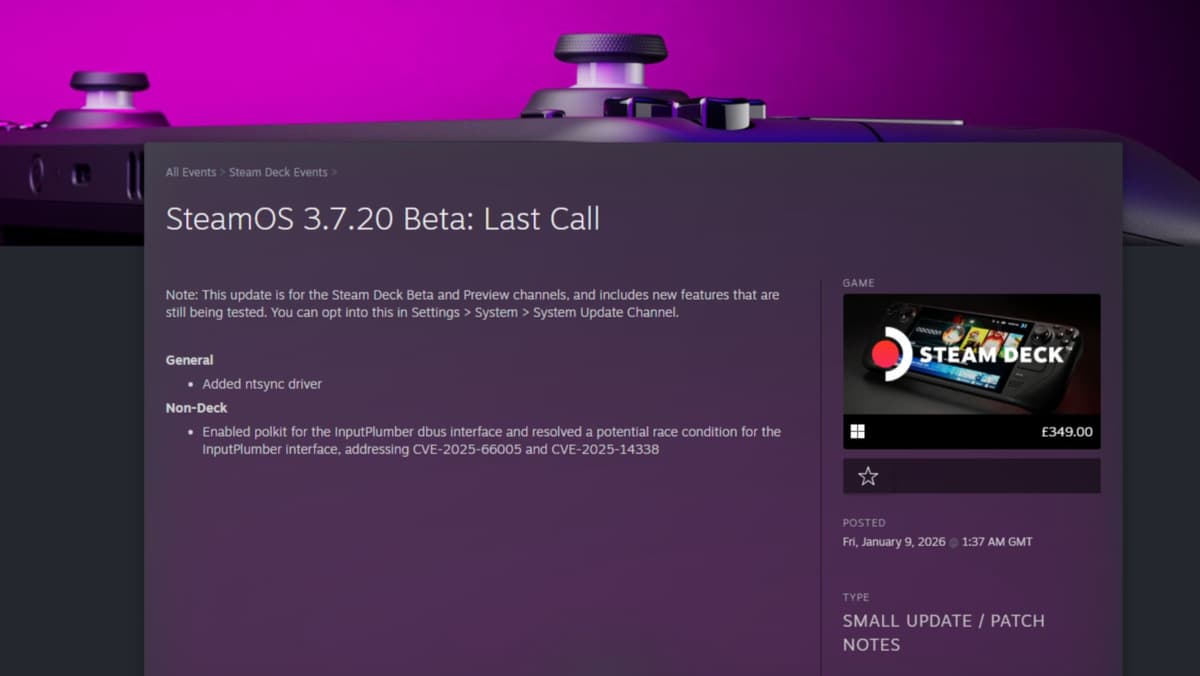
This caught my attention because Valve just slipped kernel-level support for a little driver called ntsync into the January SteamOS beta – and for anyone who’s tried to run older Windows-era shooters on a Steam Deck, that could actually make a measurable difference. Not a headline-grabbing miracle, but a meaningful, practical fix for games that historically choke on Linux compatibility layers.
- SteamOS beta (Jan 8) adds kernel-level ntsync support – a different approach to improving Windows-game performance on Linux.
- Early community tests using Proton‑GE + ntsync show modest FPS gains and fewer stutters in older Call of Duty titles; results vary.
- fsync is still available; ntsync isn’t a universal fix but may help titles that don’t play nice with fsync.
- If you want to try it, opt into the SteamOS 3.7.20 beta and install Proton‑GE via Proton Up‑Qt – expect wider benchmarks once the beta goes stable.
Breaking down the update: what is ntsync and why add it?
At a technical level, ntsync is another user-space-to-kernel synchronization helper for Wine/Proton to reduce the overhead of system calls that Windows games expect. Valve already shipped fsync on SteamOS as a similar tool, and for many titles fsync is enough. So why add ntsync at kernel level? Because compatibility is messy: different games have different threading and I/O patterns, and sometimes fsync hits a corner case where another approach performs better.
Put plainly: Valve isn’t promising a universal compatibility master key. This is incremental engineering — another tool in Proton’s toolbox that could make a handful of games run cleaner on Linux-based Deck hardware. It’s particularly interesting because kernel-level support signals Valve is willing to bake community-driven improvements deeper into the OS, not just ship userspace patches.
What I tested (and what I didn’t)
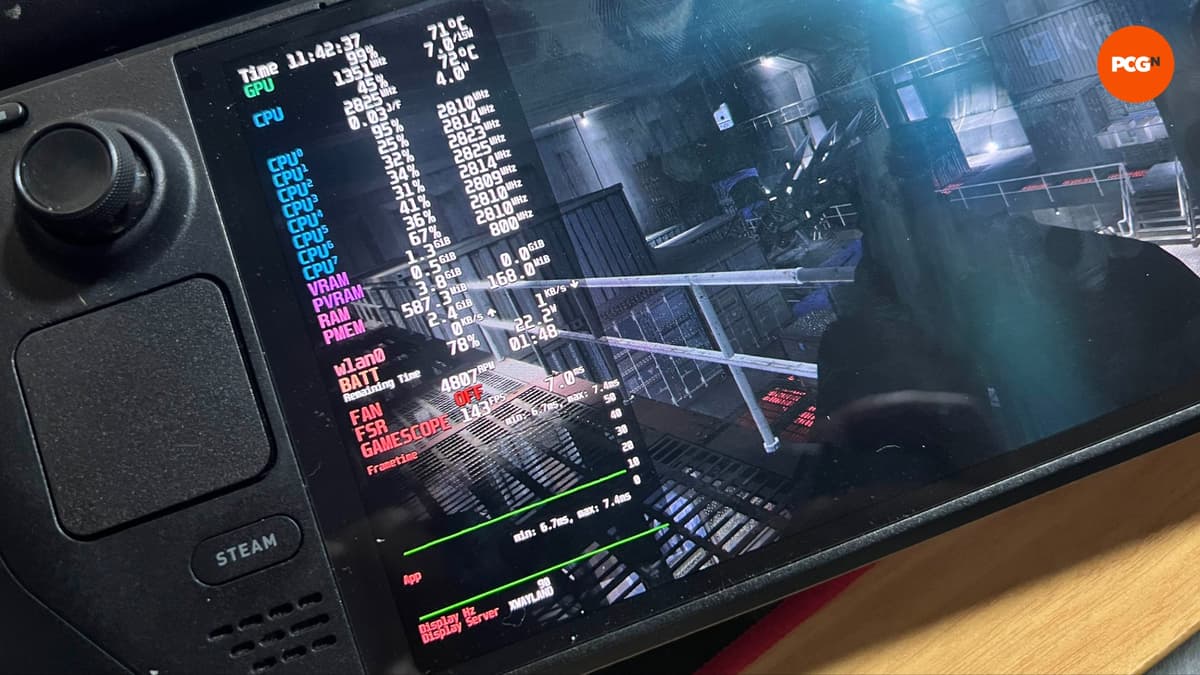
As someone who likes tinkering but isn’t a hardware lab, I put the Deck through a quick, practical test: Call of Duty 4: Modern Warfare’s campaign. I didn’t set up a multiplayer session (that would’ve taken longer than my Sunday allowed), but I did compare the Deck running Proton’s standard build (fsync active) against a Proton‑GE build that forces ntsync behavior.

Results were modest. With the Deck unplugged and capped to its OLED refresh, the Gamescope overlay showed 130-140fps on the fsync build at the Crew Expendable catwalk checkpoint. Switching to Proton‑GE/ntsync nudged that to a more consistent 135-144fps. Smooth? Slightly. Transformative? No. But for people plugging their Deck into a 144Hz display or trying to kill microstutter in specific missions, those small gains matter.
Take my numbers with a big grain of salt — single-run anecdote, non-lab conditions, and your mileage will vary. Other users are reporting bigger changes: on the Steam Deck subreddit, ‘Sjknight413’ says previously “horrendous framerate drops” and weird rendering glitches in Call of Duty Black Ops went away when using Proton‑GE with ntsync. That’s promising, but not conclusive.
What gamers need to know — the how and the caveats
If you want to try this yourself: opt into the SteamOS 3.7.20 beta branch from your Deck’s settings and then install the latest Proton‑GE with the Proton Up‑Qt utility from the Discover store. It’s essentially a couple of clicks, but remember you’re on a beta OS build — expect the occasional oddity.
Important caveats: ntsync won’t replace fsync. It’s another option that helps certain edge-case titles, especially older Windows games that do strange threading or I/O. Expect variable results across engines and years; modern AAA games that already run well under Proton are unlikely to see noticeable gains.
Why now — and why this matters beyond Call of Duty
Why add kernel-level ntsync now? Because Valve’s long game is Linux-first compatibility: the Deck, the upcoming hardware variants, and the broader effort to make Proton rock-solid. Integrating these community-led fixes at the kernel level reduces latency and can improve consistency for specific workloads. It’s a pragmatic move that shows Valve is still iterating on Playable on Deck, not declaring the work finished.
For retro and mid‑2000s PC gaming fans this is welcome. Those titles often predate modern engine designs and benefit most from these low-level tweaks. For the wider audience, expect incremental improvements and, crucially, a richer set of tools for troubleshooting compatibility issues.
TL;DR
Valve’s SteamOS January beta added kernel-level ntsync, giving Proton an extra way to handle tricky Windows games on the Deck. Early Proton‑GE tests show small but real framerate and stutter fixes for some older Call of Duty games — not a miracle, but a useful option. Try it on the beta if you’re chasing retro performance, and expect broader benchmarks once the build hits stable users.
FinalBoss // Gear
Level up your setup
01Top-rated gaming headsetson Amazon→02High-refresh gaming monitorson Amazon→03Gaming chairson Amazon→04Discounted game keyson Kinguin→Affiliate links · As an Amazon Associate, FinalBoss earns from qualifying purchases.
Want to Level Up Your Gaming?
Get access to exclusive strategies, hidden tips, and pro-level insights that we don't share publicly.
Ultimate Gaming Strategy Guide + Weekly Pro Tips