
Table of Contents (7)
Windows 11 Is Finally Targeting the Annoying Seconds Before a Game Starts
Windows 11 has spent years feeling oddly hesitant in the small interactions where a gaming PC should feel immediate: clicking Start, opening a menu, launching a client that has already lived on the machine for years. Games eventually get going, but Steam, Epic Games Launcher, Battle.net, EA app, and Ubisoft Connect have a habit of burning time on blank windows, splash screens, account checks, and library refreshes.
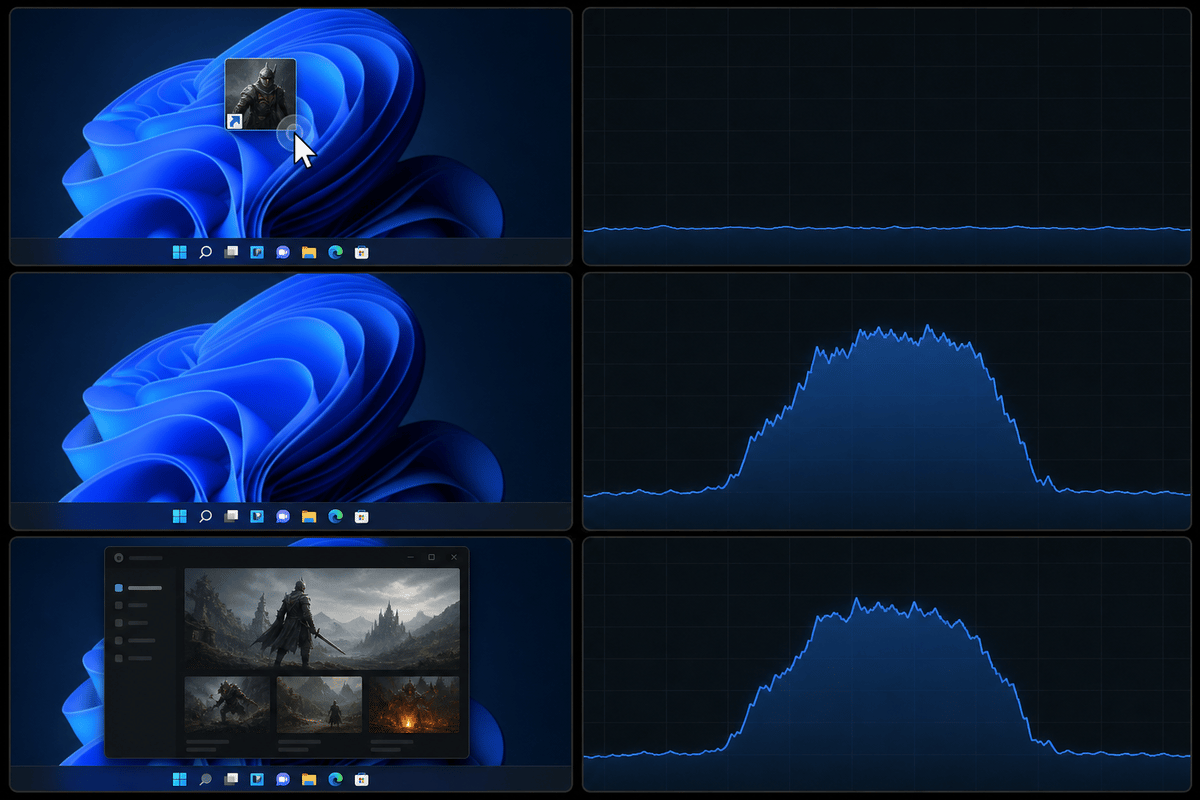
August 2026’s Windows 11 security update, KB5121003, aims at that exact annoyance. It extends Microsoft’s Low Latency Profile beyond shell interactions to ordinary application launches. For launchers, Windows can briefly push the CPU toward its higher clock speeds for roughly one to three seconds as the client starts, then let it return to normal power behavior once that burst of work is over.
The practical result is faster perceived responsiveness rather than a new gaming-performance mode. Steam appearing sooner, Epic reaching a usable window with less hesitation, and launcher menus responding more quickly are the intended wins. Frame rates, shader compilation, download throughput, and server-side login queues sit outside this feature’s reach.
KB5121003 Low Latency Profile at a Glance
| Item | What It Means for PC Gamers |
|---|---|
| Update | Windows 11 August 2026 security update KB5121003 |
| Eligible builds | Build 26200.9168, 26100.9168, or later |
| Feature | Low Latency Profile expanded to standard application launches |
| CPU behavior | A brief, high-priority frequency ramp lasting around one to three seconds |
| Best-case benefit | Faster launcher window appearance, UI initialization, and early responsiveness |
| Limited by | Slow HDD access, low available memory, antivirus scans, network authentication, and launcher-side update checks |
| Important caveat | The capability is part of a controlled rollout, so identical builds can show different results at first |
What Low Latency Profile Changes During a Launcher Start
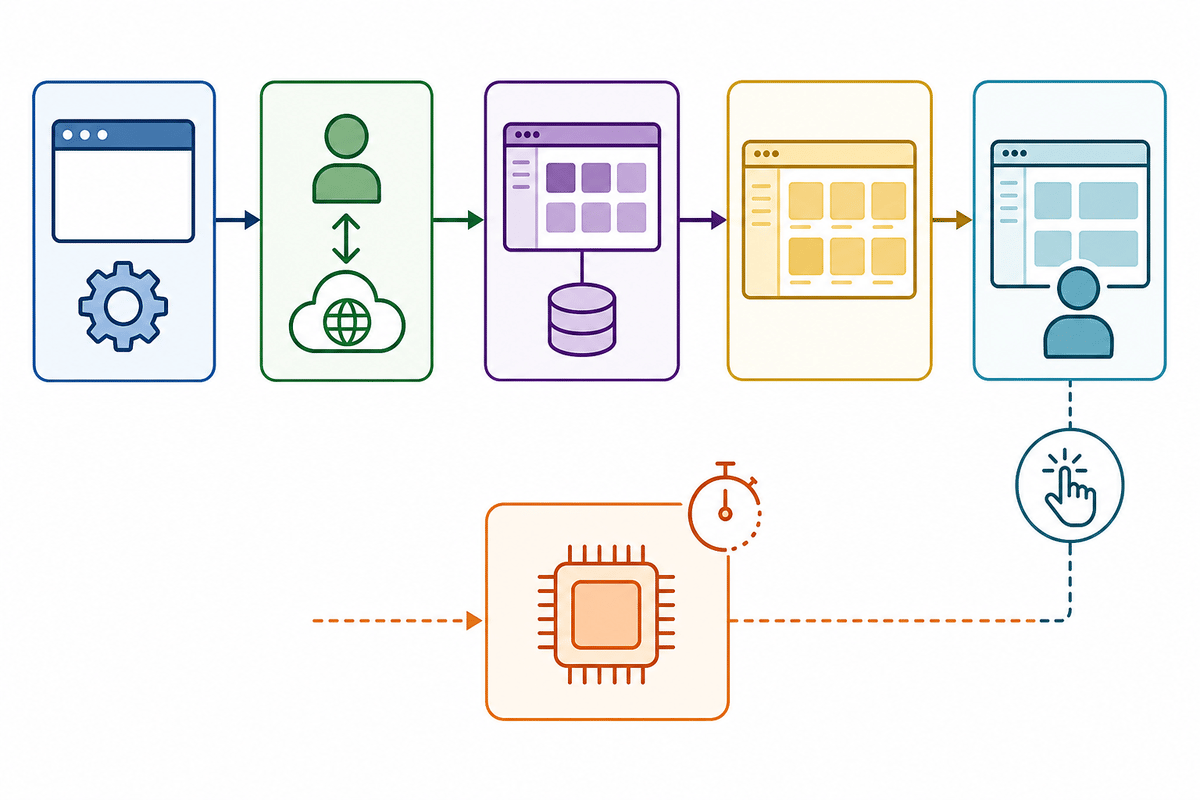
A modern launcher does far more than open one executable. It starts processes, loads DLLs, paints a window, restores a session, validates login tokens, contacts account services, checks for self-updates, pulls cloud-save state, and fills the library with artwork, news, store panels, and patch data. That is a messy chain of local CPU work, disk reads, memory allocation, and internet traffic.
Low Latency Profile targets the CPU portion at the front of that chain. The logic is straightforward: a processor that is sitting at a low-power clock can lose a noticeable fraction of a second ramping up for a short task. Windows now treats the initial click as a latency-sensitive event and gives the CPU a fast burst of performance before it settles back down. It is a sensible “race to sleep” approach: finish the short job promptly rather than run the processor harder for longer.
| Launcher phase | Likely KB5121003 impact | What can still hold it back |
|---|---|---|
| Click to first window or splash screen | High potential. Process creation, DLL loading, and initial UI work are short CPU-heavy tasks. | Slow storage, security scanning, damaged launcher files |
| Window to usable interface | Moderate potential. Session restoration and client-side interface setup can benefit from the immediate CPU ramp. | Memory pressure, background software, launcher self-update checks |
| Usable interface to library fully populated | Variable. Local artwork and cached metadata can improve, but online data is often the deciding factor. | Internet latency, account services, cloud sync, store-content requests |
| Menus, flyouts, settings, and first clicks | Potentially smoother, especially on systems that previously paused before drawing UI elements. | Poorly optimized launcher code, overlays, exhausted system memory |
Steam and Epic are useful examples because their startup behavior changes from day to day. A quiet Steam launch with an existing login session can be mostly local work. An Epic launch that decides to refresh account data, inspect cloud saves, and populate a store-heavy home page may spend more time waiting for a connection than working the CPU. KB5121003 can improve the first case cleanly and only trim the local portion of the second.
Install the Update, Then Confirm the Build
There is no separate gaming toggle to hunt down for this feature. Install KB5121003 through Settings > Windows Update, restart the PC, then check the installed Windows version by running winver. The relevant Windows 11 builds are 26200.9168 and 26100.9168, plus later releases.
That build number confirms the update is present; it does not guarantee a dramatic stopwatch result. Low Latency Profile is short-lived by design, and its rollout can be controlled. A launcher that already reaches its library in two seconds on a clean NVMe-equipped system has very little dead time left to remove. The update matters more when Windows was visibly slow to react at the moment of launch.
Which PCs Stand to Gain the Most?
The biggest gains should land on ordinary, slightly overburdened Windows PCs rather than pristine showcase rigs. That includes budget desktops with 8GB or 12GB of RAM, older gaming laptops that take their time climbing to boost clocks, and systems running the usual pile of Discord, browser tabs, RGB utilities, overlays, peripheral software, and background sync tools.
| PC configuration | Expected launcher improvement | Why |
|---|---|---|
| Older CPU, 8GB-12GB RAM, SATA SSD | Often noticeable in window appearance and first UI response | CPU ramp-up and background contention can delay short launch tasks |
| Modern CPU, 16GB-32GB RAM, NVMe SSD | Usually modest | Local launcher startup is already quick, leaving less latency to reclaim |
| Gaming PC still using an HDD | Inconsistent overall improvement | The early window may appear sooner, while mechanical storage remains the main loading bottleneck |
| Low-RAM PC with browsers and overlays open | Potentially useful, but variable | The CPU burst helps early work, while paging and memory pressure can still cause pauses |
| Fast PC with weak or unstable internet | Small improvement after the first window | Account authentication, cloud sync, and store pages often wait on the network |
The HDD case deserves blunt treatment. A short CPU boost cannot turn a hard drive into an SSD. Steam may paint its shell faster, then stall while it reads cached artwork or local metadata. Epic may show a window sooner, then wait while the drive and network catch up. An SSD upgrade remains the far more meaningful launcher-speed upgrade for a machine running games and clients from a mechanical disk.
Memory behaves similarly. Low Latency Profile can help a modest system get through a quick initial burst, but 8GB of RAM shared between Windows, a browser, Discord, streaming tools, overlays, and a launcher creates a larger problem. Once the system starts paging data to storage, perceived responsiveness falls off a cliff. Closing heavyweight background applications before gaming remains worthwhile, particularly on 8GB systems.
A Before-and-After Test That Avoids Placebo Results
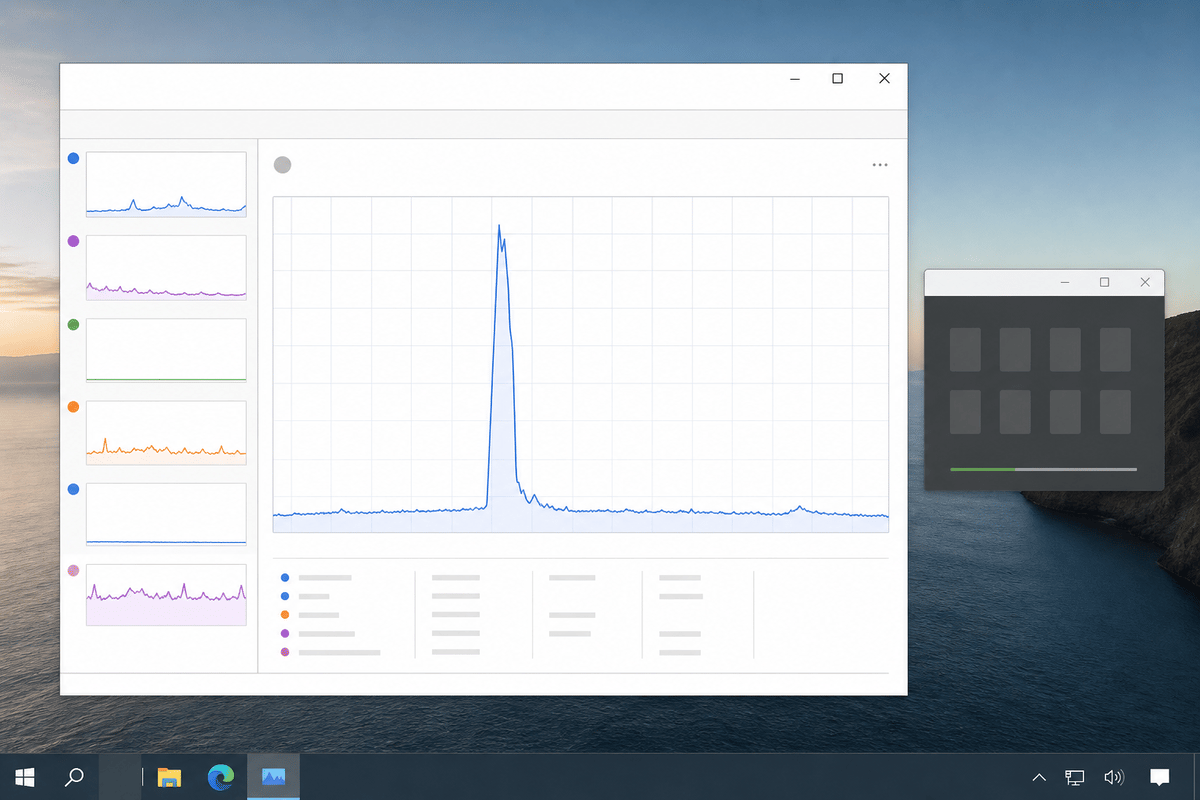
Launcher improvements often amount to fractions of a second, which makes casual testing almost useless. A client may launch quickly once because its cache is warm, then drag its feet after an update check or cloud-sync event. A simple repeatable test gives the update a fair shot and exposes whether the bottleneck lives in CPU startup, storage, or the network.
- Record a baseline before updating. Use the same PC, launcher account, internet connection, and background applications. Test Steam and Epic separately because their login and library-loading behavior differs.
- Time three points. Measure click-to-first-window, first-window-to-usable-interface, and usable-interface-to-library-loaded. A phone stopwatch works; 60fps video capture gives more precise frame-by-frame timing.
- Separate cold and warm launches. Run one test after a reboot for the cold-start result. Then close the launcher completely and test warm launches. Cold starts are more sensitive to CPU ramp-up and cache behavior.
- Run five launches per condition. Compare the average, then note the slowest result. One outlier can be an account-service delay rather than a Windows issue.
- Install KB5121003, reboot, and repeat the same five-launch test. Keep the same background load and avoid downloading games, copying files, or running a malware scan during the comparison.
- Watch Task Manager’s CPU speed during launch. A quick rise in CPU frequency during the first seconds is consistent with the intended behavior, though the timing result matters more than a single sensor reading.
The result worth looking for is a tighter early launch phase: fewer dead beats between a click and the first visible response, plus less hesitation before controls become usable. A fully loaded library may remain unchanged if Steam or Epic is waiting on network data. That outcome still tells a useful story: the update helped the CPU-bound part, while the launcher’s remaining delay sits elsewhere.
The Sensible Way to Read This Update
KB5121003 earns its value through polish, not spectacle. Gaming PCs rarely lose a whole minute to opening Steam, but they lose patience one half-second at a time: a click that appears ignored, an empty launcher frame, a frozen library button, a familiar client taking longer than its task deserves. Windows has long been too comfortable with those tiny delays.
Microsoft’s decision to extend Low Latency Profile to normal apps is technically sensible because launchers are built around short bursts of CPU work mixed with unpredictable I/O. It will never overcome an aging hard drive or an overloaded 8GB system by itself. It can, however, reduce the wait Windows adds before the launcher gets to show its own limitations.
FinalBoss // Gear
Level up your setup
01Graphics cardson Amazon→02Gaming laptopson Amazon→03High-refresh gaming monitorson Amazon→04Discounted game keyson Kinguin→Affiliate links · As an Amazon Associate, FinalBoss earns from qualifying purchases.
Want to Level Up Your Gaming?
Get access to exclusive strategies, hidden tips, and pro-level insights that we don't share publicly.
Ultimate Tech Strategy Guide + Weekly Pro Tips